40 Handelsrechnungen, One Export Reconciliation:
What German Exporters Build When They Batch Commercial Invoices
A German machinery exporter ships to 22 countries outside the EU each month — the United States, Japan, Brazil, the UAE, and eighteen others. For every shipment, the export department generates a commercial invoice (Handelsrechnung). Each carries eleven mandatory fields that a domestic invoice (Rechnung) never asks for: the 11-digit tariff code (Zolltarifnummer) per line item, the EORI number, the country of origin (Ursprungsland) declared separately for every product, the Incoterm, the net and gross weight in kilograms. By the end of the month, forty of these invoices exist — one per shipment — each a stand-alone compliance document stored in a folder named after the shipment date. The accounting team needs the total export value for the monthly VAT return (Umsatzsteuer-Voranmeldung). The logistics team needs the tariff-code breakdown for the quarterly Intrastat or customs reconciliation. The export control team needs the per-country and per-customer EORI summary for the next compliance review. None of these three teams can answer their question from the folder. The data they need is in there — forty times over — but it is forty separate documents, and no single document contains the answer.
Key Takeaways
- A mid-sized German machinery exporter generates roughly forty Handelsrechnungen per month across 22 countries — each a standalone compliance document carrying eleven customs fields, stored in a folder organized by shipment date.
- Accounting needs the total export turnover for the UVA, logistics needs the tariff-code breakdown per country, and export control needs the per-customer EORI summary — three departments opening the same forty PDFs and retyping the same fields because a single cross-invoice view does not exist.
- Define the column schema once, batch-upload the month's forty invoices, and one structured spreadsheet feeds three statutory obligations — the UVA export-turnover figure, the export-control origin ledger, and the customs-value reconciliation.
The Export Spread Problem: Forty Invoices, Three Departments, One Folder
A single Handelsrechnung answers three questions: what was shipped, where it came from, and what the customs value is. Forty Handelsrechnungen, issued across a month to customers in twenty-two countries, answer those same three questions forty times — but no one can read the answer across all of them.
A mid-sized German machinery exporter (Maschinenbau, one of the sectors that drives roughly 48% of Germany's total exports according to Destatis) ships approximately forty export consignments per month. The export department (Exportabteilung) generates a commercial invoice for each shipment. The document follows a format governed by the customs requirements of the destination country, the EU Union Customs Code (Regulation 952/2013), and the German Foreign Trade Ordinance (Außenwirtschaftsverordnung, AWV). Each Handelsrechnung carries fields that a standard domestic invoice under §14 UStG never requires: the 11-digit customs tariff number (Zolltarifnummer) declared per line item, the EORI number, the country of origin (Ursprungsland) declared per product, the Incoterm, the net weight (Nettogewicht) and gross weight (Bruttogewicht), the currency, the reason for export, and — critically — the legal basis for the VAT exemption (steuerfrei nach §4 Nr. 1a UStG).
The problem is not that any single Handelsrechnung is difficult to process. The problem is that forty of them, generated across four weeks by an export team whose primary concern is getting the shipment out the door, accumulate in a folder whose structure is chronological but whose data consumers are functional. Three departments need data from those forty invoices, and each needs it in a different shape:
Accounting (Buchhaltung): Needs the total export turnover for the monthly Umsatzsteuer-Voranmeldung (UVA) — specifically line 27, "steuerfreie Umsätze nach §4 Nr. 1a UStG" (tax-exempt supplies for export). The Handelsrechnung carries no VAT amount, because exports to third countries are VAT-exempt. But the total value must still be reported on the UVA, and the exemption must be substantiated by the invoice data if the Finanzamt audits. The accountant needs the sum of forty invoice totals, grouped by the legal exemption reference, with the corresponding invoice numbers — a reconciliation that involves opening forty PDFs and typing forty numbers.
Export control / logistics: Needs the per-country-of-origin breakdown for the quarterly customs reconciliation and the per-customer EORI summary for the annual export control audit (Ausfuhrkontrolle). Under the AWV, exporters must maintain records demonstrating that goods declared with a specific origin and tariff classification actually correspond to the declared values. A Handelsrechnung that states the country of origin as "Germany" and carries the EORI DE123456789 and tariff code 8479.89.97.00.9 is a compliance document. Forty such invoices are forty compliance documents — and the export control officer who needs to verify the full quarter's origin declarations is staring at a folder.
Intrastat / customs reporting: For exports to non-EU countries, the customs declaration (Ausfuhranmeldung via ATLAS) is the primary filing, but the Handelsrechnung is the supporting document that substantiates the declared value, tariff classification, and origin. When the Zollamt queries a customs value or demands a post-clearance audit, the Handelsrechnung is the reference document. The trade compliance team needs to reconcile each customs declaration against its corresponding commercial invoice — and when the month's forty invoices and forty ATLAS declarations are stored in two separate systems, that reconciliation is manual.
For a detailed field-by-field walkthrough of extracting the data from a single Handelsrechnung — the prerequisite step before batch consolidation — see our guide to extracting German commercial invoice data to Excel. The focus here is on what happens after you can extract: building the consolidated export reconciliation that turns forty isolated compliance documents into one structured export ledger.
The Fields a Handelsrechnung Carries That a Domestic Rechnung Never Does
Before defining an extraction schema for batch processing, you need to understand what makes the Handelsrechnung structurally different from a standard German invoice — and why those differences are what make cross-invoice aggregation so valuable. A domestic Rechnung under §14 UStG requires: supplier and recipient names and addresses, Steuernummer or USt-IdNr, invoice number and date, quantity and description of goods or services, date of supply, net amount, VAT rate and amount, and gross total. A Handelsrechnung requires all of that plus the export-specific fields that customs authorities and trade compliance demand:
| Field | German Name | Format | Which Department Needs It |
|---|---|---|---|
| EORI Number | EORI-Nummer | DE + 10–15 digits | Customs, export control audit |
| Tariff Code (per line) | Zolltarifnummer / Warennummer | 11-digit (e.g. 8479.89.97.00.9) | Intrastat, customs reconciliation |
| Country of Origin (per line) | Ursprungsland | ISO 2-letter country code | Export control, origin audit |
| Incoterm | Lieferbedingungen | EXW, FOB, CIF, DAP, DDP, etc. | Logistics, freight-cost allocation |
| Net Weight | Nettogewicht | kg, decimal | Customs, freight documentation |
| Gross Weight | Bruttogewicht | kg, decimal | Customs, freight documentation |
| Currency | Währung | EUR / USD / etc. | Accounting, exchange-rate reconciliation |
| Export Reason | Grund für die Ausfuhr | Sale / Repair / Sample / Return / Gift | Customs declaration, trade statistics |
| VAT Exemption Reference | Steuerbefreiungsgrund | "steuerfrei nach §4 Nr. 1a UStG" | UVA filing, Finanzamt audit defence |
| Buyer's VAT/Tax ID | USt-IdNr des Empfängers | Country-code + digits | Compliance, customer master verification |
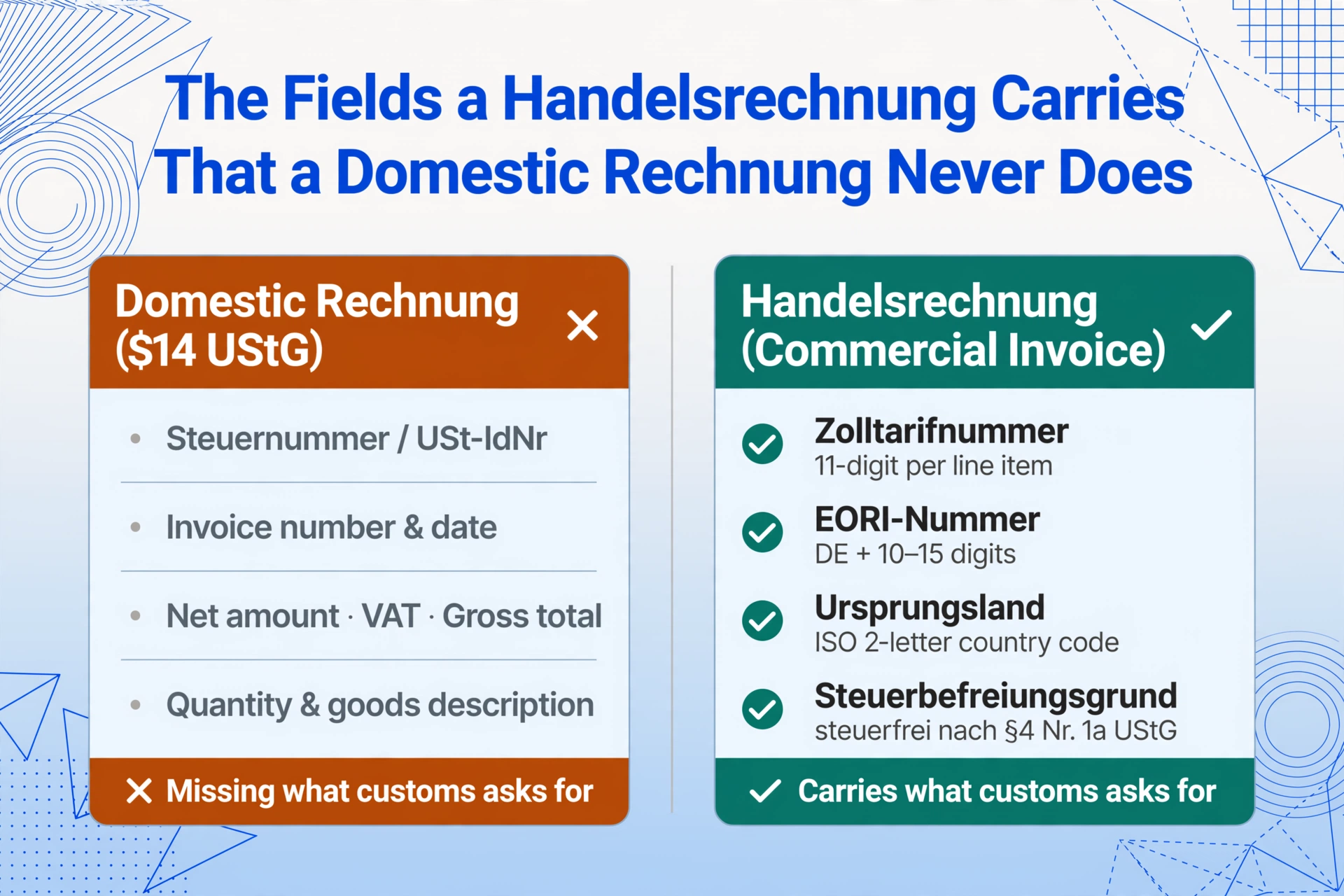
These ten fields distinguish the Handelsrechnung from the domestic Rechnung. And these ten fields, multiplied by forty invoices, are the data that three departments will spend the first week of the following month manually aggregating — unless the aggregation step is automated at the point of extraction.
Define Once, Extract Forty Times: The Batch Export Reconciliation Schema
The extraction workflow for forty monthly Handelsrechnungen follows the same structural principle covered in our guide to batch-processing German customs declarations into a tariff summary: define the column schema once, apply it to every document, and let the consistent output structure serve multiple downstream consumers. The Handelsrechnung batch schema is the bridge between export operations and financial compliance:
Invoice Number (Rechnungsnummer)  |  Invoice Date (Rechnungsdatum)
Customer Name  |  Customer Country  |  EORI Number
Product Description (Warenbezeichnung)  |  Tariff Code (11-digit Zolltarifnummer)
Country of Origin (Ursprungsland)  |  Quantity  |  Unit Price
Line Total  |  Invoice Total  |  Currency (Währung)
Incoterm  |  Net Weight (kg)  |  Gross Weight (kg)
Export Reason  |  VAT Reference (steuerfrei §4 Nr. 1a UStG)
Define this list once. Upload the month's forty Handelsrechnungen — PDFs generated by the ERP, scans of signed paper copies, spreadsheets exported from the export-control software, even pro forma invoices converted by the freight forwarder. The AI processes each document independently, locating the 11-digit tariff code by recognising the numeric pattern regardless of whether the surrounding label reads "Zolltarifnummer," "HS Code," "Warennummer," or "Customs Commodity Code." It extracts the EORI number, the country of origin, the Incoterm. The output is one consolidated spreadsheet where each row is an invoice (or an invoice line item), each column is a field you defined, and the structure is identical for every document — regardless of whether the invoice was generated in SAP, in Microsoft Dynamics, in a freight forwarder's template, or in a legacy Excel export.
Files are processed securely and not stored. Upload a sample Handelsrechnung and define your extraction columns to test.
The critical property here is structural consistency. When every Handelsrechnung in the batch produces output in the same columns — Invoice Total in one column, Tariff Code in another, Country of Origin in another — the three downstream consumers pull from the same source instead of each reconstructing the data from scratch. Accounting filters the table by VAT reference, sums the Invoice Total column, and gets the steuerfreie Umsätze figure for the UVA. Logistics filters by Country of Origin, groups and sums, and gets the per-country export breakdown for the quarterly export control review. Customs filters by Tariff Code, groups by the first six HS digits, and gets the per-heading export volume for the Intrastat filing or tariff reconciliation. One extraction run, one structured table, three different views — each serving a different statutory requirement.
Building the Export Reconciliation: From Forty Rows to Three Reports
With the consolidated extraction output in hand, building the three downstream views is a data operation rather than a document retrieval exercise. The extraction already mapped every Handelsrechnung to a consistent column structure. The work shifts from "open forty PDFs and find the numbers" to "group, filter, and sum what you already have."
One extraction run, one consolidated table, three statutory obligations: The UVA export-turnover figure, the export-control origin ledger, and the customs-value reconciliation are all derivatives of the same structured extraction output. The data was already there, scattered across forty Handelsrechnungen. The batch extraction makes it visible in one place, and the same place serves three different statutory requirements.
The Multi-Currency Complication: When Forty Invoices Total in Six Currencies
A German exporter that ships to Brazil invoices in EUR. A second customer in the United States wants the invoice in USD. A third in Japan requests JPY. The export department accommodates each customer — generating forty Handelsrechnungen across four to six currencies per month. The accounting team, preparing the UVA, must convert every non-EUR invoice total to euros at the applicable exchange rate for the reporting period. The export control team, aggregating per-country values, needs to know whether a USD-denominated invoice to the United States was translated at the monthly average rate or the spot rate on the invoice date.
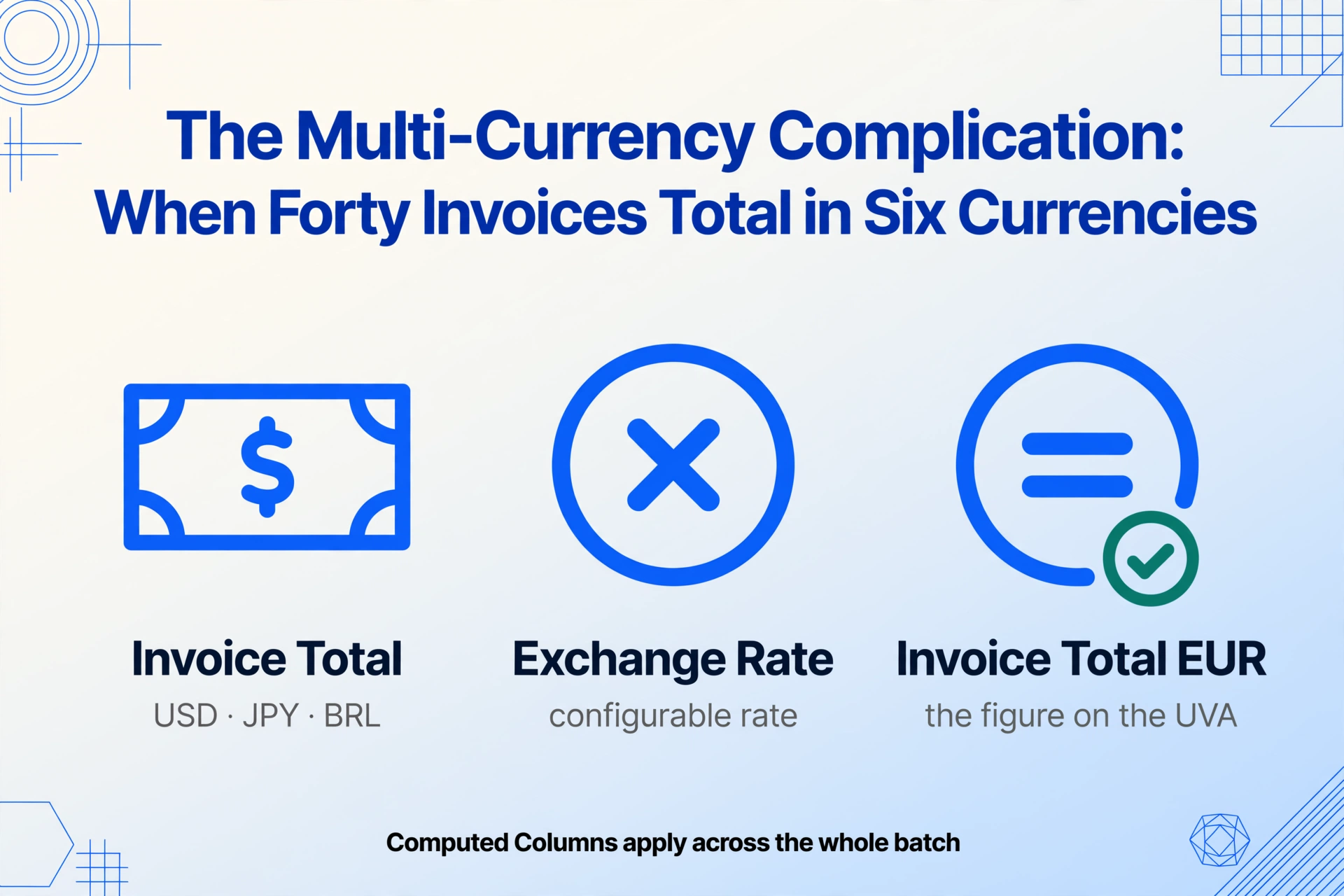
This is where the extraction schema earns its value beyond aggregation. By including a "Currency" column in the extraction — and, for advanced workflows, a computed column that converts the invoice total to euros using a configurable exchange rate — the consolidated table carries both the invoiced amount in the original currency and the EUR-equivalent amount. The accounting team no longer opens individual PDFs to check whether the USD invoice total was $47,300 or $43,700. The export control team no longer guesses whether a line-item value was in EUR or BRL. The table tells them.
The computed-column capability extends further. A column defined as "Invoice Total EUR (Invoice Total × Exchange Rate where Currency ≠ EUR)" can be applied across the entire batch during extraction — meaning the EUR-equivalent figures are generated automatically, not reconstructed manually during the UVA preparation. For exporters who use the monthly reference rates published by the Bundesbank or the ECB, the exchange rate can be embedded in the extraction definition once and applied consistently to every invoice in the batch.
Why the Bottleneck Moves Upstream
The consolidation of forty Handelsrechnungen into one structured table removes a downstream bottleneck: the manual aggregation that accounting, logistics, and export control each perform independently. But it also exposes an upstream reality: the Handelsrechnung data must exist in a consistent, extractable format before the batch extraction can run.
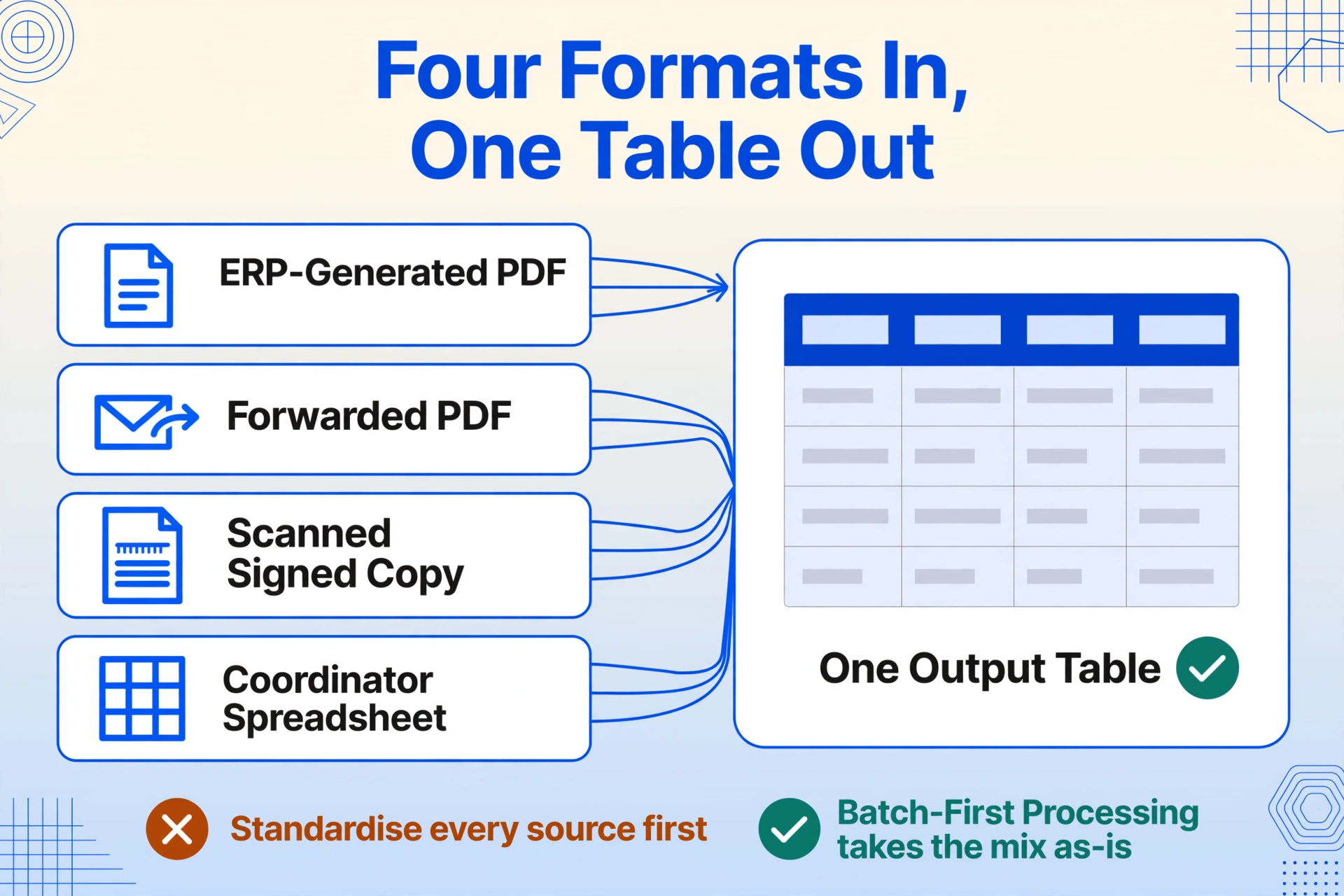
This is where most German export departments encounter their first friction point. The export team generates an invoice in the ERP — SAP, Microsoft Dynamics, or a specialised foreign-trade module like AEB or MIC-CUST. That invoice may be printed as a PDF and emailed to the customer, or it may remain in the ERP as a structured record. But the export department's priority is generating the shipping documents and getting the goods onto the truck. The invoice is a compliance output, not a data input — and as a result, the forty Handelsrechnungen at the end of the month exist in a mix of formats: ERP-generated PDFs, emailed PDFs forwarded by the freight forwarder, scanned signed copies returned by customs, and spreadsheets maintained by individual export coordinators.
Batch-first extraction — the approach where the extraction tool is designed to take any number of files simultaneously, in any mix of formats, and produce one output table — closes this gap. The export department does not need to standardise its invoice generation process before the extraction can work. A PDF from SAP, a scan of a signed original, and an AEB export file can all sit in the same upload queue and produce rows in the same output table, because the AI extracts data by understanding what the field means rather than where it sits on the page.
This is the same structural principle that applies when batch-processing German customs declarations into a tariff summary: the bottleneck is not the processing time per document, but the fragmentation of data across documents that were never designed to be read together. The batch step collapses the fragmentation into a structured dataset, and the downstream consumers — accounting, logistics, customs — each pull their slice from the same source.
FAQ
Can the extraction handle Handelsrechnungen generated by different ERP systems in the same batch?
Yes. Whether your invoices are generated in SAP, Microsoft Dynamics, DATEV, or a freight forwarder's in-house template, the extraction is format-independent. The AI locates the tariff code by recognising the 11-digit numeric pattern, the EORI number by the "DE" prefix and digit count, the Incoterm by the standard three-letter code — regardless of where each value appears on the page. A SAP-generated PDF, an AEB export summary, and a scanned paper Handelsrechnung can all produce rows in the same output table. For the hub article covering the field-by-field structure of a single Handelsrechnung, see our guide to extracting German commercial invoice data.
What if some Handelsrechnungen have line-item detail and others only show totals?
The extraction captures whatever level of detail the invoice provides. A Handelsrechnung with line items produces one row per line item in the output table. A Handelsrechnung that only shows the total produces one row with the total and blank line-item columns. The output table accommodates both — rows with line-item detail carry tariff codes and country of origin per line; rows without it carry only the invoice-level fields. When aggregating for the UVA, sum the Invoice Total column rather than the Line Total column to avoid double-counting on invoices that have both.
Can I include non-export domestic invoices (Rechnungen) in the same batch for a combined turnover view?
You can, but the extraction schema would need to accommodate both document types. A domestic Rechnung does not carry the export-specific fields — EORI, tariff code, country of origin, net/gross weight — that a Handelsrechnung carries. If you upload both types in the same batch, define the schema to include all fields: the Handelsrechnungen will populate the customs fields, and the Rechnungen will leave those columns blank. When building the UVA, the blank customs columns become the filter that separates export turnover (steuerfrei) from domestic turnover (steuerpflichtig) — exactly the split the UVA form demands.
How does the batch extraction handle currency conversion across multiple currencies in the same batch?
The extraction captures the currency code as printed on each invoice. For conversion to EUR, define a computed column — for example, "EUR Equivalent (if Currency = 'USD' then Total × 1.08, if Currency = 'CHF' then Total × 0.95, otherwise Total)" — where the exchange rates are your company's standard rates for the period. This computed column is applied during extraction, so the EUR-equivalent value appears in the output table alongside the original-currency amount. For exporters who prefer to manage exchange rates in their accounting software, extract the Raw Total and Currency columns only, and perform the conversion downstream in DATEV or your accounting system.
Does the extraction validate tariff codes against the official German customs tariff (EZT-online)?
No. The extraction reads and transcribes the tariff code as printed on the Handelsrechnung. It does not validate whether the code is correct for the described goods — HS classification is a legal determination governed by the General Rules of Interpretation and depends on product composition, function, and intended use. The extraction handles the transcription layer: accurately copying the code from the invoice into your summary table. Classification validation belongs to the trade-compliance layer.
What accuracy should I expect for Handelsrechnungen that include handwritten entries or customs stamps?
Printed fields on ERP-generated PDFs reach up to 99% field-level accuracy. Scanned copies with customs stamps overlaying text, handwritten Incoterm corrections, or manual annotations degrade proportionally. Tariff codes, invoice totals, and EORI numbers on printed documents typically pass through without requiring manual verification. Handwritten corrections and over-stamped values should be spot-checked — particularly the invoice total and the tariff code, where a misread digit changes the customs classification. No extraction tool achieves 100% on degraded source documents; the realistic expectation is that printed fields pass through clean, and handwritten fields require a verification pass.