Why the Dual Invoice Problem Costs German Exporters
More Than Most Finance Teams Realize
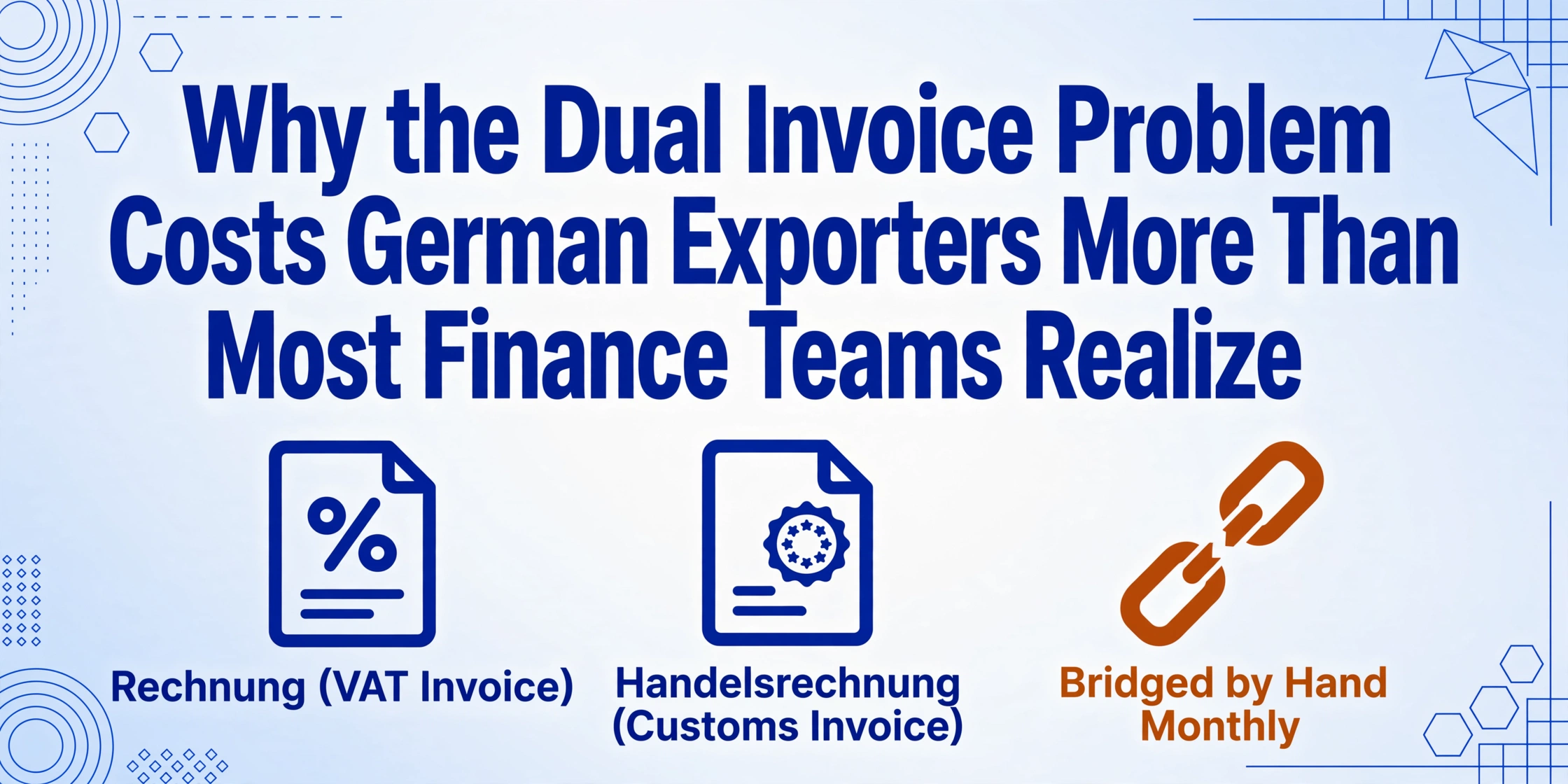
A German manufacturer sends an industrial pump to a customer in Stuttgart. The accounts department generates a standard invoice (Rechnung) with 19% VAT — all fields governed by §14 UStG. The same week, the export department ships an identical pump to a customer in São Paulo. The export invoice (Handelsrechnung) carries no VAT — the sale is tax-exempt under §4 Nr. 1a UStG. Instead, the Handelsrechnung carries eleven fields the domestic invoice never asks for: an EORI number, an 11-digit tariff code per line item, a country-of-origin declaration per product, an Incoterm, net and gross weights in kilograms, and a legal citation for the VAT exemption. These two invoices describe the same product sold by the same company in the same month. They are generated by two different departments, stored in two different systems, formatted according to two different legal frameworks, and — once a month — they must merge into one VAT return. That merge is where the cost lives, and it is a cost most German exporters have never measured.
Key Takeaways
- A German manufacturer selling the same product domestically and for export generates two structurally incompatible invoices — the Rechnung carries VAT fields under §14 UStG, the Handelsrechnung carries customs fields with zero VAT under §4 Nr. 1a UStG — and yet both must land on one Umsatzsteuer-Voranmeldung each month.
- This monthly reconciliation is not one calculation but five discrete manual steps — domestic aggregation, export aggregation, intra-EU separation, Intrastat reconciliation, and audit-trail assembly — consuming roughly 24 working days per year that never appear on any cost line.
- Define one extraction schema covering the union of both document types, upload domestic and export invoices together, and the UVA becomes a filter on one table — VAT columns populated means domestic turnover, customs columns populated means export turnover.
Two Pipelines, One Company, Zero Shared Structure
The German exporter does not have an invoicing problem. It has an invoicing architecture that was never designed to be reconciled — because the domestic invoice and the export invoice were created for different legal frameworks, by different departments, at different moments in the transaction lifecycle.
A domestic Rechnung under §14 UStG is a VAT document. Its mandatory fields serve one purpose: substantiating the VAT treatment of a domestic or intra-EU transaction. The invoice must carry the supplier's Steuernummer or USt-IdNr, the net amount, the applicable VAT rate (19% standard or 7% reduced), the VAT amount in euros, and the gross total. If the transaction is a B2B intra-Community supply, it carries the recipient's USt-IdNr and a reference to the reverse-charge mechanism under §13b UStG. Every field on the Rechnung is there because the Umsatzsteuergesetz says it must be, and the Finanzamt will check that it is.
A Handelsrechnung is a customs document. Its mandatory fields serve a different purpose: enabling the destination country's customs authority to assess duties, verify origin, and clear the goods. The Handelsrechnung carries the EORI number, the 11-digit tariff classification per line item, the country of origin per product, the Incoterm, net and gross weights, the currency, the reason for export, and a reference to the VAT exemption under §4 Nr. 1a UStG. Critically, it carries no VAT amount — because exports to third countries are zero-rated under the German VAT Act, and the VAT is settled in the destination country under its own system.
These two documents are born in different parts of the organisation. The domestic Rechnung comes from the accounts department (Buchhaltung), generated in DATEV, SAP, or Lexware, governed by the calendar of monthly billing cycles and payment terms. The Handelsrechnung comes from the export department (Exportabteilung), generated in the ERP's foreign-trade module, AEB, or MIC-CUST, governed by the calendar of shipment dates and customs clearance deadlines. They are stored in different folders, managed by different people, and — in most German SMEs — never meet until the monthly VAT return forces them into the same spreadsheet.
The structural incompatibility runs deeper than departmental separation. A Rechnung carries the fields that determine the VAT liability for the month. A Handelsrechnung carries the fields that determine customs duty liability and export-control compliance. Their data models are orthogonal — they describe the same economic activity (selling a product) through two regulatory frameworks that share no common fields beyond the invoice number and the total. And yet, when the monthly Umsatzsteuer-Voranmeldung (UVA) is prepared, the data from both document types must land on the same form: domestic transactions on lines 20–23 (steuerpflichtige Umsätze), export transactions on line 27 (steuerfreie Umsätze nach §4 Nr. 1a UStG). The VAT return does not care which department generated which invoice. It demands a single set of numbers, drawn from two incompatible data sources.
The structural insight: The German exporter does not have two invoicing pipelines because anyone chose to build two. It has two because the Umsatzsteuergesetz and the Union Customs Code address different regulatory objectives, and each demands different data on the invoice. The problem is not that the law is irrational. It is that the data reconciliation — the monthly act of merging two incompatible invoicing streams into one VAT return — falls entirely on the exporter, with no structural bridge between the two.
Anatomy of a Monthly UVA Reconciliation: Five Manual Steps Nobody Counts
The UVA filing deadline — the 10th of the following month for most businesses, extendable to the 10th of the second following month with a Dauerfristverlängerung — drives the reconciliation cycle. The finance team must produce four numbers that come from two different document sets:
| UVA Line | What It Reports | Which Invoice Type Supplies It | Manual Effort Required |
|---|---|---|---|
| 20–22 | Taxable domestic turnover at 19% / 7% rates | Domestic Rechnung (steuerpflichtig) | Sum net totals from all domestic invoices issued in the period. Split by VAT rate. |
| 23 | VAT due on domestic turnover | Domestic Rechnung | Sum VAT amounts from all domestic invoices. Reconcile against the net × rate calculation. |
| 27 | Tax-exempt export turnover (steuerfreie Umsätze §4 Nr. 1a) | Handelsrechnung (export) | Open each Handelsrechnung manually. Sum the totals. Verify that every one carries the correct exemption reference. |
| 27 (Intra-EU) | Tax-exempt intra-Community supplies (steuerfreie ig. Lieferungen §4 Nr. 1b) | Domestic Rechnung (with recipient USt-IdNr and reverse-charge note) | Separate intra-EU invoices from domestic. Sum. Verify USt-IdNr and MOSS/ZM recapitulative statement consistency. |
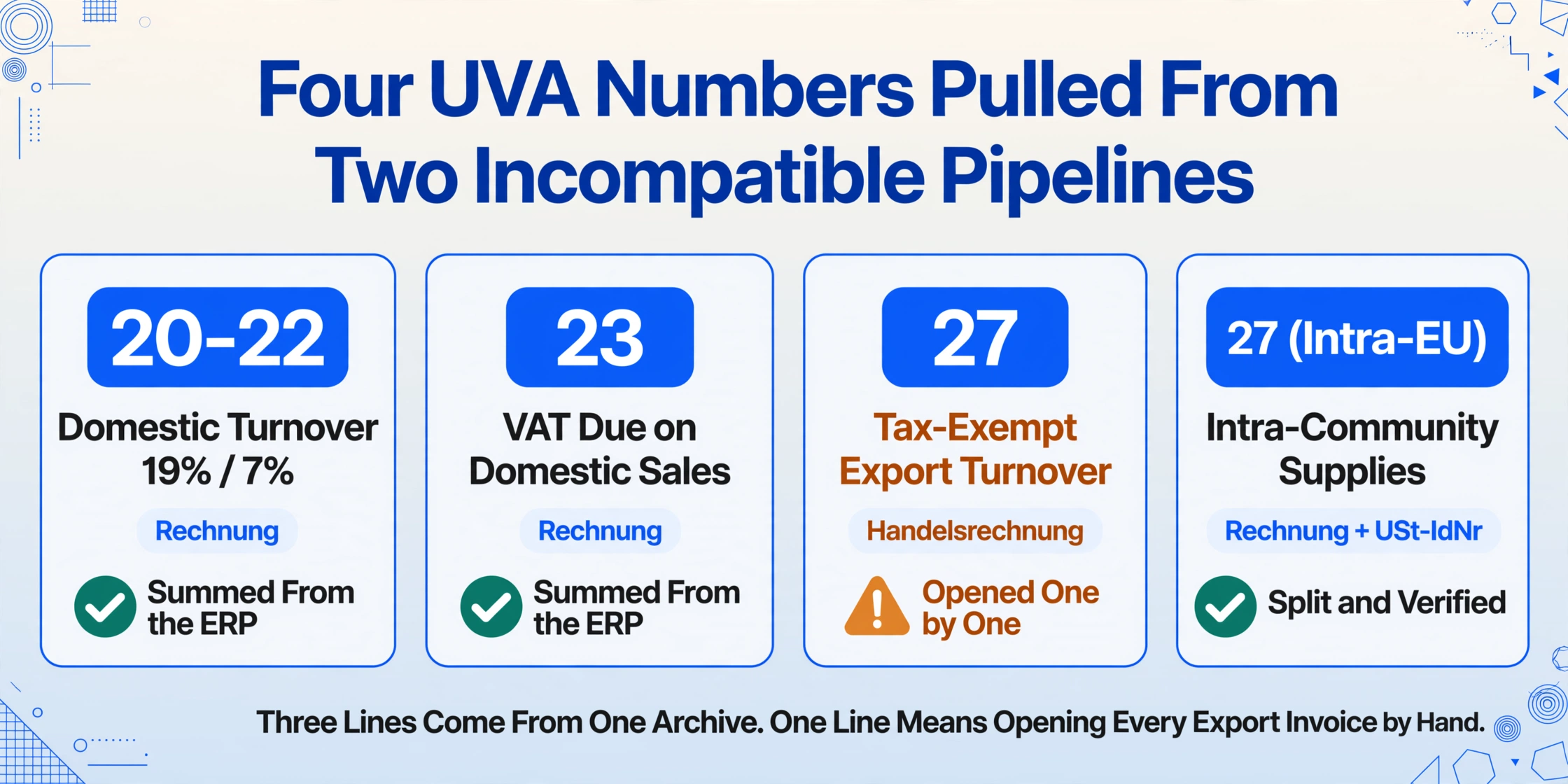
The reconciliation is not one calculation. It is a sequence of five discrete manual steps, each drawing from a different subset of the invoice archive, and each introducing its own error risk:
1. Domestic invoice aggregation. The accounts department pulls all domestic Rechnungen issued in the reporting period from the ERP. In a well-run company, this step is semi-automated — the ERP can produce a sales ledger with net amounts and VAT amounts by rate. But the ERP's domestic invoice module does not know about the Handelsrechnungen in the export module. Two separate reports, two separate systems, two separate export files that will be merged manually in Excel.
2. Export invoice aggregation. The export department provides the month's Handelsrechnungen — typically as a folder of PDFs or an export-module report. These invoices carry no VAT fields. The finance team must open each one, confirm that the VAT exemption reference (§4 Nr. 1a UStG) is present, verify that the invoice total is correct, and sum the totals for the UVA line 27 entry. For a company with forty export shipments per month, this is forty invoices to open, read, and manually sum — before the first number enters the UVA form.
3. Intra-EU separation. The domestic Rechnung includes invoices to customers in other EU countries — intra-Community supplies that are VAT-exempt, but under §4 Nr. 1b UStG (intra-Community supply) rather than §4 Nr. 1a (export). These invoices carry the recipient's USt-IdNr and a reverse-charge note. They must be separated from the domestic taxable invoices and reported on the same UVA line 27 as the export invoices, but also reconciled with the quarterly Zusammenfassende Meldung (ZM, recapitulative statement). A domestic invoice to a customer in France and an export invoice to a customer in Brazil land on the same UVA line — but one requires a ZM match and the other does not.
4. Intrastat reconciliation. For intra-EU dispatches, the exporter must file monthly or quarterly Intrastat declarations reporting the dispatched goods by eight-digit Combined Nomenclature code, country of destination, and statistical value. The Intrastat filing draws from the same Handelsrechnung and intra-EU invoice data that feeds the UVA, but it requires a different aggregation: per-commodity-code, per-country — a pivot the UVA does not need. In practice, many exporters prepare the UVA and Intrastat from separate data extracts, and discrepancies between the two — the same shipment reported with a different statistical value in each filing — go undetected until the Statistisches Bundesamt or Finanzamt flags them.
5. The audit trail. The UVA form itself asks for four numbers per line. The Finanzamt, during a VAT audit (Umsatzsteuer-Sonderprüfung), can request the substantiation for any of those numbers. The finance team must be able to produce — for any given reporting period — the list of invoices that generated each line on the UVA. When the domestic and export invoice data live in two different systems, producing that substantiation means reconstructing the manual reconciliation that was done at filing time, potentially months or years earlier, by a person who may no longer work at the company.
These five steps are not individually difficult. Each takes a few hours, spread across the first week of the month. What makes them expensive is that they are entirely manual, entirely error-prone, and entirely invisible to the company's cost accounting — because no one logs the hours spent reconciling invoices as a separate cost line. A finance team spending two days per month on UVA preparation is spending twenty-four working days per year — over a full working month — on an activity that produces no revenue, generates no insight, and exists solely because two regulatory frameworks produce two incompatible invoice formats.
Where the Manual Reconciliation Actually Breaks — Three Failure Modes
The reconciliation's weaknesses surface not in the months when everything matches, but in the months when it does not — and the root cause is usually not a data-entry error but a structural mismatch between the two invoice pipelines.
1. The Missing Exemption Reference — When the Handelsrechnung Does Not Cite §4
A Handelsrechnung generated by a freight forwarder on behalf of the exporter sometimes omits the VAT exemption reference. The forwarder's template includes the EORI, the tariff code, the Incoterm — the customs fields — but the legal citation for the VAT exemption belongs to the exporter's tax obligations, not the forwarder's customs obligations. When the finance team receives this Handelsrechnung, it carries all the customs fields correctly but lacks the one field the UVA audit trail needs: "steuerfrei nach §4 Nr. 1a UStG."
Under German VAT rules, an invoice for a tax-exempt transaction must state the legal basis for the exemption — a general statement like "VAT exempt" is not sufficient. A Handelsrechnung that omits the §4 citation is a non-compliant invoice, and the Finanzamt can challenge the exemption during an audit — not because the export did not happen, but because the document that proves it did is technically defective. The finance team that catches this during the monthly reconciliation must go back to the export department, request a corrected Handelsrechnung, and wait for it before the UVA can be filed. In a month with forty exports and three freight forwarders, three missing exemption references can delay the UVA filing by a week.
2. The Currency Mismatch — USD Handelsrechnung vs. EUR UVA
The UVA reports all figures in euros. A Handelsrechnung issued in USD must be converted to EUR at the applicable exchange rate for the reporting period — typically the monthly average rate published by the Bundesbank, or the ECB reference rate on the invoice date, depending on the company's accounting policy. The conversion is straightforward in principle. In practice, a finance team aggregating forty Handelsrechnungen must check the currency on every single invoice, apply the correct conversion rate, and sum the EUR-equivalent totals — a multi-step calculation where a single missed currency code produces a wrong UVA figure.
The risk is asymmetric. An understated export turnover on line 27 of the UVA — reporting €50,000 in USD exports as €45,000 in EUR equivalents because the conversion was applied incorrectly — does not directly change the VAT payable, because the exports are tax-exempt. But it does create a reporting discrepancy: the same export value declared to German customs via the ATLAS system (in EUR) no longer matches the export turnover reported on the UVA. When the Finanzamt cross-references the UVA against the customs export data — and it can, under the data-exchange agreements between tax and customs authorities — the discrepancy becomes an audit trigger. The tax liability is zero, but the audit investigation is not.
3. The Partial Shipment Problem — One PO, Two Invoices, One Reconciliation
A customer in Dubai orders 200 units. The export department ships 120 units in the first consignment and 80 units two weeks later. Two Handelsrechnungen are generated — one for each partial shipment — each carrying its own invoice number, its own date, its own tariff-code breakdown for the shipped portion. The finance team must sum both invoices for the full customer order, confirm that the combined total reconciles against the purchase order, and include both in the monthly UVA export-turnover figure. If the second Handelsrechnung arrives in the following month — because the shipment left the warehouse on the 31st — the export turnover splits across two reporting periods, and the UVA for month one understates the order value while month two overstates it. The finance team that is simply summing Handelsrechnung totals by month will not see the split — only the export department knows that the consignment was partial.
Partial shipments compound the problem that already exists: the data needed to reconcile the UVA is distributed across two departments, two document types, and two time periods, and no single person holds all of it.
The common thread: Each failure mode originates not from a transaction error but from a structural gap — the Handelsrechnung was designed by customs logic, the UVA by tax logic, and the bridge between them is a manual spreadsheet maintained by a person who is also running the month-end close.
Why SAP and DATEV Don't Close the Gap — And What Does
The obvious question at this point is: why doesn't the ERP solve this? German exporters run SAP, Microsoft Dynamics, or DATEV — enterprise systems that handle domestic invoicing, export documentation, and VAT accounting. And they do. But they handle them in separate modules, connected by interfaces that require structured data on both sides.
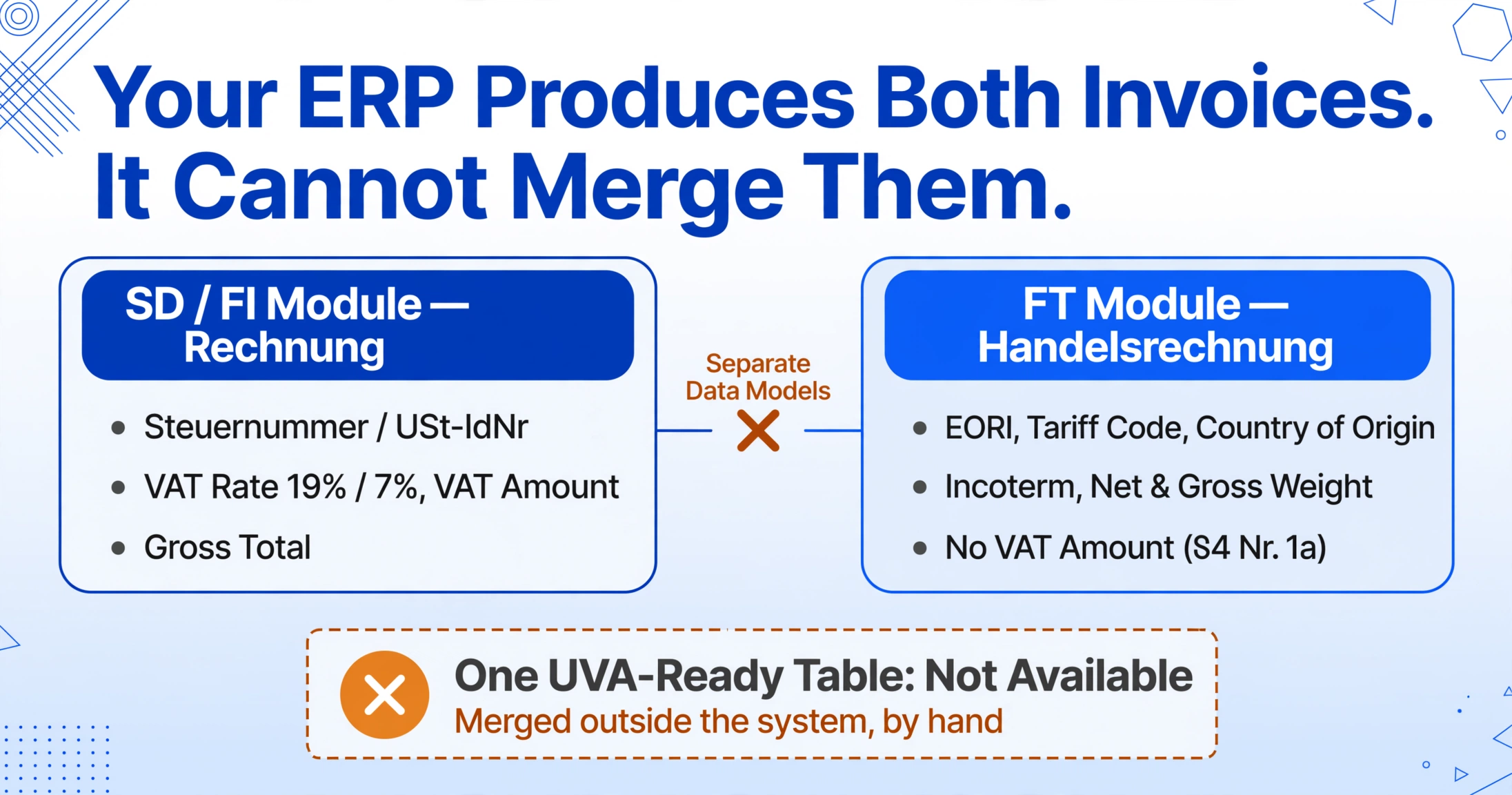
The domestic Rechnung is generated in the sales and distribution (SD) or finance (FI) module, where every field is defined by the VAT logic of §14 UStG. The Handelsrechnung is generated in the foreign-trade (FT) module or a specialised customs system like AEB or MIC-CUST, where the fields are defined by the customs logic of the UCC and AWV. The ERP can produce a domestic-sales report and, separately, an export-shipment report. What it cannot do — without custom integration work — is produce a single consolidated view that maps every export Handelsrechnung to its corresponding customer, tariff code, origin, and VAT exemption status, and merges that with the domestic invoice data in one structure suitable for the UVA.
This is the same structural problem that manifests in Japanese procurement three-way matching — three documents that describe the same transaction but were generated by different systems, at different times, for different audiences, and none of them uses the same identifiers. The formatting changes but the structural problem is identical: the data reconciliation falls on a human because the systems that generate the documents were never designed to talk to each other.
Closing the gap requires a different approach — not replacing the ERP, but feeding it structured data from the documents that currently bypass its structure. The shift is from position-based reading (a template that expects the invoice total to sit in a fixed location, and breaks when a freight forwarder's Handelsrechnung layout differs from SAP's) to semantic reading (an AI that finds the invoice total because it understands what a total is, regardless of layout). Because the extraction is Template-Free — it does not require a parsing template per invoice format — a Handelsrechnung from SAP, a scan of a signed paper original from a freight forwarder, and a pro forma invoice from the export department's spreadsheet all produce rows in the same output table, with the same column structure.
This is where Custom Column Extraction changes the reconciliation equation. Instead of defining where each field is on every document format, you define what you want: a column called "Invoice Number," a column called "Invoice Total," a column called "VAT Rate," a column called "Tariff Code," a column called "EORI Number." The AI reads each document — domestic Rechnung or export Handelsrechnung — and locates the values by understanding what they mean. A Rechnung that carries a VAT rate and a Handelsrechnung that carries a tariff code both feed into the same output table, populating the columns they have and leaving blank the ones they do not. The UVA preparation becomes a filter-and-sum operation: filter where the VAT Rate column is populated to get domestic taxable turnover; filter where the Tariff Code column is populated to get export turnover; sum each filtered subset.
Files are processed securely and not stored. Upload a sample Rechnung or Handelsrechnung and define your columns to test extraction.
The same structural problem — manual reconciliation across documents that describe the same financial reality but in incompatible formats — appears in other contexts well beyond German exports. Our analysis of the Australian BAS lodgement manual reconciliation problem examines how small businesses face an analogous challenge when quarterly GST data must be reconciled across invoices, bank statements, and ATO forms. The document type and the tax authority change, but the transcription gap — the point where data that a human can read must become a number a form can accept — does not.
The Costs That Never Appear on a Cost Line
The hours spent reconciling Handelsrechnung data for the UVA are the visible cost. The costs that never appear on a cost line — but are real and compounding — are the ones most exporters never quantify:
The late-filing surcharge that compounds monthly
Under §152 AO (Abgabenordnung), the Finanzamt can impose a late-filing surcharge (Verspätungszuschlag) of 0.25% of the assessed tax per month of delay, with a minimum of €25 per month for monthly VAT returns. A UVA filed late because the export-turnover aggregation took three extra days is not penalised for the delay itself — the surcharge is capped. But a UVA filed late every other month because the dual-pipeline reconciliation is chronically slow generates a recurring surcharge that, across a year, adds up to a penalty for doing things the way they have always been done.
The audit risk of unreconcilable cross-system data
The Finanzamt and the Zollamt can cross-reference UVA turnover data against customs export declarations — and under EU and German data-sharing frameworks, they increasingly do. A UVA that reports €1.2 million in export turnover for the quarter while ATLAS customs export data indicates €1.15 million creates a €50,000 discrepancy. The exporter has not underpaid VAT — exports are tax-exempt — but the discrepancy triggers an audit query that demands the exporter substantiate both figures and explain the gap. The cost is not a tax penalty. It is the hours spent responding to the query, retrieving documents from two systems, and proving that the discrepancy is a timing mismatch rather than an unreported transaction — an exercise that consumes the same time as preparing the UVA itself.
The downstream cost of unreconciled Intrastat data
Germany's Intrastat reporting requires exporters to declare intra-EU dispatches by eight-digit Combined Nomenclature code, country of destination, and statistical value — commercially sensitive data filed monthly or quarterly with the Statistisches Bundesamt. When the Intrastat filing is prepared from a different data extract than the UVA, the two filings diverge. A statistical-value discrepancy between the Intrastat filing and the UVA's intra-EU turnover line is a red flag to the authorities. The fix is not more careful manual data entry. It is a single source of structured data — the invoice extraction — that feeds both the UVA line 27 and the Intrastat filing from the same underlying numbers.
These costs share a single root, and it is the same root that makes the batch processing of German export commercial invoices so essential: the data needed for compliance already exists — printed on forty Handelsrechnungen — but it exists in a format that no compliance system can consume. The cost is not the tax. It is the human translation layer between the document and the form.
The Fix Is Structural, Not Procedural
The standard response to the dual-pipeline problem is procedural: hire more people, spread the reconciliation across more days, build a more detailed spreadsheet template. These responses absorb the symptoms; they do not address the cause. The cause is that the Handelsrechnung and the Rechnung produce data in incompatible formats, and no system bridges them.
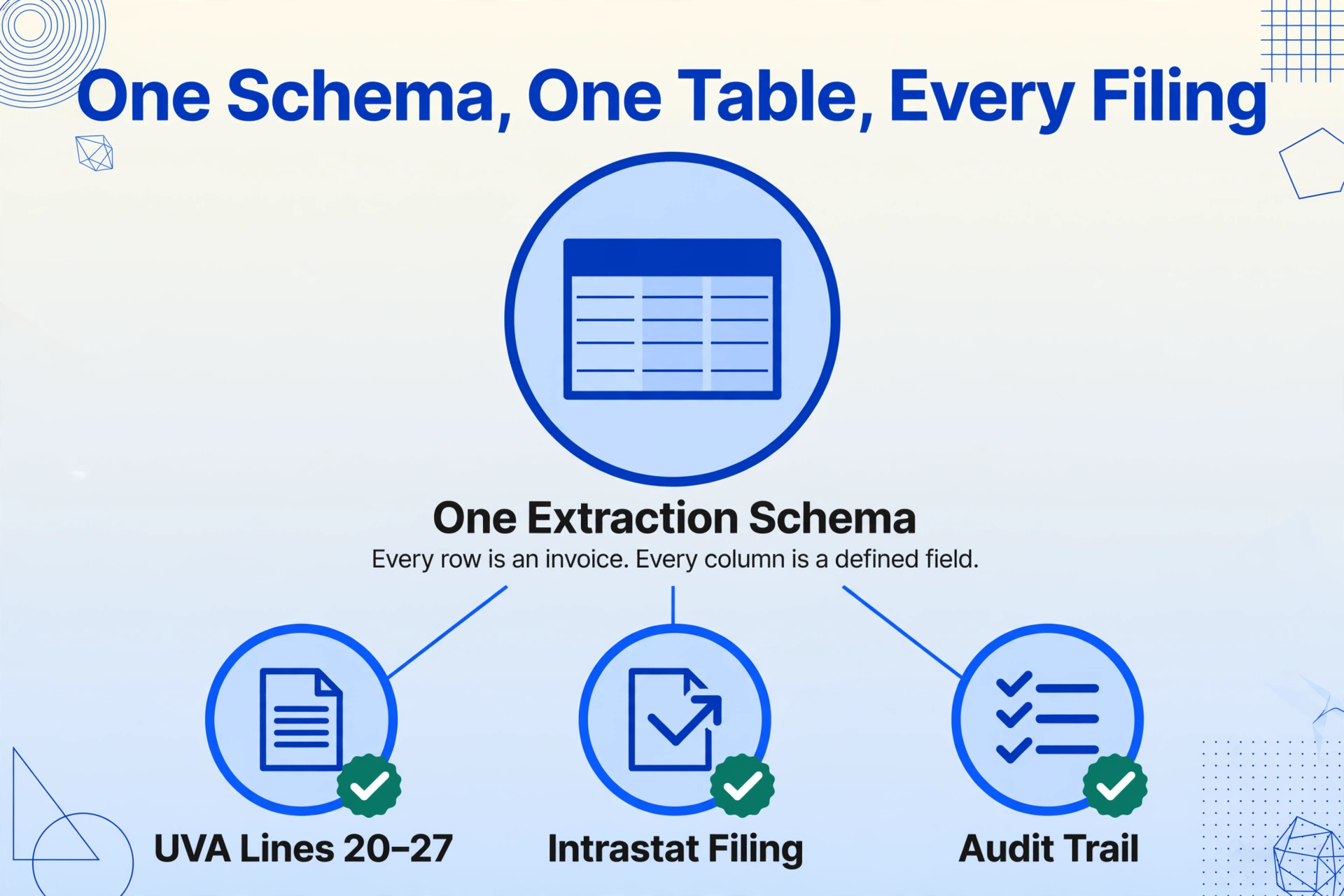
Fixing the structure means collapsing the two pipelines at the point where data enters the compliance workflow — before it fans out to the UVA, the Intrastat filing, and the customs reconciliation. Define one extraction schema that covers the union of fields from both document types. Apply it to every invoice — domestic and export — each month. The output is a single table where every row is an invoice, every column is a defined field, and the distinction between "domestic" and "export" is not which folder the file lives in but which columns are populated: VAT columns populated = domestic turnover; customs columns populated = export turnover. The UVA becomes a filter on the table. The Intrastat filing becomes a different filter on the same table. The audit trail — the list of invoices that generated each line — is the table.
For the field-by-field extraction of a single Handelsrechnung — the prerequisite before batch consolidation across domestic and export invoices — see the guide to extracting German commercial invoice data to Excel. For the batch dimension, batch processing German export invoices into a single reconciliation spreadsheet covers extracting forty Handelsrechnungen in one run and building the consolidated export ledger. The point that connects both is this: the data you need for the UVA already exists on the invoices you issue. The bottleneck was never the data. It was the format.
FAQ
What is the practical difference between a Rechnung and a Handelsrechnung?
A Rechnung is a domestic VAT invoice governed by §14 UStG — it carries the VAT rate, VAT amount, Steuernummer or USt-IdNr, and all fields the Finanzamt requires to substantiate input VAT deduction. A Handelsrechnung is a commercial invoice for export, governed primarily by customs law (UCC and AWV) rather than VAT law — it carries no VAT (because exports are tax-exempt under §4 Nr. 1a UStG) but instead carries the EORI number, tariff code per line item, country of origin per product, Incoterm, net and gross weight, and the legal citation for the tax exemption. They serve two different regulatory frameworks, and their field sets overlap only on basic identifiers like the invoice number and date.
Why can't my ERP handle the dual-pipeline reconciliation automatically?
Most ERPs handle domestic invoicing and export documentation in separate modules with separate data models. The domestic module generates Rechnungen with VAT fields; the foreign-trade module generates Handelsrechnungen with customs fields. The ERP can produce a domestic-sales report and an export-shipment report separately, but merging them into one UVA-ready table typically requires custom interfaces or manual export of both reports into Excel. The gap is not a missing ERP feature — it is that the two document types were designed for two regulatory frameworks that share no common data model, and the ERP reflects that legal reality.
What happens if I report the wrong export turnover figure on the UVA?
Export turnover is tax-exempt, so an incorrect figure on line 27 of the UVA does not directly create a tax liability — unlike an incorrect figure on the domestic-taxable lines. However, the UVA figure must reconcile against the customs export data reported via ATLAS. A persistent discrepancy between the two can trigger a cross-reference audit by the Finanzamt, which will demand substantiation of both figures. The cost is not a tax penalty; it is the hours spent responding to the audit query. Additionally, a corrected UVA must be filed if the error is discovered after submission, and repeated corrections can flag the company for higher-frequency scrutiny.
Does the dual-pipeline problem only affect large exporters, or does it hit SMEs equally?
It affects any German business that issues both domestic invoices and export Handelsrechnungen — regardless of size. A Maschinenbau SME with 25 employees and ten export shipments per month faces the same structural problem as a multinational with 500. The smaller company may have fewer invoices to reconcile, but it also has fewer people to do the reconciliation, and the person preparing the UVA is often the same person who handled the export documentation — meaning the reconciliation happens in one person's head, with no institutional record. When that person leaves, the next hire inherits a folder of Handelsrechnungen and no documentation of how they were reconciled.
How does the German B2B e-invoicing mandate (E-Rechnungspflicht) change this?
The German B2B e-invoicing mandate — receiving obligation since January 2025, issuing phased in from 2027 — requires invoices in structured EN 16931 formats (XRechnung or ZUGFeRD) for domestic B2B transactions. This will standardise the domestic Rechnung pipeline, making the data extraction from domestic invoices easier. However, cross-border export invoices (Handelsrechnungen to non-EU customers) are outside the scope of the domestic mandate. The dual pipeline does not go away — the domestic side becomes more structured while the export side remains a mix of PDFs, ERP exports, and freight-forwarder templates. The reconciliation problem between the two persists, and the contrast between a fully structured domestic pipeline and an unstructured export pipeline may make it more visible, not less.
Can I extract data from both Rechnung and Handelsrechnung into the same output table?
Yes. Define a column schema that covers the union of fields from both document types — Invoice Number, Invoice Date, Customer, Net Amount, VAT Rate, VAT Amount, Gross Total, Tariff Code, Country of Origin, EORI, Incoterm, Net Weight, Gross Weight, Currency, VAT Reference. Upload both Rechnungen and Handelsrechnungen in the same batch. The domestic invoices will populate the VAT-related columns and leave the customs columns blank. The export invoices will populate the customs columns and leave the VAT columns blank. The distinction between the two — and thus the split between UVA lines 20–22 (taxable) and line 27 (tax-exempt) — is automatically encoded by which columns are populated.