German Payslips in Batch
12 Gehaltsabrechnungen, One Excel File
Extracting data from a single German payslip is a solved problem. You open the PDF, look up Bruttogehalt and Lohnsteuer, type them into a spreadsheet — 3 minutes, done. Extracting data from 12 months of payslips across 20 employees — 240 documents with different Steuerklassen, Korrekturabrechnung forms mixed in, and the Beitragsbemessungsgrenze shifting mid-year — is where the real bottleneck lives. That is not a 3-minute task scaled up. It is an entirely different class of problem, and the tool you use for one payslip has nothing useful to say about what to do with 240 of them.
Single vs. Batch: Why "Just Do It 240 Times" Is Not a Strategy
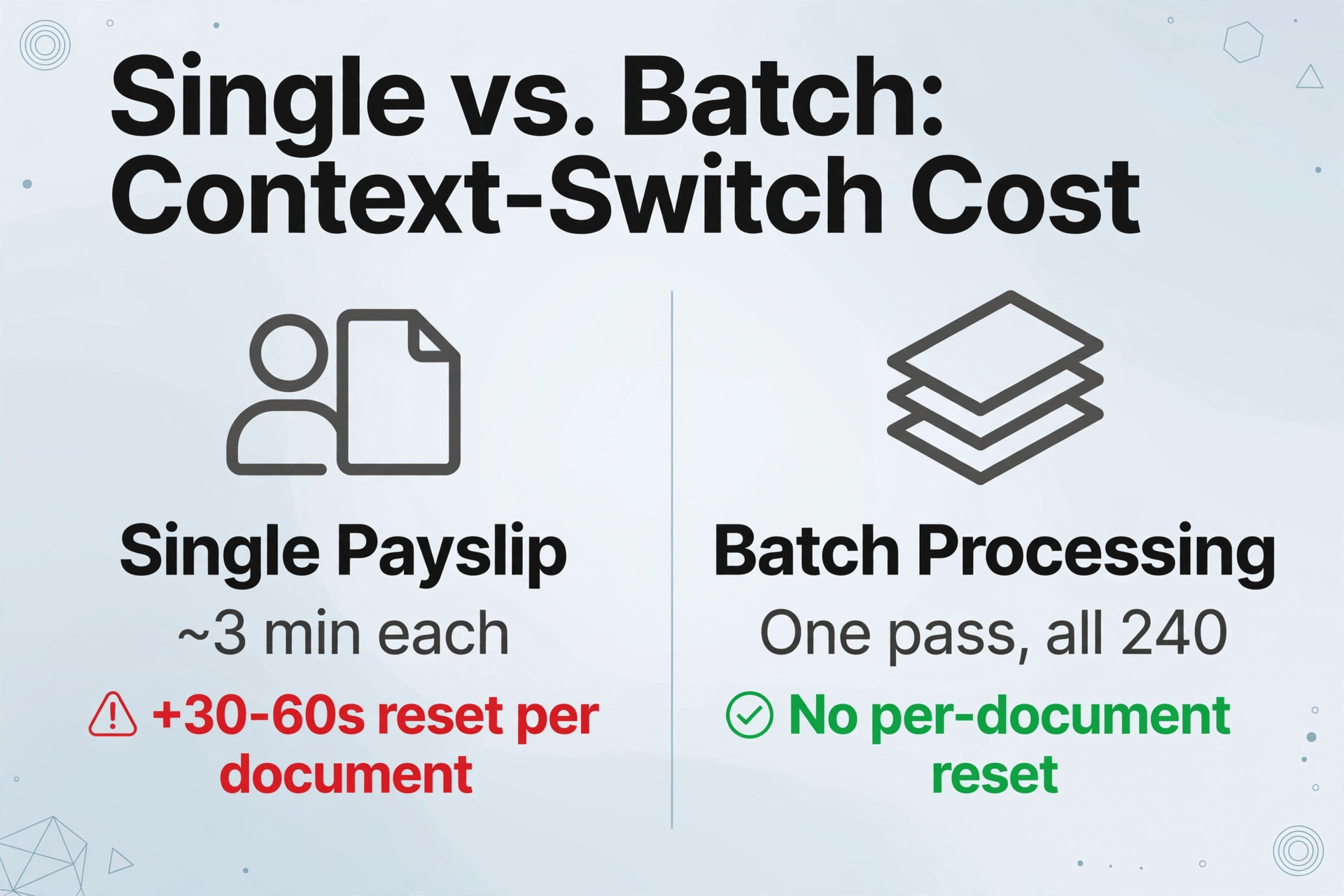
The standard advice for extracting payslip data — open the PDF, find the fields, transcribe them — quietly assumes you are dealing with one document at a time. For a single employee reviewing their own monthly Lohnabrechnung, that assumption holds. The moment you introduce multiple months or multiple employees, it collapses.
The collapse has a specific mechanism and it is useful to name it: context-switch cost. When you process one payslip, your brain holds the payslip's layout in working memory: where the Brutto field sits, which column contains Arbeitnehmer-Anteil deductions, whether the employer-side reference amounts are labelled "AG" or "Arbeitgeber." You extract all 15 fields in one pass, about 3 minutes. For the next payslip — from a different month, a different employee, or a different payroll provider — your working memory resets to zero. You visually re-scan the page to re-learn the layout. That reset takes 30 seconds to a minute per document. Across 240 payslips from 20 employees at three different employers, the accumulated context-switch overhead alone eats three to four hours — before you have typed a single value.
Batch tools based on templates — where you draw bounding boxes around fields on a sample payslip — solve this only if every payslip shares the same layout. German payroll in practice guarantees the opposite. A HR team at a mid-sized GmbH may receive payslips generated by DATEV LODAS this year and Lexware lohn+gehalt from a previous employer. An expat who changed jobs twice may have payslips from Personio Payroll, SVS lohn+gehalt, and a paper payslip from an employer using ADDISON Lohn — each with different field labels, different column arrangements, and different positions for the Nettogehalt total. A template trained on layout #1 wipes out on layouts #2 through #5. That means you build and maintain five templates — and hope nobody changes payroll software.
Semantic extraction — where the AI reads the document for meaning rather than position — eliminates the context-switch cost at the machine level. You define the data fields you want once: "Bruttogehalt (EUR)," "Lohnsteuer (EUR)," "Steuerklasse." The AI locates each value on every payslip by understanding what the field means, not where it physically sits. You upload all your payslips at once — regardless of which payroll software generated them — and the same set of column names works across every layout in the batch. For a detailed walkthrough of the fields on a German payslip and how semantic extraction handles them individually, start with the single-payslip extraction guide. This article picks up where that one ends: what happens when you go from one payslip to dozens.
What Actually Changes Across 12 Months of German Payslips
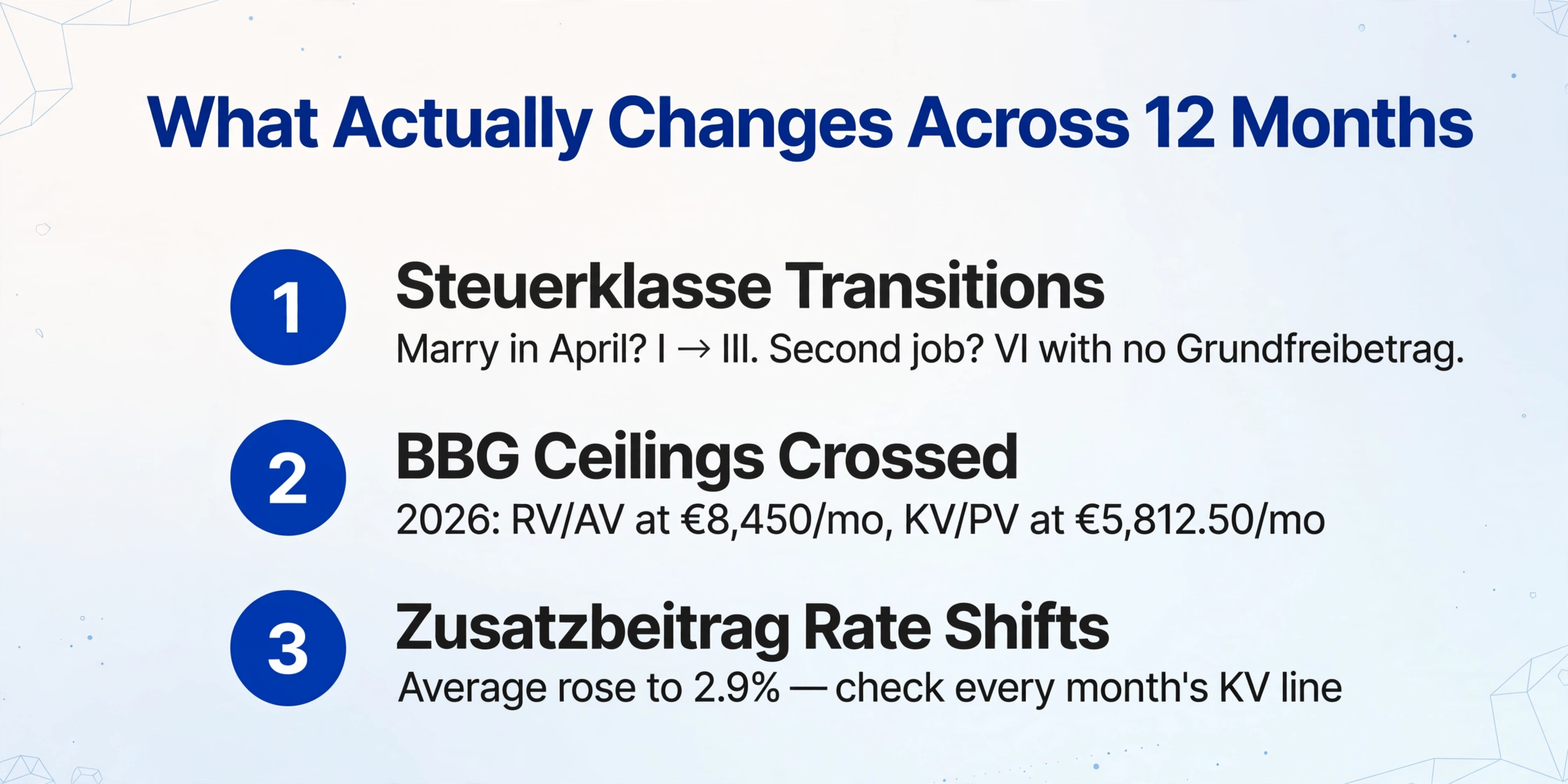
A German payslip is not a photocopy of the previous month's with a new date stamp. Several variables shift month to month in ways that a single-payslip mindset simply does not register. When you extract a batch, these variables become columns you either capture or lose.
Steuerklasse transitions. The ELStAM system — Germany's electronic tax deduction feature database, maintained by the Bundeszentralamt für Steuern — feeds your employer your current tax class, child allowances, and church tax status. If you marry in April, your Steuerklasse changes from I to III (and your spouse's to V, or you both go to IV). If you separate in September, you revert to I. If you take a second job in June, that payslip uses Steuerklasse VI with no Grundfreibetrag — the basic tax-free allowance is applied only at your main job, meaning the second-job payslip withholds Lohnsteuer at a much higher effective rate. In a batch of 12 monthly payslips, the Steuerklasse column should not show the same value in every row. If it does, you are either lucky or losing information.
Beitragsbemessungsgrenze crossings. The social insurance contribution assessment ceilings (Beitragsbemessungsgrenzen, or BBG) are adjusted annually based on wage trends. For 2026, as confirmed by Grant Thornton and the PwC Worldwide Tax Summaries, the RV/AV ceiling rose to €8,450/month (€101,400/year) and the KV/PV ceiling to €5,812.50/month (€69,750/year), with the average Zusatzbeitrag increasing to 2.9%. If your gross salary crosses a BBG mid-year — say you receive a raise in July that pushes you past the KV ceiling — your payslips from January to June will show KV and PV contributions on the full salary, while July through December will show contributions capped at €5,812.50/month, with the portion above the ceiling contribution-free. A batch extraction that does not capture each month's gross salary alongside each deduction will make this transition invisible, and any year-end calculation of "how much did I pay in KV?" will be wrong.
Bonus months and one-off payments. A November payslip with Weihnachtsgeld (Christmas bonus) shows a Bruttogehalt that is 50–100% higher than October's. A summer payslip may include Urlaubsgeld (holiday pay). An employer contribution to VL (Vermögenswirksame Leistungen, capital-forming benefits) might appear as a separate earnings line on payslips from a specific month in the year. If your batch extraction only captures a single "Bruttogehalt (EUR)" column, you cannot distinguish base salary from bonus payments — and your year-end salary history becomes a series of numbers that decline in November for reasons hidden in the data. The solution is to extract bonus categories as separate columns: "Grundgehalt (EUR)" for base salary and "Einmalzahlung (EUR)" or "Sonderzahlung (EUR)" for one-off payments. On months where no bonus was paid, those columns stay blank — and blank cells, unlike zeros, carry the information that no bonus occurred.
Korrekturabrechnung and Nachberechnung. A correction payslip adjusts a previous month — a miscalculated bonus, an overtime payment applied late, or a tax class update that arrived after the payroll run. These documents often display the original amount, the correction delta, and the new total on a single page. If your batch includes a Korrekturabrechnung for March alongside regular payslips for April through December, and your extraction does not flag the correction as a different document type, your March row in the output spreadsheet may contain the wrong net pay. Adding an inferred column "Korrekturtyp" — where the AI classifies each document as "ordentlich" (regular), "Korrektur," or "Nachberechnung" based on its content — keeps your audit trail intact.
Column Design That Survives 12 Months (and Multiple Employees)
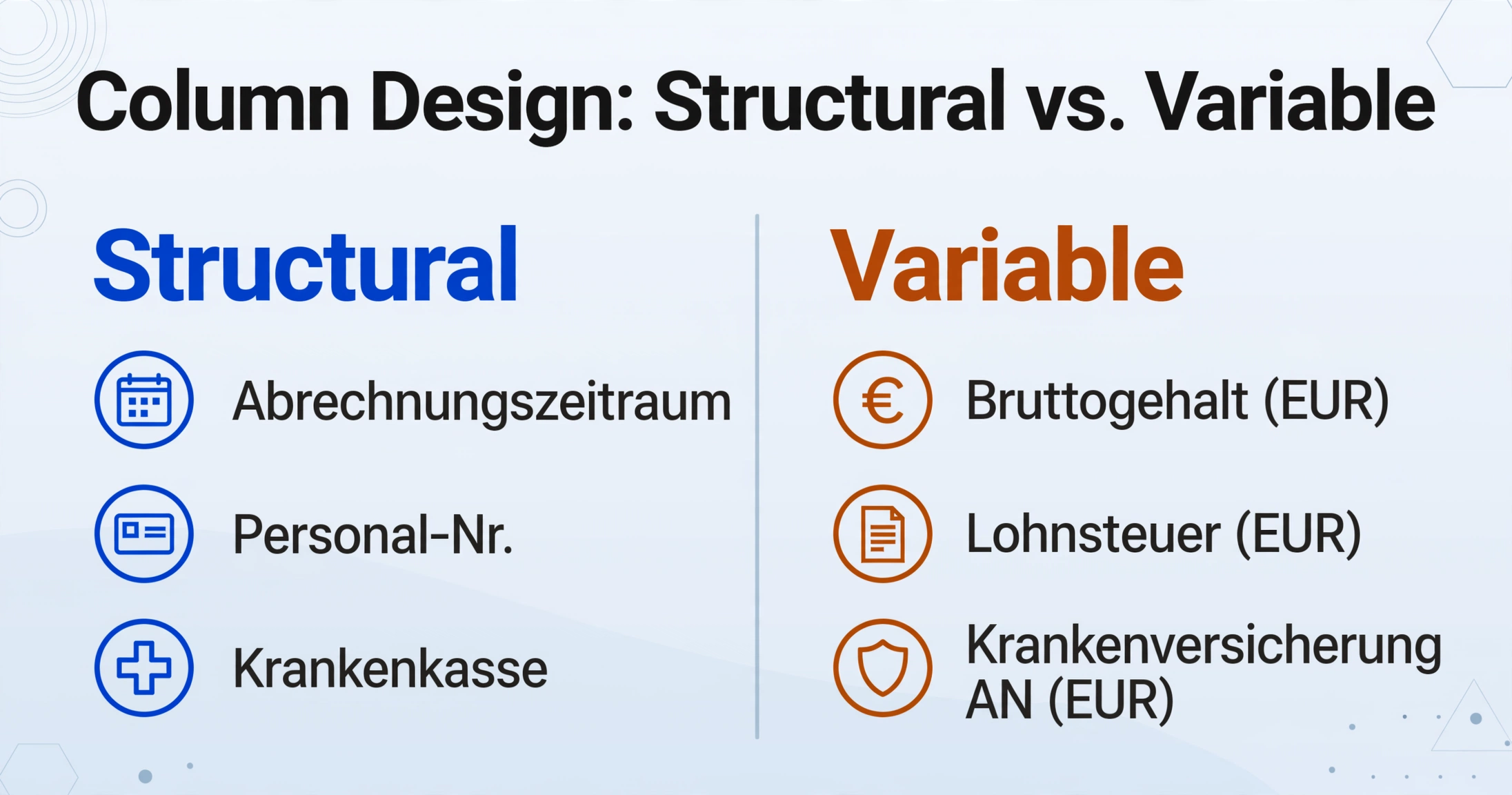
The column names you define before uploading a batch are the single highest-leverage decision in the entire workflow. A column name set that works for January's payslip but breaks on July's — because July introduced a bonus line or crossed a BBG — costs you a full re-extraction. The following design rules come from processing German payroll in batch repeatedly.
Rule 1: Separate structural columns from variable columns. Structural columns change rarely if ever and identify the payslip: Abrechnungszeitraum, Personal-Nr., employee name, Krankenkasse (health insurance fund), Steuer-ID. Variable columns change month to month and capture the money: Bruttogehalt, each tax and social deduction, Netto. Keeping these as distinct groups in your column list — structural first, financial second — makes the output spreadsheet immediately scannable. The structural columns double as the composite key that lets you filter or pivot the data by employee, month, or provider later.
Rule 2: Use the "AN" suffix convention on every social insurance column. A German payslip often displays both Arbeitnehmer-Anteil (employee share) and Arbeitgeber-Anteil (employer share) for KV, RV, AV, and PV. If you name your column simply "Krankenversicherung (EUR)," the AI has to guess which number you want — and if it picks wrong on a payslip where labels are ambiguous, you double-count your deductions. Naming every social insurance column with "AN" — "Krankenversicherung AN (EUR)," "Rentenversicherung AN (EUR)" — removes the ambiguity. The AI now knows to target the employee-side figure specifically, and you avoid the single most common extraction error in German payroll: inflating deductions by 50%.
Rule 3: Add Computed Columns for year-end numbers directly in the extraction. Once you have the raw fields, you can define columns that calculate results during extraction instead of building formulas in Excel afterwards. Three computed columns that German professionals consistently find useful:
- Abzugsquote (%) = (Lohnsteuer + SolZ + KiSt + KV AN + RV AN + AV AN + PV AN) ÷ Bruttogehalt × 100. This gives you the effective deduction rate as a single percentage, which is how most people actually compare payslips month to month.
- Netto-Brutto-Verhältnis = Nettogehalt ÷ Bruttogehalt. The take-home ratio — what Germans call the "Netto vom Brutto" figure — is the first number people ask about when evaluating a job offer or tracking salary erosion due to BBG increases.
- SV-Gesamt AN (EUR) = KV AN + RV AN + AV AN + PV AN. Total employee social insurance burden, useful for comparing against the ~21% gross benchmark at median income.
This is what Computed Columns do: instead of extracting raw numbers and then building formulas in Excel, you define the calculation once as a column name, and the AI performs the computation during extraction. You get a finished spreadsheet, not a starting point that still needs work.
Rule 4: Add inferred columns where the data matters but the label does not exist. Some useful categories are not explicitly written on any payslip: whether a payslip is a regular monthly statement or a Korrekturabrechnung, which payroll provider generated it, which employer it came from. You can define Inferred Columns — where the AI reads the document content and classifies it into categories you specify. For example, a column "Gehaltsabrechnungstyp (Ordentlich, Korrektur, Nachberechnung)" lets the AI tag each document based on its structure and content. A column "Arbeitgeber (Optionen: Arbeitgeber A, Arbeitgeber B)" lets the AI identify which employer issued the payslip by reading the header block. These columns cost nothing to define and make the difference between a spreadsheet you can trust for year-end analysis and one where you are constantly cross-referencing original PDFs to understand what each row represents.
Step-by-Step: From a Stack of Payslip PDFs to One Consolidated Excel File
This workflow assumes you have payslip PDFs from multiple months — and potentially multiple employees — and the goal is one structured spreadsheet with every field you need, verified once, reusable forever.
Step 1: Gather all payslips in one place. Do not pre-sort by month, employee, or layout. The extraction system does not require sorted input — semantic processing means each payslip is read independently. Monthly PDFs from your HR portal, scanned paper copies from a previous employer, payslips downloaded from different payroll systems — drag them all into the upload area together.
Step 2: Define your column set once. The column names you type become the headers of your output spreadsheet. For a comprehensive batch covering multiple months and employees, the following set captures every field you are likely to need for annual reporting and reconciliation:
| Column group | Column name | What it captures |
|---|---|---|
| Structural | Abrechnungszeitraum | Payroll month (e.g., "Januar 2026") |
| Structural | Personal-Nr. | Employee personnel number |
| Structural | Arbeitnehmer Name | Employee full name |
| Structural | Steuerklasse | Tax class (I through VI) |
| Structural | Krankenkasse | Health insurance fund (e.g., TK, AOK, Barmer) |
| Financial | Grundgehalt (EUR) | Base salary before any extras |
| Financial | Bruttogehalt (EUR) | Total gross earnings incl. bonuses |
| Financial | Lohnsteuer (EUR) | Wage tax withheld |
| Financial | Solidaritätszuschlag (EUR) | Solidarity surcharge (if applicable) |
| Financial | Kirchensteuer (EUR) | Church tax (if applicable) |
| Financial | Krankenversicherung AN (EUR) | Employee health insurance |
| Financial | Rentenversicherung AN (EUR) | Employee pension insurance |
| Financial | Arbeitslosenversicherung AN (EUR) | Employee unemployment insurance |
| Financial | Pflegeversicherung AN (EUR) | Employee long-term care insurance |
| Financial | Nettogehalt (EUR) | Net pay transferred to bank account |
| Inferred | Gehaltsabrechnungstyp (Ordentlich, Korrektur, Nachberechnung) | Document type classification |
If you are processing payslips from multiple employers, add a column "Arbeitgeber (Optionen: Employer A, Employer B, ...)" as an inferred column — the AI reads the employer name from the header and fills the option.
Step 3: Add Computed Columns for instant analysis. Append the three columns described above — Abzugsquote (%), Netto-Brutto-Verhältnis, and SV-Gesamt AN (EUR) — and they will populate for every row automatically during extraction.
Step 4: Upload and process. All payslips are read in one pass. The output is a single Excel file — one row per payslip, columns matching the names you defined, computed columns already calculated, inferred columns classified. No manual formula-building, no per-payslip layout configuration.
Files are processed securely and not stored.
Cross-Employee Payroll Reconciliation: The HR Use Case
The batch workflow scales from one employee to many with no additional configuration. A payroll administrator processing payslips for a team of 20 employees — 240 payslips annually — uploads the full stack once and gets one spreadsheet with the Personal-Nr. or employee name column keeping every row traceable to the correct person.
This unlocks three reconciliation patterns that manual entry makes impractical:
Catch Steuerklasse errors across the team. An employee who married six months ago and should be in Steuerklasse III is still paying Lohnsteuer at Class I rates. In a manual review, you spot this by comparing every payslip against employee records one at a time — a task nobody does monthly. In a batch-extracted spreadsheet, sorting the Steuerklasse column next to the employee name column reveals the mismatch in three seconds. The cost of the error — several hundred euros in excess withholding per employee per month, recoverable only at the annual Steuererklärung — makes this check worth running every quarter.
Detect anomalous deductions before they compound. If a health insurance Zusatzbeitrag changed from 1.7% to 2.9% because an employee switched Krankenkasse mid-year, the KV contribution column reflects it. If a Pflegeversicherung contribution jumped because an employee turned 23 and lost the child-rate eligibility, the PV column reflects it. Filtering each deduction column in the consolidated spreadsheet and scanning for month-over-month jumps — a task that takes 30 seconds per column in Excel against extracted data — would require reading every payslip individually if the data were still in PDFs.
Generate year-end totals for the Lohnsteuerbescheinigung cross-check. The annual wage tax certificate (Lohnsteuerbescheinigung, the German equivalent of a W-2) arrives in February summarizing the previous year's totals. The Finanzamt receives these electronically through ELStAM, and discrepancies between the certificate and the actual monthly payslips trigger questions. A batch-extracted spreadsheet lets you sum all 12 monthly rows and compare the totals against the Lohnsteuerbescheinigung line by line — Lohnsteuer annual total, SolZ annual total, social insurance contributions annual total — in minutes rather than hours.
From Batch Extraction to Annual Salary Dashboard
Once 12 or 24 months of payslip data sit in a structured Excel file, the downstream work shifts from data entry to analysis. Three use cases that German professionals building payslip dashboards consistently arrive at:
Salary negotiation with numbers, not feelings. You want to show your employer that despite a steady gross salary, your real take-home pay has eroded. The Netto-Brutto-Verhältnis computed column makes this a one-sentence argument: "My take-home ratio has dropped from 57% to 53% over 18 months because the BBG increases and rising Zusatzbeitrag are compressing my net pay." Without batch extraction, you would need to open 18 PDFs, extract each Brutto and Netto, type them into a new spreadsheet, build the formula, and pray you did not mistype a single number. With batch extraction, the Netto-Brutto-Verhältnis column is already calculated for every row the moment processing finishes.
Steuererklärung preparation with monthly reconciliation. The annual Lohnsteuerbescheinigung consolidates 12 months of deductions into one form. If the Finanzamt questions a specific month — and it can — a batch-extracted spreadsheet with monthly rows gives you the breakdown. For employees with mixed income (selbstständige Nebentätigkeit, or freelance side work), separating employment income from self-employment income for the Einkommensteuererklärung requires knowing exactly how much Lohnsteuer was withheld in which month. A single extraction run across the year's payslips produces that breakdown automatically.
Visa, mortgage, and Behörde paperwork. The Ausländerbehörde (immigration authority) routinely requests the last three to six months of payslips as income proof. Banks ask for the same when you apply for a mortgage. If your payslips are scattered — some in an HR portal that archives documents after six months, some as email attachments, some as PDFs saved to a Downloads folder — each request triggers a one-hour document hunt. A batch-extracted spreadsheet maintained monthly turns a recurring headache into a 30-second file save. And if you need to re-output them as PDFs, the structured data is clean enough to drop into any template.
The critical accuracy check: Always spot-check the first extraction run against the original PDFs, particularly the Nettogehalt total, which is your reconciliation anchor. The 2026 social insurance rates — 18.6% RV, 14.6% KV + ~2.9% Zusatzbeitrag, 2.6% AV, 3.6–4.2% PV — create a predictable deduction pattern. If your extracted Nettogehalt deviates from the PDF by more than a few euros, re-examine the corresponding row. In the vast majority of cases, the error is a field misread on one payslip, not a systemic extraction failure across the batch. Correct the single cell in Excel and the remaining rows are unaffected.
FAQ: Batch German Payslip Extraction
Can I really batch-process payslips from different payroll providers in the same upload?
Yes. Semantic extraction reads each payslip independently for meaning — it finds "Nettogehalt" by understanding that the value near the bottom of the document labelled "Nettoverdienst" or "Auszahlungsbetrag" or "Netto" is the net pay, regardless of the page position. A DATEV LODAS payslip, a Lexware lohn+gehalt payslip, and a Personio Payroll payslip can all sit in the same upload batch and produce correctly populated columns. The column names are defined once and applied to all documents. The only practical limit is that if a payslip uses a highly non-standard term for a field — a small Handwerksbetrieb with a niche payroll tool that invented its own abbreviations — the AI may be less confident on that specific field and leave it blank or flag it.
How many payslips can I process at once?
The batch processing tool handles uploads of multiple files in a single job. For a payroll administrator processing monthly payslips for a team of 20 employees over a full year — 240 PDFs — uploading the entire batch in one job is supported. Each document is read independently, so processing time scales roughly linearly with the number of payslips. A batch of 240 payslips will not take 240 times as long as a single payslip — the AI processes documents in parallel where possible — but expect a few minutes rather than seconds for large batches.
Does this work with scanned paper payslips or photographed copies?
Yes, with the expected caveat on quality. A well-lit photo of a printed payslip works nearly as well as the original PDF for the core printed fields — Bruttogehalt, Lohnsteuer, social insurance amounts. Handwritten annotations on a payslip, such as a manually corrected overtime figure, can be extracted but accuracy on handwriting is inherently lower than on printed text, especially for German compound words and abbreviations. For archival paper payslips that have yellowed or include faint dot-matrix printing from older payroll systems, expect reduced but generally usable accuracy on numeric fields. The AI reads what it can see — cleaner source documents produce cleaner extraction.
How do I track bonus payments and one-off earnings across months?
Add separate columns for each bonus type: "Weihnachtsgeld (EUR)," "Urlaubsgeld (EUR)," "Zuschläge (EUR)," and "Einmalzahlung (EUR)" if you want total one-off amounts. On months where a bonus was not paid, those cells remain blank — the blank itself carries information. You can also add a computed column "Bonusanteil (%)" = (sum of bonus columns) ÷ Bruttogehalt × 100 to see what portion of each month's compensation came from extras. This becomes particularly useful in salary negotiations where you want to demonstrate that your base salary has remained static while bonuses have declined.
What happens if an employee's Steuerklasse changed mid-year?
The Steuerklasse column captures the tax class as it appears on each individual payslip. If an employee married in April, the January-to-March rows will show Steuerklasse I and the April-to-December rows will show Steuerklasse III (or IV). The batch extraction does not assume continuity — each payslip is read independently, and the tax class is extracted as printed. If you need to identify exactly when the change occurred for compliance or audit purposes, sort the spreadsheet by employee name and Abrechnungszeitraum and scan the Steuerklasse column — the transition point is immediately visible.
Can the tool separate employee-side from employer-side social contributions in a batch?
The most reliable method is the column-naming convention described above: include "AN" in every social insurance column name (e.g., "Krankenversicherung AN (EUR)"). The AI reads labels in context — if a line is explicitly tagged "AG-Anteil" or "Arbeitgeberanteil," it distinguishes it from "AN-Anteil." However, some compact payslip layouts from smaller employers list only combined contribution rates without separately labelling employer and employee portions. In those cases, the AI cannot split what is not split on the original document. If you encounter this, note the affected rows for manual verification.
What happens if a field is missing from a specific payslip?
The cell stays blank for that row. If you define a "Kirchensteuer (EUR)" column and an employee who is konfessionslos (without religious affiliation) has no church tax line on any of their payslips, the column is empty for every one of their rows. A blank cell in the Kirchensteuer column is not an extraction error — it is the correct output for an employee who does not pay church tax. The same applies to Solidaritätszuschlag for employees below the SolZ threshold, or for bonus columns in months where no bonus was paid.
Can I use batch-extracted data to verify my Lohnsteuerbescheinigung?
Yes — this is one of the most common batch use cases. Sum the monthly totals for Lohnsteuer, Solidaritätszuschlag, Kirchensteuer, and each social insurance contribution across all 12 rows for a given employee, then compare each sum against the corresponding line on the Lohnsteuerbescheinigung. A discrepancy of a few cents is normal (rounding). A discrepancy of more than a few euros warrants investigation — either a payslip is missing from your batch, or the Lohnsteuerbescheinigung contains an error that the employer must correct. Having the monthly breakdown to present to HR or your Steuerberater makes the conversation concrete rather than speculative.