German Payslip (Lohnabrechnung) to Excel
Extract Gross (Brutto), Net (Netto) & Every Deduction
A German payslip contains at least 15 individually labelled fields — Bruttogehalt, Lohnsteuer, Solidaritätszuschlag, Kirchensteuer, Krankenversicherung, Rentenversicherung, Arbeitslosenversicherung, Pflegeversicherung, Steuerklasse, and more — spread across three block sections. If you receive your Lohnabrechnung as a PDF from HR (which most employees in Germany do), and you want to track your salary history, prepare data for a Steuerberater, or audit payroll for a team of employees, you face the same calculation every month: open the PDF, locate each field among the abbreviations and reference lines, type it into your spreadsheet, repeat. For a single payslip that is a 3-minute annoyance. For a year of payslips for 20 employees — 240 documents — it is a full day of data entry where one mistyped deduction row throws off your entire analysis.
Key Takeaways
- 50%: that is how much you overstate your deductions if you copy every line from a German payslip into Excel, because half the deduction rows are Arbeitgeberanteil (employer-side reference amounts), not money taken from your salary.
- Template-based OCR assumes every field sits in a fixed position on the page, but German payslips from DATEV, Lexware, and Personio arrange the same 15 mandatory fields in completely different layouts, so a template trained on one employer's format fails on any other.
- ImageToTable.ai reads field meaning instead of pixel coordinates, so the same column names extract correctly across DATEV, Lexware, and Personio payslips with no template to reconfigure, and Computed Columns calculate your Abzugsquote (deduction percentage) automatically on every row.
What a German Payslip Contains — Beyond Brutto and Netto
A German payslip — labelled Lohnabrechnung, Gehaltsabrechnung, or Entgeltabrechnung, depending on the employer and payroll software — follows a predictable three-block structure even though the exact layout differs across providers. Reading it as blocks rather than a single dense table is the first skill you need before attempting extraction.
Block 1 — Header and identifiers. Employer name and address, employee name, Personal-Nr. (personnel number), Geburtsdatum (date of birth), Steuer-ID (tax identification number), SV-Nummer (social insurance number), Steuerklasse (tax class I through VI), Kinderfreibetrag (child allowance count), Konfession (religious affiliation — EV for Protestant, RK for Catholic, or a dash for none), Krankenkasse (health insurance fund name), and the Abrechnungszeitraum (payroll period, typically a calendar month).
Block 2 — Earnings and deductions. This is where the money moves. On the earnings side: Gehalt or Grundgehalt (base salary), plus any Überstunden (overtime), Zuschläge (shift/weekend/holiday premiums), Urlaubsgeld (holiday pay), Weihnachtsgeld or Sonderzahlung (Christmas bonus or one-off payments), geldwerter Vorteil (non-cash taxable benefits like a company car), and VL AG (employer contribution to capital-forming benefits). Then the deduction side: Lohnsteuer (wage tax, the main income tax withholding), Solidaritätszuschlag (solidarity surcharge, 5.5% of Lohnsteuer, now only for higher earners), Kirchensteuer (church tax, 8–9% of Lohnsteuer), and the four social insurance contributions — Krankenversicherung (KV, health insurance), Rentenversicherung (RV, pension), Arbeitslosenversicherung (AV, unemployment), and Pflegeversicherung (PV, long-term care).
Block 3 — Totals and payment. The final lines show Gesamtbrutto (total gross), the sum of all deductions, Nettoverdienst or Auszahlungsbetrag (net pay transferred to your bank account), and sometimes year-to-date cumulative figures.
Common pitfall: Many Lohnabrechnungen also show Arbeitgeberanteil lines — employer-side contribution amounts for KV, RV, AV, and PV. These look like additional deductions on the page but are not money taken from your salary. They are informational line items showing what the employer paid. The accident insurance (Unfallversicherung) contribution, meanwhile, is paid entirely by the employer and often does not appear on the employee payslip at all. If you copy all deduction-like lines indiscriminately into your spreadsheet, you will overstate your actual deductions by roughly 50%. This is the single most common extraction error, and in the section below we will explain how to avoid it.
The §108 GewO Framework: What Your Employer Must Show You — and What You Can Extract
Section 108 of Germany's Trade Regulation Act (§108 Gewerbeordnung) requires every employer to provide employees with a payslip in text form with each salary payment. The law specifies a minimum content: Abrechnungszeitraum (payroll period), Zusammensetzung des Arbeitsentgelts (composition of remuneration — including Art und Höhe der Zuschläge, Zulagen, and sonstige Vergütungen), Art und Höhe der Abzüge (type and amount of deductions), and any Abschlagszahlungen or Vorschüsse (advance payments).
The law also embeds the ELStAM system (Elektronische Lohnsteuerabzugsmerkmale) — the electronic tax deduction features that your employer pulls from the tax authority to set your tax class, child allowances, and church tax status. If your Steuerklasse changed because you got married, had a child, or took a second job, the change propagates through ELStAM and appears on your next payslip. Your net pay may shift without your gross salary changing at all, and the payslip's header block is where the reason sits.
What does this legal framework mean for extraction? Three things:
First, the fields are standardized in concept but not in layout. Every employer in Germany must show you the same categories of information. But how DATEV LODAS arranges those fields on the page is different from how Lexware lohn+gehalt arranges them, which is different again from Personio Payroll, SVS lohn+gehalt, or a paper payslip from a small employer using WISO lohn+gehalt. Template-based extraction — where you draw a box around "Nettogehalt" on one payslip layout — breaks the moment you receive a payslip from a different employer, or your current employer switches payroll software.
Second, the employee vs employer split is legally defined. The German social insurance system, as administered through BMAS, splits each social contribution roughly 50/50 between employer and employee. Under the 2026 contribution rates (confirmed by PwC and the OECD), the total KV contribution is 14.6% of gross salary plus an insurer-specific Zusatzbeitrag averaging approximately 1.7% — the employee pays roughly 8.15% and the employer the rest. RV is 18.6% (9.3% each), AV is 2.6% (1.3% each), and PV is 3.6% for a parent with one child or 4.0% for childless employees over 23 (each side pays half, with the childless surcharge borne by the employee). These rates hit contribution assessment ceilings (Beitragsbemessungsgrenzen) that were raised for 2026 — approximately €96,600 annually for RV/AV in the western states and higher for KV. When extracting, knowing which lines are employee-side deductions versus employer reference amounts prevents the 50% overcount error.
Third, employers must retain payslips for six years — but employees should keep their own copies. Under §108 GewO in conjunction with general retention obligations, you can request missing payslips from previous employers. When you do, you will likely receive a PDF export from their payroll system. If you have changed jobs twice in five years, you may now have payslips in three different layouts. That is the extraction challenge this article exists to solve.
Why Template-Based Extraction Fails on German Payslips — and What Works Instead
The standard approach to document data extraction — template-based OCR — assumes a fixed document layout. You train the system by drawing bounding boxes around fields on one sample: "Nettogehalt is at coordinates (x=140, y=320)." The system then looks for text at those exact pixel positions in every subsequent document. This works for standardized forms like US W-2s, where the IRS mandates precise field positions.
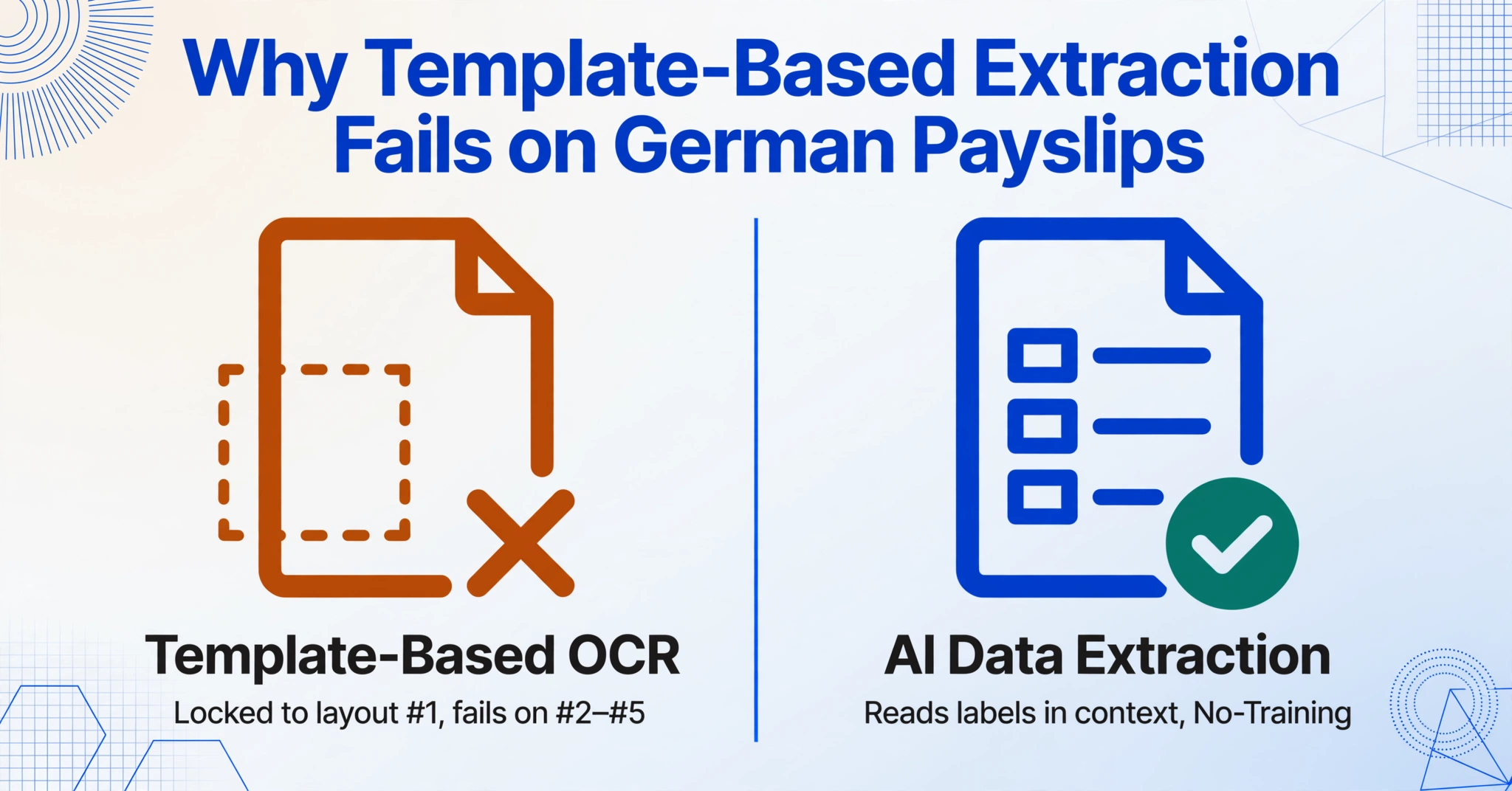
German payslips are the opposite of standardized forms. A DATEV LODAS payslip from a mid-sized GmbH places the employee identifier block top-left, deductions in two columns below the earnings lines, and net pay at the bottom right. A Lexware lohn+gehalt payslip from a small business may run earnings and deductions as a single vertical list with totals at the bottom. A Personio Payroll PDF may embed all fields in a tabular layout with different column widths. An older paper payslip from a Handwerksbetrieb using ADDISON Lohn may use entirely different abbreviations — LSt instead of Lohnsteuer, SV instead of Sozialversicherung. Five employees from five different employers means five different layouts. A template trained on layout #1 fails on layouts #2 through #5.
AI-based extraction solves this differently. Instead of matching pixel coordinates, a vision language model reads the document the way a person does: by understanding what each piece of text means in context. You define column names — the data fields you want, like "Bruttogehalt," "Lohnsteuer," "Krankenversicherung," "Steuerklasse" — and the AI locates the corresponding value on each document by recognising the field's meaning (a gross salary figure near the top of the earnings section), not its position on the page. This is Custom Column Extraction: you type the field names you want, and the AI matches each one to the correct number on the page regardless of layout.
This approach handles the actual variability of German payslips in practice. A DATEV payslip might label health insurance as "KV-Beitrag (AN-Anteil)," a Lexware payslip as "Krankenversicherung Arbeitnehmer," and a Personio payslip as "Health Insurance (Employee Share)" — if your system understands that all three refer to the same concept (employee-side KV contribution), you get one unified column. The same column names work across all three layouts with no reconfiguration. This is the difference between a template that works on one layout and extraction that works on any layout.
This also matters for correction and one-off payslips. If your employer issues a Korrekturabrechnung (correction payslip) because a bonus was miscalculated, or a Nachberechnung (retroactive adjustment) because your tax class was updated late, these documents often use a modified layout with additional correction lines and reference fields that do not appear on regular monthly payslips. A fixed template will fail to find fields in unexpected positions. Semantic extraction adapts because the meaning of "Bruttogehalt" has not changed — only its position on the page has.
Step-by-Step: From PDF Payslip to Structured Excel
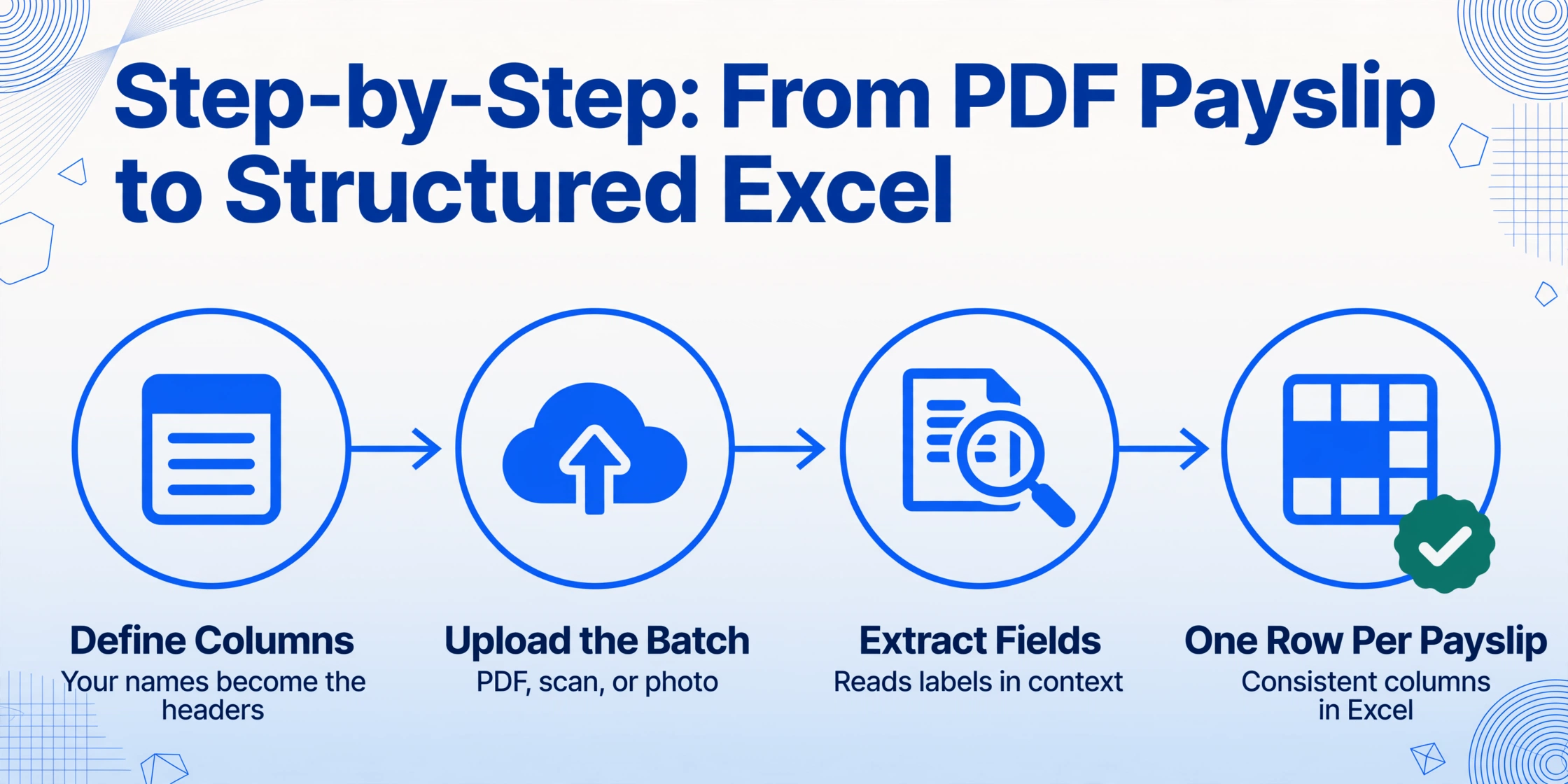
This workflow assumes you have a stack of German payslip PDFs — monthly documents from your current employer, archive files from previous jobs, scanned paper copies, or a mix of all three — and you want one Excel file with one row per payslip and consistent columns.
Step 1: Define your extraction columns. The column names you type become the headers of your output spreadsheet. For a comprehensive German payslip extraction, start with these:
| Column name | German payslip label | What it captures |
|---|---|---|
| Abrechnungszeitraum | Abrechnungszeitraum / Abrechnungsmonat | Payroll period (month/year) |
| Personal-Nr. | Personal-Nr. / Arbeitnehmer-Nr. | Employee personnel number |
| Steuerklasse | StKl. / Steuerklasse | Tax class (I–VI) |
| Bruttogehalt (EUR) | Brutto / Gesamtbrutto / Steuer-Brutto | Total gross earnings before deductions |
| Lohnsteuer (EUR) | LSt / Lohnsteuer | Wage tax withheld |
| Solidaritätszuschlag (EUR) | SolZ / Solidaritätszuschlag | Solidarity surcharge (if applicable) |
| Kirchensteuer (EUR) | KiSt / Kirchensteuer | Church tax (if applicable) |
| Krankenversicherung AN (EUR) | KV / KV-Beitrag (AN-Anteil) | Employee health insurance contribution |
| Rentenversicherung AN (EUR) | RV / RV-Beitrag (AN-Anteil) | Employee pension insurance contribution |
| Arbeitslosenversicherung AN (EUR) | AV / AV-Beitrag (AN-Anteil) | Employee unemployment insurance contribution |
| Pflegeversicherung AN (EUR) | PV / PV-Beitrag (AN-Anteil) | Employee long-term care insurance contribution |
| Nettogehalt (EUR) | Netto / Auszahlungsbetrag / Nettoverdienst | Net pay transferred to bank account |
| Krankenkasse | Krankenkasse / KK | Health insurance fund name (e.g. TK, AOK, Barmer) |
Notice the "AN" suffix on each social insurance column: AN stands for Arbeitnehmer (employee). Adding it to your column names tells the AI you want the employee-side amount specifically, not the employer-side reference figure. This is the most important naming discipline in German payslip extraction — it prevents the 50% overcount from mixing employee deductions with Arbeitgeberanteil reference amounts.
Step 2: Add Computed Columns for instant analysis. Once you have the raw fields, you can define columns that calculate results during extraction — you do not need to run formulas in Excel afterwards. For example:
- Abzugsquote (%) = (sum of all deductions) ÷ Bruttogehalt × 100 — gives you your effective deduction rate in one number, which is how most people actually compare payslips month to month
- Netto-Brutto-Verhältnis = Nettogehalt ÷ Bruttogehalt — the take-home ratio; Germans colloquially call this the "Netto vom Brutto" figure and it is the first number most people ask about when evaluating a job offer
- SV-Gesamt AN (EUR) = KV + RV + AV + PV — total employee social insurance burden, useful for comparing against the ~21% gross benchmark
This is what Computed Columns do: instead of extracting raw numbers and then building formulas in Excel, you define the calculation once as a column name, and the AI performs the computation during extraction. You get a finished spreadsheet, not a starting point.
Step 3: Upload all payslips at once. Drag your PDFs into the upload area — monthly payslips from the last 12 months, correction payslips, payslips from a previous employer in a different layout, scanned paper copies from years past. The AI reads each document individually and populates the same set of columns regardless of which payroll software generated which PDF.
Files are processed securely and not stored.
Step 4: Export to Excel. The output is one structured spreadsheet — one row per payslip, columns matching the names you specified, all amounts in a consistent format ready for analysis, tax preparation, or sharing with a Steuerberater. If you included Computed Columns, the Abzugsquote and Netto-Brutto-Verhältnis are already calculated for every row.
Handling Edge Cases: Variable Pay, Corrections, and Multi-Job Payslips
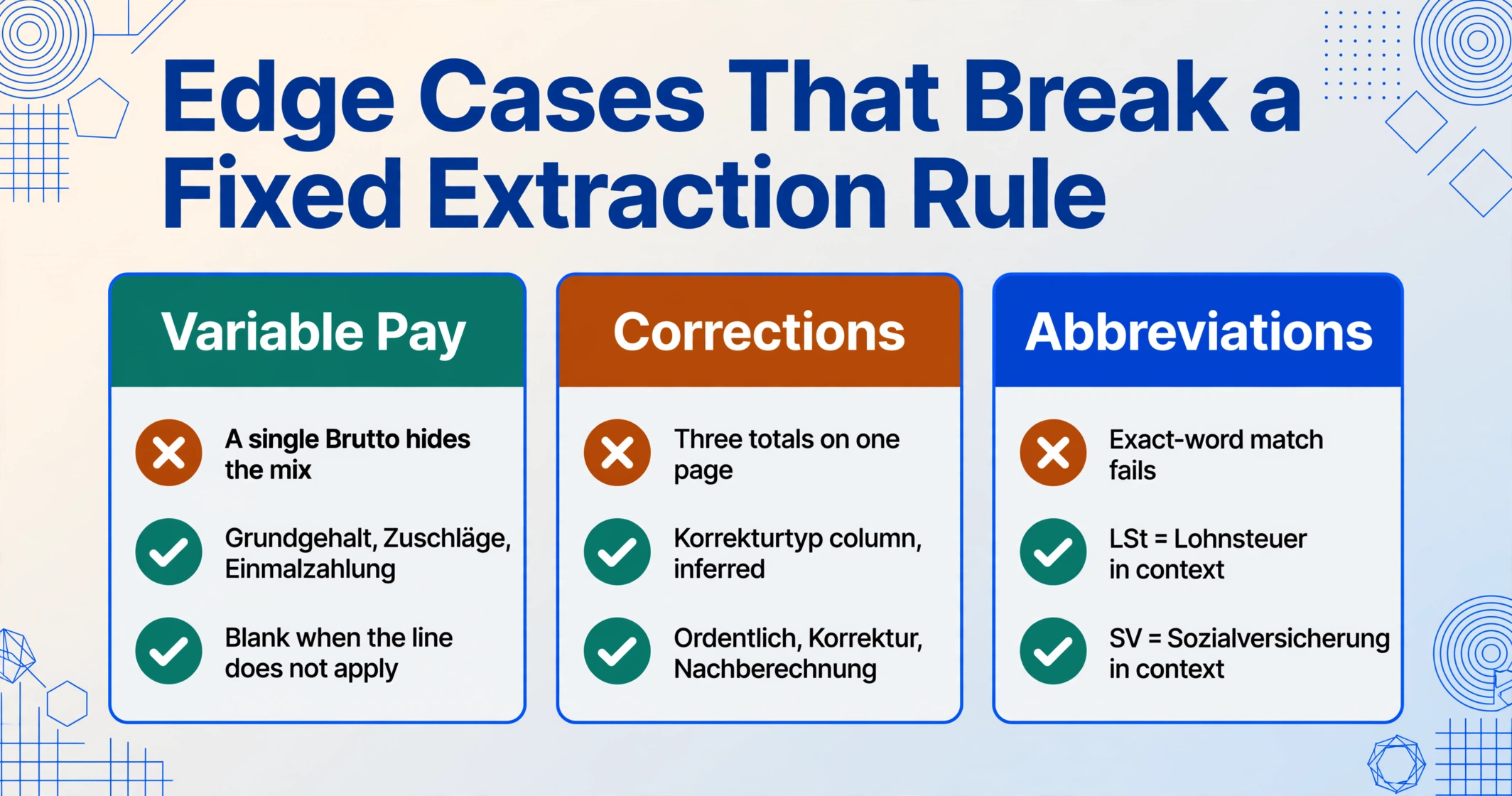
German payroll has several recurring edge cases that break a simplistic "extract the same five fields from every payslip" approach. Each deserves its own column strategy.
Variable earnings — overtime, bonuses, and non-cash benefits. A payslip from November might include Weihnachtsgeld (Christmas bonus) as a separate earnings line. A summer payslip might show Urlaubsgeld (holiday pay). A payslip where you worked night shifts might have Zuschläge (shift premiums) that are partially tax-free under §3b EStG. If you only extract "Bruttogehalt," you get the total — but you cannot see what portion is base salary and what portion is bonus. The solution is to add separate columns: "Grundgehalt (EUR)," "Zuschläge (EUR)," "Einmalzahlung (EUR)," and "Geldwerter Vorteil (EUR)." On months where a line does not apply, the field stays blank. On months where it does, you have traceable detail.
Korrekturabrechnung and Nachberechnung. A correction payslip adjusts a previous month's payroll entry — a bonus was missed, overtime was undercounted, or your tax class update arrived late. These documents often show both the original amount, the correction delta, and the new total, all on one page. A template-based system looking for a single "Nettogehalt" field may grab the wrong number or skip the document entirely. Semantic extraction handles this by reading the correction context: you can add a column "Korrekturtyp" (inferred: ordentlich, Korrektur, Nachberechnung) using Inferred Columns — where the AI classifies the document type based on content — and extract the corrected amounts as separate columns while preserving the original values for audit trail.
Steuerklasse VI and second-job payslips. If you hold a second job (Minijob above €538/month or a regular Nebenjob), that payslip uses Steuerklasse VI — the highest-withholding tax class. Your second-job payslip will have different deduction patterns than your main-job payslip in Steuerklasse I through V. If you are comparing payslips across jobs or years, the Steuerklasse column becomes essential context for understanding why two payslips with similar gross amounts produce entirely different net amounts.
Jahresmeldung and year-end documents. In January or February, many German employers issue a Jahresmeldung (annual social insurance report) alongside the December or January payslip. This is not a payslip — it is a summary of total social insurance contributions for the calendar year, submitted to the Krankenkasse. It contains year-to-date SV totals that look like payslip fields but serve a different reporting purpose. Your extraction workflow should identify these as a separate document type rather than treating them as a 13th monthly payslip.
Building a Multi-Month Payslip Dashboard: Salary Tracking That Answers Real Questions
Once you have 12 or 24 months of payslip data in a consistent Excel format, the use cases multiply beyond simple record-keeping. Here are three that German professionals consistently mention on forums like r/Finanzen:
Salary negotiation preparation. You want to show your employer the trajectory of your real take-home pay over the last two years, factoring in the net effect of tax bracket creep (kalte Progression), increased social insurance ceilings, and variable bonus payments. A spreadsheet with one row per month, columns for base salary and each bonus type, and a Computed Column for Netto-Brutto-Verhältnis gives you a single number to anchor the conversation: "My take-home ratio has dropped from 58% to 54% over 18 months despite a steady gross salary, because the BBG increases and Zusatzbeitrag adjustments are eroding my net pay." That is a quantified argument, not a feeling.
Tax return (Steuererklärung) preparation. Your annual Lohnsteuerbescheinigung (wage tax certificate, the German equivalent of a W-2) shows yearly totals for Lohnsteuer, SolZ, KiSt, and social insurance. But the Finanzamt may question specific months, and having the monthly breakdown in the same format lets you reconcile annual totals against monthly data in minutes. For freelancers and employees with mixed income (selbstständige Nebentätigkeit), this becomes essential because you need to separate employment income from self-employment income for the Einkommensteuererklärung.
Visa and loan applications. German immigration authorities (Ausländerbehörde) and banks (for mortgage applications) routinely request the last three to six payslips as proof of income. If your payslips are scattered across email attachments, an HR portal that archives after six months, and PDFs you saved to a folder, you spend an hour digging them out every time. A single spreadsheet with every payslip since employment began — extractable to PDF again if needed — turns a recurring headache into a 30-second task.
The extraction workflow described here is the front end of all three use cases. Once the data is in Excel — clean, structured, every field traceable to its exact position on the original PDF — the downstream work is analysis, not data entry.
FAQ: German Payslip Data Extraction
Does AI extraction work with handwritten payslips or photographed paper copies?
Yes, with the right input quality. The AI model reads text from images, which means a well-lit photograph of a printed payslip works essentially as well as the original PDF. Handwritten annotations on a payslip — such as a hand-corrected overtime figure or a manual note from HR — can be extracted, but the accuracy on handwriting is inherently lower than on printed text, particularly for dense German compound words. For the core printed fields (Bruttogehalt, Lohnsteuer, social insurance amounts), accuracy on a clear photo matches PDF. For scrawled HR notes in the margin, expect reduced but usable results.
Can the tool distinguish employer-side (Arbeitgeberanteil) from employee-side (Arbeitnehmeranteil) contributions?
Partially. The AI reads labels in context — if a line is explicitly marked "AG-Anteil" or "Arbeitgeberanteil," it can distinguish it from "AN-Anteil" or "Arbeitnehmeranteil." However, the most reliable method is the column-naming strategy described above: include "AN" in your column name (e.g., "Krankenversicherung AN (EUR)"). This instructs the AI to specifically extract the employee-side figure. If a payslip does not separately label employee and employer amounts — some compact layouts list only combined contribution rates — the AI cannot split them because the information simply is not on the page. In those cases, extract the total and note it for manual verification.
Does this work with payslips from all major German payroll providers?
Yes, across DATEV LODAS, Lexware lohn+gehalt, Personio Payroll, SVS lohn+gehalt, WISO lohn+gehalt, and ADDISON Lohn — because the extraction is semantic rather than template-based. The same set of column names (Bruttogehalt, Lohnsteuer, KV AN, etc.) will locate the correct values regardless of which software generated the PDF. You do not need to configure layout-specific settings per provider. The one caveat: if a payslip uses highly non-standard abbreviations — a small Handwerksbetrieb using a niche payroll tool that invents its own labels — the AI may be less confident. In practice, the standard fields (Brutto, Netto, LSt, KV, RV, AV, PV, StKl) are stable across all major providers.
What accuracy can I expect on German payslip extraction?
For printed, clearly legible PDF payslips, the core numeric fields (amounts in EUR, Steuerklasse, Abrechnungszeitraum) typically reach above 95% accuracy — meaning most fields extract correctly on the first pass. The areas where accuracy drops are: handwritten corrections on printed payslips, heavily compressed or low-resolution scans where digits blur together, and payslips with unusual multi-column layouts where deduction lines are densely packed. The honest recommendation: always spot-check the first extraction run against the original PDFs, especially for the Nettogehalt total, which is your reconciliation anchor. If a field extracts incorrectly, you can correct it in the output and it does not affect other fields on the same payslip or across the batch.
Can I batch-process payslips from multiple employees?
Yes. Upload all payslips from all employees in one batch — 10 employees × 12 months = 120 PDFs uploaded together. The output is one Excel file where each row corresponds to one payslip. The Personal-Nr. or employee name column keeps each row traceable to the correct employee. This workflow is the core use case for HR teams and payroll service providers managing multi-employee payslip archives. The column names are defined once and applied across the entire batch.
What happens if a field is missing from a specific payslip?
The cell stays blank for that row. For example, if you define a "Kirchensteuer (EUR)" column and an employee is not registered with a tax-collecting church, the AI correctly leaves that cell empty rather than filling in a zero or guessing. This is expected behaviour: a blank cell in the Kirchensteuer column actually carries information (this employee does not pay church tax).