Batch 120 Employee Flight Itineraries
into One Travel Spend Dashboard
Processing one flight itinerary is a solved problem: about three minutes of manual entry per e-ticket receipt, five to ten seconds if you let extraction read it. Processing a month's worth is a different category of work — 120 itineraries at three minutes each is six hours of typing before a single reconciliation question gets asked. The Global Business Travel Association (GBTA) projects 1.84 billion business trips and a record $1.71 trillion in business travel spending in 2026, and airfare is the largest single line in most T&E budgets. That's why the gap between "one itinerary" and "120 itineraries" is where month-end close actually gets won or lost. The approval that starts the trip is part of the same paper trail, and moving a travel authorization to Excel captures the requested dates and estimated costs before any itinerary exists.
Key Takeaways
- A month of 120 flight itineraries costs roughly $8,000 in processing and error-correction labor — per GBTA benchmarks, not guesswork.
- Airfare has no per-diem shortcut — every flight receipt must be real and itemized, which makes the itineraries batch where T&E close gets won or lost.
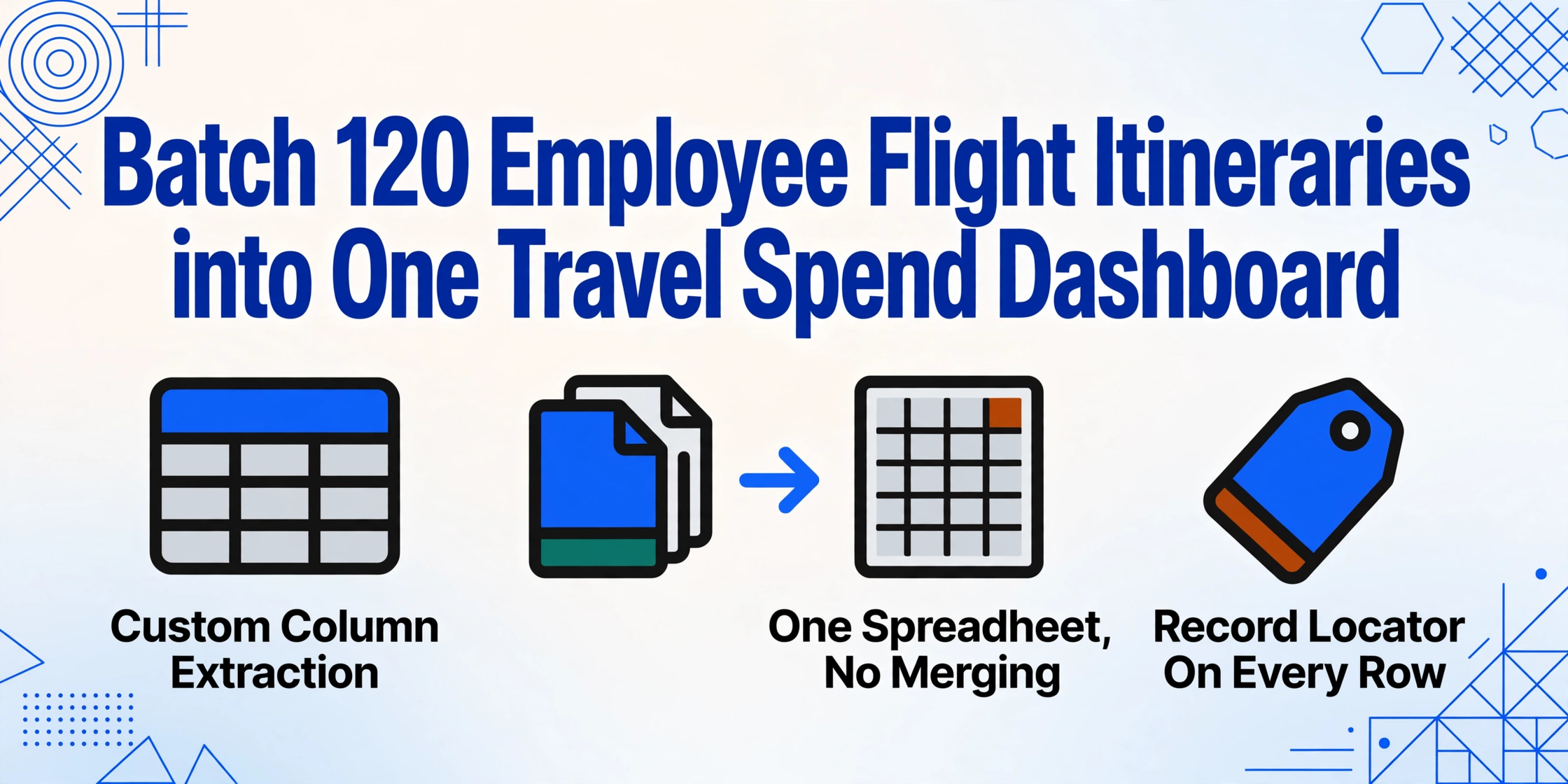
- Define the output columns once, upload the entire month in one pass, and a single merged spreadsheet comes out in about fifteen minutes instead of six hours.
People who actually do this work describe the same wall. In a thread on r/consulting about batch-processing expense reports, one consultant put it plainly: expense reports "are not overwhelming or time consuming, but if you are doing a month's worth all at once then it probably is kind of stressful." The stress is not a typing-speed problem — it's that batch work introduces decisions single-document work never makes: how files get named, how 120 separate results become one table, and what happens to the exceptions hiding in the middle of the stack.
The Batch Math: What 120 Itineraries Actually Cost
The first thing a batch does is turn a time problem into a money problem, because the GBTA has been measuring it for a decade. In its Foundation study on expense report pain points (conducted with HRS, published 2015 and still the industry's most-cited benchmark), the association found that a single expense report costs $58 to process and takes 20 minutes — and that 19% of manually prepared reports contain errors, each costing an additional $52 and 18 minutes to correct.
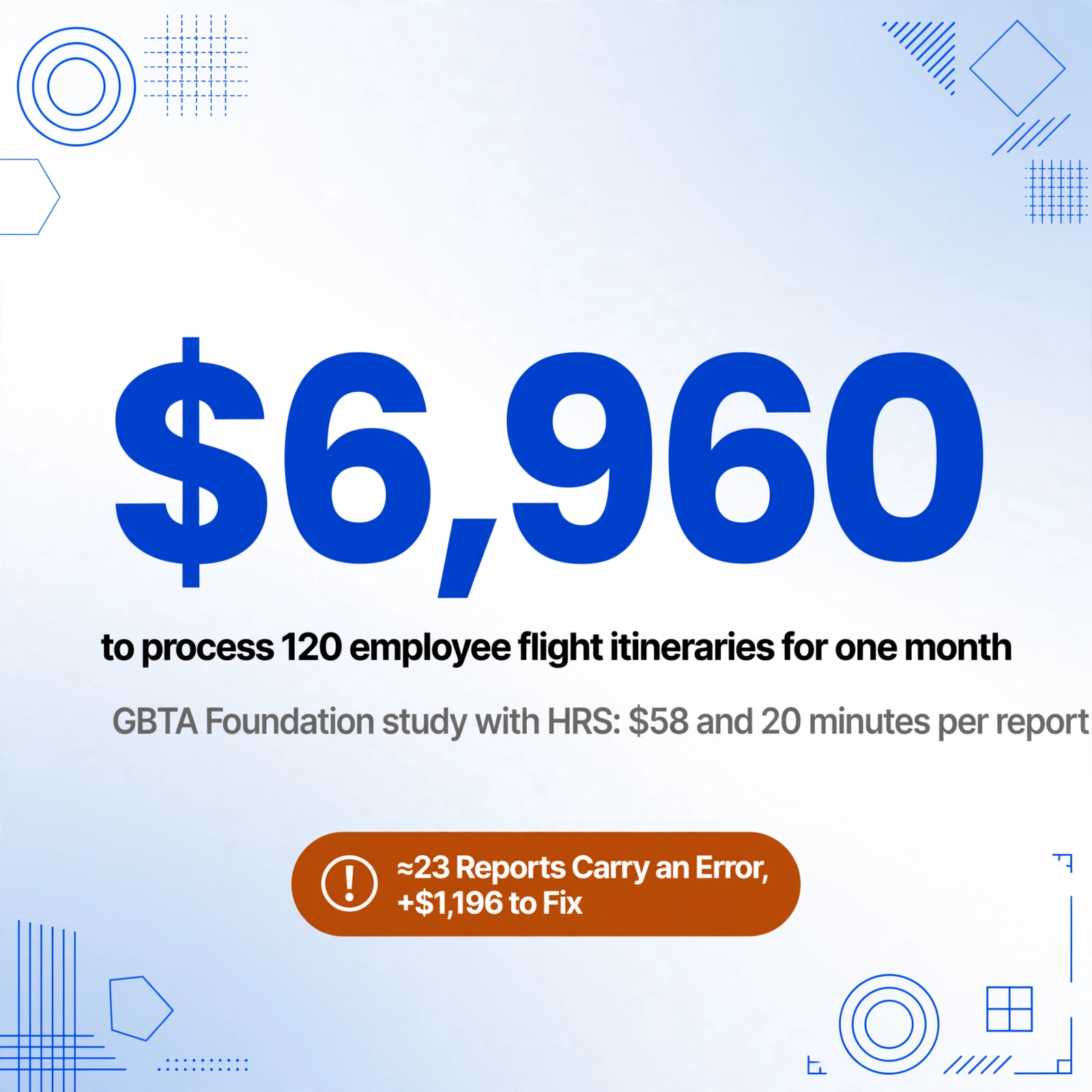
At 120 itineraries a month, that benchmark works out to roughly $6,960 in processing cost — and about 23 of those reports will carry an error worth another $1,196 in corrections. The typing itself is the smaller half of the bill.
Airfare is also the one travel expense with no allowance shortcut. GSA per-diem rates let you reimburse meals and lodging at a flat daily rate ($110 for lodging and $68 for meals and incidentals under the standard CONUS rate for FY 2026) without collecting receipts — but there is no per-diem for flights. The itinerary receipt must be real, itemized, and legible, every single time. That single fact is what makes flight itineraries the highest-stakes document in the whole T&E close: 120 of them means 120 receipts that cannot be waved through on an allowance.
So the batch is not just "the same task, more times." It is a workflow with three challenges that don't exist when you process one document at a time: naming rules (so output rows stay traceable to the right employee and trip), result merging (so 120 extractions become one usable table instead of 120 files), and exception handling (so the anomalies surface instead of silently corrupting your totals). Each one is a design decision, not an accident of volume.
Define the Output Column Set Once — It Works for All 120
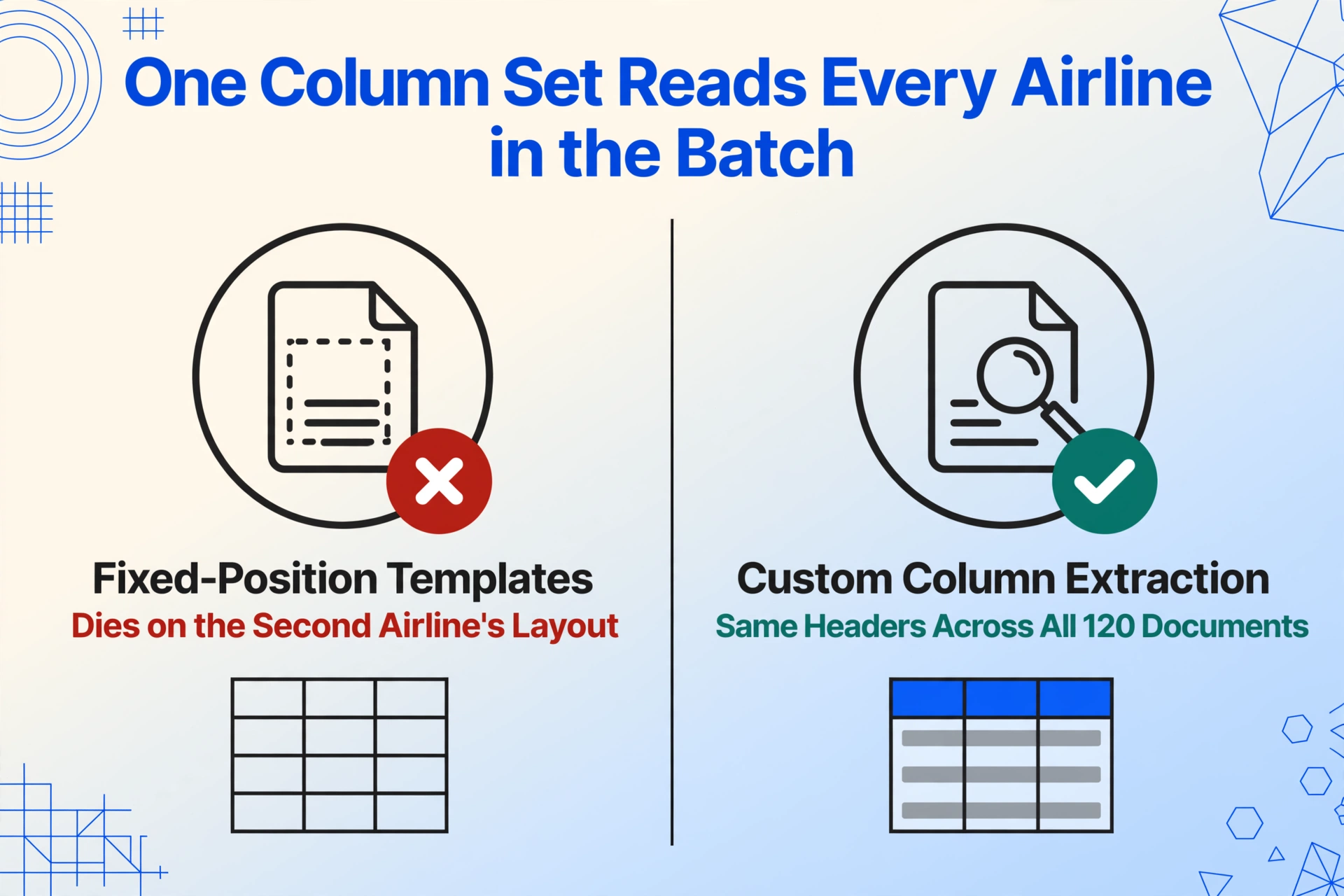
Before anything else, decide what the final table should hold. This is the core of Custom Column Extraction: instead of telling a tool where on the page to look (an approach that dies on the second airline's layout), you type the column names you want — "Record Locator," "Flight Number," "Total Paid" — and an AI vision model locates each value by understanding what the field means, wherever it sits on the document. The column names you define once become the exact headers of the output spreadsheet, and the same set reads every airline, every GDS, and every booking tool in the batch.
A column set built for a travel spend dashboard goes beyond what a single reimbursement needs, because the dashboard is only as good as its dimensions. A practical set for a batch of employee itineraries:
| Column name to type | What the AI extracts | What it powers on the dashboard |
|---|---|---|
| Record Locator | 6-character PNR (e.g. K7FQ2M) | The join key to card feeds and booking data |
| Passenger Name | Name as printed on the ticket | Spend by employee, department rollup |
| Flight Number / Flight Date | e.g. UA 123, 2026-09-14 | Route and timing analysis |
| Departure Airport / Arrival Airport | IATA codes, e.g. SFO – ORD | City-pair and route-cost analysis |
| Booking Class | Fare class letter (e.g. V) | Policy compliance checks on premium cabins |
| Base Fare / Taxes & Fees / Total Paid | The three-level fare split | The reconciliation story behind every charge |
| Currency | ISO code of the ticket | Multi-currency batches and FX exposure |
| Ticket Number | 13-digit e-ticket number | The audit-trail anchor for refunds and changes |
| Trip Purpose | Inferred: Client Visit / Conference / Internal / Training / Personal | Spend by purpose — the top executive question |
| Cost Center | Inferred from department / booking context | Budget attribution without asking employees |
Two of those columns do more than read the page. A computed column performs a calculation during extraction: for a round trip or a multi-segment ticket, a column named Fare Per Segment (Total Paid / Number of Segments) splits one fare across the legs automatically, so per-segment cost rolls up correctly instead of double-counting. An inferred column classifies what the document never states: define "Trip Purpose" with options like "Client Visit / Conference / Internal Meeting / Training / Personal," and the AI assigns each itinerary a purpose from the route, dates, and booking context. Same for "Cost Center." Extraction and classification happen in one pass — which is the difference between a table of numbers and a dashboard-ready dataset.
This is the moment the batch pays for itself: the same column set that works for a single itinerary — the full workflow is in this step-by-step guide to extracting flight itinerary data into Excel — is applied across the whole stack in one upload. No per-airline templates, no format-specific rules, no redefining fields when a United receipt looks different from a Delta one.
Naming Rules: Keep Every Row Traceable to a Person and a Trip
Here is the batch problem nobody mentions in single-document tutorials: once 120 rows sit in one spreadsheet, you need to know which row belongs to which employee, which trip, and which card charge. Manual workflows solve this with file naming — Smith_J_2026-08-12_UA123.pdf — and the discipline falls apart exactly when it matters most, under month-end pressure.
A naming convention for the batch has two layers. First, the file level: standardize what employees and the finance team call the documents before they enter the queue — a simple [Lastname]_[Firstinitial]_[Date]_[Airline].pdf pattern is enough. Second, the data level: the output table carries its own traceability, because batch extraction retains the source file name as a column in the merged result — even a folder full of itinerary.pdf files stays audit-ready.
The real traceability anchor, though, is the record locator (also called a PNR, the six-character booking reference like "K7FQ2M" that ties the itinerary, the ticket, and the payment together across airline systems). It is the natural primary key for the whole T&E dataset: the same record locator appears in the booking tool, on the e-ticket receipt, and on the corporate card feed. When every extracted row carries it, matching the batch against card transactions stops being a guessing game.
One rule keeps this from unraveling: never change the column set mid-batch. Adding a column after 60 rows are extracted produces a table with two schemas — the classic "why are columns misaligned" failure of merged spreadsheets. Decide the set once, extract the whole month, then iterate for next month's batch if needed.
Get All 120 Itineraries Into One Queue Without Chasing Employees
Before extraction can happen, the documents have to exist in one place — and a month of travel means itineraries arrive in three shapes: PDFs forwarded from email, screenshots from airline apps or booking tools (the airline-app capture workflow has its own dedicated walkthrough for extracting data from airline confirmation screenshots), and confirmations downloaded from corporate travel portals. The pass itself is a fourth capture — the boarding pass screenshot a traveler shoots at the gate carries the gate, boarding time, and seat the itinerary never shows. Some travelers upload promptly; some wait until the card statement arrives. The collection step is what decides whether the batch is complete, and it's the step most manual workflows don't plan for.
Two mechanisms close the gap. An Email Inbox gives the team a dedicated forwarding address: travelers forward their itinerary PDFs (or the airline's own emails) and the attachments land in the processing queue automatically — no upload page, no login. Turn on "auto-process" with a bound extraction template and each itinerary starts being read the moment it arrives, so the month's batch assembles and processes itself as trips happen instead of piling up for a panic at month-end. For travelers who prefer a link, a Collection Link generates a shareable URL with a short verification code: anyone can open it and drop in their itinerary — screenshot, PDF, whatever they have — no account required. Both channels feed the same queue, so the batch is built continuously during the month rather than reconstructed from forwarded email threads during close week.
Source quality follows a predictable order: a PDF from an airline email is the cleanest input; a flat, well-lit screenshot of the itinerary page works nearly as well; a hurried photo of a phone screen taken in airport light is workable but worth a verification pass. The honest expectation to set: clear PDFs and screenshots extract at the tool's ~99% printed-text accuracy, and rough captures shift the work from "typing" to "spot-checking."
Process the Whole Batch in One Pass — One Spreadsheet, No Merging
This is where batch processing changes the economics of the close. Upload all 120 itineraries at once — the email PDFs, the app screenshots, the portal downloads — and the output is one Excel file where each row is one flight segment and each column is one of the fields you defined. No merging of separate result files, no column realignment across 120 downloads, no copy-paste between workbooks. ImageToTable.ai processes a page in five to ten seconds against roughly three minutes of average manual entry — the efficiency difference the product cites is ~18x — which makes a 120-document batch about fifteen minutes of processing instead of six hours of typing.
The merge problem — the one that turns "done" into "actually usable" — disappears because the merge was built into the batch from the start: one table, one consistent schema, every row traceable to its source document via the File Name column. Compare this to the alternative — process each itinerary individually, download 120 results, and reconcile column alignment by hand: you haven't automated the close, you've traded typing for spreadsheet surgery.
And because this is a batch, review has to scale too. Review Mode lets a finance reviewer hover over any extracted cell and see exactly where the value came from on the original document — the fare basis, the tax line, the ticket number — highlighted on the itinerary image. On a 120-row table, the workflow is: scan for outliers, click the suspicious cell, confirm the source region, done. Turn on auto-annotate after processing and every extraction arrives with its verification map already built, so spot-checking a sample is a five-minute task, not a re-audit of everything.
Files are processed securely and not stored.
From Spreadsheet to Travel Spend Dashboard
The batch's real payoff isn't the spreadsheet — it's what the spreadsheet can finally answer. A travel spend dashboard needs dimensions and measures, and the extracted table provides both: passenger name, cost center, and trip purpose as the dimensions; base fare, taxes, and total paid as the measures; flight date and city pairs as the time and route axes. That structure is exactly what a pivot table or a BI tool like Tableau or Power BI expects.
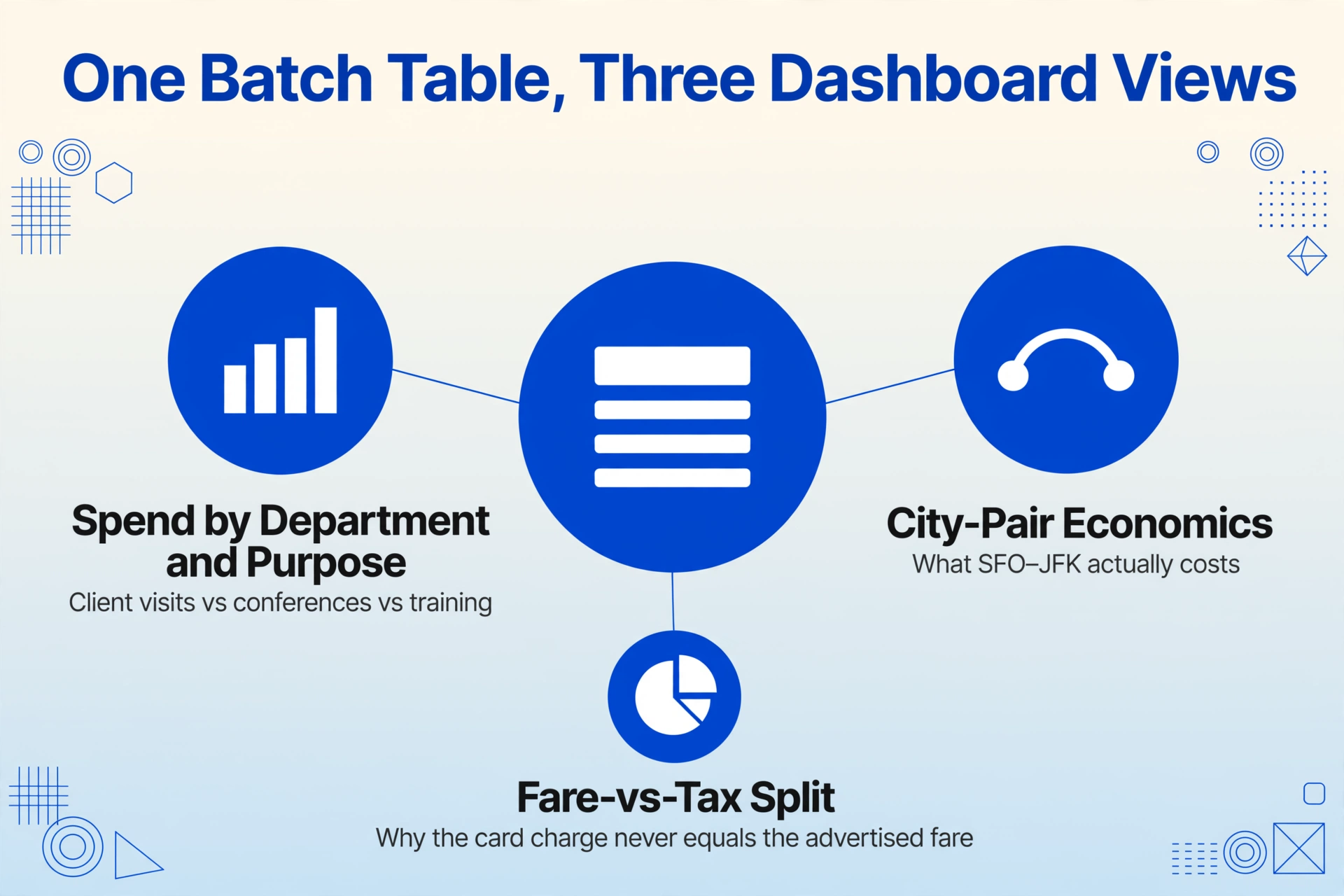
Three dashboard views come almost for free from this data. Spend by department and purpose — the inferred Trip Purpose and Cost Center columns let a CFO see how much airfare went to client visits versus conferences versus internal training, without anyone asking employees to tag reports correctly. City-pair economics — the airport columns turn "we spend a lot on SFO–JFK" into an actual number, the raw material for negotiating with airlines or rethinking booking policies. The fare-vs-tax split — because base fare, taxes, and total are separate columns, the dashboard explains why the card charge never equals the advertised fare, and it catches the question every auditor asks: did this charge reconcile?
That last point connects the dashboard back to the expense platform. In a Concur or Navan shop, the extracted table maps directly onto airfare line items — record locator and ticket number give the card-feed matching something to anchor on, total paid ties to the corporate card transaction. For a smaller team on Expensify or Zoho Expense, the same workbook serves as the import source. The pattern holds across both: expense report data arrives pre-structured instead of arriving as a PDF someone has to transcribe — and the same batch treatment that works for itineraries applies to hotel folios in the same monthly stack.
Exception Handling: What Breaks in a Real Batch of 120
No batch of 120 itineraries is clean, but the exception list is finite — and the workflow's credibility rests on how each one is handled: surfaced as a visible gap, not silently absorbed into a wrong total.
Missing itineraries. Trips booked on a personal card or outside the corporate channel produce a card charge with no itinerary attached. The batch can't fix a document that never arrived — the fix is the collection design: the Email Inbox and Collection Link described above, plus a reconciliation pass that matches extracted rows against the card feed and lists the unmatched charges for follow-up. This is exactly the month-end loop r/Accounting calls out as the recurring close pain — the difference is that the extraction surface makes the missing items a visible list instead of a vague suspicion.
Totals-only receipts. Some booking tools and airlines send a summary showing only the total. The extraction captures what's visible and leaves the fare-split columns empty — surfacing the gap instead of inventing numbers. Pull the full e-ticket receipt from the airline's portal using the record locator and re-process that one document.
Multi-segment and round-trip fares. A round trip is two flight numbers on one receipt; a connection makes it more. The extraction produces one row per segment, with the computed Fare Per Segment column splitting the single fare across legs — so the reviewer can verify that segments plus taxes equal the total before approving.
Currency mismatches. A Frankfurt–Chicago ticket priced in euros hits a card charged in dollars. The Currency column preserves the original amount and ISO code, so the team converts at one policy-defined rate instead of whichever rate the typist happened to use.
Duplicate submissions. The same record locator appearing twice in the batch is either a re-upload or a genuine duplicate charge. Because the record locator is a column, deduplication is a filter away — no eyeballing 120 rows for repeated ticket numbers.
Low-quality captures. A badly angled phone photo of an itinerary screen drops extraction confidence. The honest expectation: clean PDFs extract at ~99% accuracy, rough captures need a spot-check in Review Mode — still an order of magnitude faster than typing from scratch.
Compliance That Scales With the Batch
The compliance picture is where batch accuracy stops being an efficiency concern and becomes a legal one. Under IRS Publication 463, a reimbursement is tax-free to the employee only if the company runs an accountable plan — which requires substantiating the amount, time, place, and business purpose of every expense, with records made at or near the time of the expense. Each extracted row carries those four elements: amount (base fare, taxes, total), time (flight date), place (origin and destination airports), and purpose (the inferred column). At 120 rows, that consistency is the difference between an audit file and an audit finding.
The international dimension adds a hard deadline. Under the EU's VAT refund mechanism (the "8th Directive" procedure for businesses reclaiming VAT paid in another member state), claims are typically submitted through an electronic portal by September 30 of the year following the year the VAT was incurred — with some member states requiring earlier filing. A company whose employees fly into Frankfurt or Paris in June 2026 is legally obligated to keep ticket-level VAT data retrievable until that deadline. A structured batch table — invoice number, fare, tax, currency, date, country — is exactly the format a VAT reclaim file needs, and it's already assembled the month the travel happened instead of being reconstructed a year later from archived PDFs.
Airfare is the one business travel expense with no per-diem shortcut: GSA rates cover meals and lodging at a flat daily allowance, but every flight must be substantiated with the actual itemized receipt. Batch extraction that keeps amount, time, place, and purpose attached to each row is what makes 120 such receipts defensible — for the accountable plan, for the VAT reclaim, and for the auditor who shows up in quarter four.
FAQ
Does batch extraction work with itineraries from any airline or booking tool?
Yes. Because the extraction matches fields by meaning rather than by template position, there's no per-airline configuration — a United e-ticket receipt, a Delta one, and a booking-tool itinerary from Concur Travel or Navan all flow through the same column definitions in the same batch. Clear PDFs and flat screenshots extract with the highest accuracy; the layout differences between airlines don't matter.
How does the extracted table feed into Concur, Navan, or Expensify?
It works alongside them. Expense platforms are approval, policy, and reimbursement engines — they're not built to read a multi-airline, multi-format itinerary stack. The extracted workbook is structured input: each row carries the fare split, ticket number, record locator, dates, route, and trip purpose, which you import or paste as the airfare line items instead of transcribing them. The cleaner the input data, the fewer manual overrides your platform needs.
What if some itineraries show only the total, not the fare breakdown?
The extraction captures what the document shows and leaves the missing fare-split columns empty, flagging the gap rather than guessing. To get the full breakdown, pull the e-ticket receipt from the airline's portal using the record locator — most airlines let you retrieve it online — and process that document instead. This is worth doing for large fares, because the base-fare-to-tax split is what makes a card charge reconcilable and feeds the dashboard's fare-vs-tax view.
How do I handle employees who booked on a personal card?
The itinerary is still the receipt — the extraction captures the fare, taxes, ticket number, and passenger name the same way, and the passenger-name column confirms the ticket belongs to the claimant. A collection link sent to traveling staff at the start of the month makes this painless: the employee uploads the itinerary from their phone at the airport, and the data lands in your queue instead of being reconstructed from a forwarded PDF weeks later. Gate-side captures work the same way — a boarding pass screenshot yields passenger name, flight number, gate, and seat from the pass the traveler is already holding.
Is a batch of 120 itineraries expensive to process?
Processing draws on your plan's monthly point allowance — the same quota used for any other extraction — and the tool's stated efficiency is roughly 18x faster than manual entry (5-10 seconds per page versus about 3 minutes). The cost comparison that matters is the GBTA benchmark: at $58 per report to process manually and $52 per error, a 120-itinerary month that used to cost thousands in labor and corrections now costs a fraction of the processing quota and a short review pass.
What happens to the data after processing?
You export the merged spreadsheet as Excel, CSV, or JSON — whatever your downstream needs. Files uploaded through the web tool are processed securely and not stored beyond your session queue; the structured output is yours to keep in your expense system, your dashboard, or your audit file.
The gap between one flight itinerary and 120 of them is not a typing-speed problem — it's a workflow problem. Once you define the column set once, keep rows traceable with a naming convention and the record locator, collect the batch continuously through the month, and let the exceptions surface as visible gaps instead of hidden errors, the data that used to cost six hours of retyping becomes the input your travel spend dashboard was waiting for. That's the difference between a T&E close that takes a day and one that takes an afternoon.