25 ROEs a Month, 2 Payroll Systems
Build Your EI Compliance Report in One Batch
Under the Employment Insurance Regulations (SOR/96-332, s.19(3)), every Canadian employer must issue a Record of Employment within five calendar days of the interruption of earnings — the date the employee stops receiving insurable earnings. For one employee, five days is a comfortable window. But a mid-sized employer — a construction company in Edmonton with seasonal layoffs, a retail chain with steady turnover, a hospitality operator in Banff with staff cycling through short-term contracts — does not process one separation a month. It processes twenty, twenty-five, thirty. Each one carries its own five-day deadline with its own Block 15A total insurable hours, Block 15B total insurable earnings, and Block 15C reason code that must release from Ceridian Dayforce or ADP Workforce Now or QuickBooks Canada Payroll. The payroll system generates each ROE automatically in seconds. The structural gap is what happens next: payroll thinks one employee at a time, but HR needs the monthly EI report — twenty-five rows of Block data in one spreadsheet, Block 15A totals reconciled against the payroll register, Block 15C reason codes cross-referenced with separation documentation, all compiled inside a compliance window where every day is a deadline for someone.
Key Takeaways
- Twenty-five separations a month generate twenty-five independent five-day ROE deadlines, each ticking on its own clock — but the monthly EI compliance report needs all 25 rows of Block 15A, 15B, and 15C in one spreadsheet by the controller's deadline.
- Ten of seventy-five monthly transcription minutes go to visually re-locating Block 15A on each payroll provider's different layout — Ceridian, ADP, and QuickBooks each print the same 53 blocks in a different visual arrangement, and your brain recalibrates every time you switch providers.
- Define a column schema once — Block 15A total insurable hours, Block 15B total insurable earnings, Block 15C reason code — and every month's batch of 25 ROEs from any provider runs through the same extraction pass, producing a consolidated spreadsheet in a single operation instead of twenty-five individual transcriptions.
Why 25 ROEs Is a Different Problem from 1
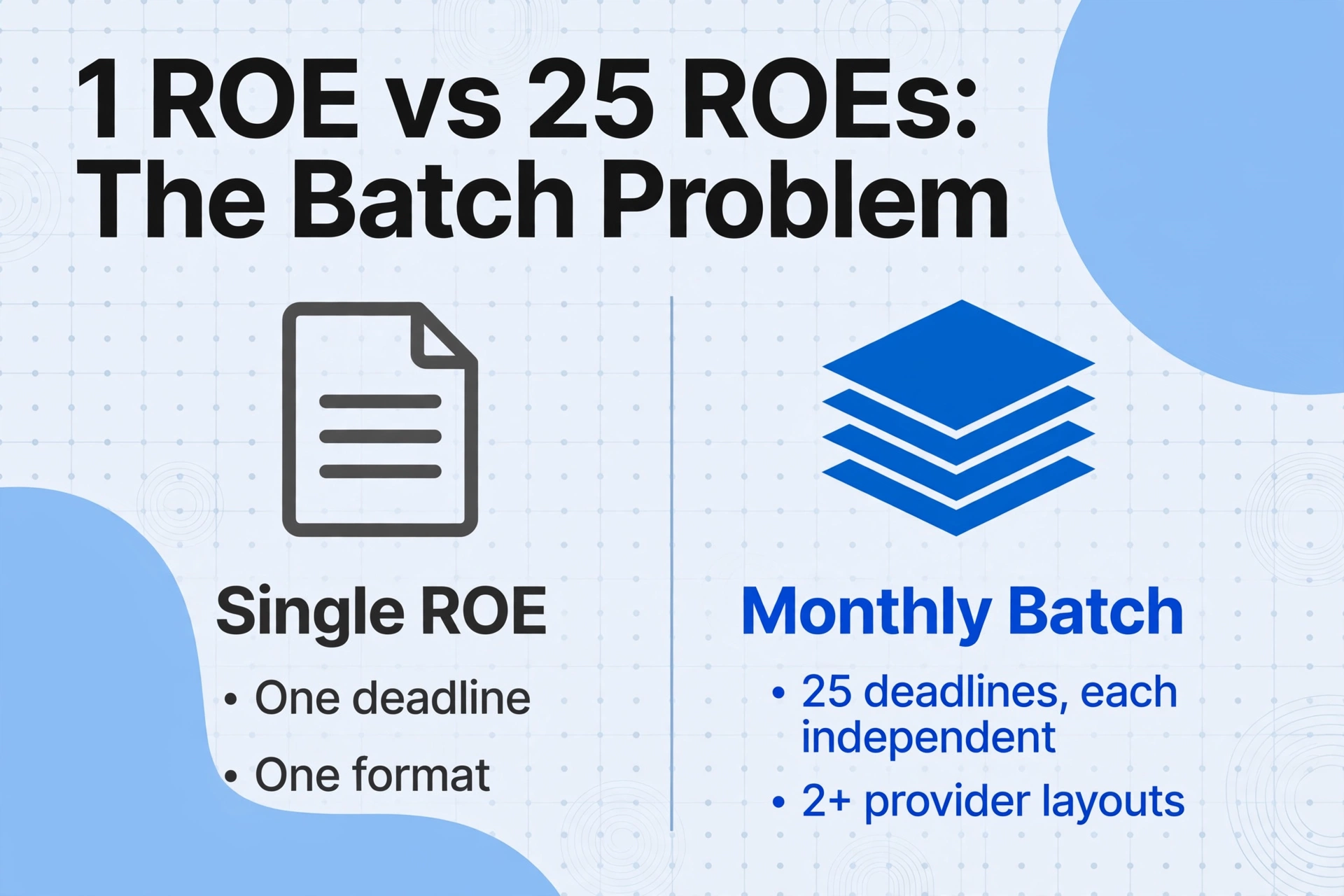
Extracting data from a single ROE into a spreadsheet is a straightforward task — our ROE extraction guide walks through the 53-block structure, reason codes, and single-ROE workflow. But processing one ROE versus processing twenty-five in a month is not a matter of doing the same thing twenty-five times. Three structural problems appear at monthly batch scale that do not exist at single-ROE scale, and retyping faster solves none of them.
1. Every ROE deadline is independent, but the monthly report is collective
An employee who last worked on November 3 has an ROE deadline of November 8. Another employee with a last insurable day of November 17 has a deadline of November 22. A third, November 28 → December 3. Twenty-five separations create twenty-five independent five-day countdowns, each ticking on its own clock. But the monthly EI compliance report — the spreadsheet the HR manager sends to the controller on December 5 — needs all twenty-five rows of Block 15A, 15B, and 15C in one place. If you transcribe ROEs one at a time as they come in — opening the Ceridian PDF, retyping twelve fields, closing it — the twenty-fifth transcription's Block 15C code may contradict a correction you made to the third employee's reason code two weeks earlier, and the contradiction is invisible until you sort the spreadsheet by employee name and notice two rows for the same person. If you batch them at month-end instead, all twenty-five transcriptions compete for the same last week of the month — exactly when the December 5 deadline is bearing down — and a single sick day or payroll system outage pushes the whole compliance report into the penalty zone.
2. Cross-provider layout friction compounds at batch scale
A single ROE from Ceridian Dayforce takes a moment to visually locate Block 15A on the Ceridian layout. A single ROE from ADP Workforce Now takes another moment to re-orient — Block 15A is in a different position, Block 15C is in a different corner, the payment period grid on page two starts at a different vertical offset. Processing one ROE from each system back-to-back costs two re-orientation pauses — about ten seconds each, negligible by any measure. Processing twelve Ceridian ROEs and eight ADP ROEs and five QuickBooks ROEs in the same batch session costs the same re-orientation penalty each time you switch providers — but now you switch not twice, but every time you move between the Ceridian folder, the ADP folder, and the QuickBooks folder, which means three to five provider switches across a session, each one breaking the muscle memory of where Block 15A lives on the current layout. A payroll administrator who transcribes seventy-five minutes of ROE data spends roughly ten of those minutes on visual re-calibration, not on data entry — a tenth of the compliance window wasted because the same block data appears at different positions on different forms.
3. Edge cases multiply with volume, and each one breaks the transcription rhythm
A company processing three separations a month might encounter one edge case. A company processing twenty-five will encounter four or five every month: the employee who received pay in lieu of notice, extending Block 11 (Last Day for Which Paid) past the actual last day worked; the employee issued a Code K ROE because the company changed payroll providers mid-year, requiring two ROEs from two systems for the same continuous employment period; the employee whose separation spans two EI economic regions — northern Ontario and southern Ontario — creating a Block 15A insurable hours threshold question; the amended ROE that replaces a previously issued ROE where Block 15C was corrected from Code M to Code A, and now the auditor asks to see both the original and the amendment side by side. Each edge case interrupts a manual transcription workflow: you stop typing, research the exception, resolve it, then resume the next ROE ten minutes later having lost the momentum that carried you through the first fifteen. The interruptions are the workflow.
The Cross-Provider Merge: Why Your Monthly Batch Needs to Be Layout-Independent
The Record of Employment is a federally prescribed form — form INS5153 — with fifty-three numbered blocks whose content and sequence are fixed by regulation. Block 10 is always the first day worked, Block 15A is always total insurable hours, Block 15C is always the reason for issuing the ROE. The content is standardized. The page position of each block is not, and every payroll software provider renders the same fifty-three blocks in a visual arrangement entirely of its own design.
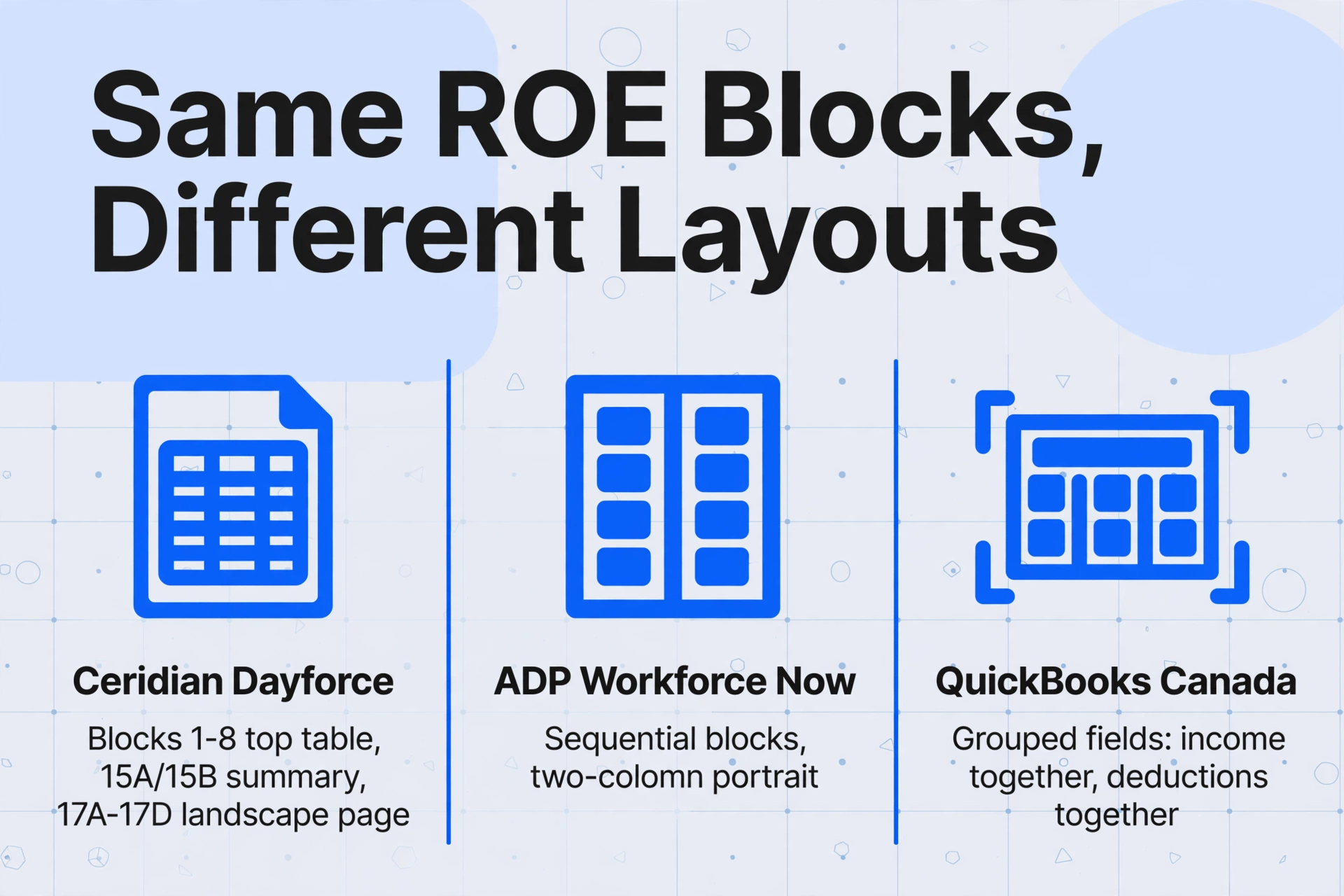
This is not a subtle design nuance. Ceridian Dayforce places identity blocks (1–8) at the top in a single table, separates insurable hours and earnings (15A/15B) into a summary block, and prints payment periods (17A–17D) on a second page in landscape orientation. ADP Workforce Now flows the blocks sequentially in a two-column portrait layout. QuickBooks Canada groups related blocks — all income fields together, all deduction fields together — in a simplified presentation. Wagepoint uses yet another grid. A template-based extraction tool that learned Block 15A's position on a Ceridian ROE will look at the wrong spot on every ADP ROE in the batch, producing either a blank cell or, worse, the value from the field in that position on the ADP layout — a misattribution that a human skimming the output might not catch.
This is the same structural problem described in our T4 batch processing guide, where 300 T4 slips from three payroll providers require a single consolidated spreadsheet for the T4 Summary. The ROE version is higher-frequency — monthly rather than annual — and higher-stakes because the output feeds an EI determination that affects an individual's benefit payments, not just a CRA filing. A wrong Block 15A total in a T4 batch creates a PIER reconciliation letter six months later. A wrong Block 15A total in an ROE batch drops an employee below the 420-hour EI eligibility threshold today — and the denial letter goes to an employee who is legally entitled to benefits.
Semantic extraction handles the cross-provider merge at the extraction step, not afterwards. Instead of teaching the tool where Block 15A sits on each software's ROE, Custom Column Extraction defines the output column as "Block 15A Total Insurable Hours" and lets the AI find the value by understanding what the block label means, regardless of which provider's form it appears on. A batch containing twelve Ceridian ROEs, eight ADP ROEs, and five QuickBooks ROEs runs under the same column schema — no template switching, no coordinate retraining, no visual re-calibration between providers. The merge that normally happens in Excel after twenty-five individual transcriptions — with every copy-paste operation risking a misaligned row — happens inside the extraction itself.
Files are processed securely and not stored.
Setting Up a Monthly ROE Batch Workflow — Once, Then Repeat
The batch workflow replaces twenty-five individual transcription sessions with one end-to-end extraction pass. Configure it once, at the start of the month or at implementation, and reuse it every time payroll generates a new batch of ROEs — whether that is at month-end, after seasonal layoffs, or on an ad-hoc basis when a restructuring creates a cluster of departures. The configuration is the investment; the monthly execution is the return.
Define your column schema — once, for every payroll provider, for every month
Type the field names exactly as you want them to appear as column headers. A practical monthly EI report schema for a mid-sized Canadian employer starts with: Employee Name, Employee SIN, Block 10 First Day Worked, Block 11 Last Day Paid, Block 15A Total Insurable Hours, Block 15B Total Insurable Earnings, Block 15C Reason Code, Block 16 Pay Period Type, File Name. This is the minimum set that populates a monthly separation summary, enables sorting by departure date to surface upcoming deadlines, and provides per-row traceability back to the source ROE PDF. Add payment period columns — Blocks 17A–17D for the most recent one to four periods — if your report needs to cross-check period-level hours against the Block 15A summary. The same column schema works across Ceridian, ADP, QuickBooks, and scanned paper ROEs from small employers who do not use ROE Web — because the AI reads block semantics, not form coordinates.
For validation during extraction, add Computed Columns — a feature described in detail below — that flag discrepancies before the data reaches your spreadsheet: cross-checking Block 15A against the sum of Block 17C period hours, verifying Block 15C is one of the valid code letters, calculating whether Block 11 falls within five calendar days of the file date.
Upload the month's ROEs in a single batch — all providers, all formats
Collate the ROEs from each payroll system's output folder — the PDFs Ceridian exported, the PDFs ADP generated, the PDFs QuickBooks produced — and drop them into one batch upload. The extraction engine processes them concurrently: each ROE is read independently with the same column schema applied, and all results are merged into a unified spreadsheet. A scanned paper ROE from a small employer who mailed it to a departing employee — still a common scenario in retail, food service, and agricultural operations — is read the same way as a digitally generated PDF from Ceridian, because the AI reads the content of the block labels, not the input medium.
For the same batch processing approach applied to UK leaver documentation, see the UK P45 batch processing guide, which covers the equivalent workflow — monthly P45s from Sage, BrightPay, and QuickBooks merged into a queryable leaver database.
Export, validate, and file — then lock the spreadsheet as your six-year compliance record
Download the consolidated Excel file — one row per ROE for summary fields, with payment period details in a separate tab if included. Run the validation checks (discussed in the next section), flag rows needing review, and resolve discrepancies — an amended ROE for a miscoded Block 15C, a correction for an employee whose last insurable day was mis-entered in payroll. File the ROEs through ROE Web, distribute copies to departing employees, and retain the batch spreadsheet as your permanent compliance record. The Employment Insurance Regulations require retention for six years after the year to which the ROE relates — a batch extraction spreadsheet with one row per ROE, timestamped in the filename, is both the audit trail and the six-year compliance archive.
Validating at Scale: Computed Columns That Catch Discrepancies Before Service Canada Does
At twenty-five ROEs per month, a human reviewing every row manually — verifying that Block 15A equals the payroll register's year-to-date insurable hours total for each employee, checking that Block 15C matches the separation documentation, confirming that the last day paid is within the statutory window — takes roughly forty-five minutes of focused cross-referencing. If you do it once before filing. Most months, the deadline pressure means the review is a rapid scan for obvious outliers, not a systematic validation. The errors that survive this scan — the Block 15C miscode that is legal to type but wrong for the employee's circumstances, the Block 15A total that is two hundred hours short of the actual insurable hours because a pay-period tally was incomplete — enter the Service Canada system as filed ROEs, and the correction process begins only when the employee or the agency discovers the discrepancy.
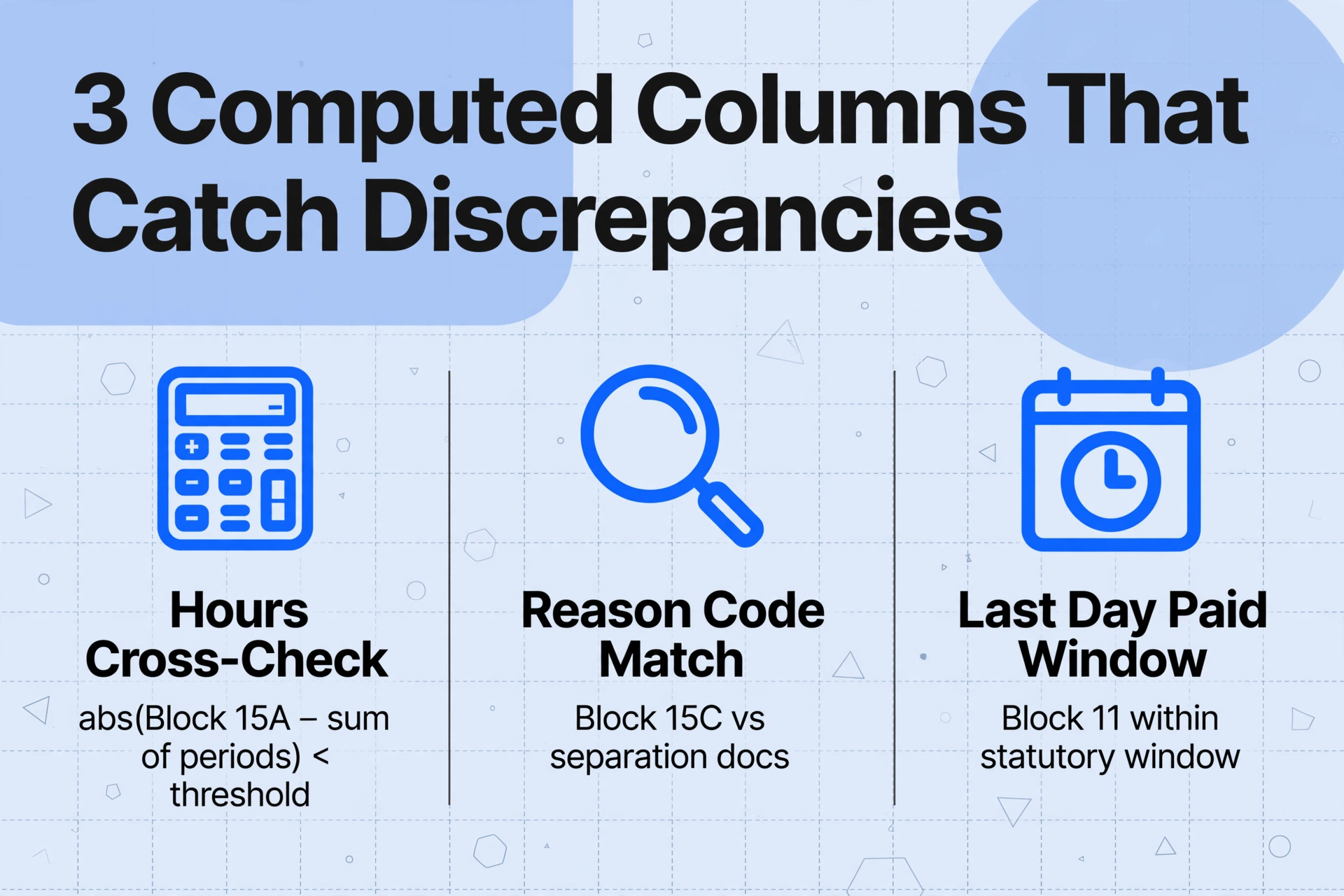
Computed Columns embed the validation inside the extraction itself. Define a column with a calculation rule, and the AI executes the check as it extracts, outputting the result in a dedicated column — before the data lands in your spreadsheet. This moves the validation from "check after extraction, if there is time" to "flagged simultaneously with extraction, every time."
Three Computed Columns that transform a batch ROE workflow from extraction-only to extraction-and-verification:
| Computed Column Name | Rule Logic | What It Catches |
|---|---|---|
| Hours Cross-Check | If abs(Block 15A − sum of all Block 17C period hours) ≤ 5 then "OK" else "REVIEW — diff: [actual difference]" | The single most common ROE data integrity issue: a pay period with incorrect hours that creates a discrepancy between the insurable hours summary (Block 15A) and the period-by-period detail (Blocks 17C). A blocked period or miscounted overtime hour in one payroll run creates a gap that manual review rarely spots — because no human adds up fifty-three period rows for twenty-five employees. |
| Reason Code Validation | If Block 15C is in the valid set {A, B, C, D, E, F, G, H, J, K, M, N, P, Z} then "Valid" else "INVALID CODE" | A stray keystroke — "Q" instead of "E," "1" instead of "I" — produces a character that Service Canada's system will reject. This Computed Column validates that Block 15C is a recognized ROE reason code letter before the data reaches the spreadsheet, flagging any unrecognized character for immediate correction at the source payroll system. |
| Deadline Monitor | If Block 11 + 5 calendar days ≥ today's date then "DUE — [Block 11 + 5]" else "Filed" | The 5-calendar-day statutory deadline is per-employee, not per-batch. An employee whose last day paid was November 29 has a December 4 deadline. If the batch is processed on December 6, that row is two days overdue — and the late filing may incur a penalty under the Employment Insurance Regulations. This column surfaces overdue rows immediately, letting you triage the filing order from the spreadsheet itself rather than from a calendar someone needs to maintain separately. |
The Computed Column approach does not replace human review — a Code A issued where circumstances required a Code E will still pass the "Valid Code" check because A is a legitimate letter. But it eliminates the mechanical validation that a person should not have to perform — summing column totals, checking code letters against the valid set, counting calendar days from dates — and refocuses human attention on the judgment-based validation that only a person can do: whether the reason code letter matches the actual separation event documented in the employee's termination paperwork.
Seasonal Layoffs: When 40 ROEs Go Out on the Same Day
Construction companies in Alberta and BC, fishing operations in the Atlantic provinces, and tourism businesses in Banff and Whistler do not experience separations as a steady monthly trickle. They experience them as a concentrated event — the end of the season — when the entire field crew, or the entire seasonal workforce, receives a layoff notice on the same day. A roofing company in Edmonton with 42 field employees shuts down on November 28. Forty-two Block 15A insurable hours totals and forty-two Code A reason codes must appear on forty-two ROEs, each one due to Service Canada within five calendar days — December 3. If the company runs payroll on ADP Workforce Now, all forty-two ROEs are generated by the same system in one batch, each one carrying the same layout, the same block positions, the same visual arrangement. For a step-by-step look at how a multi-site freeze-up generates cascading five-day ROE deadlines — six sites, 66 ROEs, one November — see our guide to Canada's seasonal ROE rush in construction.
The batch extraction is straightforward: upload all forty-two, process under the same column schema, receive one spreadsheet with forty-two rows. But seasonal employers often face a complication that makes batch extraction particularly valuable: the owners of small and mid-sized operators frequently run their own payroll, using one of the forty-plus ROE Web-certified payroll services or directly through Service Canada's ROE Web portal. ROE Web — introduced to replace paper ROE filing — handles the electronic submission of ROE data to Service Canada. It does not produce a summary spreadsheet for the employer's internal records. After filing forty-two ROEs through ROE Web, the payroll data lives in Service Canada's system, not in a spreadsheet on the employer's drive. The employer still needs a record of who received what Block 15A total, whose Code A triggered which EI economic region threshold, and whether any employee's insurable hours fell below the 420-hour uniform entrance requirement. Extraction bridges the gap: batch-process the ROEs — whether as PDFs from the payroll system or as screen captures of the ROE Web submission — into a spreadsheet that serves as the internal compliance record ROE Web does not provide.
The Service Canada recommends that seasonal employers file ROEs electronically through ROE Web precisely to avoid holiday-period postal delays that can push a paper ROE past the five-day deadline. Electronic filing handles the submission side. Batch extraction handles the record-keeping side — and a seasonal employer who can produce a spreadsheet showing all forty-two Code A ROEs, with Block 15A totals reconciled against the year-end payroll register, is the employer whose auditor's review concludes in hours instead of days.
ROE Web and Batch Extraction: Two Steps, Not Either/Or
ROE Web is Service Canada's electronic filing portal — the recommended method for submitting Records of Employment. It eliminates the paper form, the mail delay, and the manual data entry into Service Canada's intake system. But ROE Web is a filing tool, not a reporting tool. Its function is to get ROE data into Service Canada's system. It does not generate an employer-facing spreadsheet of all ROEs issued in a given month. It does not produce a reconciliation report showing Block 15A totals across all separations against the payroll register. It does not give the employer a queryable record of who left, why they left, and what their insurable hours and earnings were.
Answer: both ROE Web filing and batch extraction for internal records — not one or the other. The employer files through ROE Web because it is the fastest, most reliable channel to Service Canada. The employer batch-processes the same ROEs into a spreadsheet because the six-year retention obligation under the EI Regulations requires the employer to maintain its own records — and a spreadsheet with one row per ROE, searchable by Block 15A hours, sortable by Block 11 last day paid, filterable by Block 15C reason code, is the record that satisfies both the compliance requirement and the internal need for separation analytics. Filing without extraction means the data lives only at Service Canada. Extraction without filing breaches the statutory delivery requirement. Together, they cover the full obligation — delivery to the government, retention for the employer — in two complementary steps that share the same data but serve different purposes.
Frequently Asked Questions
Does batch processing work when some ROEs are digital and some are paper scans?
Yes. The extraction reads PDF exports from Ceridian, ADP, QuickBooks, and other payroll software identically to scans of paper ROEs from small employers who do not use electronic filing — the AI identifies blocks by their numbers and labels, not by the input source. A batch containing thirty digital ROEs from ADP and five scans of paper ROEs from a subcontractor's manual form processes under the same column schema in the same extraction pass. The only requirement is that the paper scans are legible — the same requirement as a human reading the form. For heavily degraded paper ROEs, a discussion of legibility limits is covered in the single-ROE extraction guide.
How do I handle employees with multiple ROEs in the same batch — for example, a Code K ROE from a payroll migration plus a Code A ROE at separation?
The Code K ROE (change of payroll service provider) and the Code A ROE (layoff) for the same employee will appear as two rows in your spreadsheet. The Code K ROE reports insurable hours and earnings up to the migration date, and the Code A ROE reports hours and earnings from the migration date to the separation date. A Computed Column summing Block 15A from both rows for the same employee — identified by SIN — produces the total insurable hours for the full employment period, which is the figure Service Canada needs to determine EI eligibility. The batch extraction surfaces both rows; the Computed Column connects them.
What happens when I need to amend an ROE that was already in last month's batch?
Generate the amended ROE from your payroll system — it will have the "Amended" box checked and carry the corrected block values — and include it in the current month's batch. The "File Name" column in your output identifies it as a distinct ROE from the original. In your compliance spreadsheet, replace the original row with the amended row and note the amendment date and reason. The extraction itself does not retain state across batches — it reads each ROE as a fresh document — so there is no risk of the old data persisting. Your six-year compliance record now contains the corrected data, and the amendment trail (original ROE date in Block 10, amendment date in the spreadsheet note column) satisfies audit requirements.
Can batch extraction handle ROEs where the employee worked in multiple provinces during the qualifying period?
Yes. The ROE form includes Block 8 (Province of Employment), and the extraction reads it alongside the other blocks. The province code determines which EI economic region's unemployment rate applies to the employee's eligibility threshold — economic regions sometimes differ from provincial boundaries (e.g., Northern Ontario is a separate EI economic region from Southern Ontario), so the province code alone does not fully determine the eligibility threshold. But capturing Block 8 in your spreadsheet column gives you the starting point for cross-referencing against the employee's work location records and against the current EI economic region unemployment rates published by Service Canada. The batch approach processes these multi-province ROEs the same way as single-province ROEs — the province code is just another field the AI reads from the block label.
How do I track which ROEs in a batch still need to be filed versus which have been submitted to Service Canada?
Add a column in your column schema called "Filing Status." Do not ask the AI to populate it — the AI reads the ROE, and the ROE does not contain filing status. After batch extraction produces your spreadsheet, add a separate column manually (or in your tracking system) that notes whether each ROE has been filed through ROE Web. The extraction spreadsheet — with its File Name column linking each row to its source ROE — becomes the master list you use to track filing status. Sort by the Filing Status column to surface unfiled ROEs, and use the Block 11 last day paid date to triage which ones need filing next. This approach keeps the filing workflow separate from the extraction workflow — the extraction captures data, the tracker captures filing status — without requiring either system to understand the other.
Does the batch workflow make sense for a company with fewer than ten separations a month?
The threshold for batch extraction is not a specific headcount number — it is whether the month-to-month consistency of the ROE column schema creates reuse value. A company with six separations a month (seventy-two per year) defines the same Block 15A, 15B, and 15C columns every month. The setup time — defining the column schema once — is amortized across twelve monthly batches. Six ROEs take roughly eighteen minutes to transcribe manually (three minutes each), which is not a burdensome amount of time. But seventy-two ROEs across a year consume twenty-one hours of transcription, and every one of those hours is spent transcribing data that the payroll system already generated. The question is not whether six ROEs is enough volume to justify batch extraction — it is whether you can invest thirty minutes once to define the columns and recover twenty-one hours a year, every year.