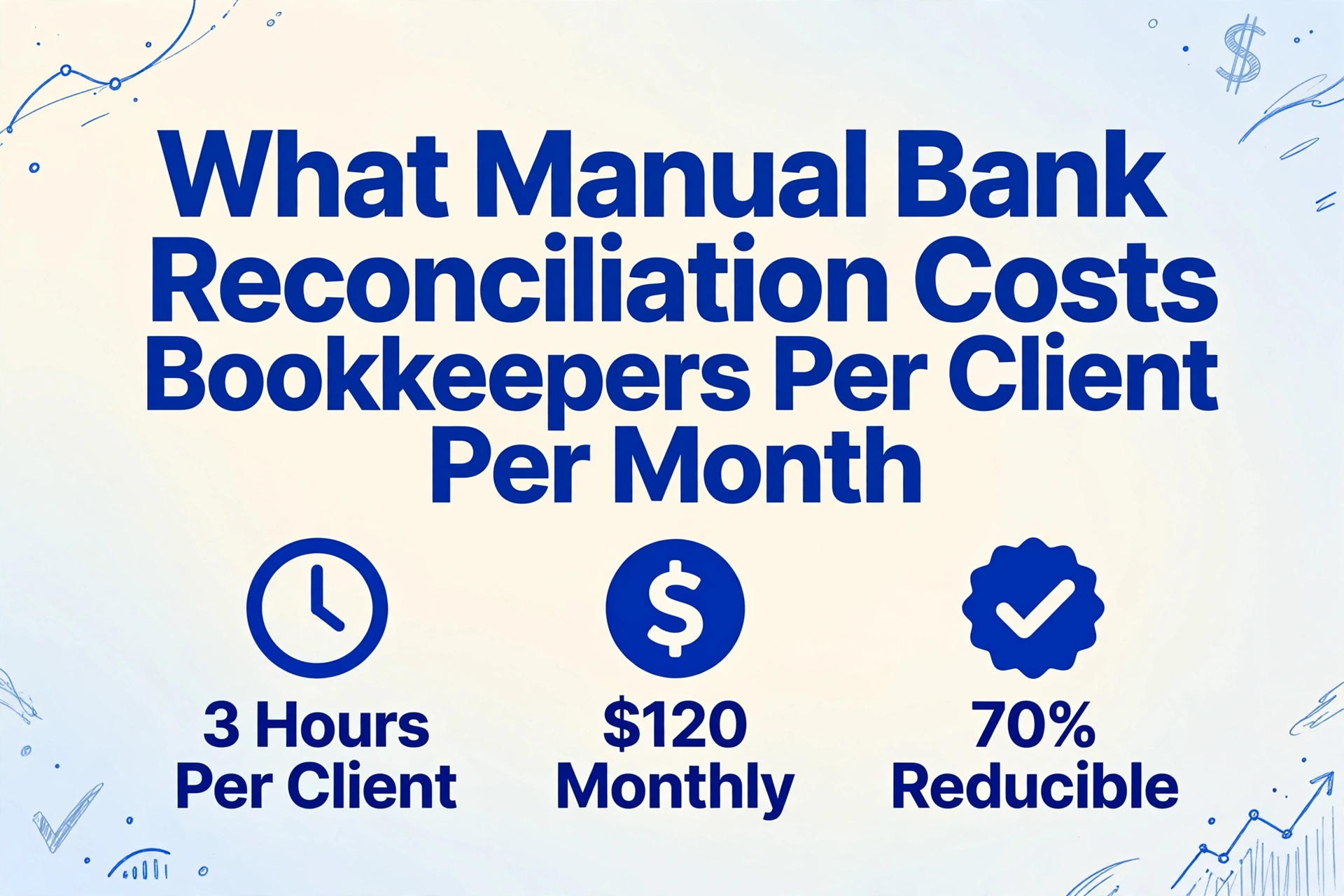
What Manual Bank Reconciliation Costs
Bookkeepers Per Client Per Month
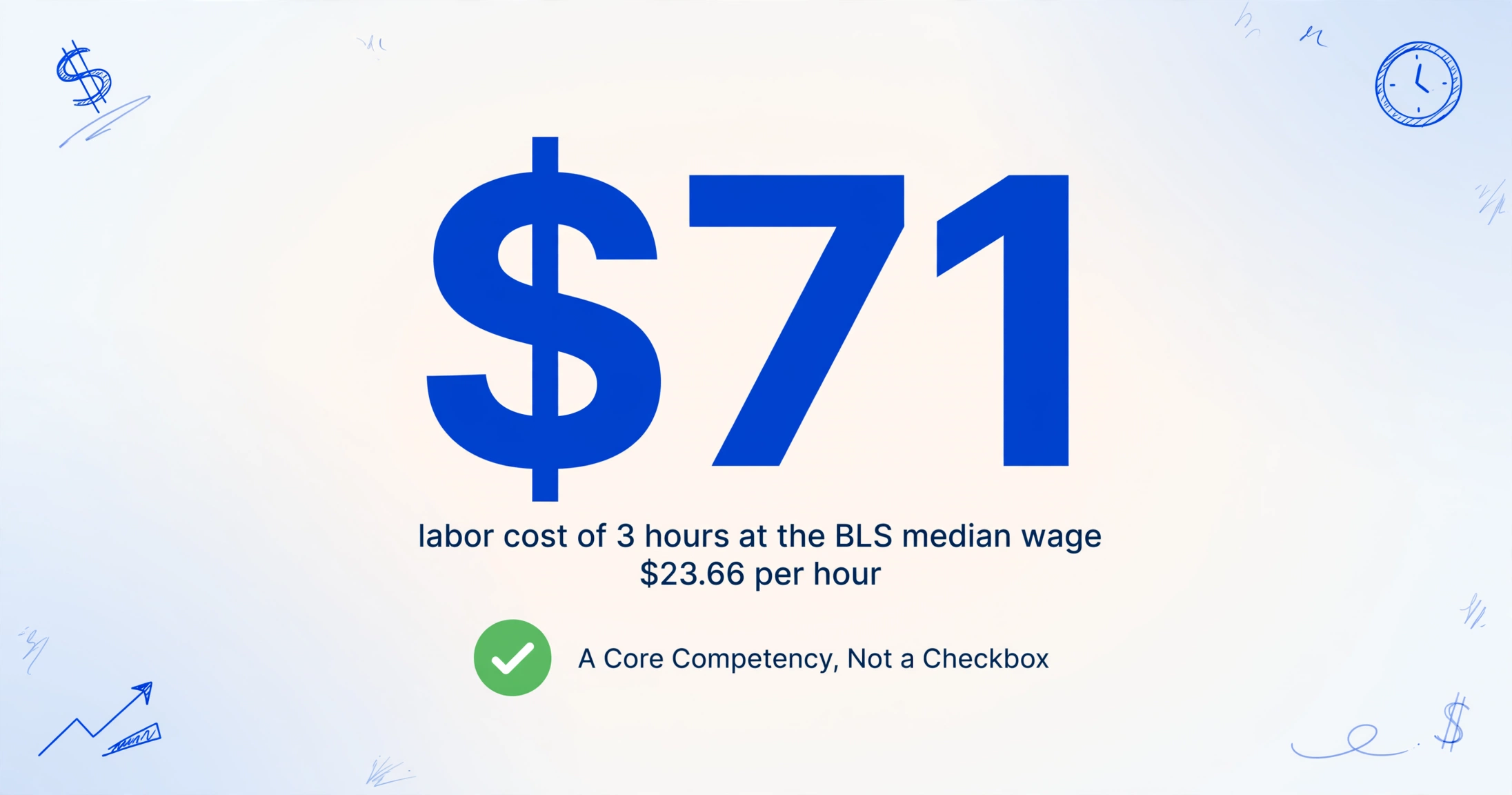
The median hourly wage for a bookkeeping clerk in the United States is $23.66 — that's the Bureau of Labor Statistics figure for May 2024. Across bookkeeping forums, the consistent self-reported number for monthly bank statement reconciliation per client is 3 hours. The multiplication is simple and unsettling: $70.98. That's the minimum monthly labour cost of reconciling one client's bank account by hand — before you factor in the error correction, the mid-reconciliation interruptions, or the PDF that arrived as a phone photo of a paper statement taken under fluorescent lighting.
Scale that to 15 clients and you're looking at $1,064.70 per month, or $12,776.40 per year — from a single task that most bookkeeping practices don't track as a separate cost line. It gets absorbed into the monthly retainer, invisible on any profit-and-loss statement, quietly compressing margins on every client on the roster. This article breaks down what manual bank statement reconciliation actually costs — per client, per month, in real dollars — and why the number most bookkeepers settle for is missing the largest line item.
Key Takeaways
- Bank feeds import transactions from a bank API — but extract exactly zero lines when a client sends you a PDF, a screenshot, or a phone photo of a paper statement.
- Your tenth client's reconciliation costs more than ten times your first — not because the work is harder, but because every bank formats statements differently and your brain has to re-learn the layout each time before it can even begin matching numbers.
- ImageToTable.ai reads bank statements by understanding what column headers mean — Date, Description, Amount — not by memorizing where they sit on the page, cutting the extraction phase from 2.5 hours of manual typing to roughly 40 seconds per statement.
The 3-Hour Line Item Your Practice Doesn't Track
The American Institute of Professional Bookkeepers (AIPB) treats bank reconciliation as a dedicated section of its Certified Bookkeeper exam — a two-hour test that covers error correction and reconciliation procedures, with a 75% passing threshold (AIPB CB Designation). When the national certifying body for bookkeepers devotes an entire exam section to a single task, it's a signal: reconciliation is not a clerical checkbox. It's a core professional competency that takes serious time to execute correctly.
That time has a price. At the BLS median wage of $23.66 per hour, a bookkeeper spending 3 hours per client on monthly reconciliation is allocating roughly $71 in labor to a single account. But the median wage is an employee figure — it excludes benefits, payroll taxes, and overhead. A freelance bookkeeper's bill rate typically runs $25 to $40 per hour, pushing the per-client monthly reconciliation cost to $75–$120. For an outsourced bookkeeping firm charging $300–$500 per month per client, reconciliation alone consumes 15–40% of the retainer before a single journal entry is categorized, a single invoice matched, or a single financial statement generated.
Reconciliation is the largest single time block in monthly bookkeeping — and the hardest to automate with conventional accounting software. Bank feeds import transactions. They don't extract them from a client's Chase PDF, a photographed paper statement, or a credit union's proprietary download format. The extraction step — getting the data off the statement and into a format you can work with — is where the 3 hours go, and feeds skip it entirely.
A Reddit user in r/Bookkeeping described reducing their reconciliation time "from 3 hours to under an hour" after finding a better method — and this is someone who does it professionally. Another bookkeeper in the same community reported managing 40 statements across 6 banks, noting: "The quickest take about 2 minutes each. The worst takes a couple hours." The range is wide because the bottleneck isn't transaction volume — it's format variability. When every client's bank provides statements in a different layout, your brain is doing format translation before it can even begin matching numbers.
Why Bank Feeds Didn't Make Reconciliation Free
QuickBooks, Xero, and FreshBooks all offer direct bank feeds that import transactions automatically. For a client who lives entirely within one bank's digital ecosystem, feeds solve much of the reconciliation workflow — match, confirm, done. But bank feeds operate on structured data pulled from the bank's API. They cannot read the client's monthly statement PDF, the phone photo of a paper statement from a credit union that doesn't offer feeds, or the screenshot of an online banking page that a client emails you on the 15th because "the bank changed their download button and I can't find the CSV export anymore."
This distinction — between importing transactions and extracting them — is where the real cost lives. A feed imports what the bank's API delivers, in the bank's format. Extraction reads what's on the page regardless of format, layout, or source. For bookkeepers whose clients send PDFs, screenshots, or photos of paper statements, feeds handle zero percent of the extraction work. The bookkeeper still has to read each line off the statement and type it into the accounting system.
The IRS requires businesses to retain bank statements as supporting documentation under Publication 583, with a recommended retention period of 7 years for tax-related records. That's a lot of statements — and a lot of potential extraction work — accumulating month by month across every client on a practice's roster.
The Scaling Problem: Why Your 10th Client Costs More Than Your 1st
Manual reconciliation doesn't scale linearly. Processing one client's single-account statement in 3 hours doesn't mean processing 10 clients takes 30 hours — it takes closer to 35 or 40. The difference is cognitive switching cost. Each new statement arrives in a different format: Chase puts debits and credits in separate columns, Wells Fargo uses a single Amount column with positives and negatives, credit unions often use fixed-width layouts that haven't changed since the 1990s. Your brain re-learns the format each time.
This is the efficiency cliff that the batch bank statement reconciliation guide describes in detail: "The efficiency cliff hits between the third and fourth statement. Before that, you're cross-referencing carefully. After that, the cognitive load of format-switching compounds — and by the eighth statement, you're making errors you'd catch on the first. This isn't a discipline problem. It's a structural limitation of manual data entry at volume."
Error rates compound the cost further. Manual data entry carries a documented error rate of 1–3% per transaction in bookkeeping contexts. A small business with 150 monthly transactions will have 1.5–4.5 errors introduced purely through typing — transposed digits, misread dates, a credit entered as a debit. Each error requires investigation, which costs more time than the original entry. A single mis-keyed transaction can cascade into a $47.41 discrepancy that takes 20 minutes to track down — turning a $0.20 typing mistake into a $10 correction cost.
What the Numbers Actually Say — A Per-Client Reconciliation Cost Model
The following model uses conservative assumptions: a freelance bookkeeper billing $30 per hour, processing one bank account with 100–200 monthly transactions. The "manual" column reflects typing each transaction from a PDF or screenshot into a spreadsheet. The "extraction-assisted" column reflects using a tool to pull the data off the statement first, then reconciling in-software — cutting the extraction phase to seconds per page.
| Cost Component | Manual (per client/month) | Extraction-Assisted |
|---|---|---|
| Data extraction from statement | 2.5 hrs ($75.00) | 0.1 hrs ($3.00) |
| Transaction matching & reconciliation | 1.0 hr ($30.00) | 1.0 hr ($30.00) |
| Error investigation & correction | 0.5 hrs ($15.00) | 0.1 hrs ($3.00) |
| Total per client per month | $120.00 (4.0 hrs) | $36.00 (1.2 hrs) |
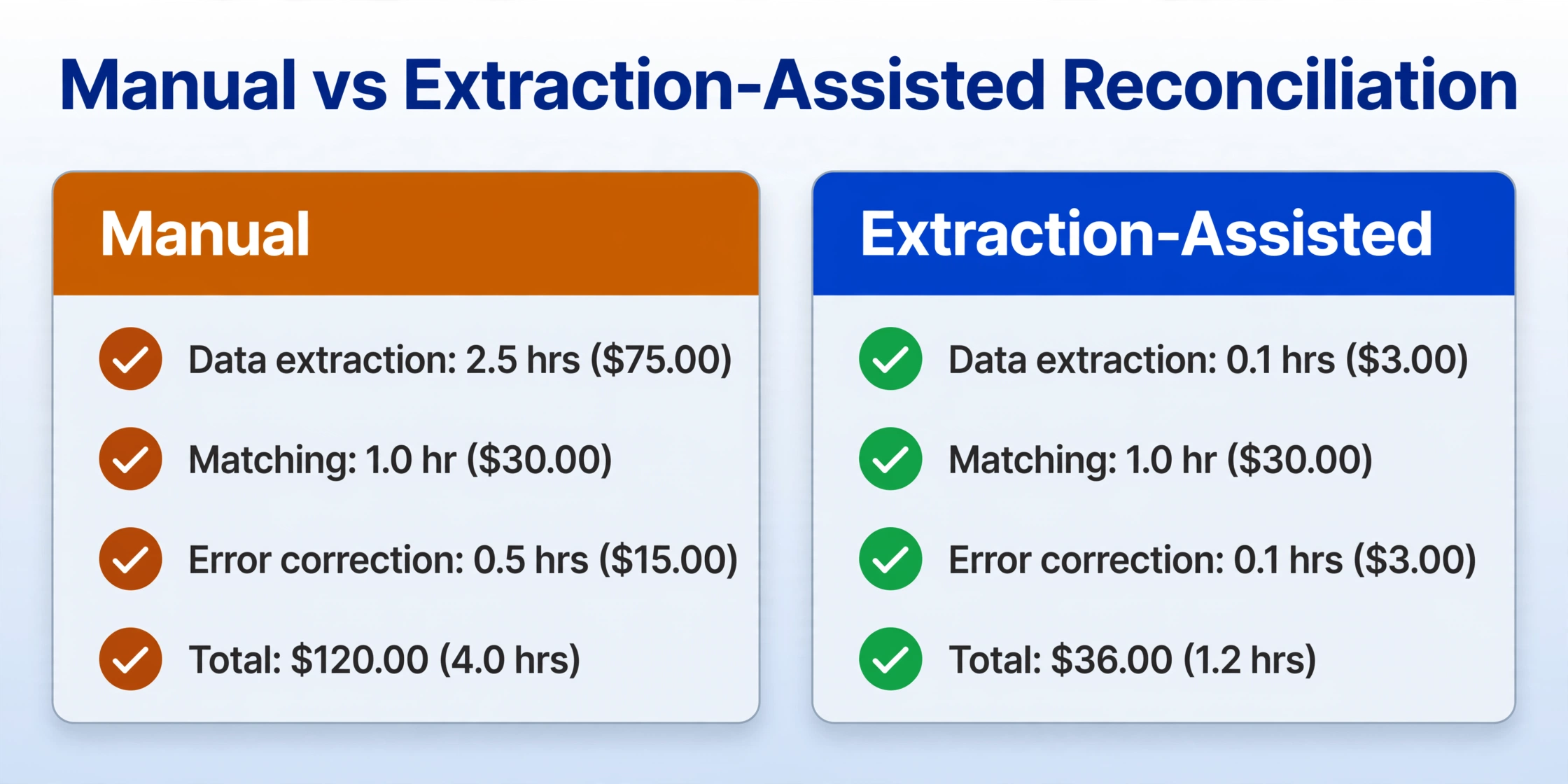
At 15 clients, the monthly gap is $1,260 — manual reconciliation costs $1,800 versus $540 with extraction. Annualized, that's a difference of $15,120 for a practice of 15 clients. For a solo bookkeeper billing $60,000 a year, that's 25% of annual revenue recovered from a single redundant task.
The line item most bookkeepers overlook isn't the 3 hours. It's the 3 hours they can't bill to another client, can't spend on advisory work, and can't use to grow the practice. Every hour spent typing transaction data off a PDF is an hour not spent on the services that command $75–$150 per hour: cash flow forecasting, tax planning, business advisory. The cost of manual reconciliation isn't just the labor — it's the opportunity cost of what the bookkeeper isn't doing during those 3 hours.
Where the Time Actually Goes — A 3-Hour Reconciliation, Step by Step
The 3 hours don't happen in a single focused session. They fragment across the day — 20 minutes to download the statement, 45 minutes of data entry interrupted by a client call, 30 minutes to match the first 40 transactions, another interruption, 15 minutes hunting down a missing deposit. Understanding where the time goes makes it clear which step carries the highest leverage for reduction.
| Step | Task | Typical Time |
|---|---|---|
| 1. Obtain statement | Log into client's bank portal (or request from client), download PDF, verify it covers the correct period | 10–15 min |
| 2. Data entry | Read each transaction from PDF/screenshot, type date, description, amount into spreadsheet or accounting software — 100–200 lines | 60–90 min |
| 3. Transaction matching | Compare entered transactions against internal records, mark matched items, flag discrepancies | 30–60 min |
| 4. Discrepancy resolution | Investigate unmatched items: outstanding checks, deposits in transit, bank fees, data entry errors | 15–30 min |
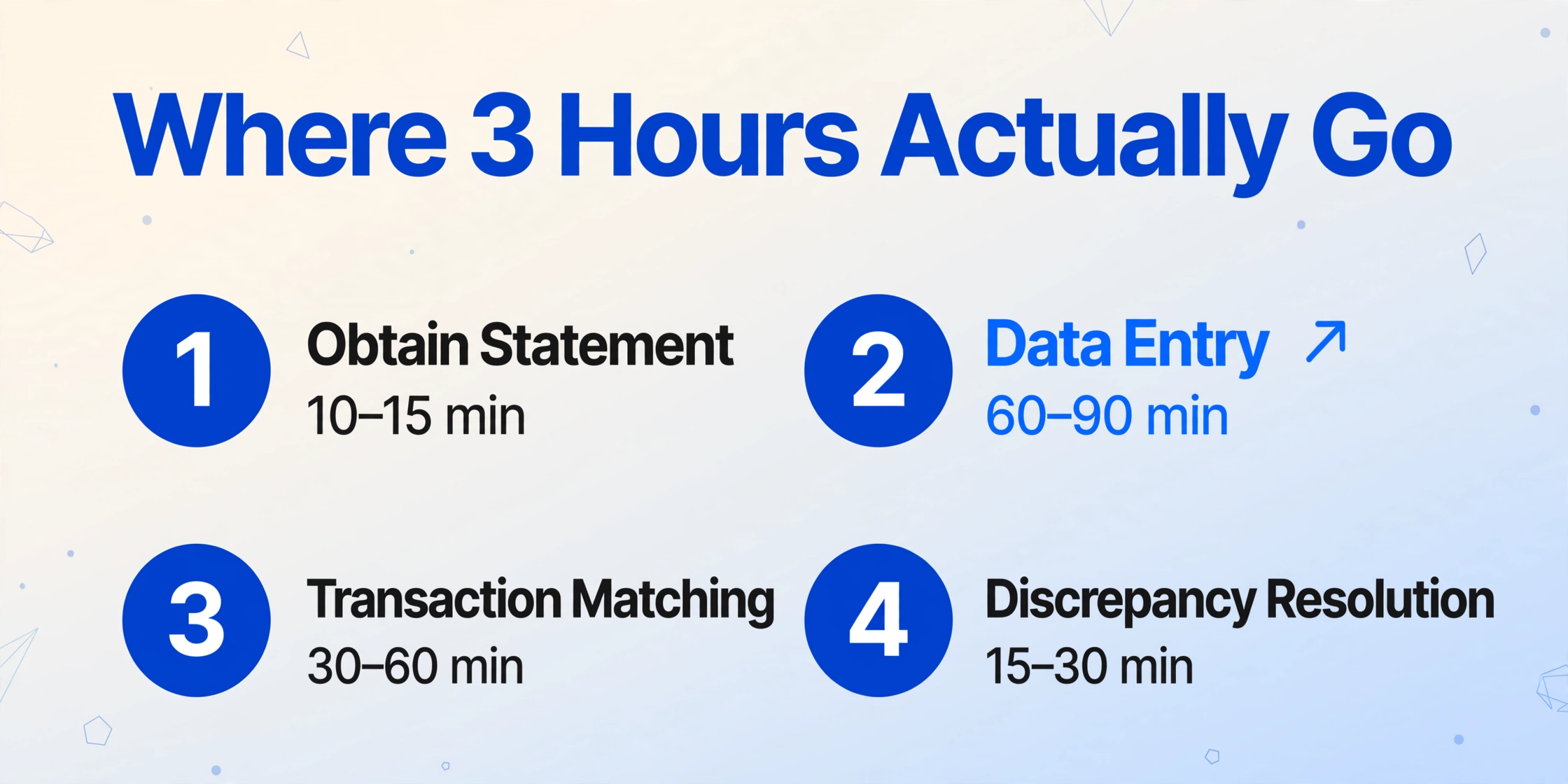
Step 2 — data entry — consumes half to two-thirds of the total time. It's also the step most resistant to improvement through conventional accounting software because the data doesn't exist in the accounting system yet. It's trapped in a PDF, and nothing in QuickBooks or Xero can read a PDF bank statement and turn it into rows of structured data. That extraction gap is what the tool below addresses.
If you're new to extracting bank statement data programmatically, start with our guide to extracting bank statement data into Excel — it covers the fundamentals of getting transaction data out of PDFs and screenshots in structured form. This article is about what that extraction is worth once you price your time.
Files are processed securely and not stored.
What Changes When You Extract Instead of Type
The core mechanism that makes this possible is column-name extraction: instead of dragging rectangles around each field on a document (the template-based OCR approach), you type the column headers you want — "Date," "Description," "Debit," "Credit," "Balance" — and the AI locates each value on the statement by understanding what it means, not where a template expects it to sit. This matters because a Chase statement and a Wells Fargo statement organize the same information in different places. A template built for one bank's layout breaks on every other bank's. Column-name extraction reads the content semantically, so the same column definitions work across statement formats without reconfiguration.
The efficiency numbers from the product explain the gap: a single page of bank statement data that takes roughly 3 minutes of manual typing takes 5–10 seconds with AI extraction — an 18x improvement on the data entry step alone. For a 4-page statement with 150 transactions, that's the difference between 12 minutes of typing and roughly 40 seconds of extraction. Extend that across 15 clients processing monthly statements and the per-client cost model in the table above moves from theoretical to observable.
For bookkeepers handling year-end reconciliations — where 12 months of statements per client need processing simultaneously — the time delta compounds further. The batch bank statement processing guide walks through the workflow for processing a full year of statements into a single reconciliation spreadsheet. For a broader look at how manual data entry costs compare across document types and industries, see our framework for calculating manual data entry costs.
FAQ
Does this work with scanned paper statements and phone photos?
Yes. Because the extraction engine uses visual understanding rather than text-layer parsing, it reads photographed and scanned documents the same way it reads native PDFs — by looking at what's on the page. A phone photo of a paper bank statement taken under office lighting produces the same extraction result as a PDF downloaded from the bank's portal, provided the image is legible. This is the scenario where bank feeds offer no help at all and where manual entry was previously the only option.
What about statements with unusual formats — credit unions, international banks, multi-currency?
Because the extraction is column-name-based rather than template-based, format differences between banks don't require reconfiguration. You specify the columns you want to extract ("Date," "Description," "Amount"), and the AI identifies those values regardless of where they appear on the page. International statement formats with different date conventions (DD/MM/YYYY vs MM/DD/YYYY) and currency symbols are handled similarly — the AI reads the context, not a fixed position. However, handwritten entries and severely degraded document quality will reduce accuracy. The tool is not a guarantee of 100% accuracy on every line — it's a dramatic reduction in typing time with accuracy that typically exceeds careful manual entry.
How does this compare to just using QuickBooks bank feeds?
Bank feeds and extraction solve different problems. A feed imports structured transaction data from a bank's API — useful when the bank supports it, the client has it enabled, and all transactions fall within the feed's scope. Extraction reads data off a document — useful when the client sends you a PDF, a screenshot, a scanned paper statement, or uses a bank that doesn't offer feeds. The two are complementary: feeds handle the digital-native case, extraction handles everything else. Most bookkeeping practices that serve multiple clients face both scenarios and need both capabilities.
What's the minimum number of clients where this makes financial sense?
For a bookkeeper billing $30 per hour, the break-even is roughly 2–3 monthly clients. At 4 hours of reconciliation per client per month, two clients represent $240 in monthly labor spent on extraction alone. A practice with 5 clients spends $600 per month — $7,200 per year — on the data entry step of reconciliation. The threshold isn't high. The question isn't "do I have enough clients to justify a tool" — it's "how many hours am I spending on a task that a tool can complete in seconds, and what could I be doing with those hours instead."
What This Means for Your Practice
The $120 per client per month figure isn't just an expense — it's a cap on how many clients a practice can serve. If each client consumes 4 hours of reconciliation labor monthly, a solo bookkeeper working 160 hours per month can handle roughly 40 clients at maximum — and that's before accounting for categorization, reporting, client communication, or any advisory work. Cut reconciliation from 4 hours to 1.2 hours per client and the same bookkeeper can serve 30% more clients with the same workload, or devote the recovered hours to higher-value services that improve retention and revenue per client.
Manual reconciliation is a cost that most bookkeeping practices don't measure — because it's absorbed into the monthly retainer, because it feels like "just part of the job," because the per-client dollar figure seems too small to matter. But 3 hours times $30 times 12 months times 15 clients is $16,200. That's the annual cost of a task that automated extraction can reduce by 70%. In a profession where the BLS projects a 6% employment decline through 2034 — replaced not by fewer bookkeepers but by bookkeepers who work differently — the practices that survive and grow are the ones that stop absorbing costs and start eliminating them.
Try it on a client's next monthly statement. Upload a PDF bank statement, type in the columns you normally type into Excel — Date, Description, Amount — and see if 90 minutes of data entry becomes 40 seconds of extraction. The math works or it doesn't. The only way to know is to test it with the documents your practice actually handles.