Food Recall Size Hangs on
the Supplier Invoice Batch Number
In June 2026 the FDA published the results of a traceability exercise run with 15 companies across six supply chains. The exercise tested whether each company could produce records within 24 hours, and response times were generally fast. What most could not do was carry the lot code through those records consistently: only 40% of the records captured the properly assigned traceability lot code at every step.
Only 27% captured the complete source of that code. The gap sat in the records that connect one to the other, and for most food businesses those records start with a supplier invoice.
Key Takeaways
- Only 40% of records in an FDA traceability exercise carried the lot code at every step, and only 27% captured where that code came from.
- The gap sits in the records that connect the others, and no one's job title is owner of the joined row.
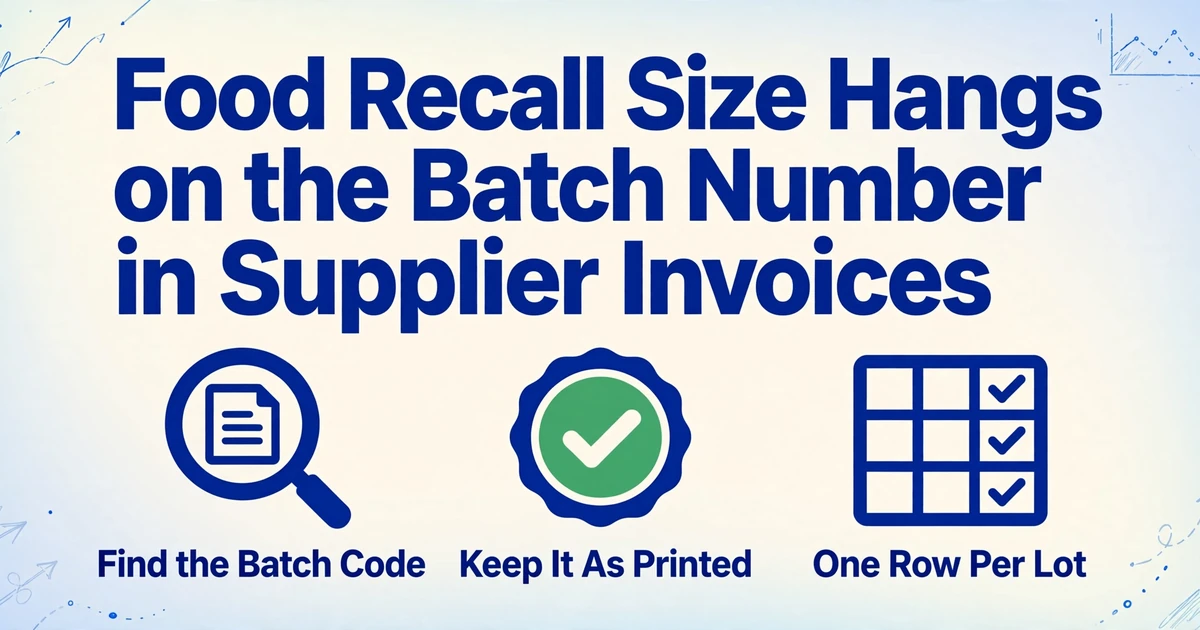
- An invoice proves payment, not what arrived on the pallet, so capture the batch code as printed and join it to the receiving and production records.
A Recall Is Scoped by a Field Most Invoices Treat as Optional
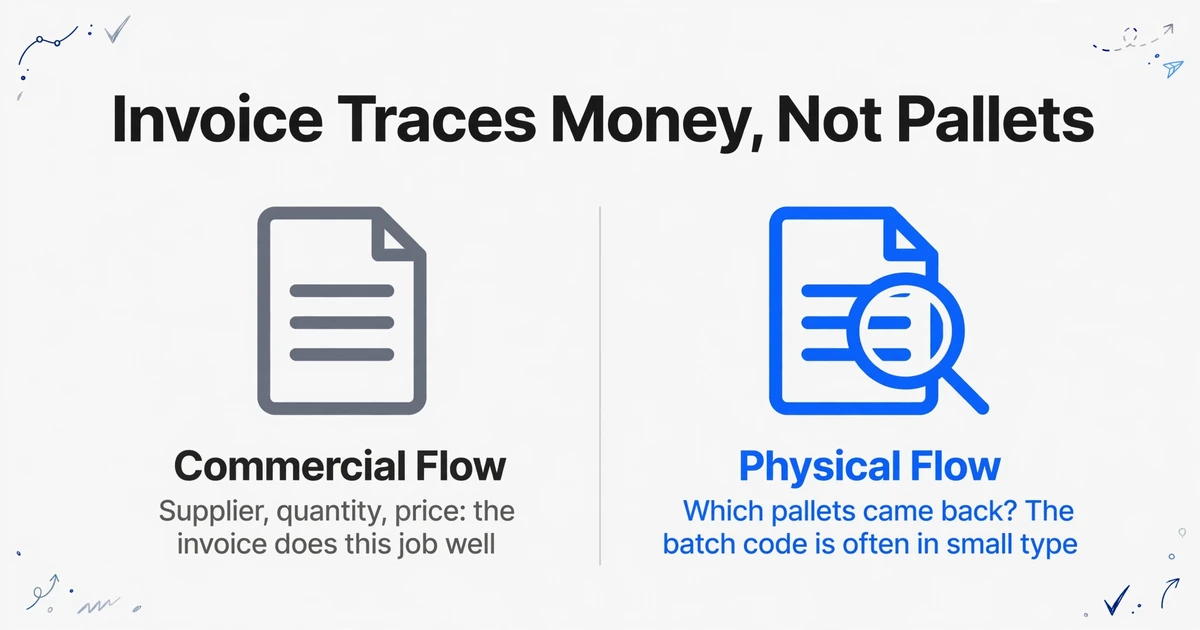
The batch number decides which pallets come back, and on a supplier invoice it is often printed once, in small type, beside a product line that was designed for payment. The invoice has to carry the supplier, the quantity and the price, and it does that job well. The batch code rides along when the supplier's billing system happens to include it, and disappears when it does not.
The European Commission's guidance on Regulation (EC) No 178/2002 puts the distinction plainly: keeping invoices traces the commercial flow of a product, and that "was not sufficient to follow the physical flow of the products." The regulation itself requires one step back and one step forward, meaning you can identify the immediate supplier and the immediate customer. It does not require a batch number on every invoice, though the same guidance calls batch details "very helpful." The invoice is legally useful, commercially essential, and incomplete as a batch record.
Under the FDA Food Traceability Rule, the traceability lot code is one of the key data elements required at each critical tracking event. Every element has to be linked to the lot, and the FDA explicitly allows an invoice to serve as the reference document that carries those elements. A supplier invoice can therefore be part of a compliant record. It becomes one only when the code is captured at the right level, kept as printed, and joined to the receiving and production records that explain what happened to the food afterwards. The compliance date is July 20, 2028, which gives covered businesses time to build that join.
An invoice proves a commercial transfer. A batch record proves what physically arrived, and those two claims are not the same.
What a Batch Record Needs Before It Can Answer a Recall Question
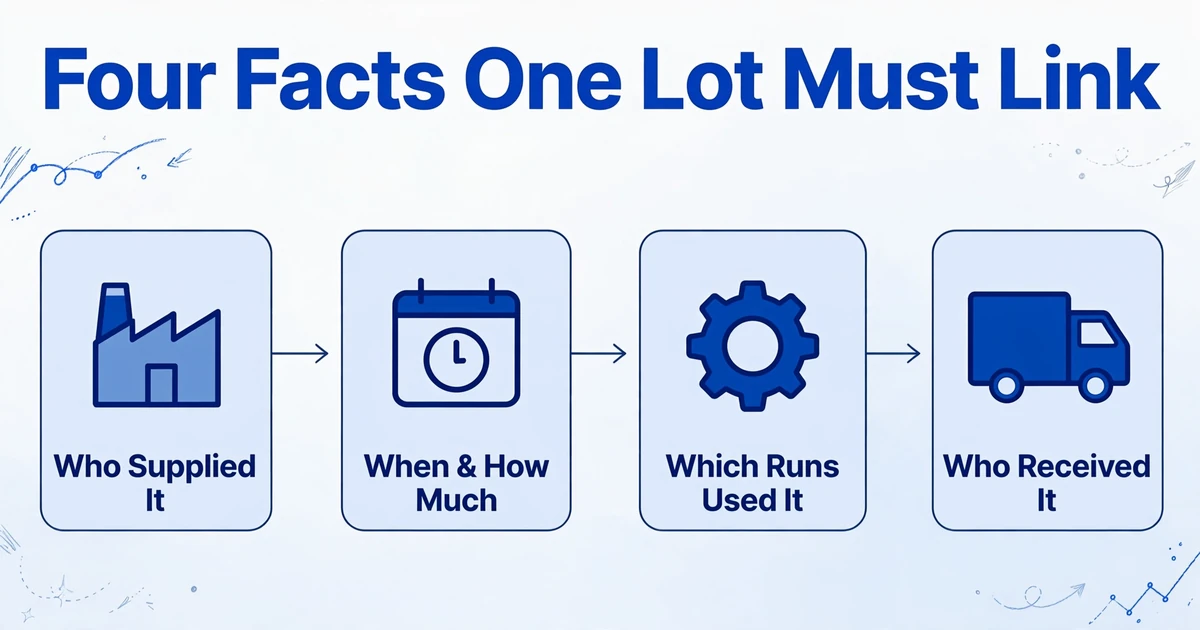
For a recall, a usable batch record has to link four facts about one lot: who supplied it, when and in what quantity it was received, which production runs used it, and which customers received the finished goods. A recall notice usually arrives with a supplier name and a code, and the clock starts on the other three.
The FDA's receiving requirements show the shape of the first half. For each traceability lot of a covered food, a receiver must keep the lot code, quantity and unit of measure, product description, the location of the immediate previous source, the location where the food was received, the receipt date, the source of the lot code, and the reference document type and number. Those nine fields define one row in a table. The rule also sets a 24-hour window for producing records in an electronic, sortable format when the FDA asks. A PDF archive does not meet that test; a spreadsheet with one lot per row does.
Codex Alimentarius, whose hygiene principles underpin HACCP systems, takes the same view: lot identification is essential in product recall and stock rotation, and each container should identify the producer and the lot. Inside a food business, the pieces of that record sit with different people, and nobody's job title is "owner of the joined row."
| Role | What they hold | What their record answers | What it cannot answer alone |
|---|---|---|---|
| Receiving clerk | Delivery note, pallet labels, gate log | Which batches physically arrived, and when | Which invoice billed them, at what price |
| Finance / AP | Invoice PDF or e-invoice | Supplier, quantity billed, price, payment terms | Which batch was on the pallet |
| QA lead | Batch register, production and sanitation logs | Which production run used the batch | Who supplied it, or which customer received it |
| Procurement | Purchase order, supplier contacts | Who to ask when a code is missing or wrong | What actually arrived at the dock |
Finance receives the invoice because it has to be paid. Receiving keeps the delivery note because the driver signs it. QA keeps the batch log because an auditor will ask for it. Each record is complete for its own purpose, and the link between them is rebuilt by hand whenever a supplier issues a recall notice. That rebuild is what the FDA exercise put a number on.
Where the Batch Identity Breaks on a Real Supplier Invoice
The break is usually four small mismatches between what the invoice says and what the warehouse did, and each one survives a manual check because the invoice still balances.
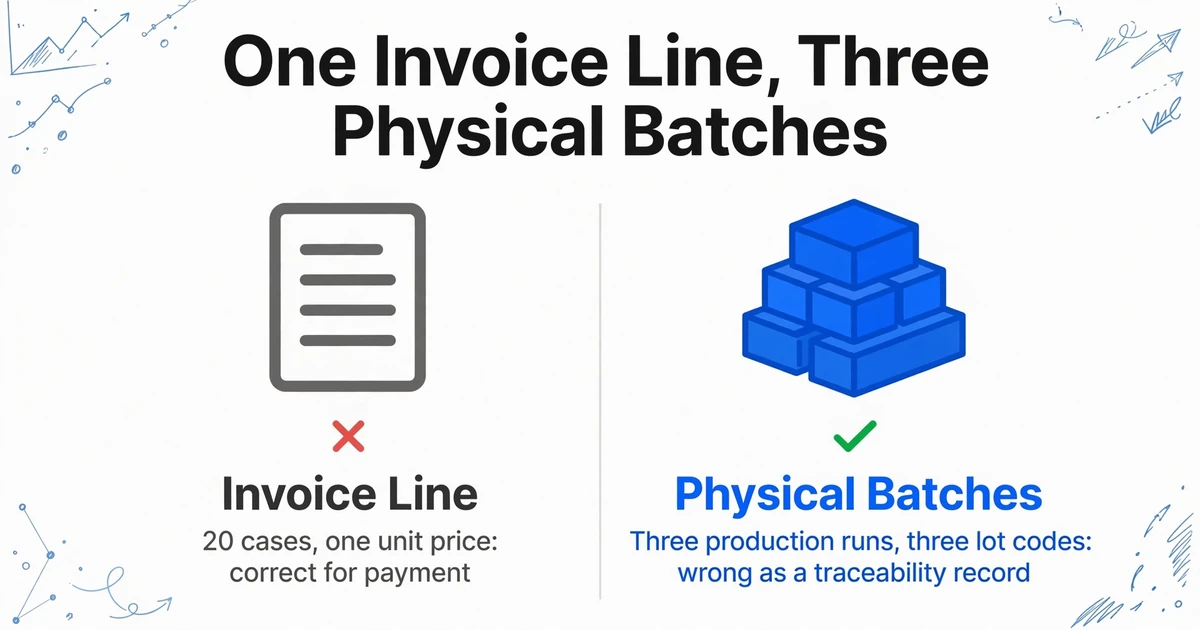
One invoice line, three physical batches
A supplier bills 20 cases of mozzarella as one line at one unit price. The pallets that arrive carry three production batches, because the supplier packed from three runs to fill the order. The invoice is correct for payment and wrong as a traceability record: it has collapsed three lots into one. If the register is built from invoice lines alone, a recall on the middle batch will either miss the two pallets that share the line or pull all 20 cases and a customer relationship with them.
The split has to happen at receipt, from the pallet labels or the delivery note, and the register needs one row per batch with the invoice number repeated on each row. This is also why a line item table that stops at product and quantity is not enough for food. The same mechanics as extracting food distributor invoice line items apply, with batch as an additional level below the line.
The batch code never reaches the invoice
Plenty of suppliers print the lot on the delivery note, the case label, the advance ship notice or a follow-up email, and leave it off the invoice. A practitioner on the IFSQN food safety forum asked how to track raw materials that arrive with no lot or batch number at all; the replies included tracing by receipt date and best-before date, or using the purchase order number as a stand-in. Those workarounds are honest, and they also show the limits of what an invoice can supply. If the code is not printed, extraction cannot produce it, and a number invented by the spreadsheet is worse than a blank.
The practical answer is to treat the invoice and the delivery note as two intake queues that land in the same table. AP forwards the invoice; the receiving clerk photographs the delivery note at the dock. Both are processed against the same columns, and the purchase order or delivery note number becomes the join key, with the invoice number carried as the commercial reference. Where the invoice has no batch and the delivery note does, the delivery-note row fills the gap. Where neither has one, the register says so and procurement asks the supplier in writing, which is also what the FDA expects a receiver to do rather than invent a code.
The date codes mean three different things and arrive in five formats
A production date, a best-before date and a use-by date are not interchangeable, and a Julian code is not a date at all until someone decodes it. Yet all three land in a column headed "Expiry" in most spreadsheets. One supplier prints BBE 03/2027, another 27.03.2027, another a Julian code such as 26087, another only the month and year. Excel will happily read some of these as dates and silently misread others, and a column of mixed text and dates does not sort, which is exactly what a first-expiry-first-out check needs.
Two rules prevent most of the damage. Keep the original string in one column, and put the normalized date in another only when the document supports a full date; a month-only best-before should stay month-only instead of becoming the first of the month. Then add a column for the date type, so a best-before is never treated as a use-by. The difference matters commercially as well as legally: an expired best-before is a quality issue, an expired use-by is a safety issue.
The code is transcribed by hand, one character at a time
Batch codes are alphanumeric strings designed to be unique, not to be typed. L26-0412/A becomes L26-0412A when the slash is dropped, 0 becomes O, 1 becomes I, and a trailing suffix disappears. The register looks complete. The recall search returns nothing, because a lookup on a batch code is an exact string match. This is the quietest failure of the four and the one most likely to surface during an audit rather than during normal work: a QA professional describing an internal audit on r/QAProfessionals found that some lots could not be traced to their raw material origins because the manual logs and the ERP entries were out of sync.
A recall lookup is an exact string match, so a register with one wrong character is a register that cannot answer the question.
The countermeasure is visual verification. Every extracted batch code has to be checkable against the pixels it came from, which is what the review step later in this article is for.
The Columns That Turn an Invoice Line into a Traceability Row
Define the columns once and the same set works across every supplier, because the output is driven by the fields you name rather than by the supplier's layout. These are the fields that make batch number extraction and expiry date tracking across invoices land in one register, with the rule for each.
| Column | What goes in it | Rule that keeps the record usable |
|---|---|---|
| Supplier | Legal name as printed | Keep the printed name; map to a supplier ID later, not during extraction |
| Invoice number | As printed, including prefix and suffix | Repeat it on every row so each batch row can be traced back to the bill |
| Invoice date | The date on the invoice | Do not confuse it with the delivery or receipt date |
| Product description | The supplier's wording | Keep it as printed; the internal item code is a separate column |
| Supplier item code | The supplier's SKU or article number | Useful when the description is abbreviated beyond recognition |
| Batch / lot code | Exactly as printed, including slashes and separators | Never "clean" or reformat an identifier; the code is the recall key |
| Production or pack date | Where the supplier prints it | Leave blank when only a best-before is printed |
| Best before | Date or month as printed | Normalize only to the precision the document supports |
| Use by | Date as printed | Keep separate from best before; they carry different risk |
| Quantity and unit | Delivered quantity and the unit of measure | One row per batch, so the quantity per code is explicit |
| Receipt date | From the delivery note or gate log | This is the date the FDA receiving record asks for, not the invoice date |
| Date type | Best before, use by, production or unknown | An inferred column; the AI classifies it from the label wording on the page |
Twelve columns is enough to answer the invoice half of a recall question and to hand the next system a clean join key. It is deliberately not a full traceability schema. There is no customer column and no production run column, because those facts live in shipping and manufacturing records, not on a supplier invoice. Adding empty columns for them makes the table look complete while changing nothing.
The batch code is the one field you must never tidy up. Normalize the dates, preserve the identifier.
One Column Set Covers Forty Suppliers
Forty suppliers means forty invoice layouts, forty date conventions and, in a typical month, more than a thousand lines to keep in one consistent register. Manual entry at that scale does not fail all at once; it decays, starting with the fields nobody checks because payment does not depend on them.
The extraction model that fits here is what ImageToTable.ai calls Custom Column Extraction: you type the column names you want, and the AI finds each value anywhere on the page by understanding what it means, not by matching a fixed position. The names you type become the headers of the output table. No per-supplier template is created, so a supplier changing their invoice layout does not break next month's run.
Split the intake before you split the data
Send invoices to the extraction queue from AP, and send delivery notes from the dock. A Collection Link lets a receiving clerk open a link, enter a short verification code and upload phone photos of delivery notes into your processing queue without an account. If invoices arrive by email, the account's Email Inbox address can accept them from a supplier whitelist and start processing automatically.
Define the columns in the language of the register
Use the field names from the table above. "Batch / Lot Code" and "Best Before" are clearer to the model than "Product Code 2" or "Date 3", and they are the names you will read in the output header a year from now. Add "Date Type" as an inferred column so the AI classifies each date from the label wording.
Process the whole month in one batch
Upload every supplier's invoices together. Batch processing merges the results into a single spreadsheet, so one run produces one register rather than forty files to append. A batch of forty invoices at thirty lines each becomes roughly 1,200 rows in one table, with the supplier column telling you which layout each row came from.
Normalize dates without inventing precision
Formatting rules can output dates in one consistent style, which is what makes the column sortable. Check the result for values the document only supports at month precision: a best-before printed as 03/2027 should stay a month, and a Julian code should stay as printed until someone confirms its meaning with the supplier.
Review the codes, not the totals
Review Mode with bbox highlighting links each extracted cell to its location on the original image. Click a batch code and the area it came from is highlighted on the original, which is how you catch O versus 0 without retyping the whole invoice. Review the batch and date columns, spot-check quantities, and leave the arithmetic to AP.
Join the register to production by PO or delivery note
Export the table as Excel or CSV and use the PO or delivery note number to link each batch row to the receiving log, keeping the invoice number for the AP side. The invoice extract supplies the supplier side. The production system supplies the "used in" side. The join is the traceability record.
Files are processed securely and not stored.
If the immediate problem is volume rather than traceability, the same setup doubles as a batch invoice to Excel workflow, and the weekly food cost version of it is covered in batching food distributor line items into a weekly sheet. The traceability table is the same data with the batch level kept instead of aggregated away.
What Invoice Extraction Cannot Do for Food Safety
Extraction produces a better register. It does not produce compliance, and a recall file built on the assumption that it does is more dangerous than a slow manual one because it looks finished.
- It is not a traceability or compliance system. There is no traceability plan, no recall workflow, no auditor portal and no regulatory filing. The 24-hour request from the FDA still has to be answered by your business, using the table as evidence.
- It does not decode barcodes. The AI reads printed and handwritten text on the page. If a batch code exists only inside a GS1-128 barcode or a DataMatrix label, this workflow will not see it, and you need a scanner or a label system for that lot.
- It does not calculate shelf life or run FEFO. There is no built-in date arithmetic that decides what expires in 30 days or which pallet should ship first. The normalized dates make those decisions possible downstream; they do not make them.
- It does not trace forward. Who received the finished goods is a shipping fact, not an invoice fact. Invoices give you the one-step-back half of the chain, and the forward half needs production and dispatch records joined to the same batch code.
- It does not fill gaps. When a supplier omits the code, the row stays blank and the exception stays visible. That is the correct behavior: a generated code breaks the link to the supplier's records at the exact moment you need it.
- It does not validate the code against a supplier master. There is no check digit, no GS1 validation and no lookup against a product catalog. A code that is printed correctly but belongs to a different product will be extracted correctly and remain wrong.
The division of labor is the point. Software is reliable at reading unfamiliar layouts and preserving strings. People and specialized systems are responsible for deciding what a code means, whether a lot is safe, and who has to be called. A register that makes those decisions easier is useful. A register that pretends to make them is a liability.
A Five-Minute Test Before the Next Supplier Recall Notice
A five-minute test tells you whether your records can answer a recall question before a supplier asks it. Pick one batch code from last month's receipts at random, start a timer, and answer four questions using only your current records:
- Which supplier invoice brought this batch in, and on what date was it received?
- How much of that batch arrived, and how much is still in stock?
- Which production runs used it, and what finished lots came out?
- Which customers received those finished lots?
If questions one and two take seconds and three and four take an afternoon, the invoice side is working and the join to production is missing. If all four take an afternoon, the problem is upstream: batch codes are not being captured at all, and no amount of searching will find a code that was never recorded. Either result is useful, and both are cheaper to discover now than during a supplier's recall notice, when the supplier is calling every customer on the same day.
Run the test once a quarter with a different batch each time. The codes that fail are the suppliers worth a conversation, and the columns that stay empty are the fields your intake process is not collecting.
FAQ
Do all food supplier invoices include batch numbers?
No. Perishable and regulated categories such as dairy, meat and fresh produce usually do, and dry goods often do not. Some suppliers print the lot only on the delivery note or case label. The invoice is a good place to start the register because it is the one document every purchase produces, but it is not a reliable source for every batch code.
What should I do when the invoice has no batch number?
Record the receipt without one and ask the supplier for the code in writing, rather than generating your own and presenting it as the supplier's. Your internal receipt number can sit in a separate column, but it does not replace the supplier's code because it does not exist in the supplier's records. If the delivery note or pallet label has the code, use that and link it to the invoice through the PO or delivery note number.
Can the tool read batch numbers from a barcode?
It reads the printed or handwritten characters on the document, including a code printed next to a barcode. It does not decode the barcode itself. Where the code is only encoded in a GS1-128 or DataMatrix symbol, a barcode scanner or your warehouse system has to supply it.
How do I handle one invoice line that covers three batches?
Split it into three rows at receipt using the pallet labels or delivery note, repeat the invoice number and unit price on each row, and divide the quantity across the three codes. The extraction can only produce what the document shows. The split is a receiving decision, and it needs to happen before the table is built, not as a cleanup afterwards.
Does this make us compliant with FSMA 204 or EU 178/2002?
No. It produces a structured, sortable record that supports the recordkeeping those rules require, and it makes a 24-hour records request answerable from one table. Compliance also requires a traceability plan, records at every critical tracking event, forward records from production and shipping, and in the EU case the one-step-forward link to your customers. Treat the extracted register as one component, not as the system.
Can I use the same table for supplier price comparison?
Yes, provided you keep the line-level detail. Once quantities and unit prices are in one table across suppliers, comparing what you paid is a sort away, which is the workflow described in comparing food supplier prices from invoices. The batch columns do not interfere with that analysis, and keeping them means the same extract serves both finance and QA.
The Bottom Line
Food traceability fails in the join between records long before it fails in a laboratory. The supplier invoice is the document every purchase produces, so it is the right place to start the batch register, and it is the wrong place to stop. Capture the batch code as printed, keep one row per physical batch, separate best-before from use-by, and join the result to receiving and production by PO or delivery note number. Do that and a recall notice becomes a filter on a spreadsheet instead of a week of phone calls.
See what your own supplier invoices look like as a batch register. Upload one invoice, name the columns you need, and check whether the batch and date codes survive the trip.