Epicor AP Automation Without
ECM or IDC Still Needs a File
APQC's cross-industry benchmark puts the median cost of processing an accounts payable invoice at $6.00 across 5,846 organizations. The same benchmark puts the median cost per invoice line item at $1.36 across 4,135 organizations. The second number is the one that decides whether an Epicor AP project removes work or just moves it.
Most supplier invoices arrive as PDFs or scans, so the header total is one line of work and the distributions are the rest. A route that fills the header but leaves the lines to a person has automated the smallest part, which is why the three routes into Epicor AP are not interchangeable.
Key Takeaways
- A Data Management Tool (DMT) invoice import takes seconds, and that speed is exactly what makes the project look finished too early.
- Those seconds cover writing records only, not reading the invoice, matching a receipt or approving an invoice.
- The project is the rows: a vendor ID that already exists in Epicor, a line total that matches where the cost is coded and a reviewer who can trace each value back to the page.
The Three Routes Split the Invoice Into Different Jobs
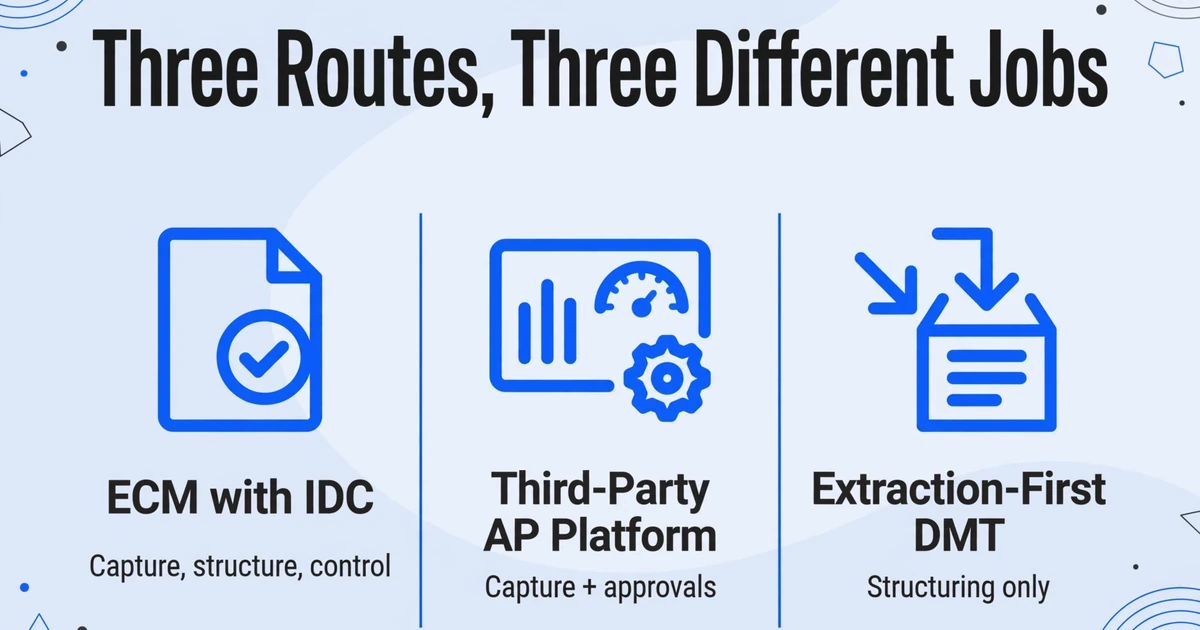
Only ECM with IDC keeps the document, the approval and the matching inside Epicor; the other two routes put those steps somewhere else. That difference decides who owns the exceptions after capture, which matters more than the feature list on a vendor page.
It helps to separate three jobs that are often sold together. Capture reads the document and produces values. Structuring puts those values into the records Epicor expects. Control decides whether the invoice is valid, matched, approved and ready to post. ECM with IDC covers capture, structuring and the approval and match workflow. A third-party AP platform takes capture and most of the approval work. The DMT route takes capture as an input and owns only the structuring step.
| Route | What it owns | What stays in Epicor | What your team operates |
|---|---|---|---|
| Epicor ECM with IDC | Capture and classification, document repository, routing and approval, configured two-way and three-way matching, ERP handoff | Accounting validation, exception decisions, posting, payment | ECM licensing, IDC volume, workflow design, connector project |
| Third-party AP platform | Invoice inbox, coding, approvals, supplier collaboration, payments, and analytics, with an Epicor connector of varying depth | Vendor master, receipts, accounting records, final posting control | Platform subscription, integration, a second audit trail to reconcile |
| Extraction-first DMT | Reading invoices, mapping fields, review, and preparation of import files | Vendor master, matching, approval decisions, posting, payment, document control | DMT license, template upkeep, file preparation, reconciliation before each load |
In the DMT route, the only new product sits outside Epicor; its output is a file, and the file is the integration.
A file can be inspected, reconciled and re-run, which is more than most API integrations offer an AP manager. The question is whether the team can produce it reliably, and the other two routes show what that work looks like when a product owns it.
What Epicor ECM and IDC Automate, and Where They Stop
ECM with IDC automates the most of the three, and it is the only route where the document repository, the approval route and the matching rules all live inside the Epicor product set. Epicor ECM (enterprise content management) is the current name for the product many installed customers still call DocStar. IDC, Intelligent Data Capture, is the layer that classifies incoming documents and reads fields from them.
Epicor's IDC product page describes neural-network classification, fields learned without per-format templates, and a claim of up to 90% less manual data entry. The ECM AP Automation page adds the rest of the chain: capture and indexing, routing and approval, automatic two-way (invoice to purchase order) and three-way (invoice to purchase order to receipt) matching, and a two-way API to the ERP. Read together, those pages describe a route that owns the invoice from mailbox to approval inside the Epicor product set.
The limit is not capture quality in the abstract. It is what happens when the invoice does not match cleanly. One manufacturer running IDC and ECM reported that they were not doing line-item OCR or automatic matching at all: "our vendor invoices are a mess to begin with and we've not tried doing the line-item stuff yet" (Epicor User Help Forum, 2019 to 2024). The same thread contains a blunter assessment from another user: ECM AP Automation "can be made to automate the AP workflow," but "it's not as complete as I think it should be given the way they are naming it and pitching it."
Cost is the other reason teams look past the native route. Epicor sells ECM by quote, and the number depends on deployment, user count, IDC volume and workflow scope. In a 2022 forum thread, an ERP user explained why their project went a different way: "Our management was decided NOT to use DOCSTAR, due mostly to costs." They sent invoices to an external OCR firm, received XML back, and generated DMT files themselves (Epicor User Help Forum, 2022). That is the extraction-first route in its natural habitat: a cost decision, not an architectural preference.
What a Third-Party AP Platform Buys, and What It Adds
A third-party AP platform buys the workbench around the invoice, and how much of Epicor it touches depends entirely on the connector. The workbench is where AP spends its day: coding, routing, commenting, chasing approvers, handling supplier questions and sometimes paying. A capture tool does not replace that work, and neither does DMT.
Integration depth varies more than the marketing suggests. Stampli, for example, describes its Epicor integration as a file integration that syncs the vendor list, GL accounts, open purchase orders, line items and receiving data, then returns authorized invoices and payment information (Stampli). A file handoff can work well. It also means the platform is not reading live Epicor state at the moment of approval unless the connector goes further, so test the release you run and the fields you sync before anyone approves an invoice on that integration.
The trade is scope for ownership. You get approvals and supplier collaboration in one place, and you take on a second system that holds invoice status, a second audit trail, and a reconciliation between what the platform approved and what Epicor posted. That is worth it when approvals span several ERPs or payments need a system Epicor does not cover well. It is a larger project than a typing problem requires.
The DMT Route Is a Data-Shape Decision, Not an Integration
DMT is a bulk data loader that writes records through Epicor business objects. It does not read invoices, match them to receipts, or decide whether they are valid. Epicor positions the Data Management Tool as part of its migration toolkit for moving from a legacy ERP to Kinetic, with more than 60 pre-designed import templates, Excel and CSV input, validation against business logic, and an error log (Epicor). It is a separate license. Epicor's 2025.2 release note says DMT is now bundled into the free Power Tools Client, while "licenses for these products are still necessary to use these tools."
In Epicor AP, the unit of work is an entry group: invoices are entered into a group, checked with an Edit List (the pre-posting review report), then posted to update the supplier and GL records. DMT can create the group and the records inside it, but it does not perform the review or the posting decision. It applies the same validation as AP Invoice Entry. It is still not an AP workflow. Using it as a daily AP intake channel is a repurposing of a migration tool, and the error handling stays batch-oriented: a log of rejected rows, not an invoice-level exception queue.
An AP invoice load is usually organized around four record types, with the GL distribution stored in the expense and GL control records behind the detail and charge rows. The names are worth knowing because every mapping conversation uses them:
| Record | What it represents | Cardinality |
|---|---|---|
APInvGrp | The invoice entry group that holds the batch together | One per group, or created manually in Epicor |
APInvHed | The invoice header: supplier, invoice number, dates, terms, total, currency | One per supplier invoice |
APInvDtl | The invoice lines, including PO and receipt references, quantities, prices and extended costs | One per invoice line |
APInvMsc | Miscellaneous charges such as freight, with GL distribution fields from APInvExp and APInvExpTGLC | One per charge, with line 0 used for header-level charges |
The exact column set is generated from your Kinetic release, not from a blog post. That caveat is not legal cover. Field names, required keys and update behavior change between releases, and a template copied from someone else's environment is one of the quieter causes of an import that fails only on some rows.
Where an Epicor Invoice Import Actually Fails
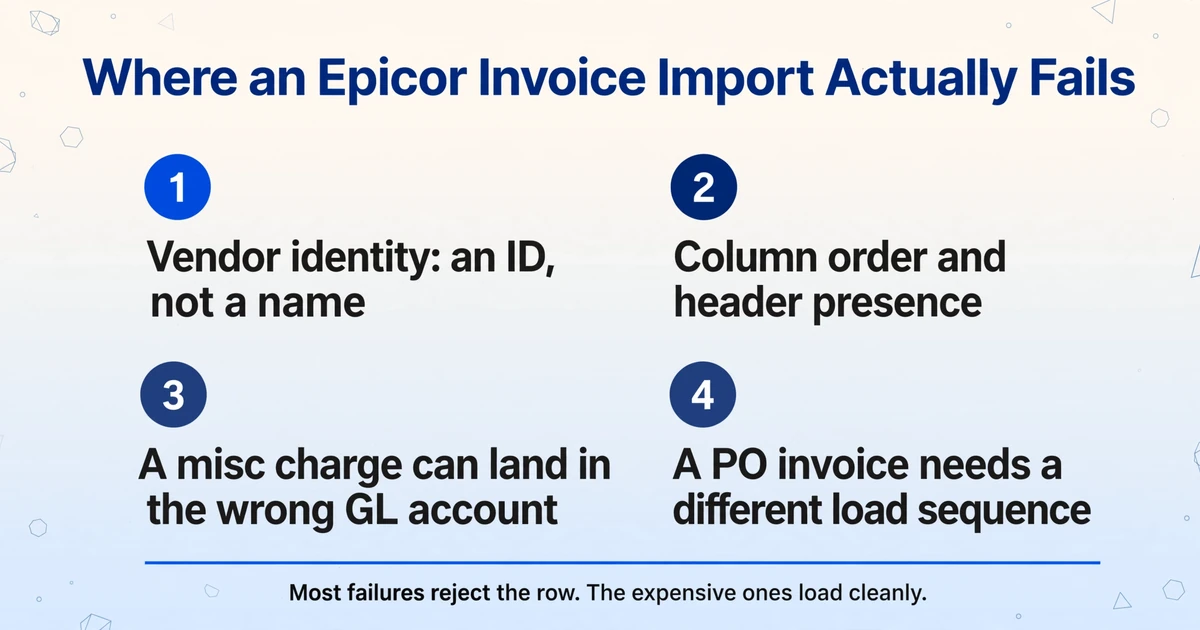
The DMT failures that cost the most time are reference or ordering failures, and the error text often makes them look like formatting. The message names a table and a value, so the row looks wrong. In practice the row is usually fine and the key around it is not. These are the ones that show up repeatedly in practitioner threads.
Vendor identity: an ID, not a name
DMT resolves a supplier by the vendor key in your master data, not by the name printed on the invoice. "Acme Manufacturing Inc." on the PDF has to become the vendor ID that exists in Epicor. If it does not, the load rejects the row, and the dangerous response is to create a new supplier so the import passes. That is how one vendor becomes two records, with spend split across both, and how a duplicate invoice slips through later because the ERP only checks invoice number within a vendor.
The key field itself causes confusion. In the AP Invoice Combined template it is VendorNumVendorID. Epicor support told one customer that the vendor number was required, while practitioners in the same thread were using the vendor ID and reported that it worked (Epicor User Help Forum, 2021 to 2024). Test both against your release, and decide once which identifier your column set will carry. Do not let AP alternate between them.
Column order and header presence
The combined AP template is sensitive to column order. One user fixed a persistent "A valid Invoice Number is required" error by moving VendorNumVendorID before InvoiceNum in the file (Epicor User Help Forum, 2020). Nothing about the invoice number changed. The loader's processing order did.
The combined template also produces "APInvHed record not found" when the header is not created or found before the detail rows are processed. An ERP system manager described the combined load as "highly unpredictable based on my experience" in a thread that ran from 2017 to 2020 (Epicor User Help Forum). Some errors are less helpful still: one thread reports "Index was outside the bounds of the array" with no field name, which turns debugging into bisection (Epicor User Help Forum, 2021 to 2024).
Header, line and charge arithmetic
An invoice line's amount has to agree with its GL distribution total. When it does not, Epicor returns a message during entry that the invoice line amount cannot differ from the GL distribution total. In a DMT file the same rule applies, but the error may surface as a failed row without a field-level message.
Miscellaneous charges have their own convention. A charge with line 0 belongs to the header. Users also report that a second misc line can default into a GL account configured as a "do not use" trap, so the sequence and GL distribution have to be set deliberately (Epicor User Help Forum, 2018). The row loads. The charge lands in the wrong bucket. That is worse than a rejection, because nothing in the import log asks for attention.
PO and receipt invoices are a different load
Invoices tied to purchase orders and receipts do not fit the combined template reliably. The UI path opens a selection dialog for receipt lines; DMT does not reproduce that interaction. Practitioners describe a split sequence instead: create the header, use the AP Invoice Receipt process to bring in the receipt lines, then update the AP detail record with the invoice amount (Epicor User Help Forum, 2019 to 2020). Partial receipts, pack-slip references and multiple receipts against one invoice make that sequence harder, not easier.
This is the point where DMT stops being a general AP intake route and becomes an invoice-type-specific one. Non-PO and miscellaneous invoices are the natural fit. PO invoices are where matching belongs, and DMT does not match. The same reference-integrity problems show up in other Epicor imports, which is why PO data keeps breaking ERP imports even when the file looks correct.
A loaded row is not a valid invoice
DMT proves that a record passed the loader's validation. It does not prove that the supplier is the right one, that the invoice is not a duplicate, that the GL coding is correct, or that the line totals reconcile to the header. One user reported that roughly one load in five would accept the first line and then fail, with the rest failing on every line (Epicor User Help Forum, 2019). Partial commits are normal in a batch loader, so the team has to know exactly which rows committed before retrying.
The failure that costs money is the one that imports cleanly: a misc charge in the wrong GL account, a second supplier record for the same vendor, or a duplicate invoice number that differs by one character.
Open Invoice Load is not a shortcut around this. It is designed to bring opening balances into a new system, and practitioners report that it carries an invoice total without line detail or GL distribution (Epicor User Help Forum, 2019). For an operating AP desk that needs line-level coding, it solves a different problem.
| What you see | What it usually means | What to check before reloading |
|---|---|---|
A valid Invoice Number is required | The loader processed the key columns in an unexpected order | Generated template order, vendor key before invoice number |
APInvHed record not found | The header did not exist or was not committed before the detail load | Group ID, header load result, committed rows |
Index was outside the bounds of the array | A structural problem in the file, with no field named | Trailing columns, blank rows, template version, bisect the file |
| Row loads but the charge lands in the wrong account | Misc line sequence or GL distribution key is wrong | Line 0 for header charges, transaction numbering, GL account |
| Row loads but a second supplier appears | The vendor key did not match, and someone created a new record | Vendor ID against the master, duplicate supplier records |
What a DMT-Ready Invoice Set Looks Like
A DMT-ready set is several small files that share one key, not one spreadsheet that contains the whole invoice. Splitting the load by record type keeps each failure domain separate: a rejected detail row does not force a reload of headers that already committed.
| File | One row per | Keys and fields commonly required | Check before load |
|---|---|---|---|
| Group | Entry group | Company, GroupID | Group does not already exist with the same ID |
| Header | Supplier invoice | Company, GroupID, VendorNumVendorID, InvoiceNum, InvoiceDate, ApplyDate, TermsCode, PMUID, CurrencyCode, RateGrpCode, ScrDocInvoiceVendorAmt, GLControlCode | Vendor, terms, payment method, currency and rate group exist; invoice number is unique for that vendor |
| Detail | Invoice line | Same keys, plus InvoiceLine, LineType, PartNum, Description, quantities, unit cost, extended cost, PO and receipt references | Every line has a header; line amount equals GL distribution total; PO and receipt references exist |
| Misc charge | Charge | Same keys, plus InvExpSeq, GLAccount, TGLCTranNum, DocScrExpAmt | Header-level charges use line 0; GL account is not a placeholder; sequence is consistent |
Data types matter as much as column names. Dates should arrive as dates, amounts as numbers, and codes as text so leading zeros survive. Remove subtotal rows, merged cells and blank spacer rows before the file reaches DMT. Decide what a blank means: an empty optional field is fine, an empty required field is a rejected row, and a zero is a value.
The reconciliation rule is simple enough to write on one line: header invoice amount = sum of detail extended costs + tax (where tax is billed separately) + miscellaneous charges, with every detail and charge row carrying a header key that exists in the same group. If the invoice prints a total that cannot be rebuilt from its own lines, stop before the load. DMT will not explain the difference, and posting a group that does not reconcile moves the problem into the ledger.
Keep a source identifier on every row, even though DMT does not require it. A file name and page reference lets AP trace a rejected row back to the invoice without reopening the whole batch.
How to Build Those Rows From the PDFs
The extraction layer has one job here: turn each supplier invoice into rows whose headers already match the DMT template. That is a narrower job than AP automation, and it is the part DMT leaves open.
ImageToTable.ai uses Custom Column Extraction. You type the column names you want, such as InvoiceNum, VendorNumVendorID or APInvDtl#ScrDocExtCost, and the AI finds each value by understanding what it means on the page. There is no zone to draw and no per-supplier template to maintain, which matters when a supplier changes its invoice layout without telling anyone. The column names you enter become the output headers, so the export can be dropped into the generated DMT template without renaming every field, then reordered to match the template.
Build three column sets and run the same batch three times. The header set produces one row per invoice. The detail set describes the line fields, includes the invoice key so each row can be tied back to its header, and produces one row per line on a page that lists line items. The charge set captures freight and other miscellaneous charges, with columns for the GL account you assign. Batch processing means all the supplier invoices in one upload are processed together into one table, so a hundred invoices do not become a hundred manual runs. Each run uses one column set, which is how one batch produces the three files.
Computed columns do part of the reconciliation while the document is being read. A line total can be calculated as Qty × Unit Price when the invoice does not print one. A verification column can return OK when the calculated total matches the printed total and the difference when it does not. The calculation goes in the column name, or in Rule Format (the JSON rule field for logged-in users), and a fixed tax rate can be embedded there when the rate is not printed. These are row-level checks on the page being read; a header total that spans several pages still has to be compared after export, because a computed column cannot reach across files.
Review Mode with Bbox is the step that makes a DMT load safer. Hover or click any extracted cell and the source region is highlighted on the original image, so AP can confirm the vendor ID, invoice number and amount against the document before the file is built. The values that cause silent import errors are exactly the ones worth checking this way. Bbox annotation can be triggered per file, or set to run automatically after processing.
Multi-Page Merge handles the invoice that arrives as several pages or photos. In template settings you choose how results are grouped, for example by a shared invoice number, and the pages fold into one header row with fields filled from whichever page carries them. Use it for one invoice split across files, not for separate invoices from the same supplier.
The operating loop that follows is deliberately unglamorous:
Generate the template in your own environment
Export the AP group, header, detail and misc templates from the DMT version installed against your Kinetic release. Do not reuse a template from a forum post or a previous version.
Mirror the template headers in three column sets
Use the exact field names, including the APInvDtl# prefix, and keep the generated template's column order. Add the source file and page as extra columns for traceability, then remove them if the loader rejects extra fields.
Review the values that fail silently
Check vendor ID, invoice number, line totals and charges against the source image. Fix the value in the extraction result before export, so the CSV and the review record agree.
Reconcile before the first load
Match header totals to detail plus tax plus charges, confirm every detail row has a header, and check that every vendor, terms code, payment method, currency and rate group exists in the target company.
Load the test company, then production
Run the group, header, detail and charge loads separately. Read the error log, reconcile the Edit List, and only then load production. Record which rows committed so a retry does not duplicate them.
What the Extraction Layer Does Not Do
The extraction layer reads documents and produces rows; every Epicor-specific decision stays with your team. The boundary is worth stating plainly, because a file that looks like an integration invites assumptions the tool cannot support.
- There is no native Epicor connector. The output is an Excel or CSV file that your team loads, or feeds into your own integration.
- It does not run DMT, schedule loads, or retry rejected rows.
- It does not validate a vendor ID against your supplier master. A value that looks like a vendor ID can still be the wrong one.
- It does not match invoices to purchase orders or receipts, and it does not know what quantity remains uninvoiced.
- It does not approve invoices, post groups, or pay suppliers.
- It does not choose GL accounts, resolve tax treatment, or allocate landed cost across pack slips.
- It is not a document repository, an audit trail, or a duplicate-invoice control.
If the requirement is touchless processing, this architecture is the wrong one. The route produces reviewed rows; a person still decides whether the invoice is valid, matched and approved. That is a real limitation, and it is also the reason the route is cheap enough to test in a week.
Which Route Fits Your AP Desk
Choose by the job that is actually unstaffed, not by the longest feature list. The routes overlap on capture and diverge after it, so a shortlist built on capture accuracy will not tell you which one fits.
| If the bottleneck is | The route that fits | Because |
|---|---|---|
| Document storage, approval routing, and matching inside Epicor | ECM with IDC | It owns the document and the workflow, and matching is part of the product |
| Approvals and payments that span systems, plus supplier collaboration | Third-party AP platform | It provides the workbench outside Epicor, with a connector for the accounting handoff |
| Typing supplier invoices, with an ERP admin who can own DMT | Extraction-first DMT | The scope is narrow, the output is inspectable, and the ERP keeps matching and approval decisions |
| PO-heavy invoices with partial receipts and price variances | ECM or a matching-capable platform | DMT loads records but does not perform the three-way match those invoices need |
Run the economics before the pilot. At APQC's median of $6.00 per invoice, 1,000 invoices a month carry about $6,000 of AP process cost. At $1.36 per line item, a 30-line invoice carries roughly $41 of line-item cost. Those are fully loaded process costs, not typing time, so they cannot be turned directly into savings. They do show where the work sits: a route that imports headers and leaves lines to AP has not touched most of the number.
Then build a pilot that can fail honestly. Include a clean PO invoice, one with a partial receipt, a non-PO invoice coded to the GL, an invoice with freight or a header-level charge, a credit note, a multi-currency invoice, and a duplicate that differs by one character. Run it in a test company. Measure four things: rows accepted on the first load, minutes spent reconciling, exceptions per invoice, and who fixes each exception. If the exceptions land back on the AP clerk, the route has moved work, not removed it.
Assign ownership before go-live. The ERP admin owns the DMT version, template and column order. The AP lead owns the source values and the reconciliation. The controller owns the approval and posting decision. The DMT route fails quietly when those three roles assume someone else is checking the file.
For a wider view of where extraction sits in the AP workflow, the five handoffs from PDF to general ledger are a useful map. If the gap is approval, not entry, the approval workflow is a separate design problem. And if you are weighing ERP templates against semantic extraction, the template comparison covers where each approach breaks.
For a broader look at invoice extraction without an ERP add-on, see invoice processing software and accounts payable automation software.
FAQ
Can Epicor DMT import an AP invoice that is matched to a PO and receipt?
Not reliably as one combined file. Practitioners describe creating the header first, then using the AP Invoice Receipt process to bring in the receipt lines, then updating the AP detail record with the invoice amount. Partial receipts and multiple receipts against one invoice add more steps. Test the sequence in your own release before promising a one-file load.
Do I need ECM or IDC to use DMT for AP invoices?
No. DMT is a separate licensed tool and does not depend on ECM. What you give up is the document repository, the approval workflow and the matching engine. You also take on the file preparation and reconciliation that those products would otherwise handle.
Does ImageToTable.ai connect to Epicor?
No. There is no native Epicor connector and no automatic posting. The tool reads supplier invoices and produces Excel or CSV rows shaped around the column names you define. Your team maps those rows to the DMT template and runs the load in Epicor.
What are APInvGrp, APInvHed, APInvDtl and APInvMsc?
They are the AP invoice group, header, detail and miscellaneous charge records. One group holds one batch, each header is one supplier invoice, each detail row is one invoice line, and each misc row is a charge such as freight. A header-level charge uses line 0.
How do I stop duplicate invoice numbers from loading?
Normalize the vendor key and the invoice number before the load, and check for an existing invoice with the same vendor and number. Epicor compares the vendor and invoice number, so INV-5521 and 5521-OPS can both pass. Do not let a failed vendor match be fixed by creating a second supplier record.
Is Open Invoice Load the same as AP Invoice Entry?
No. Open Invoice Load is intended for opening balances and, according to practitioners, carries an invoice total without line detail or GL distribution. An operating AP desk that needs line-level coding and matching needs the AP Invoice Entry records, not the open load.
What is the hidden cost of the DMT route?
File preparation and reconciliation, plus template upkeep when Epicor or DMT changes. The license is the visible cost. The recurring cost is the ERP admin time to keep the column order, keys and templates correct, and the AP time to reconcile each batch before it loads.
The Import Is the Easy Part
A DMT invoice import takes seconds. The project is the rows: a vendor key that matches the master, a line total that matches the distribution, a freight charge in the right bucket, and a reviewer who can see where each value came from before the file is built. Teams that treat file preparation as the real work get a cheap, inspectable AP intake route. Teams that treat it as a formatting step get a faster way to import the same errors.
Test it on your own supplier invoices. Upload a batch, define the DMT field names as columns, and see whether the rows reconcile before anything reaches Epicor. If they do, the DMT route is viable for your invoice mix. If they do not, you have learned that before the first production load.