Track 50+ Subcontractor COIs
Without Dedicated Compliance Software
A mid-sized general contractor with three active projects and 45 subcontractors processes roughly 180 certificate of insurance updates per year — each requiring manual lookups of 10 to 15 fields per document across general liability, auto, umbrella, and workers' compensation sections. At five minutes per certificate, that's 15 hours of pure data entry. The time isn't the worst part. The worst part is that Industry data suggests organizations relying on manual spreadsheet tracking typically achieve only 40–60% compliance — meaning at any given moment, roughly half the subs on your jobsite may have lapsed, insufficient, or unverifiable coverage. One uninsured incident on a $5 million commercial project makes 15 hours of data entry look like a rounding error.

"A Single Missed Date Could Cost the Company Millions"
On Reddit's r/ConstructionManagers, a project coordinator at a mid-sized GC firm described inheriting the subcontractor compliance spreadsheet:
The responses from experienced construction managers confirmed two things: yes, the spreadsheet is still how most companies do it, and yes, it is exactly as high-risk as it sounds. The spreadsheet is the universal starting point — free, flexible, and adequate when you have eight subcontractors. At thirty, it becomes the bottleneck. At fifty, it becomes the liability.
The market's answer to this problem has been dedicated COI tracking platforms: myCOI with its insurance-industry compliance logic, Billy with deep Procore Side Panel integration and CRIS-certified construction specialists, Jones with AI-powered two-phase verification across a network of 30,000+ pre-verified vendors, BCS with its 98,000+ contractor database and RiskBot AI. These tools work — Billy reports that the ENR top 20 General Contractors use its platform for real-time subcontractor insurance compliance — but they come with subscription costs typically starting at $200–500 per month for small teams and scaling with subcontractor count. For a lean GC running tight margins across multiple projects, that's a line item that may not clear the budget.
The gap between the free Excel spreadsheet (manual typing) and the subscription compliance platform ($200–500/month) is wide enough to hide a practical solution inside it: batch AI extraction that reads COI fields into your existing spreadsheet, eliminating the data entry without requiring a platform migration or a new software budget.
One COI vs. Fifty: The Numbers Behind the Nightmare
Processing one certificate of insurance manually takes about five minutes: open the PDF, locate the insured name, find the carrier for general liability, cross-reference the policy number, note the effective and expiration dates, then repeat for automobile liability, umbrella, and workers' compensation sections. Fill in the tracking spreadsheet. Move to the next.
Processing fifty is not 250 minutes. It's a full day, because somewhere around certificate twelve, fatigue sets in. Policy numbers blur together. You accidentally type the auto liability limit into the general liability column. You miss that one sub's umbrella carrier is different from their GL carrier. You skip verifying whether the additional insured endorsement is actually checked — or just implied.
The math gets worse at scale:
| Subcontractor Count | COIs Processed (4x/year) | Manual Entry Hours | Likely Compliance Rate |
|---|---|---|---|
| 15 | 60 | 5 hours | ~55% |
| 30 | 120 | 10 hours | ~50% |
| 50 | 200 | 17 hours | ~45% |
| 100 | 400 | 33 hours | ~40% |
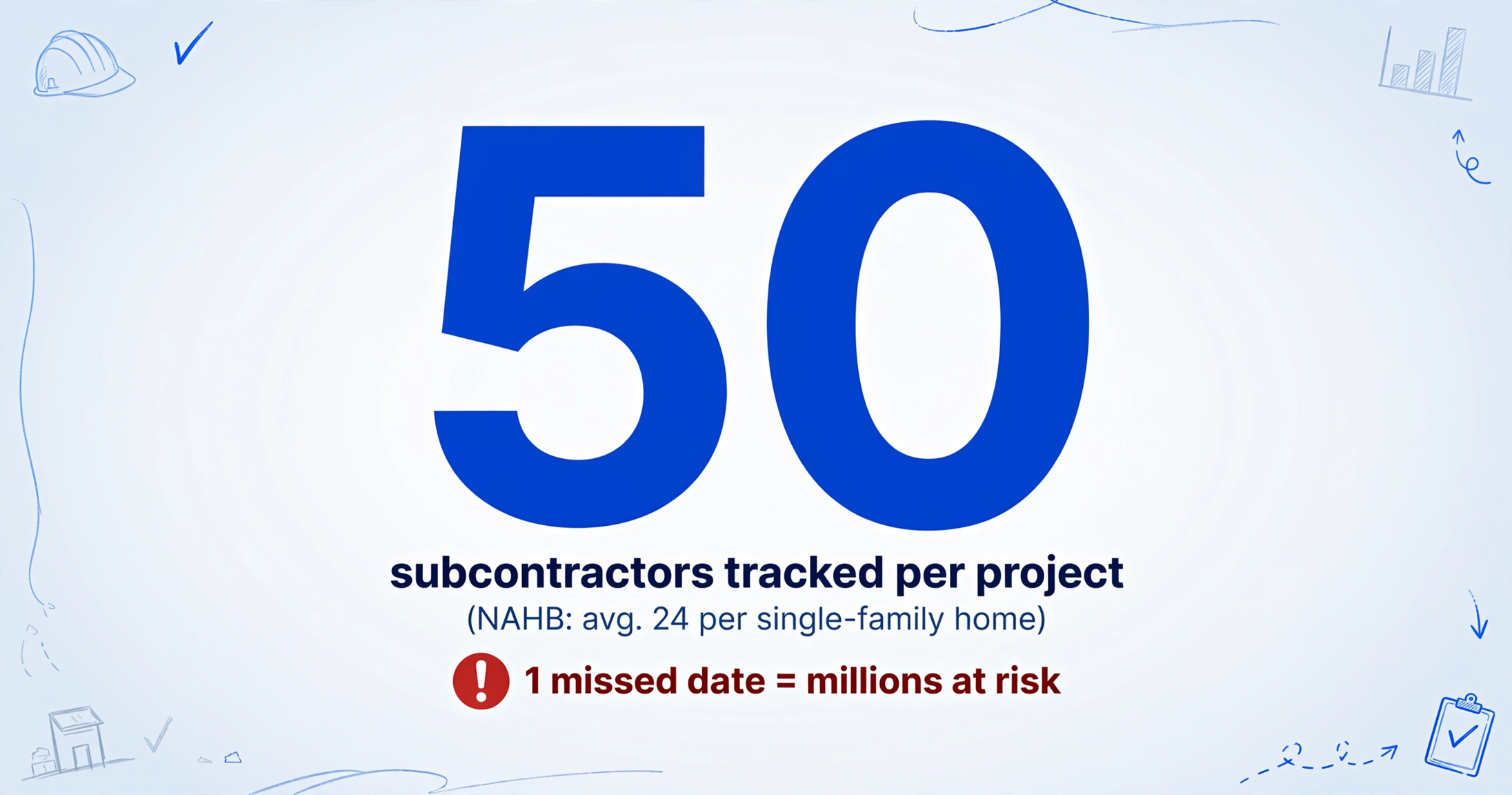
The NAHB reports that the average single-family home uses 24 different subcontractors (median 22). Commercial projects are higher — a single mid-rise building can involve 40 or more active subcontractors simultaneously, each with separate insurance requirements across general liability, auto, umbrella, and workers' compensation. A GC managing three to five active commercial projects simultaneously could easily be responsible for tracking 80 to 150 active COIs, with quarterly renewals generating 320 to 600 certificate reviews per year.
This is where the difference between single-document and batch processing becomes fundamental — not just a speed difference, but a process difference. Batch processing means uploading all your documents at once, defining your desired columns once, and receiving one merged spreadsheet as output. The AI reads every document in the batch, extracts the same set of fields from each, and compiles them into a single table — one row per document, one column per data point. The columns you define become the headers of your output spreadsheet. For a detailed walkthrough of how this column-name approach works on a single COI, see our guide on extracting certificate of insurance data to Excel.
The same pattern applies across industries where batch processing changes the unit economics of document review. Small law firms use it to extract key clauses from hundreds of contracts simultaneously, moving from reviewing one agreement at a time to scanning an entire deal portfolio in one pass. Small businesses use it to batch an entire year of receipts into a tax-ready spreadsheet. The common thread: once you stop treating each document as an isolated processing task and start treating them as a dataset, the time-per-document drops by an order of magnitude.
What a COI Actually Contains — and What You Actually Need
The ACORD 25 Certificate of Liability Insurance — the industry-standard form used across U.S. construction — contains roughly three dozen fields spread across its coverage sections. Not all of them matter for subcontractor compliance tracking.
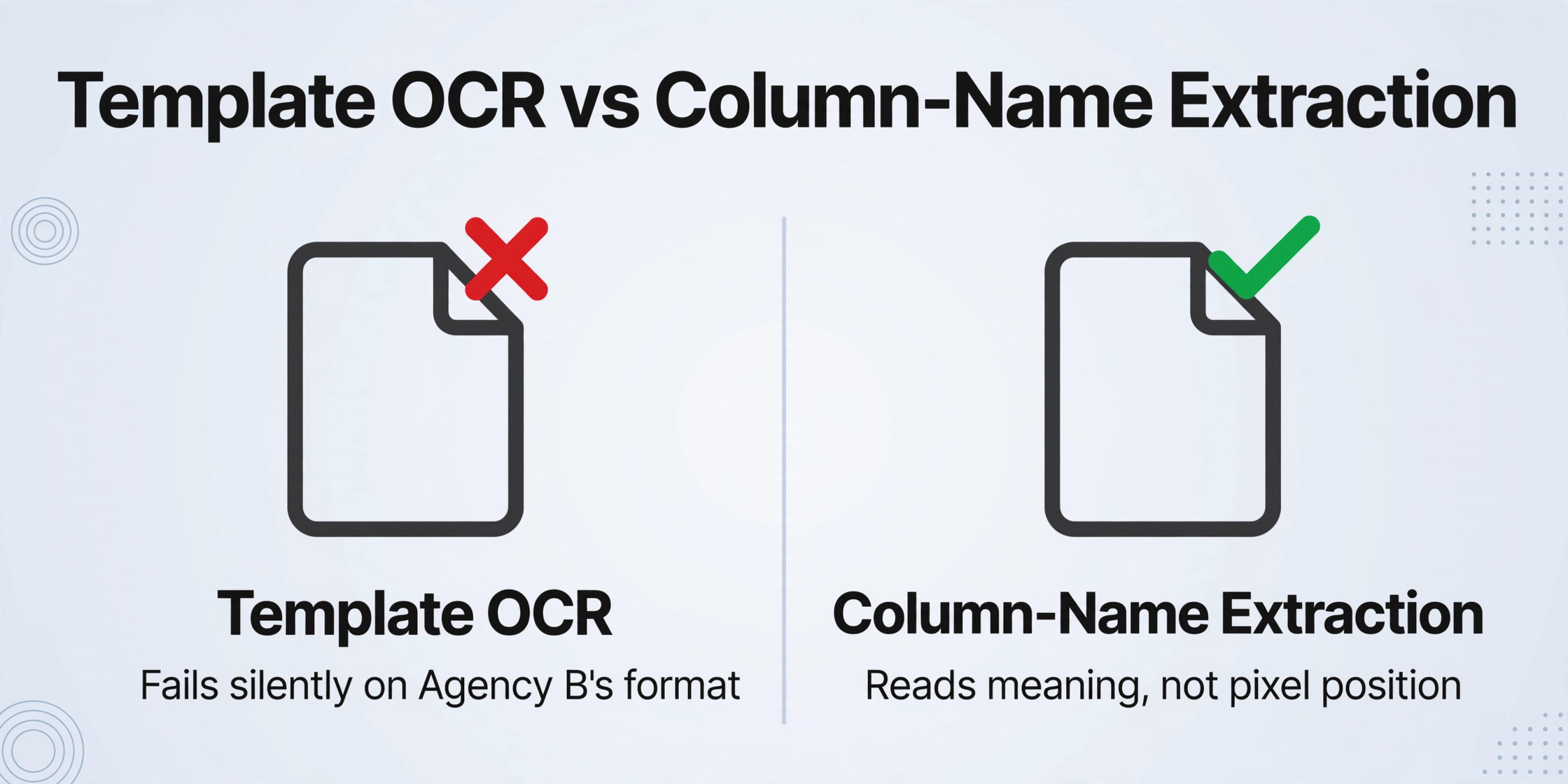
Understanding what's on the form matters because it determines what you tell the AI to look for. AI-powered column-name extraction works by semantic understanding rather than template matching: you tell the tool what information you want — for example, "General Liability Policy Number" — and it searches the document for text that semantically matches that description, regardless of where it sits on the page. Unlike traditional OCR that expects a field at a specific coordinate, column-name extraction reads the document the way a person would: scanning for meaning, not position.
The fields worth extracting from every COI:
| Data Point | Why It Matters | ACORD Location |
|---|---|---|
| Insured Name | Must match subcontract legal name on contract | Top-left block |
| GL Carrier Name | Verify AM Best rating ≥ B+12 per AGC standard | Insurer A / Insurer B block |
| GL Policy Number | Unique identifier for compliance audit trail | Coverages → General Liability |
| GL Each Occurrence Limit | Standard requirement $1M per occurrence | Coverages → General Liability |
| GL Aggregate Limit | Typically $2M aggregate; check contract spec | Coverages → General Liability |
| Auto Liability Carrier & Limit | Required if sub operates vehicles on/near site | Coverages → Automobile Liability |
| Umbrella Carrier & Limit | Excess coverage beyond primary GL/auto limits | Coverages → Umbrella Liability |
| WC Policy Number & Limit | Statutory limits; note state-specific exclusions | Coverages → Workers' Compensation |
| Policy Effective Date | Must predate subcontractor's start on site | Coverages → Policy Period |
| Policy Expiration Date | Flag for renewals 60 days before lapse | Coverages → Policy Period |
| Additional Insured (Y/N) | Requires CG 20 10 or equivalent endorsement | Coverages → ADDL INSD checkbox |
| Waiver of Subrogation (Y/N) | Prevents insurer from suing GC for claim recovery | Coverages → SUBR WVD checkbox |
| Certificate Holder | Must list your GC entity, not a parent company | Bottom-right block |
The fields you can skip: the producer (insurance agent) contact information, the description of operations block, the cancellation notice boilerplate, and the NAIC numbers for each insurer. These are reference data that can live in the PDF — extracting them into your tracking spreadsheet adds noise without adding compliance value.
Why the Template Approach Fails on "Standard" ACORD Forms
At first glance, the ACORD 25 looks like the ideal candidate for template-based extraction. It's a standardized form with labeled boxes in consistent positions. Train a template once, point it at incoming COIs, and the fields populate automatically.
This works beautifully in demos and breaks in production. The problem is that the standard ACORD layout gets modified by nearly every insurance agency that issues it. Some agencies add their own headers, footers, and agency branding that shifts field positions. Some use electronic fill-in software that reflows the form slightly. Some still issue typewriter-filled paper forms that scan with rotation or misalignment. Some use the older 2010/05 edition while others have the 2016/03 revision, which reshuffled certain fields. The AGC's own standard subcontract agreements (AGC 640/ASA 4100/ASC 52) specify detailed insurance requirements but leave the certificate format to the insurer — meaning the GC receives COIs in whatever visual layout the agency produces.
Template-based extraction configured for one agency's output fails silently on another's. A system that expects "Policy Number" at coordinate (x=340, y=210) based on Agency A's output returns a blank when Agency B's format places the field 15 pixels higher due to a custom header.
Column-name extraction sidesteps this entirely by reading for semantic meaning rather than pixel position. When you define a column called "General Liability Each Occurrence Limit," the AI understands to look for a dollar amount associated with general liability coverage — not a specific box on a specific form revision. It finds the label "EACH OCCURRENCE" in the general liability section of the ACORD 25, then reads the dollar amount next to it, regardless of whether that label sits at pixel 338 or pixel 355 on a given agency's output. The same column definition works across COIs from every insurance agency, every broker, every format variation.
This is the difference that makes batch processing viable: one field definition applied across 50 certificates from 50 different agencies, and it works without reconfiguration.
The Batch Workflow: 50 Certificates, One Spreadsheet
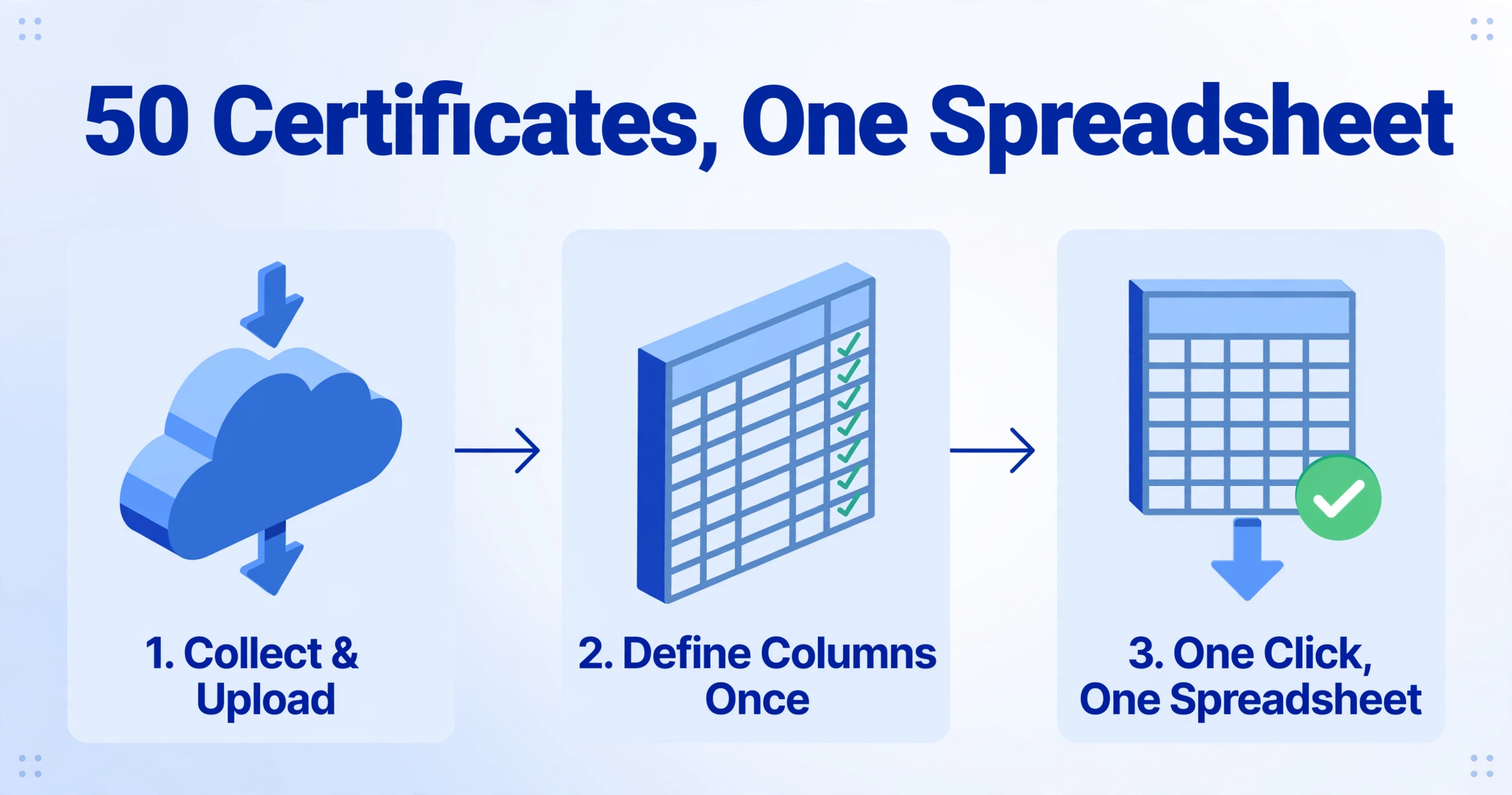
The batch COI extraction workflow breaks into three steps:
Collect and upload the certificates.
Gather all COIs — PDFs from insurance agents, scanned paper forms, emailed attachments — and upload them as a batch. The tool accepts PDF, JPG, PNG, and other common formats, so you don't need to standardize file types before uploading. Subcontractors can submit certificates directly through a Collection Link — a shareable upload page (no login required for the submitter) that routes uploaded files into your processing queue, so you're not chasing emails or downloading attachments one at a time.
Define your columns once.
Enter the field names you want to capture: "Insured Name," "GL Policy Number," "GL Each Occurrence Limit," "Policy Expiration Date," "Additional Insured Y/N," and so on. These column names become your spreadsheet headers. You can also add inferred columns — fields the AI evaluates rather than extracts. For example, a column "Compliant (Y/N)" with a rule like "Y if GL limit ≥ $1M and expiration date is in the future; N otherwise" lets the AI flag non-compliance during extraction rather than after you open the spreadsheet. This is extracting and auditing in a single pass.
One click, one spreadsheet.
The AI processes all 50 certificates simultaneously, locates the corresponding data in each document, and compiles everything into a single Excel file — one row per subcontractor, one column per data point. Export as XLSX or CSV. The output drops directly into your existing tracking workflow: open it in Excel, apply your conditional formatting rules for expiration dates, sort by policy expiry to see who needs attention first.
When a COI is missing a particular coverage — for example, a subcontractor carries no auto liability because their trade doesn't involve vehicles — the cell is simply left blank rather than generating an error. This is one of the batch-specific design decisions that matters: a process that halts on every missing field across 50 documents is not a batch process. It's 50 sequential processing tasks with extra friction.
The time comparison is the most straightforward way to understand what changes:
| Step | Manual (50 COIs) | Batch AI Extraction (50 COIs) |
|---|---|---|
| Open each PDF, read fields | ~150 minutes | Drag-and-drop upload, ~20 seconds |
| Type 13 fields per COI | ~200 minutes | Define columns once, ~60 seconds |
| Cross-check entries | ~90 minutes | AI extracts all fields, ~90 seconds processing |
| Total | ~440 minutes (7.3 hours) | ~3 minutes human + 90 seconds AI processing |
The bottleneck isn't the AI reading speed — that's measured in seconds per page. The bottleneck shifts from "how fast can I type" to "did I define the right columns and collect all the files." That's a process design problem, not a typing-speed problem, and it's the right problem to have.
Files are processed securely and not stored.
What Happens When Things Go Wrong: File Management at Scale
Batch processing introduces challenges that single-document workflows don't have. The most common are file naming, result grouping, and exception handling.
File naming. When you extract "Insured Name" from 50 COIs, the AI outputs that field into your spreadsheet. But which row corresponds to which subcontractor's file? The extraction tool typically preserves the original filename as a reference column, so a naming convention becomes a hygiene investment. A pattern like SubcontractorName-ProjectName-Date.pdf — for example, ABC-Electric-MainStreet-2026-02-15.pdf — lets you sort by project, by subcontractor, or by date without opening files. This is not an AI problem; it's a workflow problem that AI makes more visible by handling the extraction part efficiently.
Result grouping. If you upload COIs from three different projects in one batch, the output spreadsheet mixes them. For compliance tracking, you typically want results organized by project — each project owner has different insurance requirements, and the project is the unit of audit. Two approaches: either batch per project (upload only Project A COIs, export; then Project B, export), or include a "Project" inferred column. An inferred column with a rule like "If filename contains 'MainStreet' → Main Street Tower; if filename contains 'Riverside' → Riverside Commons" automatically tags each row with the correct project during extraction — no manual assignment after the fact.
Exception handling. Not every COI will extract cleanly. A badly scanned certificate with low contrast may produce partial results. A COI where the subcontractor name doesn't match the contract entity may extract correctly but flag during review. The batch workflow should treat these as exceptions reviewed after extraction, not as blockers that halt the entire batch. A practical threshold: if 10% or fewer certificates need manual review, the batch is a success; if 30% need review, check the file quality before re-running.
This is where the batch processing mindset diverges from the single-document mindset. In single-document processing, you verify each result before moving to the next. In batch processing, you process everything at once and audit the output. The per-document time savings depend on this inversion — and it's the same inversion that dedicated COI tracking software is built on, minus the platform migration.
FAQ
Can batch extraction replace myCOI, Billy, or Jones?
It depends on your compliance complexity. These platforms provide continuous monitoring — automated renewal reminders 60, 30, and 7 days before expiration, real-time carrier rating checks against AM Best, and audit trails that track every change. Batch extraction captures data at a point in time. If your workflow is "review all COIs quarterly, update the spreadsheet, flag expirations manually," batch extraction handles the data entry. If your projects require real-time compliance dashboards with automatic carrier verification and integration with Procore's payment workflows (Billy's Procore Pay integration, for instance), a dedicated platform provides capabilities that manual-spreadsheet-plus-extraction cannot replicate. The distinction is between a compliance management system and a data capture tool — and batch extraction is the latter.
Does this work with handwritten COIs or scanned paper forms?
Yes, though accuracy depends on scan quality. Scanned paper COIs — particularly those originally issued from typewriters or filled in by hand — are readable by the visual AI engine that powers the extraction, which interprets the image of the document rather than extracting text via character-by-character OCR. Low-contrast scans, heavy shadows, and skewed pages will reduce accuracy. For best results, request PDF copies from subcontractors' insurance agents rather than accepting photos of printed certificates.
What if the Additional Insured endorsement isn't checked on the COI?
The ACORD 25 form includes a checkbox column for ADDL INSD (additional insured) next to each coverage type. But the checkbox alone does not confirm that your company is actually named as an additional insured — that requires a specific endorsement form (typically CG 20 10 or CG 20 37 for ongoing operations). The COI states this explicitly: "If the certificate holder is an ADDITIONAL INSURED, the policy(ies) must be endorsed." Column-name extraction can capture whether the box is checked (a Y/N field), but verifying that the proper endorsement exists requires reviewing the actual endorsement document — a step that batch extraction does not automate.
How many COIs can I process in one batch?
Batch processing supports uploading multiple files simultaneously, with each file typically representing one certificate. The practical limit is determined more by file management — naming consistency, project grouping, post-extraction review — than by the extraction tool. Processing 100 certificates in one batch is technically possible, but auditing a 100-row spreadsheet for accuracy is a task in itself. Most GCs find that batching by project (20–40 COIs per batch) provides the best balance between extraction speed and review workload.
Can the AI extract data from non-ACORD COI formats?
Yes. While the ACORD 25 is the dominant standard in U.S. construction, some insurers issue certificates on proprietary letterhead or use the ACORD 27 (Evidence of Property Insurance) for builder's risk coverage. Column-name extraction locates data based on semantic understanding of what a field means — "Policy Number," "Expiration Date," "Coverage Limit" — not based on which form template the certificate uses. This means the same column definitions work across ACORD and non-ACORD certificates, as long as the information is present on the document.
What about OSHA compliance — does batch COI tracking help?
OSHA 29 CFR 1926.16(b) establishes that the prime contractor assumes overall responsibility for compliance with all standards under the contract, whether or not work is subcontracted. 1926.16(c) assigns joint responsibility between the prime contractor and subcontractors — meaning both parties can be cited for a violation. While COI tracking does not directly satisfy OSHA safety requirements, it is a core component of due diligence: verifying that subcontractors carry workers' compensation insurance (required by 1926 Subpart C) is a prerequisite to demonstrating the GC has reasonably exercised its oversight responsibility. A documented, systematic COI review process — even one built on spreadsheets — strengthens the GC's position if OSHA investigates a subcontractor's violation.
The Compliance Spreadsheet Is Not the Enemy
There's a tendency in construction tech marketing to frame the Excel spreadsheet as the problem to be eliminated. Replace the spreadsheet with a platform. Migrate the data. Learn a new interface. Pay the subscription.
The spreadsheet is not the problem. The problem is that manually populating it doesn't scale past 20 subcontractors, and the compliance cost of getting it wrong — an uninsured sub on an active jobsite — ranges from expensive to catastrophic depending on what goes wrong and when. A Phoenix general contractor recently discovered that a subcontractor's workers' compensation policy had expired 47 days earlier. An OSHA inspection following a minor injury uncovered the lapse. The resulting liability claim, regulatory fines, and project delays cost more than five years of policy premiums — a number that makes a $300/month COI tracking subscription look cheap, and a $3 million uninsured liability claim look catastrophic.
Batch extraction doesn't replace the spreadsheet. It feeds it. The GC keeps the same Excel file — same columns, same conditional formatting, same review process — but cuts the data entry time from hours to minutes per batch. The compliance spreadsheet goes from being the bottleneck to being the dashboard it was always supposed to be.
If and when the subcontractor count crosses into territory where automated renewals, real-time dashboards, and carrier-rating integrations become necessary, the spreadsheet with extracted data is already structured for import into whatever platform comes next. No re-typing from scratch.
Try it on your next batch of subcontractor COIs. Define your columns, upload the certificates, and see if 7 hours of data entry turns into 3 minutes of review.