What Is Small Business Bank Statement Extraction?
From PDF Transactions to Spreadsheet Data
Small business bank statement extraction is the process of converting a PDF bank statement into a structured spreadsheet — without manual typing, without a full ERP, and without a finance team. A large enterprise treats statement processing as one stage in a big accounting stack: statements flow into an ERP like SAP or NetSuite, often through automated bank feeds, and are reconciled by a dedicated finance department. A small business works the other way — usually one person (the owner, a bookkeeper, or a part-time accountant) handles all the finances, keeps the books in a spreadsheet rather than an ERP, and retypes every transaction by hand unless the process is automated. Extraction for a small business means taking the same monthly PDFs your bank already sends you and turning them into spreadsheet rows you can sort, filter, total, and send to your accountant — using the software you already have. No templates to set up. No accounting software required. Just the statement PDF and the data you need.
What Bank Statement Extraction Actually Means for a Small Business
When you read "bank statement extraction" in a product description or a blog post, it sounds like something built for finance departments and enterprise accounting teams. But the concept is simpler than the label suggests — and it solves a problem that many small business owners deal with every month, whether they realize there's a name for it or not.
Every bank statement contains the same basic information: a list of transactions that happened in your account over a specific period, along with an opening balance, a closing balance, and account-level details like your account number and statement date. The statement itself — usually a PDF that your bank emails to you or makes available for download — is designed for human reading. You can look at it, scan the transactions, and see roughly what came in and what went out.
But if you need to do something with that data — check it against your own records, categorize expenses for tax season, send it to your accountant, or just understand where your money went — the PDF format gets in the way. You either retype everything into a spreadsheet, or you don't do the analysis at all.
Bank statement extraction removes that bottleneck. It takes the information trapped inside the PDF and restructures it as a proper data table: one row per transaction, one column per data field. The output is a file — a bank statement to CSV export, an Excel workbook, or a Google Sheets tab — that you can sort, filter, total, and check against your books. The tool does the copying; you do the understanding.
If that sounds like a small distinction, consider what it replaces. A business owner with one checking account and one credit card spends an average of 8 to 12 hours per month on bookkeeping tasks — much of it on exactly this step: pulling transaction data out of bank PDFs and putting it somewhere usable (Addition Finance). Extraction collapses that part of the workflow to seconds.
Bank statement extraction turns a PDF designed for reading into a spreadsheet designed for working. That one shift changes what you can do with your own financial data — without adding software, training, or a finance team to your payroll.
What a Bank Statement Extract Looks Like
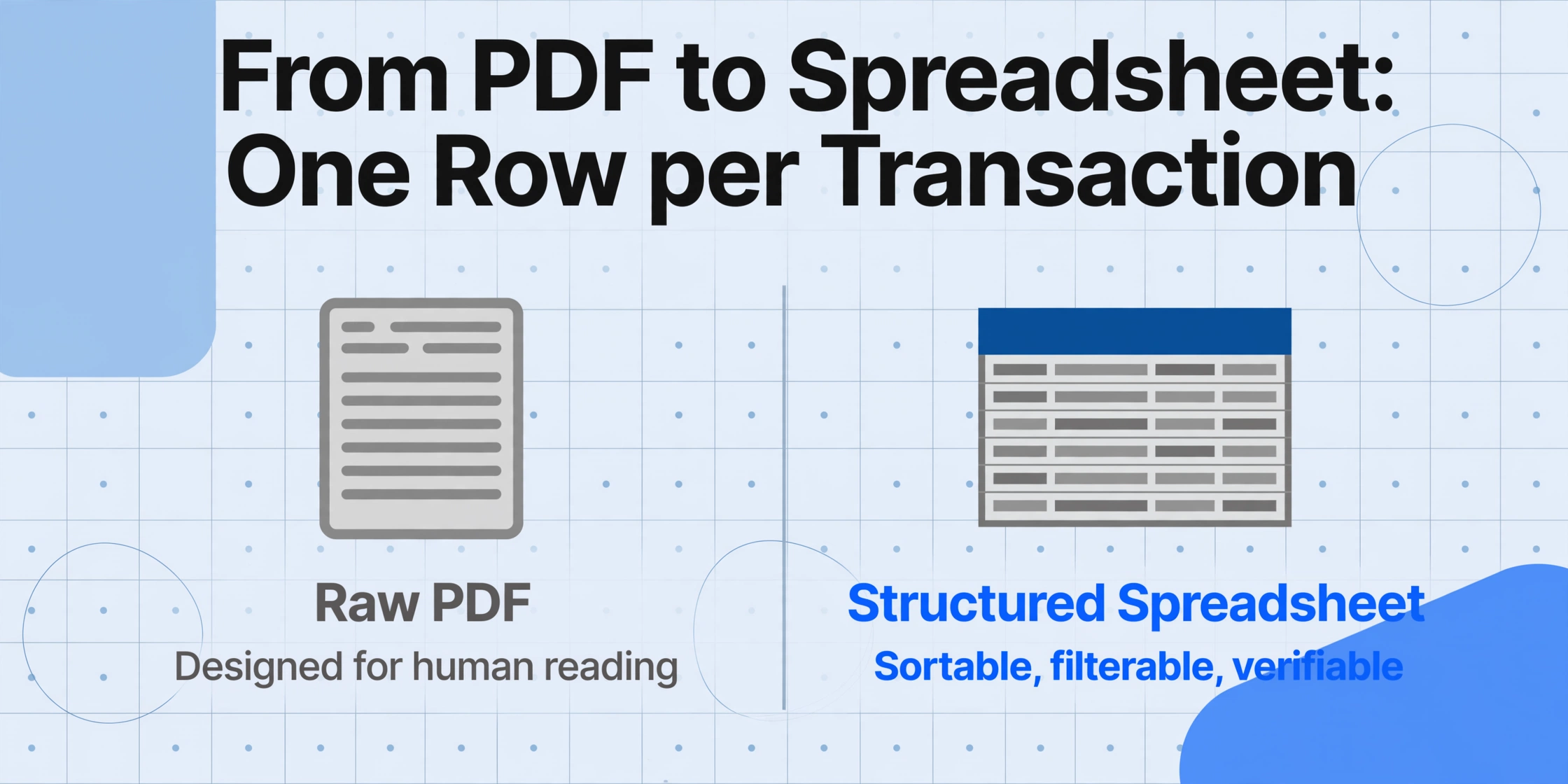
Understanding what extraction produces is easier than understanding how it works. Here is what comes out of a typical bank statement extract:
| Transaction Date | Description | Debit (Money Out) | Credit (Money In) | Running Balance |
|---|---|---|---|---|
| 2026-01-02 | Online Payment — Client A | — | $2,400.00 | $6,720.00 |
| 2026-01-03 | Office Supplies Co. | $187.50 | — | $6,532.50 |
| 2026-01-05 | Monthly Software Subscription | $79.00 | — | $6,453.50 |
| 2026-01-07 | Transfer to Savings | $1,000.00 | — | $5,453.50 |
| 2026-01-10 | Client B — Invoice #1042 | — | $3,100.00 | $8,553.50 |
| 2026-01-12 | Bank Monthly Fee | $12.00 | — | $8,541.50 |
| 2026-01-15 | Wire Transfer — Vendor Payment | $850.00 | — | $7,691.50 |
Each transaction occupies exactly one row. Debits and credits are in their own columns — no deciphering whether a number is money coming in or going out. The running balance lets you verify the data against the statement's printed total. Account-level information (account holder name, account number, statement period, opening balance, closing balance) is also captured and can be included as a summary row or separate metadata.
The same structure applies whether the statement comes from Chase, Bank of America, a regional credit union, or an online-only bank like Mercury or Relay. The output format is consistent because the data you need — date, description, amount — is the same regardless of how the bank chose to lay out the PDF.
Why This Matters When You Reconcile by Hand
The term "bank reconciliation" may sound like something an accountant does with a green visor and a calculator. But if you've ever compared your bank statement against your own transaction records — checking off payments you received, expenses you paid, and fees you were charged — you've done bank reconciliation. You just called it "checking my accounts."
For small business owners who don't use QuickBooks, Xero, or other accounting software with automatic bank feeds — and roughly one in three small businesses still don't use any accounting software — that checking process looks something like this:
Open the PDF. Download your bank statement, open it in a PDF reader, and zoom in until the transaction table is readable. If the statement is scanned, the text may be blurry or hard to select.
Type each transaction into a spreadsheet. One by one. Date in column A. Description in column B. Debit or credit in column C. Or maybe you keep handwritten records in a ledger book — in which case you're copying by pen instead of keyboard.
Match against your records. Go through your invoices, receipts, and payment confirmations to verify each transaction. Mark off the ones that match. Flag the ones that don't — a deposit you didn't expect, a withdrawal you don't recognize.
Repeat for every account. If you have a business checking account, a business credit card, and a savings account, each one generates its own PDF, its own set of transactions, its own reconciliation cycle. Doing this for four accounts at 30 minutes each adds up to two hours of pure data-entry labor — every month.
This routine is not unusual. Small business owners collectively spend an estimated 80 hours per year on bookkeeping and tax-preparation tasks — and a significant portion of that is the mechanical work of transferring numbers from one format (a bank PDF) to another (a spreadsheet or ledger). The National Bureau of Economic Research has found that small businesses overpay an average of $3,534 per year in taxes due to accounting errors — many of them originating in precisely this kind of rushed, manual data transfer.
Extraction breaks the cycle at step two. Instead of typing each transaction into a spreadsheet, you upload the PDF and get the spreadsheet back. The matching and verification steps — the parts that actually require your judgment — stay in your hands. The transcription step, which requires no judgment at all, is automated.
How Bank Statement Extraction Works — in Plain English
The core technology behind modern extraction is a type of AI called a vision model. Unlike traditional OCR (optical character recognition), which reads individual characters one at a time, a vision model looks at the entire page and understands what each piece of information represents — the same way you can glance at a bank statement and know which numbers are transaction dates and which are dollar amounts, even if the layout is unfamiliar.
This distinction matters because bank statements vary wildly across institutions. Chase uses a multi-column layout with separate debit and credit columns. Wells Fargo stacks descriptions above amounts. Smaller banks and credit unions use their own templates, often changing them when they update their branding. Template-based tools — the ones that require you to draw boxes around each field or write rules to match text patterns — break when the layout changes. An AI vision model adapts because it reads by meaning, not by position.
The actual process involves three steps that happen automatically after you upload your file:
The model reads the page. It identifies the transaction table, distinguishes header rows from data rows, and maps each column — date, description, debit, credit, balance — to the correct field type.
It extracts every transaction row. Each row is parsed into individual fields and cross-checked for consistency — for example, verifying that the running balance after each transaction equals the previous balance plus or minus the transaction amount.
It outputs a structured file. The extracted data is written to an Excel file, CSV, or JSON — one row per transaction, with consistent column headers regardless of the source bank's formatting quirks.
Tools like ImageToTable.ai use an approach called Custom Column Extraction: you type the column names you want — "Transaction Date," "Description," "Debit," "Credit," "Balance" — and the AI locates each value on the page by understanding what it means, not where it sits. A Chase statement with three-column layout and a regional credit union statement with a two-column layout produce the same structured output because the names you typed define what to look for, and the AI finds it regardless of where the bank placed it.
What You Can Actually Do With the Extracted Data
Once your bank statement transactions are in a spreadsheet, the possibilities open up — not because extraction adds new capabilities, but because it removes the data-entry barrier that was blocking you from doing what you already wanted to do.
Check your spending by category
Sort or filter the description column to group similar transactions — software subscriptions, office supplies, contractor payments — and see exactly where your money went each month. No more scanning through PDF pages guessing.
Prepare for tax season in minutes, not days
Your accountant needs transaction-level data to prepare your Schedule C or corporate return. A structured spreadsheet of all your bank transactions — properly dated and organized — is what they ask for. Extraction gives you that file in seconds.
Keep a running archive of your financial history
Most banks only make statements available for 12–18 months. With extracted data saved in your own spreadsheet, you maintain a searchable, sortable archive going back as far as you want — useful for loan applications, business valuations, or just knowing your numbers.
Reconcile faster — much faster
With all transactions in a spreadsheet, you can use simple Excel formulas or conditional formatting to flag unmatched entries. What used to take 30 minutes of copying and cross-referencing takes 5 minutes of reviewing and matching.
If you want a complete walkthrough of how to handle not just bank statements but also invoices, receipts, and expense reports without a finance team, our small business guide to document data extraction covers the full picture across all the document types a solo operation encounters.
Extraction vs Templates: Why Small Business Owners Don't Need Per-Bank Setup
A common concern when people first hear about extraction tools is setup effort. "If I have two accounts at two different banks, do I need to configure the tool twice?" The answer depends on how the tool works.
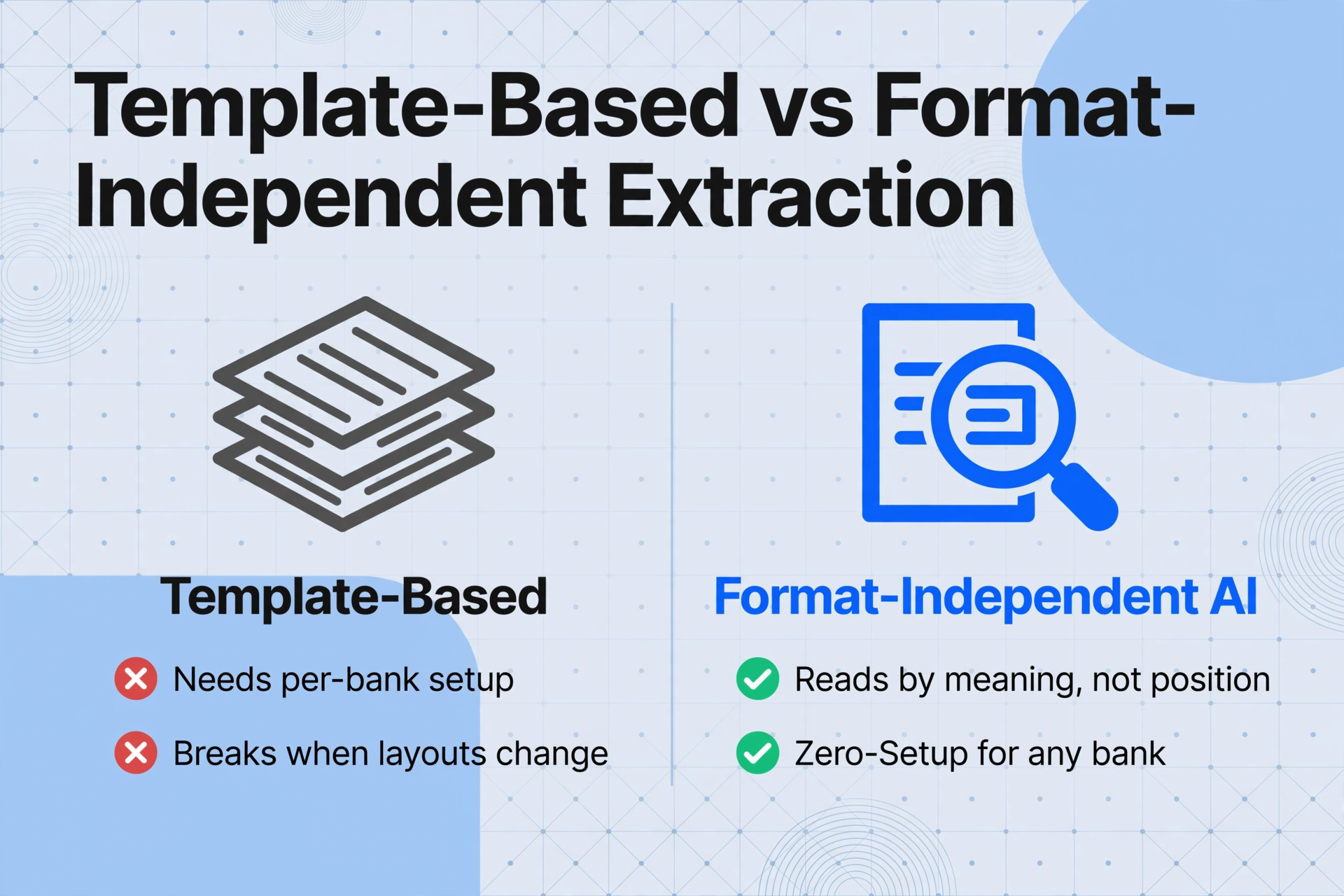
Template-based extraction — the older approach used by tools like Docparser and traditional OCR platforms — requires you to define where on the page each field sits for each bank's statement format. A Chase checking statement needs one template. A Chase credit card statement needs another. A Bank of America statement needs a third. If the bank redesigns its statement layout next year, your template breaks. For a small business owner with limited time, maintaining templates for multiple banks and account types quickly becomes its own administrative burden — the kind of project that sounds manageable on paper but gets abandoned by month two.
Format-independent AI extraction — the approach used by tools like ImageToTable.ai — doesn't use templates at all. The AI reads each statement from scratch, identifying transaction data by what it means, not by where it sits on the page. A Chase statement in January and a credit union statement in February are processed the same way because the underlying data — dates, descriptions, amounts — is the same, even though the visual layout is different. There is nothing to configure per bank, nothing to update when a layout changes.
For more on why this matters beyond just bank statements, our complete guide to bank statement extraction covers the technical distinctions in more detail, including how the pipeline from OCR through extraction to reconciliation works in practice.
Frequently Asked Questions
Do I need accounting software to use bank statement extraction?
No. Extraction outputs a standard spreadsheet file (Excel or CSV) that you can open in any spreadsheet program, import into Google Sheets, or print for your records. You don't need QuickBooks, Xero, or any accounting platform to use the extracted data. If you later decide to adopt accounting software, your historical extracted data can be imported into most platforms.
Is bank statement extraction the same as bank reconciliation?
No, although the two are often confused. Extraction converts the PDF into a structured spreadsheet — it gives you the data. Reconciliation is the separate step of comparing that data against your own records (your receipts, invoices, and payment logs) to make sure everything matches. Extraction makes reconciliation faster because you skip the typing step, but you still need to do the matching and verification yourself (or with your accountant).
Can it handle statements from credit unions and online-only banks?
Yes — and this is where format-independent extraction has a clear advantage over template-based tools. Whether your statement comes from Chase, Bank of America, a local credit union, or an online-only bank like Mercury or Relay Federal, the AI reads it the same way: by identifying transaction patterns on the page, not by matching a pre-built template. As long as the statement is a standard PDF (digital or scanned), extraction works.
How long does it take to extract data from one bank statement?
A typical bank statement — even one with dozens of transactions spread across multiple pages — takes 5 to 10 seconds to process with AI extraction. By comparison, manually typing the same transaction data into a spreadsheet takes 15 to 30 minutes per statement, depending on the number of transactions. For a business owner reconciling four accounts per month, that difference adds up to roughly two hours saved per month — or a full working day every quarter.
Is my bank statement data secure during extraction?
Reputable extraction tools process files in memory and do not permanently store your uploaded documents or the extracted data on their servers. Files are typically deleted shortly after processing. If you are concerned about data privacy, look for tools that offer clear data-handling policies, encrypted connections (HTTPS), and the option to delete processing results after download.