Four Handoffs Where IT Services
Document Extraction Pays Off
A field that costs an IT services firm margin is usually read correctly. It lands in a spreadsheet, a shared drive or an inbox, and the system that bills for it never sees it: last year's rate on the invoice, a seat count from an agreement nobody updated, insurance that expired in March. Those failures happen at the handoffs between sales, delivery and finance, not at the scanner.
Key Takeaways
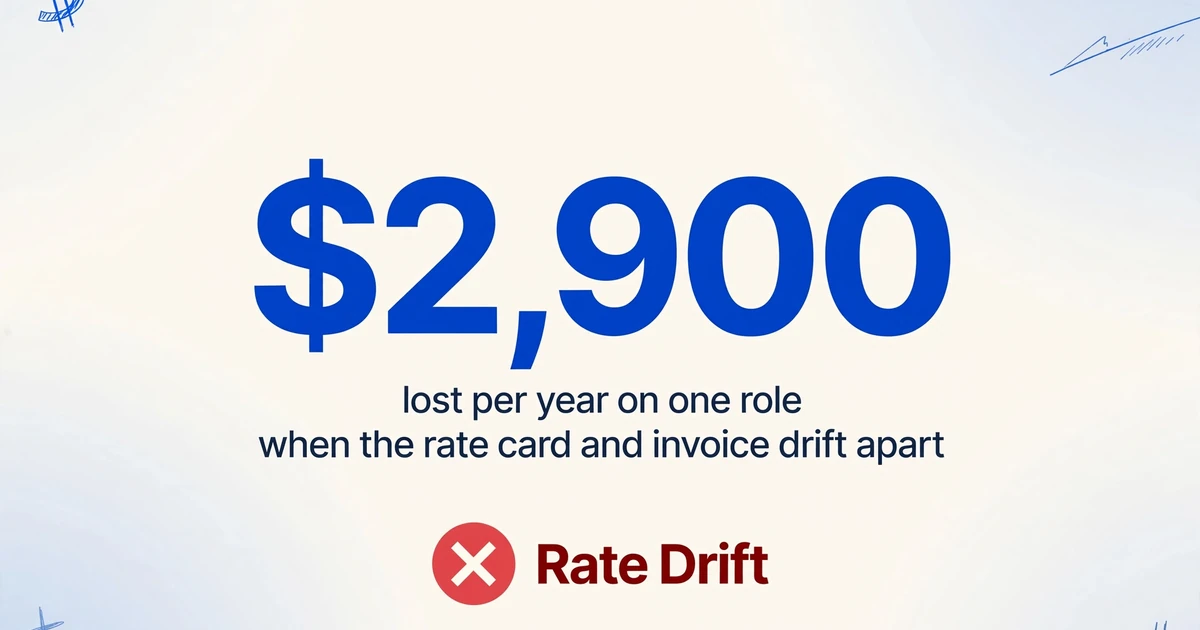
- $2,900 a year leaks from a single Tier 2 role because the invoice keeps billing last year's rate.
- The rate card was read correctly, and the loss still hides at the handoff.
- Start with the handoff that already has a number attached, and make one row per rate line the unit of work.
World Commerce & Contracting's 2025 research puts average value erosion from poor contract management at 8.6%, and finds that only 39% of commercial practitioners believe their contracts deliver the intended outcome. The number measures what happens after signature, when terms are applied by people who did not negotiate them.
Professional services has its own measure for the same leak. SPI Research's 2026 benchmark puts revenue leakage at about 4.5% of revenue, with leading firms below 3%, while billable utilization sits at 66.4%, the lowest in the survey's history.
MSP economics leave little room to absorb those gaps. Kaseya's 2026 State of the MSP report found that the share of providers reporting they are not yet profitable doubled year over year, and that customers spending under $25,000 a year rose from 24% to 55%.
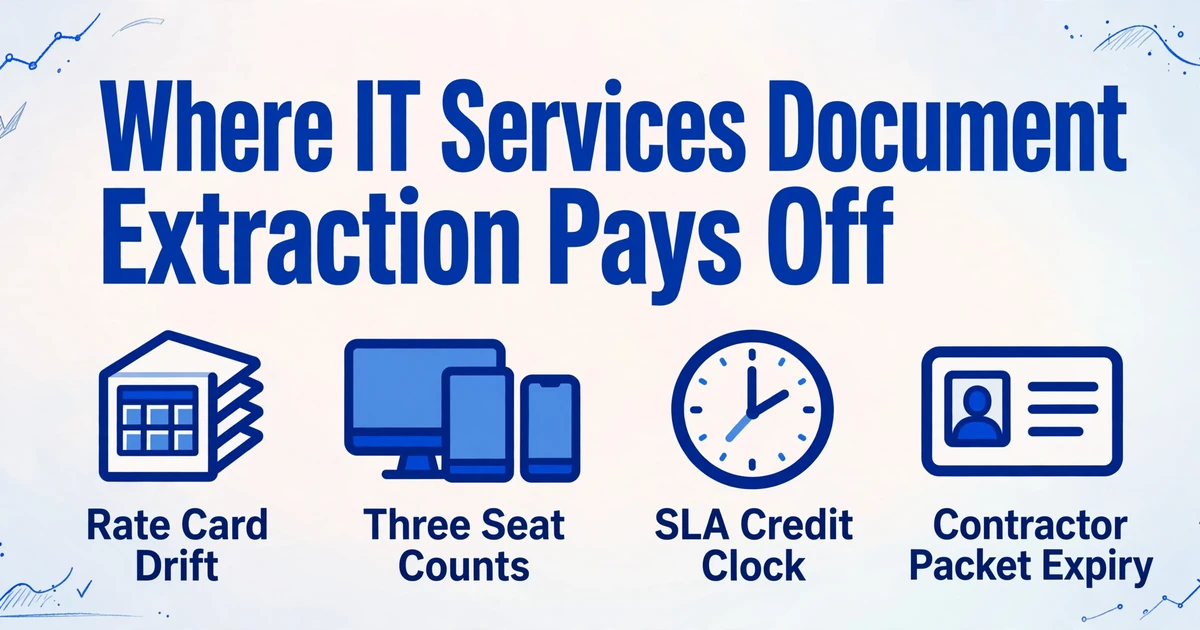
Four handoffs decide whether IT services document extraction pays off: the MSA and SOW, the licence count, the SLA credit, the contractor packet. Each one below names the fields that must survive it and where they land.
An IT Services Firm Runs on a Chain of Documents, Not a Folder of Contracts
Each document owns one commercial fact, and no single document owns them all. A complete folder of signed PDFs can still leave finance unable to answer a basic question.
The MSA holds the relationship: liability, insurance requirements, termination, notice periods, payment terms. The SOW holds scope, acceptance criteria and usually the rate card. The quote holds quantities and prices, change orders hold what moved after signature, and the SLA schedule holds credits. Then the chain leaves the contract world: distributor invoices, cloud statements, and a packet per contractor.
The documents billing depends on most are the ones nobody calls a contract: the rate card, the statement, the certificate.
Storage reflects that mess. In an r/msp thread on where firms keep agreements, one operator described three copies: the official file in SharePoint, the e-signed version in the quoting tool, and an attachment in CW Manage. Another said the team "still end up throwing everything in SharePoint because half our team forgets the PSA even has that feature" (r/msp).
| Document | Owner | What the next system needs | What breaks |
|---|---|---|---|
| MSA | Account manager, legal | Notice period, renewal date, insurance limits, payment terms | Renewal slips, or a required document is never collected |
| SOW and rate card | Delivery lead | Role rates, escalation date, billing increment, out-of-scope rates | Hours billed at the rate from the year it was signed |
| Quote or proposal | Sales | Quantities, SKUs, term | Agreement quantity frozen while the client grows |
| SLA schedule | Service delivery manager | Uptime target, measurement window, credit percentage, claim deadline | A credit is given with no matching recovery from the vendor |
| Distributor or cloud invoice | Finance | SKU, quantity, unit cost, effective date | Cost is paid and never rebilled, or rebilled at the wrong quantity |
| Contractor packet | Onboarding, compliance | Legal name, TIN, coverage limits, expiry dates, clearance date | Site access blocked late, or an audit finding |
MSPs separate these on purpose. As one r/msp reply put it, the MSA "is purely legal stuff and general terms and conditions. All pricing and costs are in the proposal" (r/msp). Sensible for negotiation, hostile to automation: the fact you need is rarely in the file you opened.
Handoff One: The Rate Card Never Reaches the Invoice
The rate card is the most expensive page in the SOW, and it usually exists only as a table inside a PDF. A managed services SOW carries role rates, an annual escalation tied to an anniversary, a volume discount and an after-hours multiplier. Delivery tracks those in a rate sheet; finance invoices from services created from the quote at signature.
That works until the anniversary. Take a two-line example: a Tier 2 rate of $145 per hour with a 5% annual escalation, on 400 Tier 2 hours a year. If the SOW applies the escalation and the PSA service never does, the invoice stays at $145 while the contract allows $152.25. That is roughly $2,900 a year on one role, and both documents look internally consistent.
Rate drift never looks like an error on any single document. It appears only when the invoice line and the rate card are read side by side.
The extraction job is one row per rate line, not per contract, with columns for role, rate, currency, effective date, escalation percentage, billing increment and after-hours multiplier. Add a source column so a dispute traces to a page rather than a memory. In the review view, each extracted rate highlights the exact spot it came from, which shortens the next argument with a client. This is the same problem covered in the guide to extracting contract data, with one difference: the output has to join to a client and a service line.
Computed columns close part of the loop during extraction. Line Total (Hours × Rate) returns the extended amount instead of two numbers to multiply later. A conditional column can compare an invoice's printed total with the sum of its lines and output the difference, catching a stale rate card before anyone opens the contract.
Handoff Two: Three Different Counts of the Same Seat
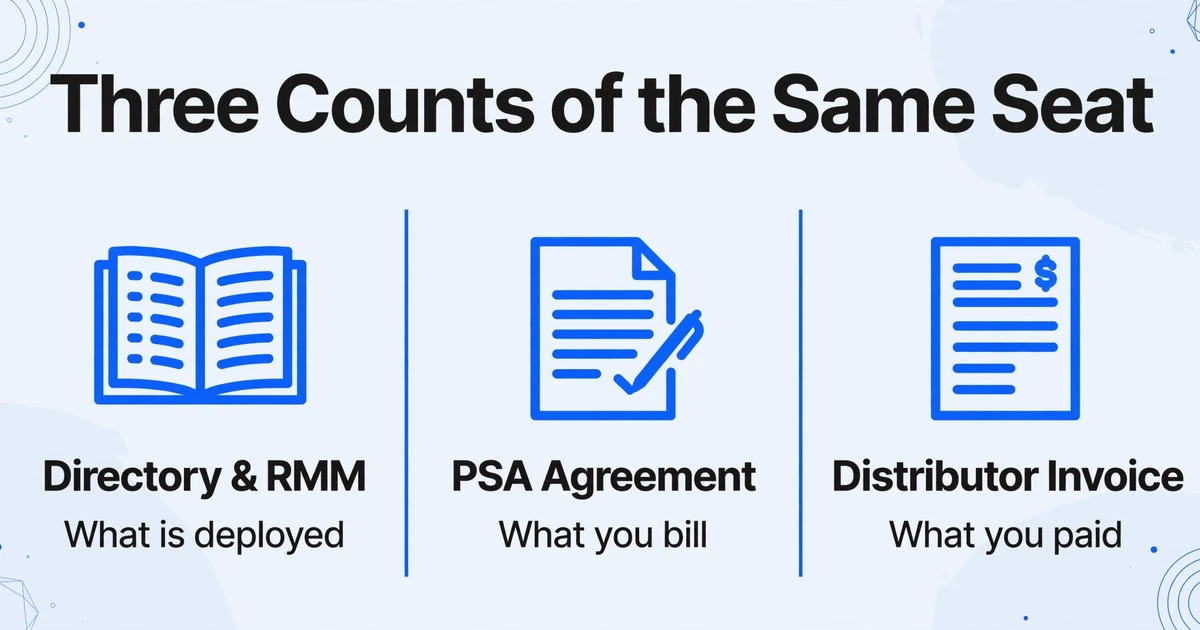
There are three counts of every user, device or site, and only one is a document. The directory and RMM report what is deployed. The PSA agreement holds the quantity you are contracted to bill. The distributor invoice holds what you paid for. A billing run that reads one of the three is a guess with a decimal point.
The drift is structural. A client adds twelve staff mid-month. The directory shows them on day one because someone created accounts, and the distributor invoices for them next cycle because the licences were provisioned. The PSA agreement still says fifty until an account manager runs a quarterly review. Bill from the agreement and twelve seats go unbilled; bill from the invoice and the client pays for licences removed three weeks ago.
The distributor invoice is the only document that knows what you actually paid. The agreement is the only record of what you are allowed to charge. Neither is the count your RMM reports.
Batch extraction fits because the volume is monthly and the formats are stable but ugly. One column set across a stack of Pax8, TD SYNNEX or Ingram Micro statements returns one row per line item: vendor, SKU, quantity, unit cost, extended cost, billing period and client reference. Computed columns produce a cost line and a margin figure, and a conditional column flags rows where billed and purchased quantities differ.
Arrival matters as much as extraction. Statements land in a shared mailbox, not an upload screen. An Email Inbox address that accepts the statement and starts extraction removes the step where someone forwards a file to themselves and forgets it.
Handoff Three: The SLA Credit Deadline Closes Before Anyone Reads the Clause
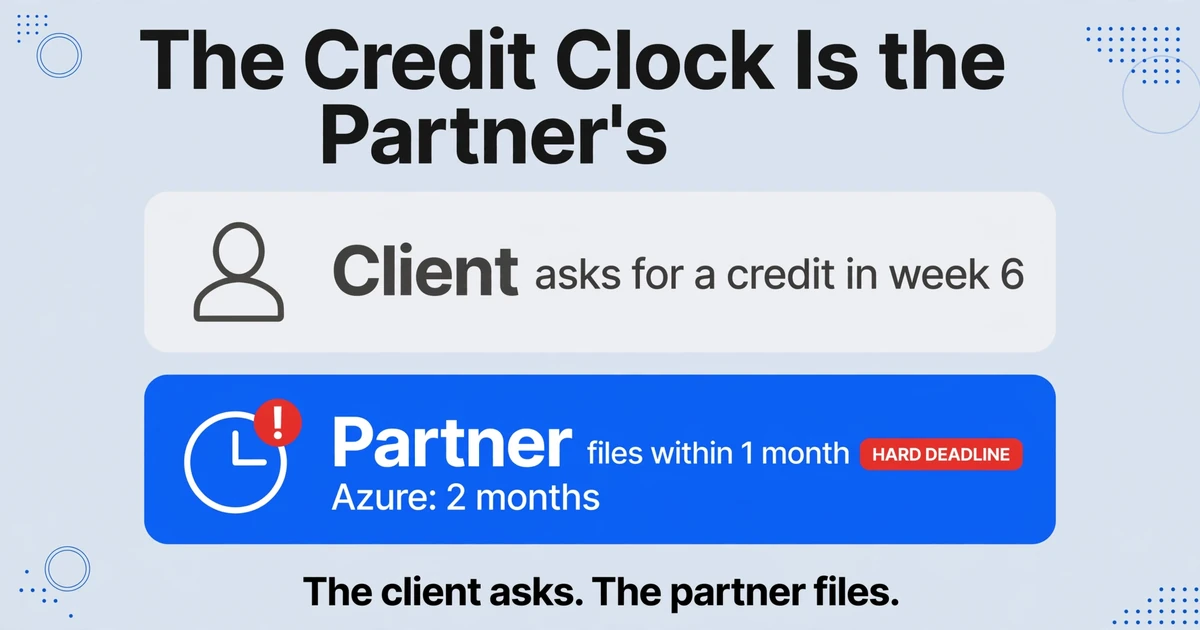
An SLA clause contains a deadline, and the deadline often belongs to the partner rather than the client. That asymmetry is where credits disappear.
On the client side, the SLA schedule defines the uptime target, the measurement window, the exclusions and a credit schedule that steps up as availability falls. When the client asks for a credit in week six, the delivery lead has to find the clause, confirm the window and check whether planned maintenance is excluded. If the clause came from a superseded amendment, the answer is indefensible.
On the vendor side, the window is harder. Microsoft's partner guidance requires CSP partners to submit SLA credit requests within one month of the end of the billing month for most services, and two months for Azure, with the customer tenant ID, the outage identifier and proof that the customer asked for the credit. The partner files, not the end customer. A service desk that hears about an outage from a client three weeks later is working against a clock it did not start.
Extraction cannot monitor uptime. It can make the clause readable in five minutes: one row per client and service, with columns for uptime target, measurement period, credit percentage, claim window, evidence required and remedy cap. Finance can then see which credits were claimed and which were absorbed.
Handoff Four: The Contractor Packet Arrives in Five Pieces
A contractor packet is five documents from four sources, and the field that matters most is a date that expires. The signed agreement comes from delivery, the W-9 or W-8BEN from the contractor's accountant, the insurance certificate from a broker, the background check from a screening vendor. Certifications arrive as screenshots and PDFs.
Client contracts push requirements down this chain. An enterprise MSA may require a background check before site access, insurance limits naming the client as additional insured, an NDA, an IP assignment and evidence of certifications. The firm proves all of it, per contractor, per client, sometimes per site.
The tax document carries its own deadline. For payments made in 2026, the IRS reporting threshold for nonemployee compensation is $2,000, up from $600, and the form is due by January 31. A W-9 collected after the final payment, or with a legal name that does not match the payee, becomes a January problem nobody budgeted for.
The extraction job is one row per contractor, keyed on legal name, plus TIN, entity type, coverage limits, policy dates, clearance date and certification names. Page order and file type do not matter: a phone photo and a scanned W-9 land in the same columns. A Collection Link lets contractors upload without an account, which matters when the sender will never log into your PSA. For packets that arrive a page at a time, Multi-Page Merge folds them into one row by agreement number.
Two limits belong here. Extraction reads the expiry date; it does not watch the calendar or send a reminder. It records coverage limits; it does not confirm with the insurer. Those belong to the compliance system or broker relationship you have. The workflow behind this handoff is covered in the guide to supplier onboarding document automation.
What the Extraction Layer Should Produce, and Where Each Field Has to Land
The layer should produce one row per document, with a key that lets a person, a spreadsheet or an API join it to the system that owns the record. Make the column names stable across document types and the rest becomes a lookup.
Custom Column Extraction is what makes this work across a mixed document set. You type the column names you want, such as "Renewal date" or "Credit percentage", and the AI locates each value by understanding what the field means rather than where it sits. There are no zones to draw and no per-client template to maintain.
- Direct extraction for values printed somewhere: renewal date, notice period, liability cap, policy expiry, TIN, unit cost.
- Computed columns for arithmetic finance would otherwise do in Excel:
Line Total (Quantity × Unit Price), or a conditional column that outputs the difference when an invoice total does not match its lines. - Inferred columns for classification: "Billing basis (per user / per device / per site)" read from an SOW, or "Document type (W-9 / COI / agreement / certification)" so a mixed contractor batch sorts itself.
Four keys make the output joinable: the client's legal entity name as the MSA writes it, the contract or SOW identifier, the vendor SKU and the contractor's legal name. Miss one and you have a better-formatted island.
Output format decides how far the data travels. CSV or XLSX suits the analyst reconciling the billing run. JSON through the v1 API, with a webhook at the end of a batch, suits a team that wants fields inside its own tooling. There is no native connector into ConnectWise, Autotask, HaloPSA or IT Glue, so plan an import step. For where extraction sits relative to a CLM, a PSA and an AP tool, the document extraction software landscape maps those categories. Enterprise document automation is the same layer described from the platform side.
Where Extraction Stops and Judgment Starts
Extraction supplies fields. It does not decide what they mean when two documents disagree, and it does not run the process that consumes them.
It is not a contract lifecycle management system: it does not store the executed copy, route a redline or track obligations. It is not an HRIS or a vendor management system, so it does not hold the contractor record, run a background check or adjudicate a result. It does not verify insurance, monitor uptime, send reminders, or reconcile two documents and declare a winner.
Some calls are legal ones. When an MSA says 60 days' notice and a later SOW says 30, which governs depends on precedence, amendments and the order of documents. Pull both into source-labelled columns and let the relationship owner decide. The same applies to an SLA credit: extraction gives you the percentage and the window, but someone still has to compare the target against monitoring data.
Start With the Handoff That Already Has a Number Attached
Pick the handoff where you can already name a number: unbilled seats, rate drift on two clients, credits absorbed last quarter, contractors missing a certificate. That number is both the business case and the test set.
Pull 30 to 90 days of the documents behind it, including the ugly ones. Fix 6 to 10 columns with the join key, reconcile once by hand against the source, then automate the arrival path so next month does not depend on someone remembering to upload a file.
Take one rate card and one distributor statement from the same client. Put them in one batch, define the columns that connect them, and see whether the two documents agree on what that client should have been billed.
Frequently Asked Questions
Can it pull rate tables from different SOWs into one spreadsheet when every client's SOW is laid out differently?
Yes. Column names define the output, so the layout does not need to match. Decide the grain first: one row per contract loses individual rates. Most finance teams need one row per rate line, with the contract ID repeated.
Our MSA and a later SOW disagree on the notice period. Which one does the tool use?
Neither. Extract both into separate columns, such as "Notice period (MSA)" and "Notice period (SOW)", and record each document's date. Which governs depends on precedence language, amendments and jurisdiction: a legal judgment.
Can it read scanned distributor statements and phone photos of insurance certificates?
Scanned PDFs, JPG and PNG files are supported, including handwritten entries and stamps. Photo quality is the practical limit: a skewed, low-light image can lose a digit in a policy number, which is why review matters for fields you rely on. Dense or handwritten documents can use a higher processing tier.
Does this replace our PSA or our contract management system?
No. A PSA holds agreements and drives invoicing; a CLM holds executed contracts and approval history. This layer fills them with structured fields, then outputs a spreadsheet, CSV or JSON that something imports.
How do we handle 200 contractors sending documents in different formats?
Send one collection link with a short verification code and let them upload without an account, or give them an inbox address. One batch can mix W-9s, certificates and agreements, with a document-type column sorting the rows. Chasing renewed certificates is still a separate process.
Do we need to build a template for each client's contract format?
No. Column names are the only configuration, and one set runs across every client in a batch. Zone-based extraction needs a new template per layout and breaks when the layout changes. An unusual SOW costs you a review pass.