German Wage Tax Certificate (Lohnsteuerbescheinigung):
How to Extract Data to Excel
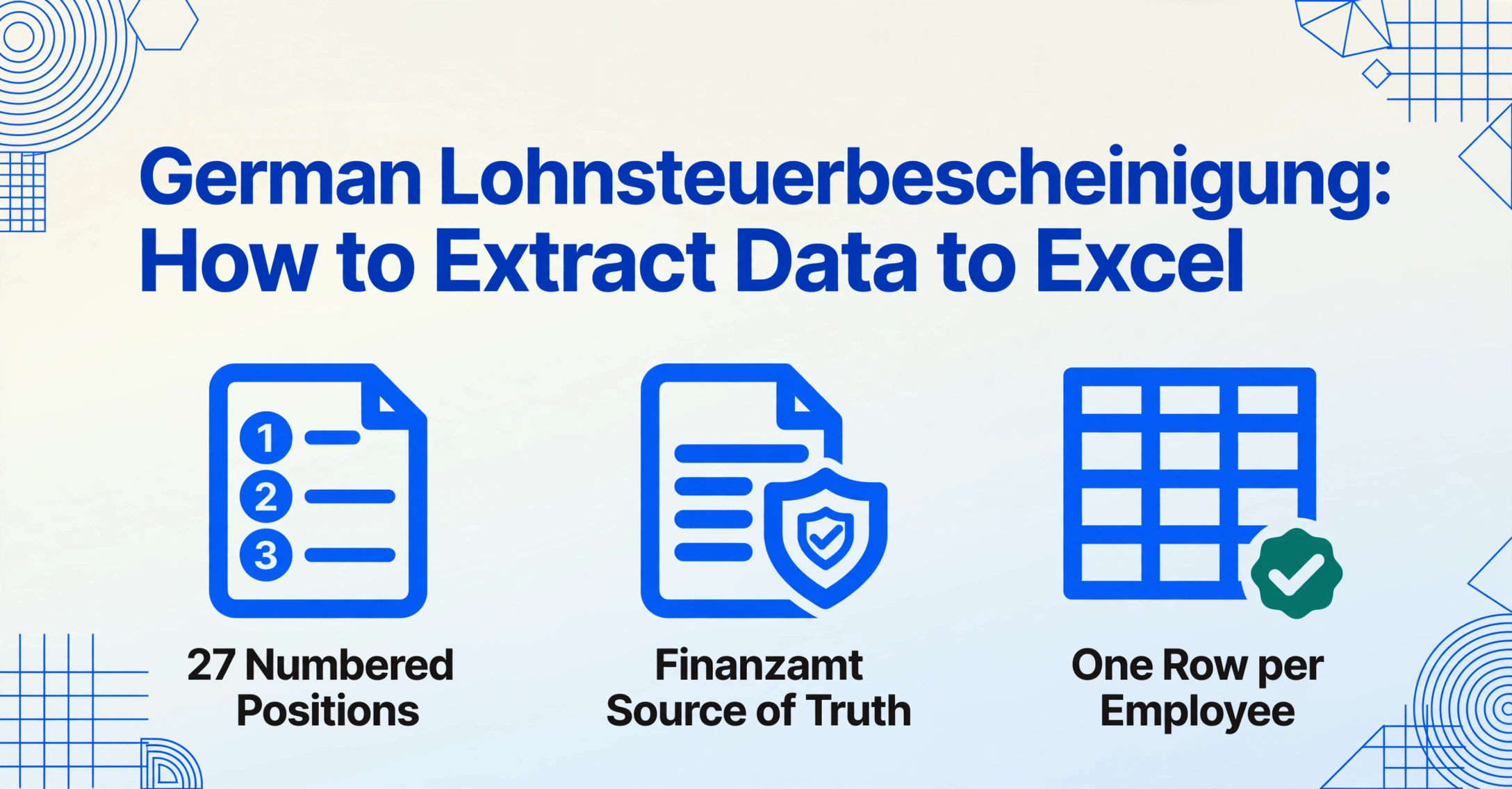
A company with 80 German employees receives 80 PDF wage tax certificates every February. The payroll system that generated them — DATEV LODAS, Lexware Lohn+Gehalt, or a Steuerberater's proprietary export — labels every field in German: Bruttoarbeitslohn, einbehaltene Lohnsteuer, Solidaritätszuschlag. The global compensation team in London or New York needs these numbers in English, in a single Excel file, with 80 rows and columns like "Gross Salary," "Income Tax Withheld," and "Pension Contributions." The standard path — copy each field from each PDF — turns February into a manual data entry sprint. There is another way, and it does not require learning German payroll terminology or building a template for every certificate layout.
Key Takeaways
- 80 German PDF wage certificates arrive from your Steuerberater every February — and no, there is no Excel file, because German tax law designates the certificate itself as the legal payroll output, not structured data.
- Payroll software CSV exports from DATEV or Lexware preserve the internal database schema, not the tax office's settled annual reconciliation — you end up verifying every exported number against the same PDF the Finanzamt (German tax office) treats as authoritative.
- Type "Gross Salary" in English, and ImageToTable.ai locates Bruttoarbeitslohn on a German wage tax PDF — 500 manual field lookups across 80 certificates collapse into one batch spreadsheet, extracted from the only payroll record the Finanzamt has already validated.
Why a Lohnsteuerbescheinigung isn't just your December payslip combined
A monthly German payslip (Gehaltsabrechnung or Lohnabrechnung) shows one month's earnings and deductions. Add up twelve payslips, and you might think you have the annual picture. You do not. The Lohnsteuerbescheinigung — the official annual wage tax certificate mandated by §41b EStG — is not a sum of monthly payslips. It is a separate legal document with its own data reconciliation process, transmitted electronically to the Finanzamt (tax office) via the ELSTER portal by February 28 of the following tax year. Monthly payslips can contain errors that get corrected; the Lohnsteuerbescheinigung is the finalized, legally binding statement of what was earned and what was withheld.
For international teams, three structural differences separate the Lohnsteuerbescheinigung from a regular payslip in ways that matter for data extraction:
It is the Finanzamt's source of truth, not yours. Since 2013, German employers have been required to transmit wage tax data electronically via the ELStAM system (Elektronische Lohnsteuerabzugsmerkmale, or electronic wage tax deduction features). The same data your employer sends to the tax office — authenticated with an ELSTER certificate under §93c AO — is what appears on your certificate. If a number on the certificate and a number on a monthly payslip disagree, the certificate wins. This is why extracting from the certificate directly is more reliable than aggregating monthly data.
It consolidates deductions that payslips report separately. A monthly payslip shows income tax (Lohnsteuer), solidarity surcharge (Solidaritätszuschlag), and church tax (Kirchensteuer) as individual line items, but they may fluctuate month to month due to bonuses, one-time payments, or tax class changes. The Lohnsteuerbescheinigung settles these to their final annual values. What your global FP&A system needs is the settled number, not twelve raw deductions to reconcile.
It reports fields that never appear on a monthly payslip. Tax-free employer benefits — meal allowances for external assignments (Verpflegungsmehraufwand), dual household expenses (doppelte Haushaltsführung), relocation costs — are aggregated on the annual certificate in positions that have no monthly counterpart. If your total compensation reporting needs to include these, the monthly payslip alone cannot provide them.
For cross-border payroll reconciliation, extracting from the Lohnsteuerbescheinigung is not a shortcut — it is the correct data source. The certificate is what the Finanzamt uses to calculate each employee's final tax liability. Using anything else introduces a reconciliation risk that the tax office will not accept.
The 27 numbered fields: which ones your reporting actually needs
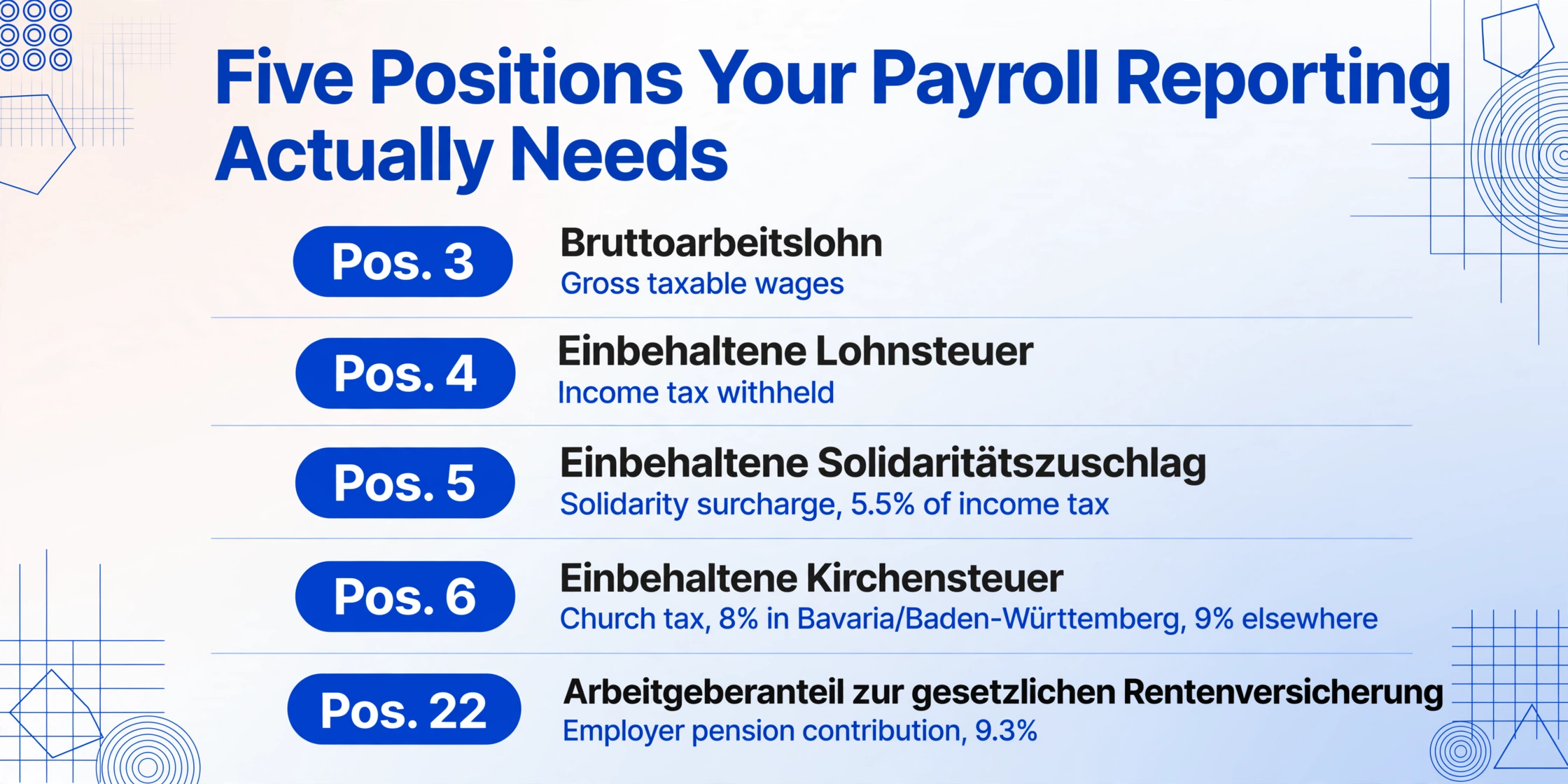
The Lohnsteuerbescheinigung follows a standardized layout with numbered positions (Positionen) that correspond to tax return lines. Every German payroll system — DATEV LODAS, Lexware Lohn+Gehalt, Sage Personalwirtschaft, SAP HCM, Personio's payroll preparation module — outputs the same field numbering. The layout varies: DATEV certificates are dense, monospace-formatted PDFs; Personio exports feed into DATEV and inherit DATEV's formatting; a Steuerberater might print to a slightly different template. The field positions are constant.
Here are the fields that matter for international HR and payroll reporting, grouped by what they represent:
| Pos. | German Label | English Equivalent | Needed For |
|---|---|---|---|
| 3 | Bruttoarbeitslohn | Gross taxable wages | Total compensation reporting, cross-border tax equalization |
| 4 | Einbehaltene Lohnsteuer | Income tax withheld | Foreign tax credit calculation, shadow payroll reconciliation |
| 5 | Einbehaltener Solidaritätszuschlag | Solidarity surcharge (5.5% of income tax, above €19,950/€39,900 free amount single/joint since 2021) | Total tax burden reporting; applies to ~10% of taxpayers post-2021 reform |
| 6 | Einbehaltene Kirchensteuer | Church tax (8% of income tax in Bavaria/Baden-Württemberg, 9% elsewhere) | Net-to-gross reconciliation for employees registered with a tax-collecting church |
| 22 | Arbeitgeberanteil zur gesetzlichen Rentenversicherung | Employer pension insurance contribution | Total compensation cost calculation (employer share: 9.3% in 2025/2026) |
| 23 | Arbeitgeberanteil zur Krankenversicherung | Employer health insurance contribution | Total benefits cost; statutory health insurance employer share ~7.3% + supplementary |
| 24 | Arbeitgeberanteil zur Pflegeversicherung | Employer long-term care insurance contribution | Employer cost breakout (1.8% employer share) |
| 25 | Arbeitgeberanteil zur Arbeitslosenversicherung | Employer unemployment insurance contribution | Employer cost breakout (1.3% employer share) |
Fields 10 through 19 cover tax-free employer benefits: meal allowances (field 21), dual household expenses (field 22 of the left-column section), relocation reimbursements, and capital-forming payments (Vermögenswirksame Leistungen). These matter if your global mobility policy reimburses employees on a net basis and you need to report the grossed-up value. For most cross-border reporting, fields 3–6 and 22–25 are the core set.
A practical note on field numbering: the 2025 certificate layout was confirmed by the Bundesfinanzministerium's September 2024 directive (BStBl I 2024, 1255). The numbering is stable year to year, but tax-free allowance amounts (Freibeträge) adjust annually. If you are pulling data for multiple tax years, verify the 2025 vs. 2026 threshold changes for the solidarity surcharge free amount and social security contribution caps.
The DATEV-to-Excel dead end: why payroll software outputs don't solve the problem
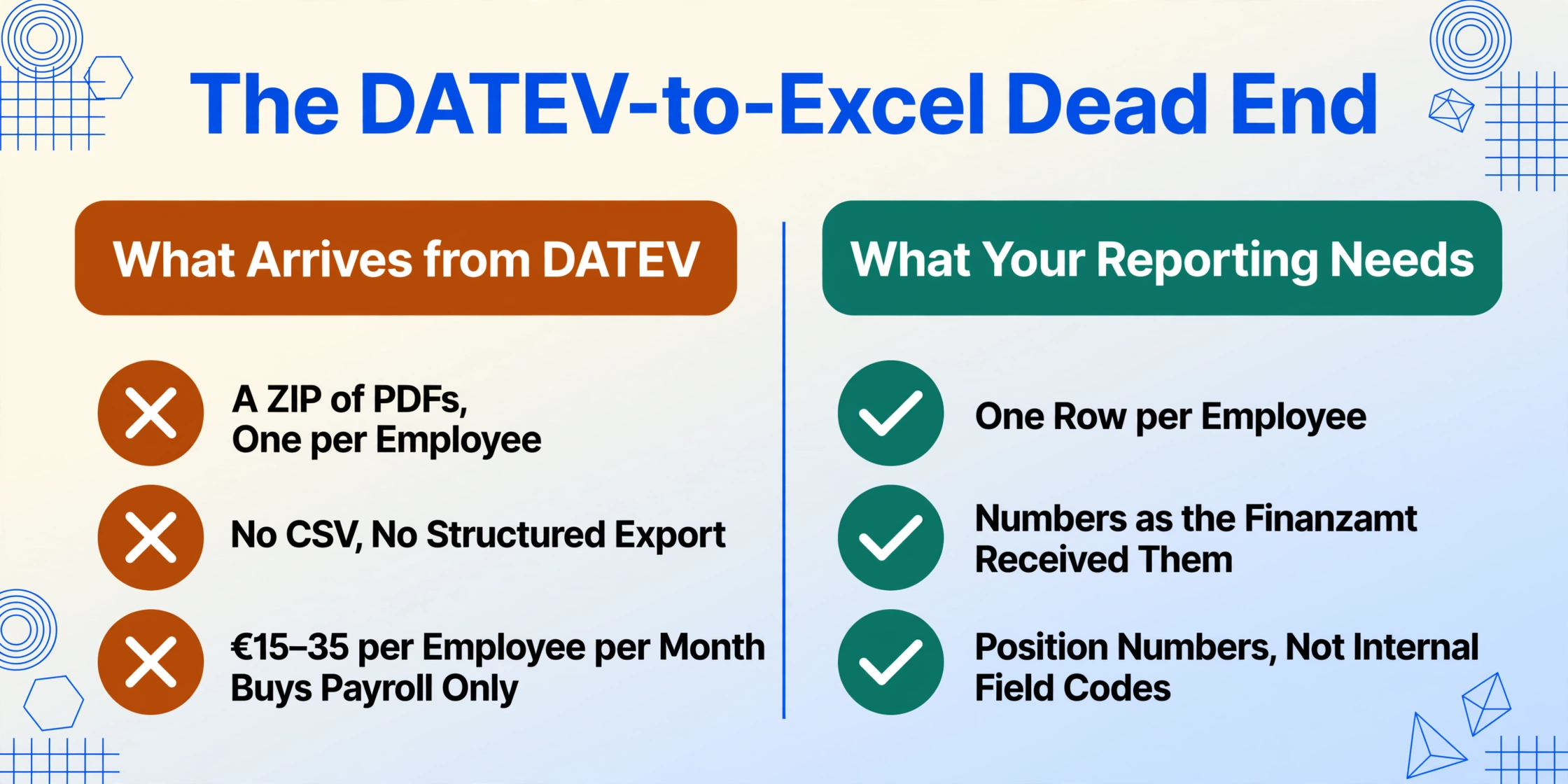
If your German payroll runs through DATEV LODAS processed by a Steuerberater, your February reporting workflow looks something like this: the Steuerberater runs payroll, transmits the electronic Lohnsteuerbescheinigung to the Finanzamt via ELSTER, and emails you a ZIP file of PDFs — one per employee. No CSV. No structured export. The PDF is the deliverable.
This is not a Steuerberater being difficult. DATEV's architecture is designed around the tax advisor (Steuerberater) as the intermediary. The raw wage data lives inside the Steuerberater's DATEV installation. You — the employer or the international HR team — receive the legally compliant output format: the PDF certificate. A Steuerberater charging €15–35 per employee per month for payroll processing is not also going to build you a custom CSV export. Their fee structure, governed by the Steuerberatervergütungsverordnung (StBVV), covers payroll processing, not data engineering.
In-house payroll teams running Lexware or Sage face a different version of the same problem. These platforms can export CSV, but the export reflects the internal payroll database schema, not the Lohnsteuerbescheinigung's final reconciled format. A Lexware CSV export labels columns with internal field codes that do not map one-to-one to the certificate's numbered positions. You end up reconciling the exported numbers against the certificate PDF anyway, because the certificate is what the Finanzamt received.
The Personio + DATEV integration illustrates the structural gap most clearly. Personio's payroll preparation module collects all payroll-relevant data — salaries, bonuses, absences, overtime — and packages it for export to DATEV, at an estimated €2–5 per employee per month. But Personio does not do the final payroll run. DATEV does. The Lohnsteuerbescheinigung PDF still comes from DATEV, through the Steuerberater. Personio's own reporting won't show the finalized tax reconciliation that appears on the certificate.
The bottleneck is not the software. It is the architecture of German payroll: the employer-scalated payroll run produces a PDF certificate as the legal output. Every export and integration preserves the payroll database structure. The certificate PDF is the only document where all fields are settled, reconciled, and aligned with what the Finanzamt received. Extracting from the certificate is not a workaround for bad software — it is extracting from the authoritative document.
How column-name extraction reads German tax certificates without template training
Template-based OCR tools — the kind that ask you to draw a rectangle around "Bruttoarbeitslohn" on one certificate and then apply that template to the rest — fail when the certificate layout shifts. A DATEV PDF, a Lexware PDF, and a certificate printed by a small Steuerbüro using Addison software place the same field in different positions. Template-based extraction either requires a separate template per layout variant, or it silently extracts the wrong value when the layout changes.
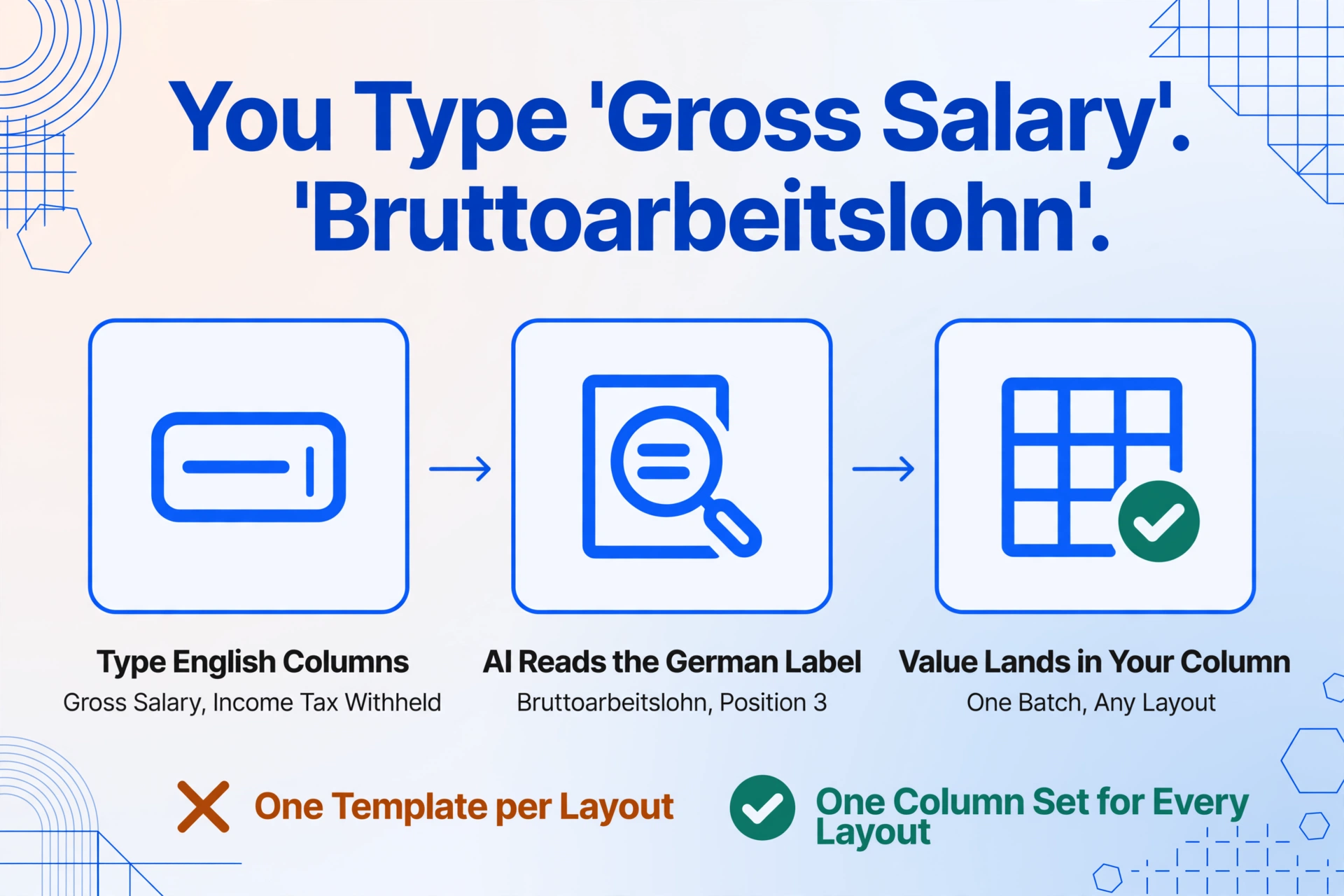
Custom column-name extraction works differently. Instead of defining where a field sits on the page, you define which columns you want in your output spreadsheet — by name. You type the column headers you need: "Gross Salary," "Income Tax Withheld," "Solidarity Surcharge," "Pension Contribution." The AI reads each certificate PDF and locates the corresponding value by understanding what the field means, not by remembering its coordinates. A DATEV certificate and a Lexware certificate can be processed in the same batch without switching templates.
This approach matters specifically for German wage tax certificates because the field labels are in German. A template-based tool needs you to tell it "find the label 'Bruttoarbeitslohn' on the page." A column-name extraction tool needs you to say "I want a column called Gross Salary." The AI maps the semantic intent ("gross salary") to the German label on the document ("Bruttoarbeitslohn"), even if the label text does not match your column name literally. You do not need to know that Position 3 is called "Bruttoarbeitslohn" — you need to know that you want the gross wage figure. The AI handles the language mapping.
The same capability handles a three-year audit scenario. A global mobility team reconciling a German assignee's 2023–2025 compensation needs certificates from three tax years. The 2023 certificate came from Company A (processed in DATEV). The 2024 certificate came from Company B (processed in Lexware). The 2025 certificate came from Company C (processed through Personio + DATEV). Three different layouts, three different PDF generators. Column-name extraction reads all three in the same batch because it is matching semantic meaning to column names, not pixel positions to a template.
There is a further capability that changes the math for multi-employee scenarios. Inferred columns let you define a column that derives a value from the document context, not from a single printed field. For instance, you can create a column called "Tax Burden Ratio" that asks the AI to compute (Income Tax Withheld + Solidarity Surcharge + Church Tax) / Gross Salary for each employee. The AI reads the certificate, identifies the relevant fields, performs the calculation, and outputs the result as a new column — all in the same extraction pass. No post-processing formula column in Excel needed.
The functional difference between template OCR and column-name extraction is the difference between mapping positions and mapping meaning. For a document whose field labels are in a language your reporting team does not read, mapping meaning is the prerequisite for scale.
Step-by-step: from a stack of certificate PDFs to one clean spreadsheet
Here is the extraction workflow for a typical February scenario: your Steuerberater has sent PDF certificates for your 50 German employees. Your global compensation team in London needs an Excel file with English column headers and one row per employee.
Step 1: Upload all certificates at once. Drag the 50 PDFs into the upload area. The tool accepts PDFs, JPGs, and PNGs — you can mix formats if some certificates arrived as scans and others as native PDFs. Uploading them together ensures they are processed as a single batch, producing one combined output spreadsheet.
Step 2: Define your columns in English. Type the column names your reporting system expects. For global compensation reporting, a typical column set is:
| Your Column Name (English) | What the AI Finds on the Certificate (German) |
|---|---|
| Employee Tax ID | Steuer-Identifikationsnummer (left column, top section) |
| Tax Class | Steuerklasse (left column, ELStAM section) |
| Gross Salary (EUR) | Bruttoarbeitslohn (Position 3) |
| Income Tax Withheld (EUR) | Einbehaltene Lohnsteuer (Position 4) |
| Solidarity Surcharge (EUR) | Einbehaltener Solidaritätszuschlag (Position 5) |
| Church Tax (EUR) | Einbehaltene Kirchensteuer (Position 6) |
| Pension Contribution Employee (EUR) | Arbeitnehmeranteil zur gesetzlichen Rentenversicherung |
| Health Insurance Employee (EUR) | Arbeitnehmeranteil zur gesetzlichen Krankenversicherung |
| Unemployment Insurance Employee (EUR) | Arbeitnehmeranteil zur Arbeitslosenversicherung |
| Long-Term Care Employee (EUR) | Arbeitnehmeranteil zur sozialen Pflegeversicherung |
You can also add a computed column directly in the column definition. For example, "Tax Burden Ratio (Income Tax Withheld + Solidarity Surcharge + Church Tax) / Gross Salary" tells the AI to perform the calculation during extraction and output the result as a column — no Excel formula step afterward. Or “Total Social Contributions (Sum of Pension + Health + Unemployment + Long-Term Care employee shares)” for a one-number social insurance figure.
Step 3: Run the extraction. The AI processes all 50 certificates in batch. Each page takes 5–10 seconds. A 50-employee batch completes in a few minutes. The AI reads the certificate layout, identifies each requested field by its semantic meaning, extracts the value, and places it under your named column. Certificates with different layouts (DATEV vs. Lexware) are handled in the same pass.
Step 4: Review and export. The output is a table with 50 rows (one per employee) and your defined columns. You can scroll through and spot-check: does Employee #37's gross salary look right against what you know about that role? Is anyone missing a field? Once verified, export as XLSX, CSV, or JSON — whatever your compensation system or FP&A tool ingests.
This workflow replaces what is typically a multi-day manual process: opening each PDF, finding each field, copying it into a spreadsheet, translating German labels to English columns, and hoping you did not transpose a number. For 50 employees with 10 fields each, that is 500 individual field lookups across documents written in a language the person doing the extraction may not read.
Batch scenarios and edge cases that trip up manual extraction
Multiple certificates per employee. An employee who changed jobs mid-year receives a separate Lohnsteuerbescheinigung from each employer. The certificates are independent documents, each covering a different date range (Position 1). To calculate the employee's total annual income for a foreign tax credit, you need to sum across certificates. Column-name extraction handles this by treating each certificate as a separate row; you sum the rows in Excel. What matters is that both certificates are extracted with the same column structure, so the rows are additive.
Church tax that applies to some employees and not others. Church tax (Kirchensteuer, 8% in Bavaria and Baden-Württemberg, 9% in other federal states) only applies to employees registered with a tax-collecting religious community. For employees who are not church members, field 6 on the certificate is blank or zero. When defining your columns, include "Church Tax" for all employees — the AI will return 0 for non-members. This is safer than conditionally including the column, because it preserves column consistency across all rows.
Solidarity surcharge that phases in above the free amount. Since the 2021 reform, roughly 90% of German taxpayers pay no solidarity surcharge. Only employees whose annual income tax exceeds €19,950 (single) or €39,900 (joint) pay Soli, and even then it phases in gradually through a Milderungszone (relief zone) before reaching the full 5.5% rate. For most of your workforce, field 5 will be zero. That is correct — not an extraction error. The German Federal Constitutional Court upheld the Soli's constitutionality in March 2025, confirming the current structure remains in place.
Certificates from employees who left. If an employee departs in September, you are legally required to issue their Lohnsteuerbescheinigung within a reasonable period after employment ends. If you are the new employer receiving a departing employee, you get a PDF certificate from their previous job — likely generated by a different payroll system than yours. There is no data pipeline between the two systems. Extracting from the PDF directly is the only way to get that prior-employer data into your compensation records without manual re-entry.
FAQ
Can this handle Lohnsteuerbescheinigung PDFs in German, with German field labels?
Yes. The AI reads the certificate content in German and maps it to your English column names by semantic meaning. You do not need to provide German field label translations. The column names you type in English ("Gross Salary," "Income Tax Withheld") are the labels the AI uses to locate the corresponding values on the German-language certificate.
What if my certificates come from multiple payroll systems with different layouts?
Column-name extraction does not depend on layout consistency. A DATEV certificate, a Lexware certificate, and a Sage certificate can be processed in the same batch. The AI identifies fields by what they mean, not where they sit on the page. You upload the mix; the extraction runs across all of them with the same column definitions.
I have 200 employees. Will batch processing all 200 certificates work?
Yes. Batch processing is the default mode: upload all files together, and the AI processes them sequentially, compiling results into one output spreadsheet. For a deeper look at the fully batched multi-employee workflow, see how 80 employees' certificates become one spreadsheet. Processing 200 certificates takes longer than 50, but the workflow is identical. For very large batches, consider splitting into manageable chunks of 50–100 files to review interim results before running the full set.
Does the extraction work for scanned paper certificates (not digital PDFs)?
Yes, provided the scan quality is adequate. JPG and PNG images of printed certificates are supported. If the scan is heavily skewed, low-resolution, or has significant shadows, extraction accuracy drops. The same applies to photos taken with a phone — well-lit, flat, high-resolution photos work; angled or blurry shots degrade results. The AI does not need a perfect 300 DPI scan, but the text must be legible to a human reader for the AI to extract it reliably.
Is my employee payroll data secure during extraction?
Files are encrypted in transit (TLS) and processed in memory. Uploaded documents and extraction results are automatically deleted from the server shortly after processing. No data is used to train AI models. The architecture is designed for short-lived processing, not persistent storage. For organizations subject to GDPR Article 28 (data processing agreements), the standard processing terms classify the tool as a processor with no data retention beyond the extraction session.
Can I extract from multiple tax years in one batch?
Yes. Certificates from 2023, 2024, and 2025 can be processed in the same batch. All three years share the same field numbering (Positionen 1–27), so the same column definitions apply across years. The practical consideration is that tax-free allowance thresholds change annually: the solidarity surcharge free amount, social security contribution caps (Beitragsbemessungsgrenzen), and mini-job thresholds all adjust. These threshold changes affect what appears on the certificate, but they do not affect the extraction itself.
What about the employee's tax ID — does the AI read that sensitive field?
Yes, the Steuer-Identifikationsnummer (11-digit permanent tax ID) can be extracted as a column field. If your reporting does not require it, simply do not define a column for it. The AI does not retain any extracted data after processing. For teams that need the tax ID for cross-referencing with other systems (e.g., matching Lohnsteuerbescheinigung data with an HRIS), it is available but entirely optional.
How accurate is the extraction for these certificates?
For printed table data like the Lohnsteuerbescheinigung's numbered fields, recognition accuracy reaches up to 99%. Fields with clear labels and predictable formats (currency amounts, tax IDs, dates) extract at the high end of this range. Fields with variable formatting — such as employer name and address in the header, which can wrap across lines differently — have lower but still high accuracy. The practical recommendation: spot-check the first few rows of your output against the source PDFs, as you would with any automated data extraction, before using the data for reporting.
Does this replace my Steuerberater or payroll software?
No. A Steuerberater or payroll software performs the legally required payroll run: calculating gross-to-net, withholding taxes, filing the monthly Lohnsteueranmeldung, and transmitting the electronic Lohnsteuerbescheinigung to the Finanzamt. Data extraction handles what happens after that: getting the finalized certificate data into your international reporting systems. It is a downstream step, not a replacement for the upstream compliance work.
Can the same approach extract data from monthly German payslips?
Yes. The column-name extraction method works on monthly Gehaltsabrechnung and Lohnabrechnung documents as well. If you need to extract data from pay stubs into Excel, the workflow is identical: upload the payslip PDFs or scans, define the columns you need (Nettoverdienst, Lohnsteuer, Sozialversicherungsbeiträge), and export. The same extraction engine handles both monthly payslips and annual certificates. For documents that cross tax jurisdictions, tax form OCR extraction works the same way for W-2, 1099, and other country-specific tax documents.
Why certificates belong in your data pipeline, not your filing cabinet
The Lohnsteuerbescheinigung is the only German payroll document where every number is settled, reconciled with the Finanzamt, and legally binding. Monthly payslips are provisional. Payroll system CSV exports reflect the database schema, not the tax reconciliation. The certificate occupies a unique position: it is both a compliance document and a data source whose accuracy is guaranteed by law.
For teams that currently treat the certificate as a compliance artifact — something to file away after the Steuerberater sends it — the missed opportunity is the cleanest payroll dataset you will get all year. Fifty certificates contain 500+ reconciled data points about your German workforce, already validated against the tax authority's records. The only question is whether those data points end up in a spreadsheet or stay locked inside PDFs.