Manual vs AI Goods Receipt:
The Last Physical Check
Every document in the purchase-to-pay chain is produced by a system — the purchase order by procurement software, the packing slip by the supplier's ERP, the invoice by billing. The goods receipt is the exception: it is the only document in the chain that is written by hand, at the dock, by a person who just counted boxes. Yet it is the record that inventory accuracy, three-way matching, and supplier disputes all trust. The gap between what a receiving clerk writes in pen and what eventually lands in the WMS is where receiving costs quietly accumulate — and no conveyor or robot closes it.
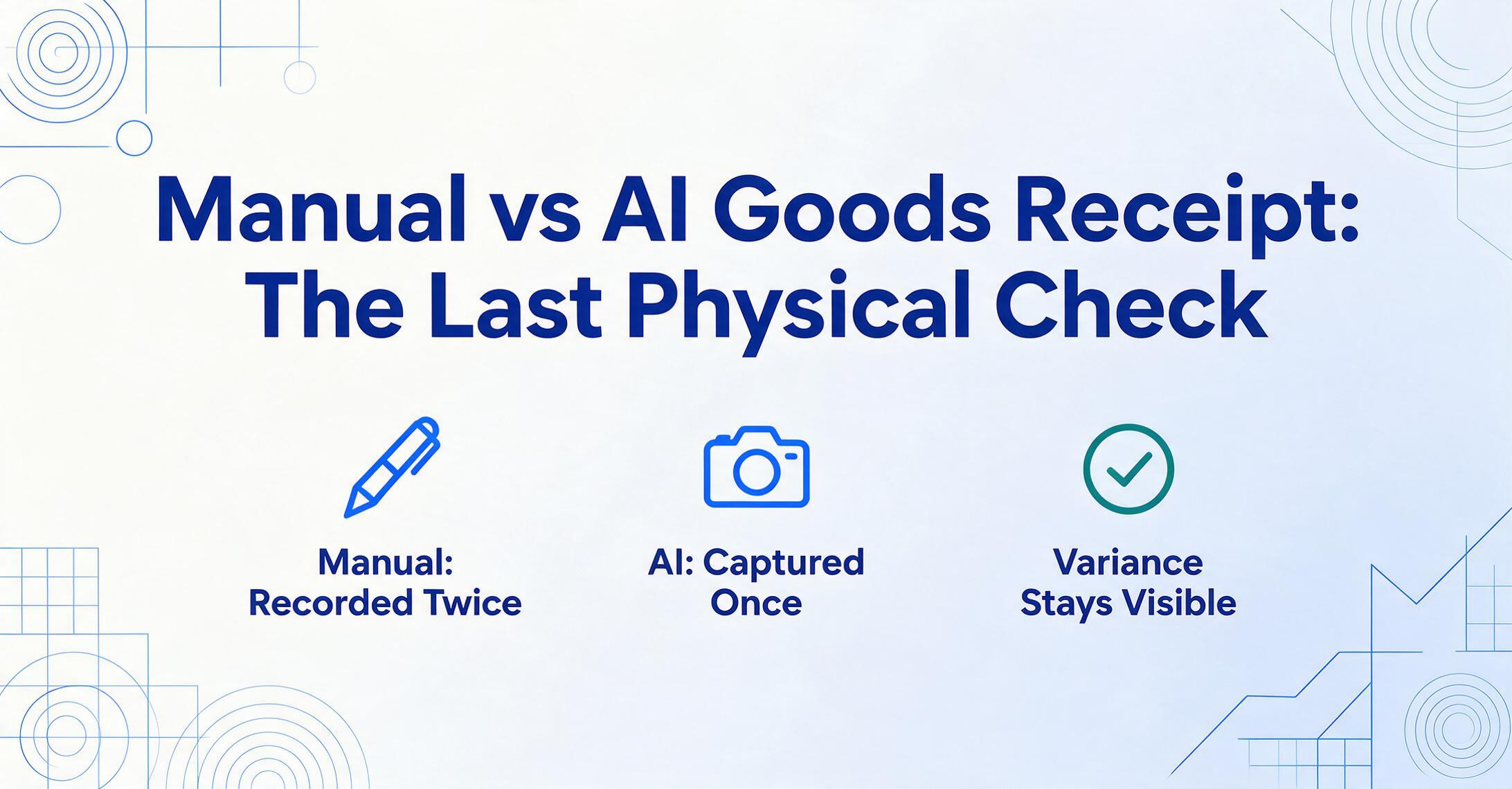
A goods receipt is the record the receiver creates of what actually arrived — not what the supplier says shipped.
A goods receipt — also called a goods received note, or GRN — is the receiving-side record of a delivery. It is created by the buyer's warehouse, not the supplier. It carries a header (GRN number, purchase order reference, supplier, date of receipt, receiver's name) and a line-item table with SKU, description, quantity ordered, and quantity received — plus a notes area for condition and discrepancies, and a signature block. The detail that defines the document: the ordered quantity is printed, because it came from the PO, while the received quantity is almost always written in by hand, because it came from a person counting.
This is what separates a goods receipt from the documents that arrive with the truck. A packing slip is the supplier's own summary of what they loaded — it exists before the truck leaves their dock, and its problems are supplier-side problems: packing slip formats never match each other because each supplier's ERP prints what its own workflow needs. A goods receipt is the opposite document in the chain: it is written after the boxes are opened, by the person whose job is to verify, and its content is the verification itself — the count, the damage, the shortage, the signature.
So the two documents answer different questions. The packing slip answers "what did the supplier ship?" The goods receipt answers "what actually showed up, in what condition?" Processing a packing slip is a reading problem. Processing a goods receipt is a recording problem — and that difference changes which parts of the workflow can be automated and which cannot.
The goods receipt is the last physical check in the supply chain. A purchase order is created against a plan, a packing slip against a shipment, an invoice against a price agreement — but the goods receipt is created against boxes you can touch. After it, every downstream system — inventory, three-way matching, supplier reconciliation — trusts the record instead of the goods.
The goods receipt is the only place three sources of truth meet a human with eyes on the pallet.
At the moment of receipt, three things converge on the dock: the purchase order says what was ordered, the packing slip says what the supplier shipped, and the physical goods are what actually arrived. The goods receipt is the single record where one person reconciles all three at once. The PO can be wrong, the packing slip can be wrong, and the truck can be wrong — but the GRN is written while looking at the actual pallet, so it is the last version of the truth anyone gets to correct before the data becomes system inventory.
That role carries legal weight. Under the Uniform Commercial Code, a buyer who has a right to inspect may reject nonconforming goods under UCC § 2-601 — but rejection must be made within a reasonable time, and acceptance is complete once the buyer signifies to the seller that the goods are conforming (UCC § 2-606). The goods receipt is that signification in its most common form: a dated, signed record that says "these goods arrived and I accept them — except these two cartons, which I am noting as damaged." The physical inspection happens once; the GRN is the only durable trace of the decision it produced. If the record is wrong, the inspection happened and the evidence doesn't exist.
This is why the goods receipt is not a small administrative form. It is the acceptance event of a commercial transaction, written on paper, by hand, usually under time pressure, while a truck idles at the dock. The question for any operation is not whether the record should exist — it is whether the person writing it is also the only person who can read it back into the system.
The manual goods receipt workflow records the same data twice — once in pen at the dock, once at the terminal — and that doubling is its defining cost.
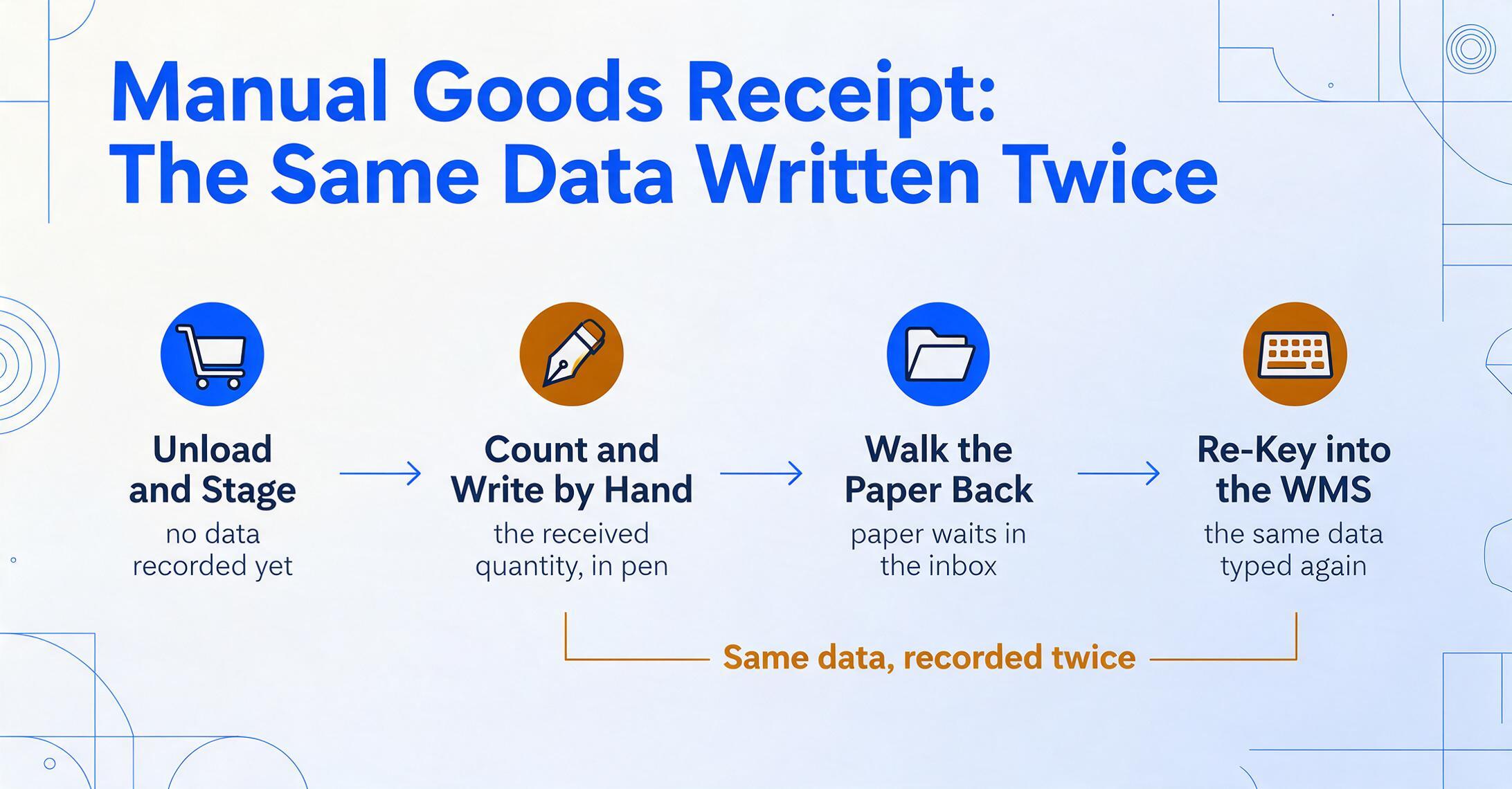
Watch a manual goods receipt happen and you will see four distinct stages, only the last of which touches a computer:
Unload and stage against the paperwork
The receiver matches the delivery to the PO and packing slip, checks carton counts, and routes the shipment to a staging lane. No data is recorded yet — this stage is physical.
Count, inspect, and write the goods receipt by hand
The receiver opens cartons, counts units against the PO line by line, and writes the received quantity next to the printed ordered quantity. Damage, shortage, and condition notes go into the remarks area in the receiver's own shorthand: "2 CTN crushed," "short 5," "1 box opened." Then the receiver signs.
Walk the paper back to the terminal
The completed GRN sits in a physical inbox — or a clipboard stack — until the receiver (or a second clerk) gets back to the WMS station. Delays here push dock-to-stock time out by hours, and busy docks accumulate a backlog.
Re-key the handwritten record into the WMS
The receiver (or a data-entry clerk) types the received quantities, damage notes, and header fields into the WMS receiving screen — translating handwriting, shorthand, and crossed-out corrections into system fields as they go. This is where the handwritten record becomes the digital record, and where transcription errors enter.
Stages 2 and 4 are the same data being recorded twice. The industry treats this as a known failure point, not a niche opinion: receiving-process guidance for warehouses lists "using handwritten count sheets that are later re-entered into the WMS" among the common mistakes that create hidden operational debt — stockouts, duplicate counts, and supplier disputes that surface weeks later. The phrase "double data entry" appears repeatedly in warehouse software literature as the thing better receiving workflows are supposed to eliminate.
The manual goods receipt is the only document in the purchase-to-pay chain that is deliberately written twice: once by a person who is looking at the goods, and once by a person who is looking at the handwriting. Each pass is a place where the record can quietly diverge from the pallet.
Manual goods receipt fails in three specific places — and none of them is typing speed.
If the problem were keystrokes, faster typing or a second clerk would fix it. It is not. Manual goods receipt breaks down in three structural places, all of them in the gap between the dock and the terminal.
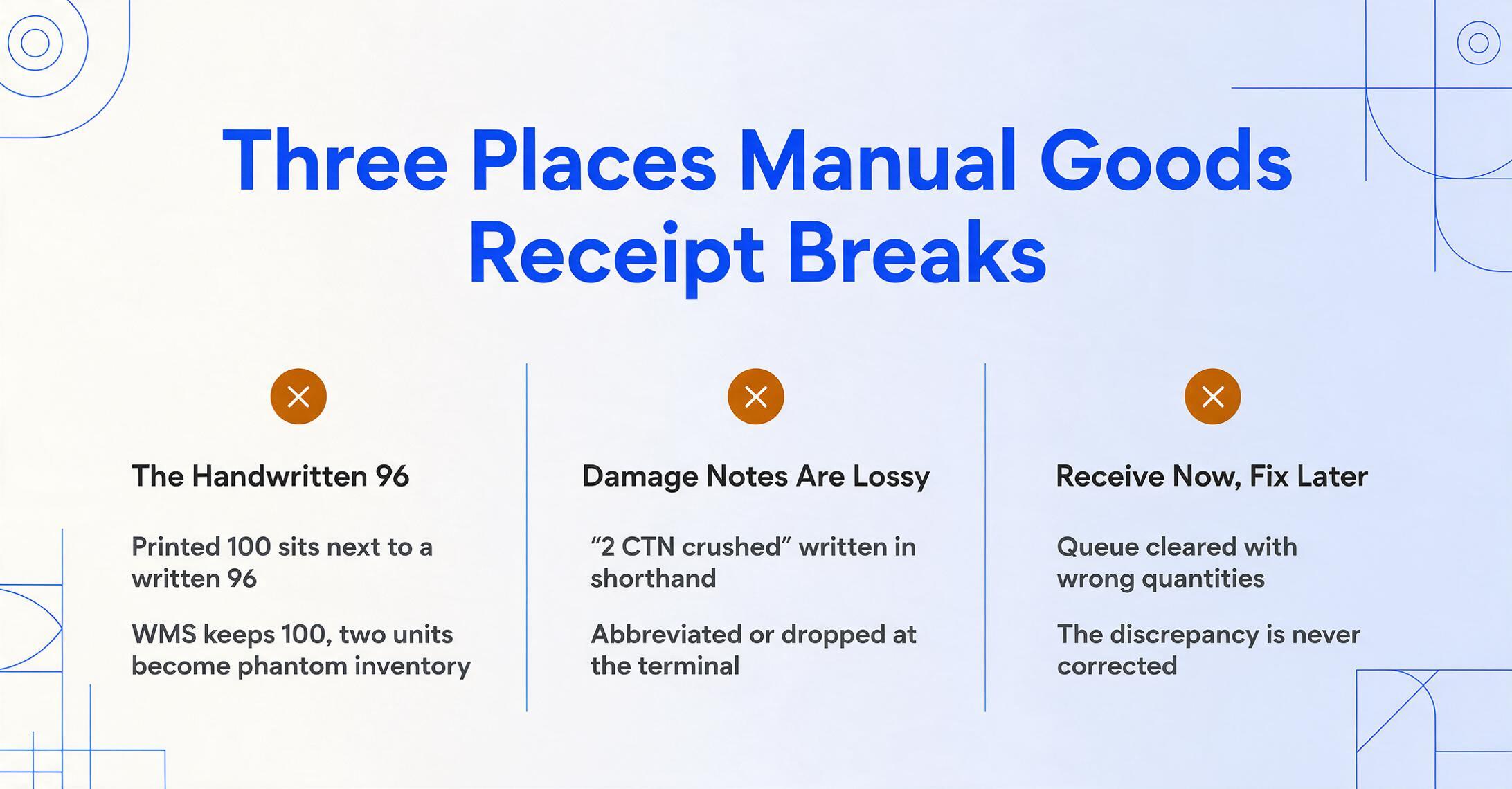
Failure point one: two quantities on the same line, only one of them true. Every GRN line shows a printed ordered quantity and a handwritten received quantity. When they differ — ordered 100, received 96 — the truth is the handwriting, but the system only stores what gets typed. The receiver who wrote "96" must be perfectly transcribed, or the WMS records 100 and the two missing units become phantom inventory that a cycle count discovers weeks later. The ambiguity is not a typing error; it is a decision the system cannot see, resting entirely on the pen.
Failure point two: the damage and shortage notes are lossy by nature. "2 CTN crushed — refused," "short 5 SKU-224," "Box 3 opened." Written at the dock in a hurry, these notes are the entire evidence trail for a supplier claim or a freight damage report. At the terminal they are abbreviated again, or paraphrased, or — under a queue of waiting GRNs — dropped entirely because "the system doesn't have a good field for that anyway." The note that cost three seconds to write is the note that costs a 45-minute supplier dispute to recover later, if it survives at all.
Failure point three: receive now, fix later. When the dock is backed up, receivers post quantities to the WMS to clear the queue and plan to correct discrepancies "when there's time." The correction rarely happens the same day, and the WMS inventory is wrong from the moment of posting — visible to pickers, replenishment, and customer service as available stock that is not actually there. Every downstream decision in that window operates on a record that everyone involved knows is provisional.
The economics of the manual workflow come into focus with the wage data. The Bureau of Labor Statistics puts the median wage for shipping, receiving, and inventory clerks at $19.12 per hour — roughly $0.32 per minute. Manual entry of a single document page averages about 3 minutes by the benchmark of most extraction tools. A goods receipt is entered twice, so a 10-line GRN realistically consumes about 6 minutes of recording labor: roughly $1.90 per GRN before a single box is put away. At 20 GRNs per day — a modest flow for a mid-size distribution center — that is about $38 per day, $190 per week, and nearly $10,000 per receiving position per year, purely for recording what already exists twice. And none of that includes the invisible cost of the errors above.
Key measurement: The typing step is not the cost. The cost is that the goods receipt is written once and typed again — and each transcription is a chance for the record to diverge from the pallet. A solution that only makes the typing faster captures a fraction of the problem. The solution has to capture the handwritten record itself.
Five dimensions separate manual goods receipt from AI-assisted goods receipt — and each one is about the verification data, not the format.
Comparing manual entry and AI extraction on the dimensions that actually decide receiving workflow quality — rather than on the supplier-format axis that dominates packing slip discussions — makes the difference concrete:
| Dimension | Manual Goods Receipt | AI-Assisted Goods Receipt | Where the difference matters |
|---|---|---|---|
| Handwritten received quantity capture | The handwritten "96" next to printed "100" must be read, interpreted, and typed correctly by a person — under time pressure, in whatever shorthand the receiver used. | The vision model reads both the printed ordered quantity and the handwritten received quantity on the same line, and outputs them into separate columns — so the comparison is preserved in the data, not left to memory. | Every discrepancy between ordered and received is exactly where receiving errors and supplier disputes live. Preserving both numbers side by side keeps the variance visible. |
| Damage and shortage note preservation | Notes are abbreviated at the dock, paraphrased or dropped at the terminal, and often never reach the WMS at all — the system has no natural field for them. | Handwritten remarks — "2 CTN crushed," "short 5" — are extracted into a notes/remarks column as text, so the evidence trail survives in the same record as the quantities. | A supplier claim or freight chargeback lives or dies on contemporaneous documentation. Captured at the dock, it exists; filed in a drawer, it is a phone call three days later. |
| Dock-to-system time | The paper GRN sits in a clipboard stack until someone walks it to a terminal — backlog hours are the norm at busy docks, and the WMS inventory lags physical reality all day. | The GRN (or annotated packing slip) is photographed at the dock and extracted immediately — the record becomes digital while the receiver is still at the pallet. | Dock-to-stock is the receiving KPI most warehouses track. The paper walk is a delay that automation removes entirely. |
| Double entry | Every GRN is recorded twice — once in pen, once at the terminal — roughly doubling the recording labor and creating two copies that can disagree. | The handwriting is the input. The extraction output becomes the system record, so the data is created once and reviewed, not created twice and reconciled. | At $0.32 per minute of clerk time, eliminating the second pass alone covers a meaningful share of the workflow cost for high-volume docks. |
| Receiver's role | The receiver is the typist — generating the system record from scratch while the next truck waits. | The receiver becomes the verifier — reviewing an extraction against the pallet and the PO, and flagging exceptions instead of keying them. | Receiving labor shifts from data transfer to the physical check itself — counting, inspecting, documenting — which is where the value actually is. |
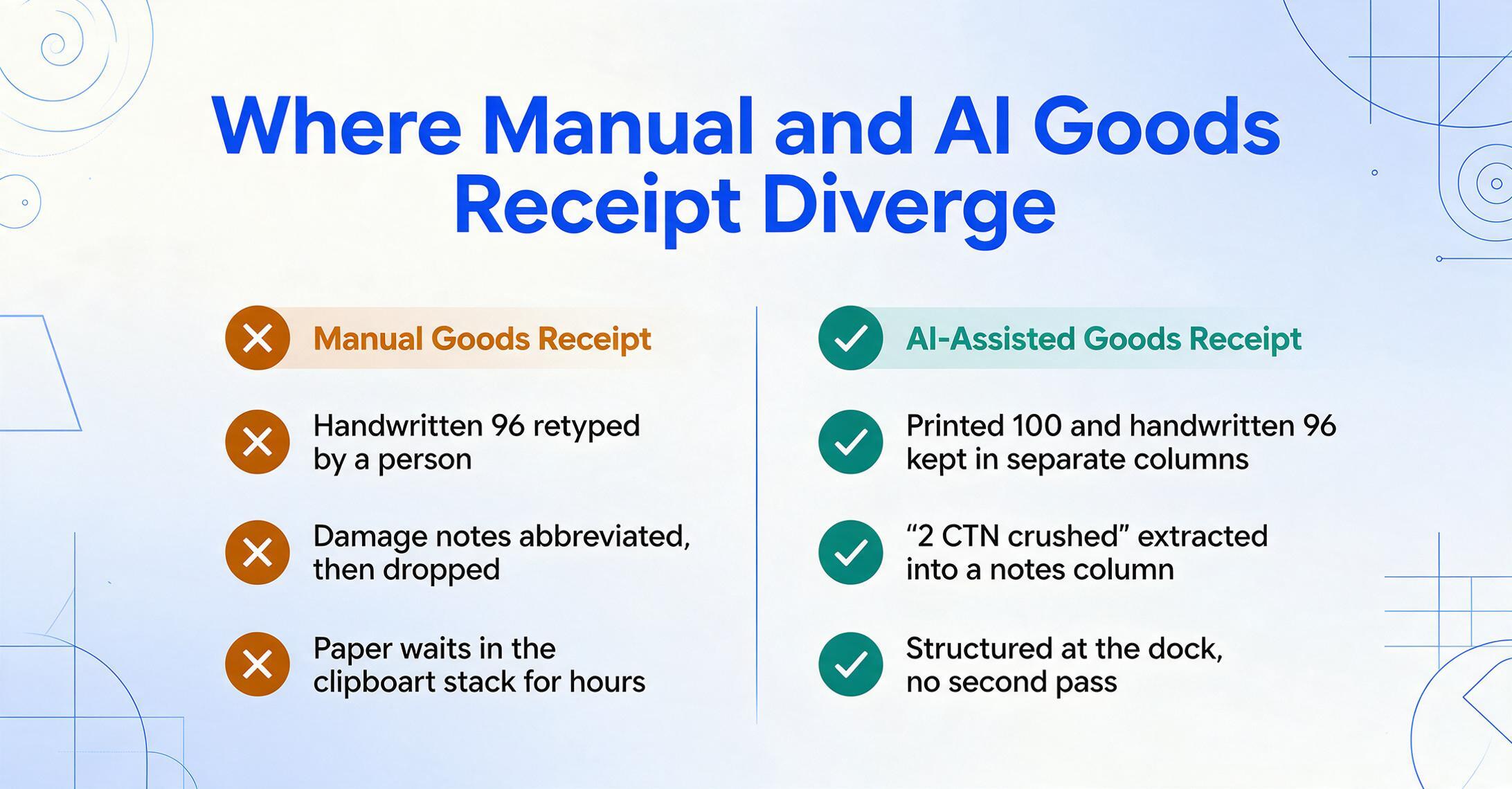
The pattern across all five rows is the same: manual goods receipt spends its time turning the receiver's verification into a system record by hand, while AI-assisted goods receipt treats the receiver's handwritten verification as the record and simply digitizes it. That is not a marginal improvement in speed — it is a different place for the data to be created.
AI extraction moves the handwriting from the clipboard to the column — the receiver still does the physical check, but the record is captured where it is created.
The realistic AI-assisted goods receipt workflow does not remove the receiver from the dock. It removes the second recording pass. The receiver counts and inspects exactly as before — that part is irreplaceable and stays physical — but instead of writing the GRN by hand and later typing it into the WMS, the flow becomes: photograph the completed GRN (or the annotated packing slip alongside the goods), let the tool read it, review the output, and push the structured result to the WMS.
The mechanism that makes this work is Custom Column Extraction: you type the column names you want — "GRN Number," "PO Reference," "SKU," "Qty Ordered," "Qty Received," "Damage Notes," "Condition," "Signature Present" — and the AI locates each value anywhere on the page by understanding what the column name means, not by matching pixel coordinates. Because the matching is semantic rather than positional, the same column definition works whether the GRN is a printed form, a carbon copy, a photo of a handwritten page, or a supplier's packing slip annotated at the dock. There are no templates to draw and no per-supplier setup.
What matters most for goods receipts specifically is that the model reads handwriting and printed text on the same page and tells them apart. A carbon-copy GRN carries printed order quantities next to handwritten received quantities, crossed-out corrections, damage notes scrawled in margins, ticked checkboxes, and a receiver's signature. A vision model reads the whole document as one scene: it uses the table structure, the column headers, and the printed values as context to read the handwritten values correctly — and it captures the notes and the signature as data, not as noise to ignore. This is a category difference from traditional OCR, which returns characters without meaning: OCR gives you a text stream where "96" and "100" are indistinguishable, while semantic extraction knows which column each belongs to. It is also the difference between extracting handwritten goods receipt data to Excel and merely scanning it.
Files are processed securely and not stored.
Batch processing makes the workflow scale to a full shift. Instead of walking each GRN to the terminal, the receiver photographs the morning's stack — 15 GRNs from 8 suppliers, in whatever mix of printed and handwritten forms — and the tool returns one structured spreadsheet with every header field and line item aligned in columns. Batch processing is a first-class capability of the product, designed so that multiple files merge into a single Excel table rather than being handled one at a time. For a step-by-step walkthrough of the receiving-log workflow that this replaces — including which handwritten fields to capture and how to set up the columns — see our guide to extracting handwritten goods receipt and dispatch data to Excel. The morning's recording pass becomes a single upload and a review pass measured in minutes, not hours.
The review step matters, and it is a deliberate part of the design. For docks where accuracy is the whole point — food, pharma, anything with lot numbers — the tool offers a review mode that highlights on the original image exactly where each extracted value came from, so the receiver can spot-check the handwritten quantities and damage notes against the source in seconds. The receiver's job becomes exception handling — verifying that the extraction matches the pallet — rather than generating the record from scratch. The physical check still happens; it just stops being followed by a typing session.
The practical shift: Manual goods receipt is "write it down, then type it in." AI-assisted goods receipt is "check it, photograph it, review the columns." The counting, the inspection, and the judgment stay with the receiver — the transcription between the pen and the WMS is what disappears.
Manual goods receipt still makes sense at a scale most operations have already outgrown — and AI has honest limits worth naming.
There are receiving scenarios where the handwritten GRN is fine. A small workshop taking 3–5 deliveries a week from a single regular supplier can run an efficient paper loop: the receiver knows the goods, the volume does not justify any tool, and the handful of GRNs can be typed in one sitting without a queue forming. If every GRN is a familiar document and the receiver is not under truck pressure, manual recording is not the bottleneck — and adding a tool would be overhead, not savings.
It is equally honest to name the limits of the AI approach. Extraction quality depends on the input photograph: a blurry shot taken in poor light, or a page folded and water-stained, will reduce accuracy — the model reads what it can see. Dense, overlapping handwriting — corrections written on top of printed text, scribbles across table cells — is harder to separate than clean annotations in the margins, and receivers should expect to verify those fields. And a goods receipt is never the whole receiving decision: if the inspection itself requires judgment (is this dent cosmetic or structural?), that call stays with the receiver, on the dock, no matter what the tool extracts. Extraction digitizes the record; it does not perform the inspection.
The crossover point is where the manual workflow starts creating its own queue: when GRN volume passes roughly 5–10 per day, when more than a handful of suppliers are involved, or when a single mistyped lot number has compliance consequences. At that scale the double entry stops being a routine and becomes the operation's most expensive silent cost.
FAQ
Does AI distinguish handwritten received quantities from printed ordered quantities on the same page?
Yes. A vision model reads the document as a whole scene, using the table structure and column headers as context: it recognizes that "Qty Ordered" is the printed column and "Qty Received" is the handwritten one, and outputs each into its own column. That is the semantic difference from plain OCR, which returns a flat text stream where both numbers are indistinguishable characters. The two numbers staying side by side in the output is exactly what makes the ordered-versus-received variance visible in the data.
Can it capture damage and shortage notes written by hand?
Yes, within limits. Handwritten remarks such as "2 CTN crushed" or "short 5 SKU-224" are extracted as text into a notes column. Legible handwriting in the margins extracts well; dense scribbles, corrections written over printed text, or water-damaged pages reduce accuracy. For remarks that carry dispute or claim weight, treat the extracted note as a draft and have the receiver verify it — the tool is capturing evidence, not replacing the receiver's judgment about what happened.
Does goods receipt extraction replace the WMS?
No — it feeds it. The tool outputs structured data (Excel, CSV, JSON) that you import through the WMS's own import mechanisms, exactly as you would import any structured receiving file. This is the same architecture as manual entry: the data still has to cross the gap between the document and the WMS database. The difference is that extraction automates the document-to-structured-data bridge, leaving only the structured-data-to-WMS bridge, which most WMS platforms handle natively. The WMS still owns inventory, putaway, and slotting; extraction just stops a human from being the document-reading layer in front of it.
Does it handle receiver signatures?
The tool can detect a signature area on the goods receipt and confirm whether a signature is present, which covers the "was this GRN signed?" question for audit trails. It does not perform forensic signature verification or compare signatures against a registry — if that level of identity proof is required, it belongs to a separate workflow, not document extraction.
How is this different from scanning the GRN with OCR?
OCR converts an image into characters — it tells you what text is on the page, not what it means. It cannot tell a handwritten "96" in the received column from a printed "100" in the ordered column, because both are just strings of digits to it. Semantic extraction adds meaning: it knows which column each value belongs to, it reads handwriting in context, and it maps supplier vocabulary to your column names. With OCR you would still be writing parsing rules per form; with semantic extraction you define the output once and the AI finds the values by meaning.
At what volume does AI goods receipt extraction pay for itself?
Working from the BLS median wage of $19.12 per hour, a 10-line GRN costs roughly $1.90 in recording labor when entered twice manually — about $38 per day at 20 GRNs, before any error costs. An operation processing 20 GRNs a day saves most of that labor every day; if even one mistyped quantity per quarter triggers a supplier dispute or a chargeback investigation, the error cost alone can justify the tool. Operations below roughly 5 GRNs a day, with one familiar supplier and no compliance stakes, are the cases where manual recording remains the rational choice.
The last physical check is also the last place data quality gets decided — and the decision window closes when the pen leaves the paper.
Every part of the supply chain downstream of receiving trusts the goods receipt without looking at the goods again. Inventory accuracy, three-way matching, and supplier reconciliation all take the GRN's word for what happened on the dock — and the GRN's word is a piece of handwriting that was re-typed by a second person, at a terminal, hours later. Once that handwritten record is transcribed, paraphrased, or dropped, nothing downstream can recover the original verification. The data quality of the entire operation is decided in the window between the pen and the keyboard.
The comparison between manual and AI goods receipt is not really about typing speed. It is about whether the verification data — the count, the damage, the shortage, the signature — survives into the system in the form the receiver recorded it. Manual workflow writes it twice and risks losing it between passes. AI workflow captures it once, where it is created, and leaves the receiver to do what only a person can do: look at the pallet and decide.