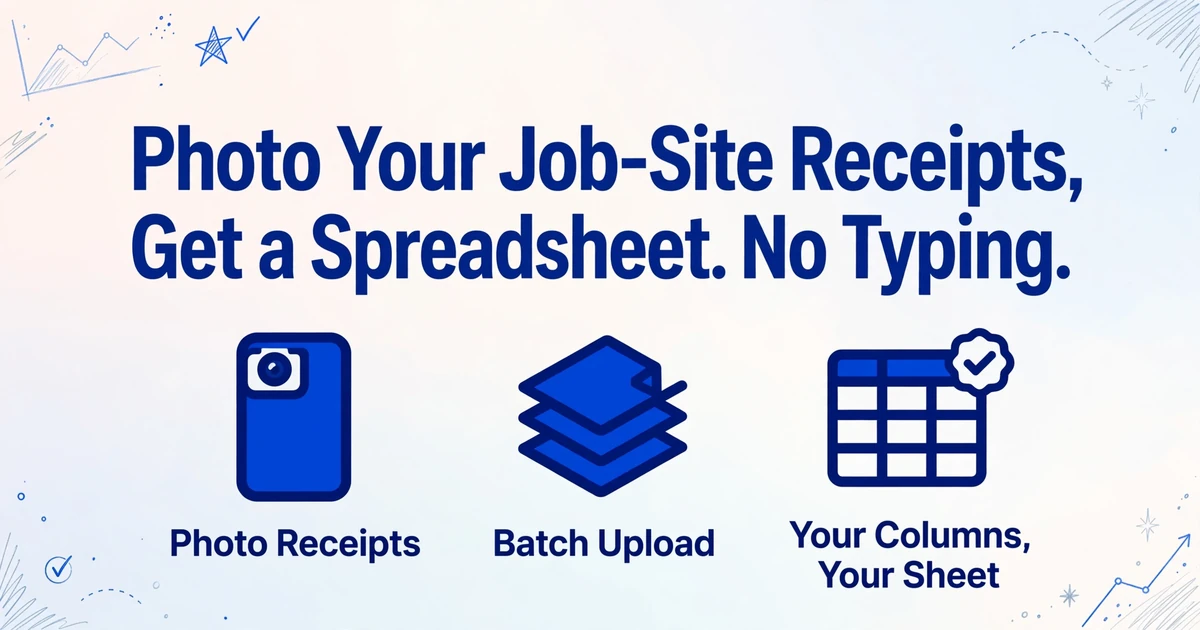
Photo Your Job-Site Receipts,
Get a Spreadsheet. No Typing.
A carpenter on Reddit's r/excel posted exactly what half the contractors reading this are thinking: "I'm a carpenter so I often have several receipts per week from places like Home Depot and Lowe's so my preferred method would be to just dump my receipts at the end of each week into the scanner and be as hands-off as possible in the excel spreadsheet." When this post hit the front page, it had zero answers that actually solved the problem. Every reply said some version of "use QuickBooks" or "hire a bookkeeper." Nobody addressed the actual ask: the carpenter already has a spreadsheet. He doesn't want new accounting software. He wants his receipts to become rows in that spreadsheet — without typing them.
Key Takeaways
- When a carpenter asked Reddit how to auto-fill his spreadsheet from receipt photos, every reply told him to buy QuickBooks — not one answered the question he actually asked.
- Eleven different receipt formats arrive in one week of job-site work — crisp Home Depot barcodes, smudged lumber-yard carbon copies, fading gas station thermal slips — and template apps need a template per format, leaving you maintaining 11 templates, which takes longer than retyping the receipts by hand.
- Define the columns you want — Store, Date, Item, Qty, Price, Job — and ImageToTable.ai hunts each field down on any receipt, from barcode printouts to handwritten carbon copies written with a dying pen on pink paper. One download, your spreadsheet, your columns.
The Sunday-Night Receipt Pile Is Real — and QuickBooks Doesn't Solve It
Walk onto any job site and check the foreman's truck. In the center console, the glove box, and the door pocket, you'll find receipts. Some from Home Depot's Pro Desk — crisp, printed, barcode-scanned. Some from the regional lumber yard — handwritten carbon copies with scrawled item codes. Some from the gas station down the street — a faded thermal slip barely legible after three days in a hot cab. That pile has to become numbers somewhere before the job gets billed. For most contractors, it becomes an evening on the laptop re-typing line items into a spreadsheet.
QuickBooks Online dominates the US contractor market. Xero, Procore, and Buildertrend all have their place. But here's what the Reddit carpenter understood that the software industry keeps missing: these platforms force you into their format. QuickBooks wants transactions categorized its way. Procore wants costs allocated to its cost codes. If you're a contractor who built a custom Excel tracker — one that splits materials by job, tracks supplies separately from lumber, and feeds your own estimating spreadsheet — none of those tools output what you need. You still end up retyping.
QuickBooks is powerful. It's also overkill for the contractor who needs exactly this: photograph 15 receipts from the week, get all the line items into a spreadsheet with the columns you defined, and move on. No chart of accounts setup. No vendor reconciliation. No learning a platform you didn't ask for. Just your columns, your spreadsheet, from your receipts.
If a receipt contains a store name, a date, item descriptions, quantities, unit prices, and line totals, an AI vision model can read every one of those fields from a phone photo — and output them directly into your spreadsheet with the column headers you choose. No scanner required. No template per store. No typing.
What's Actually on a Job-Site Receipt — and Why Templates Can't Handle It
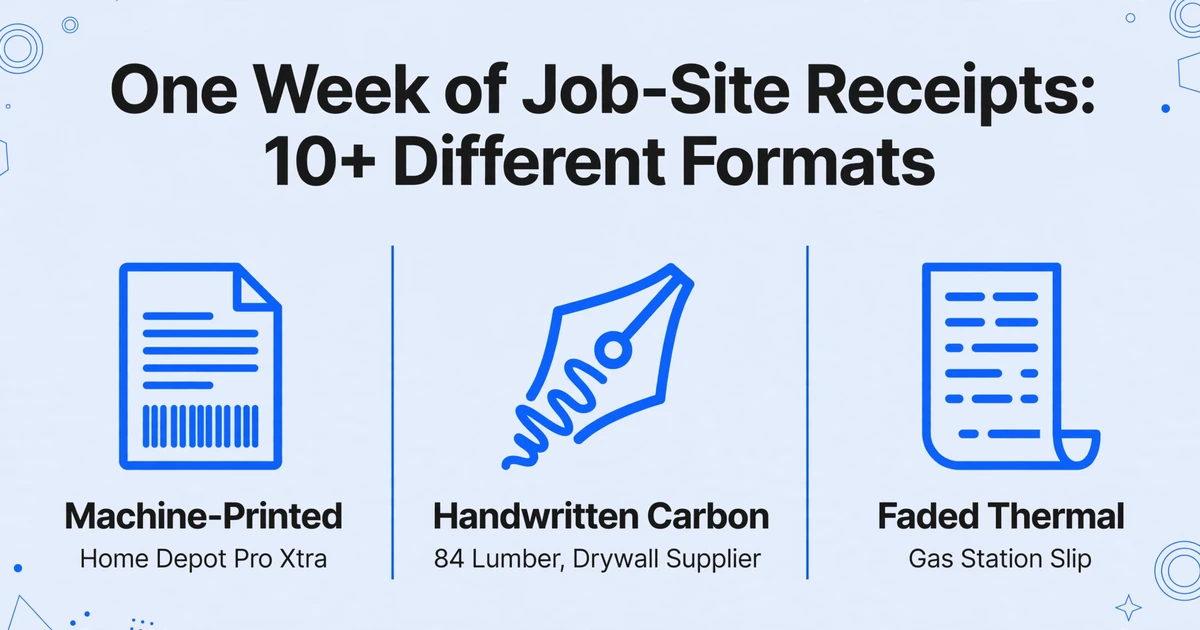
A Home Depot Pro Xtra receipt from the Pro Desk is the cleanest you'll get: store number, date, time, associate name, Pro Xtra ID, line items with SKU, description, quantity, unit price, extended price, subtotal, tax, and a QR-coded return barcode. It's machine-printed, well-aligned, and consistent from store to store. If every receipt were a Home Depot Pro Xtra receipt, template-based extraction would work.
But a contractor's weekly receipts also include: Lowe's for Pros receipts (different column layout, MVP loyalty number printed differently), a Builders FirstSource delivery ticket for the lumber drop (585 locations, 43 states — each branch uses its own invoice format), an 84 Lumber carbon copy with scrawled item names like "2×4×8 KD stud × 47 @ $3.87," an ABC Supply roofing materials receipt (line items indented with job-specific pricing), a Ferguson plumbing supply invoice (item codes that are 18-digit alphanumeric strings), a Graybar electrical ticket (catalog numbers, not descriptions), a White Cap concrete delivery receipt (cubic yards, not pieces), and a SiteOne landscape supply invoice with per-pound pricing on bulk materials. Then throw in the gas station receipt for the site truck and the handwritten invoice from the independent drywall supplier who still uses a triplicate carbon pad from 1998.
That's 10 different formats across one week of work — and some of them are handwritten. The physical reality makes it worse. These receipts spent the day in a pocket with a utility knife and a roll of electrical tape. The thermal paper from the gas station is already curling. The lumber yard ticket has a grease smudge across three line items. The Lowe's receipt is crumpled from being shoved between the seat and the center console.
Template-based tools require a template per store per format. Five hardware stores, two specialty suppliers, three lumber yards, and a gas station = 11 templates. A new supplier next week = another template. This is why contractors stop using receipt-scanning apps after the first month. Building and maintaining templates takes longer than just typing the receipts.
Column-name extraction — the mechanism ImageToTable.ai uses — doesn't require templates. You define the columns you want: "Store Name," "Date," "Item," "Qty," "Unit Price," "Line Total," "Job Name." The AI searches each receipt for information matching those field names by understanding what they mean, not by memorizing where they sit on a Home Depot receipt. As covered in our breakdown of template-free extraction, this is the difference between a tool that works on one receipt format and a tool that works on any receipt format. You type what you want, the AI finds it — on the Pro Xtra receipt, on the carbon copy, and on the greasy thermal slip alike.
Handwriting on Lumber Yard Tickets — Why Your Scanner Can't Read Them but AI Can

Regional supply houses rarely use point-of-sale systems that print itemized receipts. A lumber yard counter sale typically produces a handwritten carbon-copy invoice: the yard clerk writes the customer name at the top, lists each item by hand — "2×4×8 KD stud × 47" on one line, "3/4 CDX ply × 12 sht" on the next — writes a unit price next to each, totals by hand at the bottom, tears off the white and yellow copies, and hands you the pink one. The pink copy is third in the carbon stack. The writing is light. The alignment is improvised. The item abbreviations are specific to that yard.
Traditional OCR fails here for two reasons. First, OCR engines are built to convert printed characters — matching pixel patterns to known letterforms. Handwriting doesn't match letterforms; it varies by writer, by pen pressure, by speed. Second, carbon copies are low-contrast. The text isn't black on white; it's faint blue-gray on pink, often with ghost impressions from the top sheet bleeding through.
A vision large model — the AI behind handwriting-to-Excel extraction — reads differently. Instead of matching characters, it asks: "What information is on this page?" It understands that the scrawl next to a dollar amount is probably an item description. It recognizes "KD stud" as kiln-dried stud lumber even when written quickly. It distinguishes between a line item ("2×4×8 KD stud × 47 @ $3.87") and a subtotal scribbled at the bottom of the column. It reads context, not characters.
This means one upload handles every format in the week's pile. The printed Home Depot receipt, the handwritten lumber yard carbon copy, and the Lowe's thermal slip all flow through the same extraction — because the AI isn't looking for a template, it's looking for the information you asked for. The fact that many receipt formats exist stops being a problem when extraction is format-agnostic.
From Photo to Spreadsheet in One Step
Here is the workflow that the Reddit carpenter was looking for — and it takes less time than reading this section:
On Friday afternoon, photograph every receipt from the week — Home Depot, Lowe's, the lumber yard, the gas station, the supplier invoices. Upload all of them in one batch. Enter the column names you want in your spreadsheet:
Example column headers for contractor receipt tracking
Receipt Date
Item Description
Qty
Unit Price
Line Total (Qty × Unit Price)
Job/Project
The AI reads every receipt, locates each field, and outputs a single Excel spreadsheet with 15 receipts' worth of line items — sorted, formatted, and ready. Processing takes 5 to 10 seconds per receipt. The column headers in the output match exactly what you entered — "Store Name," "Item Description," "Line Total" — regardless of whether the source was a Home Depot barcode scan, a handwritten lumber ticket, or a faded thermal slip. Batch processing means you photograph the week, upload once, and get one spreadsheet. You don't process 15 receipts individually; you process 15 receipts as a group.
Files are processed securely and not stored.
Job Costing from Receipts — Know What Every Job Actually Cost
Tracking receipts by store and date is necessary. Tracking them by job is what makes the spreadsheet useful. The receipt from Home Depot says you bought 12 sheets of drywall and a box of screws. What it doesn't say is which job they went to. That context lives in your head when you take the receipt out of your pocket — and it needs to end up in the spreadsheet when you process it.
Add a "Job/Project" column to your extraction headers, and for each receipt you upload, you can assign it to the right job. The output rows now have a job name attached — which means you can sort, filter, and subtotal by project. After a week of work across three jobs, your spreadsheet tells you exactly what the Johnson kitchen remodel cost in materials versus the Thompson deck rebuild — broken down by each receipt, each line item, and each supplier.
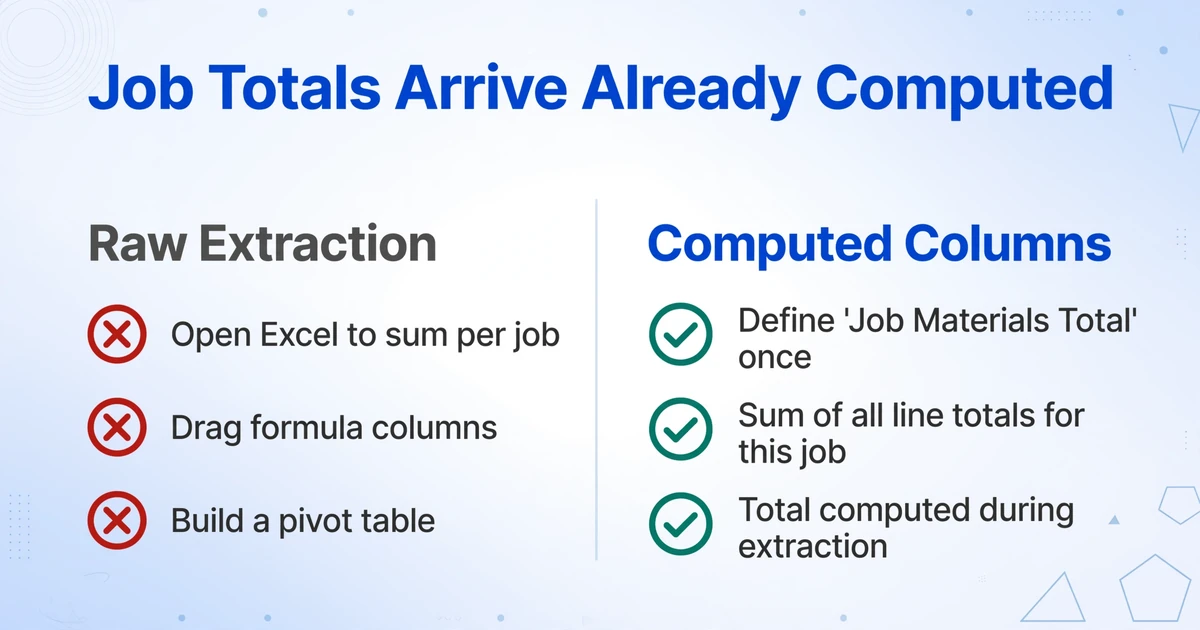
Computed Columns take this further. Instead of extracting raw numbers and opening Excel to sum everything per job, define the calculation once. A column header like "Line 22 Supply Total (Sum of Supplies items)" tells the AI to identify all line items that qualify as consumable supplies, add their line totals, and give you one number — per receipt or per batch. A column header like "Job Materials Total (Sum of all line totals for this job)" gives you the total materials cost per project. The AI performs the calculation during extraction, so the output you download contains the answer, not just the inputs. No formula columns to drag. No pivot table to build. The totals arrive already computed.
For general contractors running multiple crews across multiple sites, Collection Links solve the logistics problem. Generate a shareable URL — like /c/abc123 — and send it to each sub or foreman. They open the link on their phone, enter a short verification code, and upload photos of their receipts directly into your processing queue. No app download. No account creation. No email attachments getting lost. The plumber photographs his Ferguson receipt, the electrician photographs his Graybar ticket, the framer photographs his lumber yard invoice — all of it lands in your account, ready for batch extraction into one spreadsheet with job codes applied.
Tax-Ready: Map Your Receipt Columns to Schedule C
A shoebox full of receipts is not a tax record — it's a liability. The IRS doesn't require that you file paperwork in a specific format, but it does require that your records prove each deduction you claim. IRS Publication 583 specifies that receipts must show: payee (who you paid), amount (how much), proof of payment (cash, check, card), date of transaction, and a description of the item or service — enough to establish the business purpose. A greasy Home Depot receipt in a shoebox technically meets four out of five of those requirements. The part it doesn't meet is being organized in a way that proves the business purpose to an auditor.
The most common Schedule C mistake contractors make is mixing up Line 22 (Supplies) and Line 36 / Part III (Purchases — cost of goods sold). Line 22 covers consumable supplies — sandpaper, saw blades, cleaning supplies, PPE, small tools that wear out within the year. These are items you buy to do the work but don't become part of the customer's finished product. Line 36 of Part III covers materials purchased that become part of the finished work — lumber, drywall, paint, concrete, roofing shingles. If you buy 2×4s for a deck, that goes on Line 36. If you buy a box of screws that the customer never sees separately billed, Line 36. If you buy a pack of utility knife blades, Line 22. Getting these categories right matters because they affect your gross profit calculation — and auditor scrutiny falls hardest on COGS classification.
A spreadsheet with extracted receipt data, sorted by supplier and item type, makes this distinction obvious. When every line item is already in columns — "Item Description," "Qty," "Unit Price," "Supplier," "Job" — flagging which line goes to Line 22 and which goes to Line 36 becomes a sort-and-tag operation, not a memory test in January for receipts from June.
Other Schedule C lines your receipt data feeds:
| Schedule C Line | Deduction | Receipt Types That Feed It |
|---|---|---|
| Line 9 | Car and truck expenses | Gas station receipts, vehicle maintenance invoices — claim at 72.5 cents/mile for 2026 if using standard mileage rate |
| Line 11 | Contract labor | Subcontractor invoices, day labor payment receipts — issue Form 1099-NEC for any sub paid $600 or more |
| Line 18 | Office expenses | Office supply store receipts, printer ink, paper for estimates and contracts |
| Line 20b | Equipment rental | Rental yard receipts — excavators, lifts, scaffolding rented per day/week, not owned equipment (that's depreciation on Form 4562) |
| Line 22 | Supplies | Consumables receipts — sandpaper, blades, PPE, cleaning supplies, small tools under de minimis safe harbor |
| Part III, Line 36 | Purchases (COGS) | Lumber yard tickets, roofing supply invoices, drywall delivery receipts — materials that become part of the finished work |
Small contractors are exempt from the uniform capitalization (UNICAP) rules under IRS Publication 535 if average annual gross receipts for the prior three years are under $27 million — which describes virtually every independent contractor reading this. That exemption simplifies the accounting, but it doesn't exempt you from having records. Digital extraction gives you searchable, sortable records organized by the deduction category they support.
If you work on federal projects over $2,000, the Davis-Bacon Act requires Form WH-347 certified payroll filed weekly. While WH-347 is a payroll form, not a receipt form, supporting documentation for labor costs — subcontractor invoices, material delivery tickets that corroborate the work performed — is part of the compliance record. A spreadsheet that ties material receipts to specific federal project dates and phases gives you the backup the contracting officer may request during a wage-and-hour audit. Receipts organized by job and date are not just tax records — they're compliance records.
FAQ
What about faded thermal paper receipts — the kind that turn blank after a month in the truck?
Thermal paper degrades by chemical reaction to heat and light. Once the text has physically disappeared, no AI can recover it — the information is gone. The solution is timing: photograph the receipt as soon as you get back to the truck, before it spends days in a hot cab. A clear photo taken within a few hours of purchase preserves the data permanently. If the receipt is already partially faded but still legible to the naked eye, the AI can read it — contrast-enhancing the image before extraction helps. If it's a blank slip, you'll need the digital receipt from your Pro Xtra or MVP account instead.
Can it read the handwritten item names on my lumber yard tickets?
Yes, with the caveat that handwriting accuracy depends on legibility. A lumber yard clerk writing "2×4×8 KD stud" in clear block letters will extract reliably. A clerk writing "2x4x8KDstud" in connected cursive with a dying pen on a third-layer carbon copy will have lower accuracy. The vision model reads handwriting by context and structure — it infers that the scrawl next to a dollar amount is an item description and that the numbers following it are a quantity. Legibility matters, but the AI handles the range of penmanship found on real job-site paperwork far better than traditional OCR, which fails on handwriting entirely. Photograph the ticket flat, in good light, before folding it — the image quality determines the extraction quality.
How many receipts can I process at once?
There is no hard limit on batch size. The practical workflow is to photograph receipts throughout the week and batch-upload them on Friday — 10 to 30 receipts is typical for a one-crew operation. All receipts in the batch are processed together and output to a single Excel file. If you have more receipts, split them into manageable batches by job or by week. Processing speed is 5 to 10 seconds per receipt across the batch.
Does this integrate with QuickBooks or do I have to use Excel?
The tool outputs Excel (XLSX), CSV, and JSON — all formats that QuickBooks, Xero, and most accounting platforms can import. You extract into a spreadsheet and then import the file into your accounting software, or you keep the spreadsheet as your working record. The extraction layer handles getting data off the receipts; how you feed that data into your accounting system is up to you. Many contractors find the extracted spreadsheet is sufficient and never import into QuickBooks at all — the spreadsheet with job-coded line items becomes the cost-tracking system.
How do my subcontractors send me their receipts?
Generate a Collection Link and text or email it to each sub. They open the link on their phone, enter the verification code, and upload photos of their receipts. The files appear in your processing queue — no app install, no account required for them. You batch-process everything on your side. This is how a GC with three subs and 15 crew members consolidates all job receipts without an email chain or a shared folder. The sub photographs, you process. Everyone stays in their lane.
Are AI-extracted receipt records IRS-compliant?
Yes. The IRS has accepted digital records as valid documentation since Rev. Proc. 97-22 in 1997. The legal requirement is that records accurately reflect the transaction — not that the original thermal paper slip exists forever. A clear photo of the receipt plus the extracted data in a spreadsheet meets the five requirements of IRS Publication 583: payee, amount, payment method, date, and business purpose. The tool does not retain documents after processing, so keep the original photos in your own records alongside the extracted spreadsheet. If audited, you present the receipt photos as the original source and the spreadsheet as the organized record — the combination satisfies substantiation requirements for Schedule C deductions.
What formats can I upload?
JPG and PNG phone photos of physical receipts. PDF files — both digital receipts saved from online purchases and scanned paper receipts. WebP and AVIF if your phone saves in those formats. The vision model processes all of them through the same pipeline. Phone photos taken in good light are the recommended approach for physical receipts — faster than scanning, no additional hardware needed, and the AI handles phone-photo resolution well as long as the image is clear.