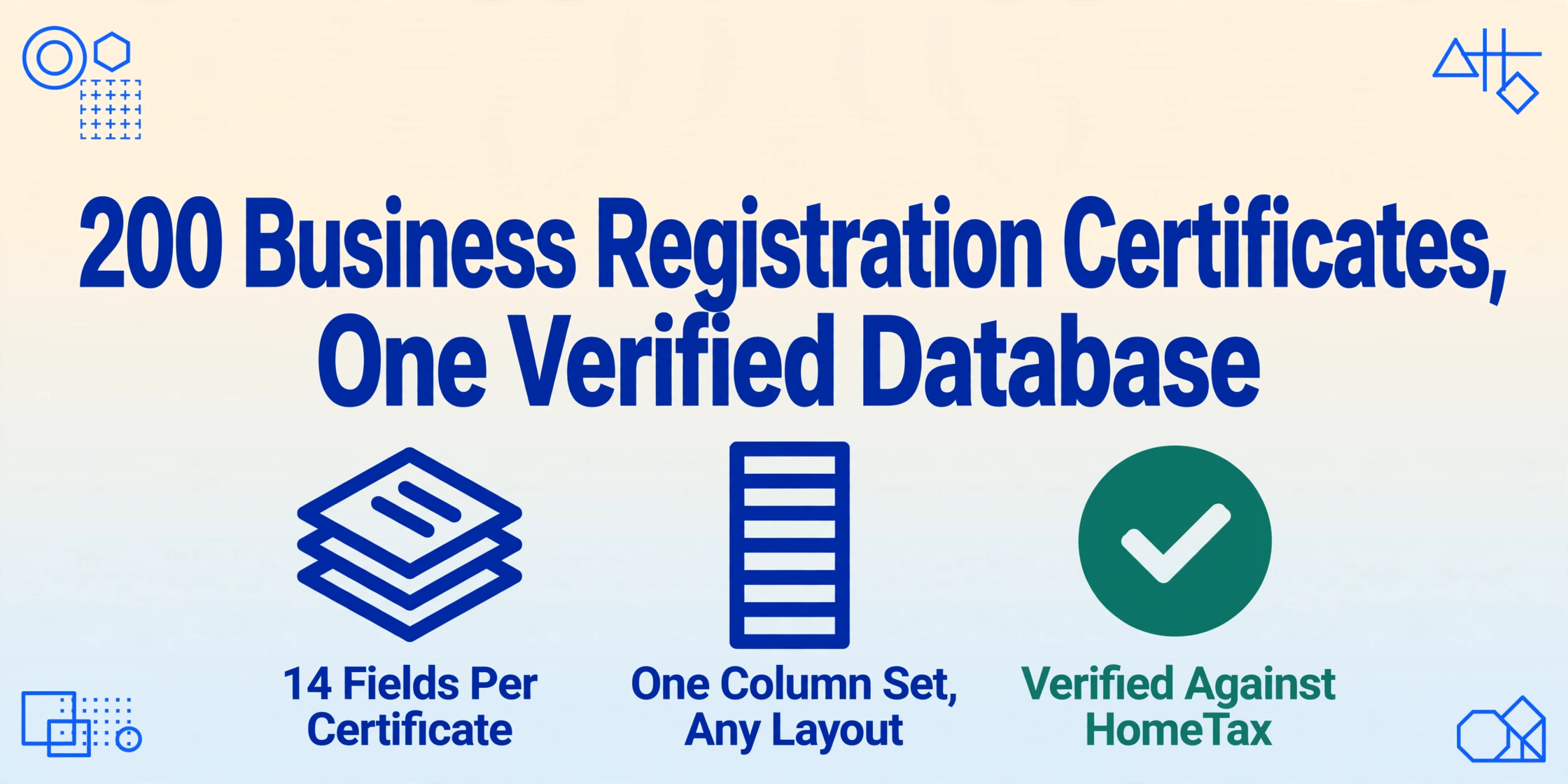
200 Business Registration Certificates, One Verified Database:
How to Handle Supplier KYC in Korea Without Manual Data Entry
South Korea's Financial Real Name Act (금융실명법, FRNA) has required every business to register for a 사업자등록증 since 1997. The result is a standardized, government-issued proof of business identity that any supplier, platform, or bank can rely on for KYC. There's just one problem: when you have 200 supplier certificates to verify, standardization on the issuance side doesn't help you on the extraction side. Every certificate arrives as a scanned PDF or printed copy — and the data inside has to be typed out, one field at a time, into your vendor database.
That gap between a universal standard and per-document manual re-entry is invisible when you onboard ten suppliers a year. It becomes the single largest bottleneck when you're adding 50 suppliers to a marketplace, refreshing vendor records for a corporate supply chain, or processing KYC renewals for 200 existing partners. This article is written for the second situation.
Key Takeaways
- The bottleneck in Korean supplier KYC isn't verification — it's the invisible step before it: getting 200 scanned certificates into a structured database without manual typing.
- Manual entry of 2,800 data points across 200 certificates guarantees 28 to 84 errors — and each BRN typo means a supplier record that silently fails NTS verification.
- Batch extraction flips the workflow from 'type 200 times' to 'design your column layout once' — one semantic pass across all 200 certificates, one unified supplier spreadsheet.
New to Korean business registration documents? The Korean document extraction market comparison covers the pricing landscape across government portals, domestic ERP tools, and cross-border platforms. This article focuses on the batch KYC workflow — what changes when you process supplier registrations at scale.
The Invisible Batch Problem in Korean Supplier KYC
Single-supplier KYC has a well-documented playbook. You collect the 사업자등록증, verify the business registration number (사업자등록번호) against the National Tax Service (NTS) database, confirm the tax type (과세유형), check the representative name and business address, and file the scanned copy. Every compliance guide covers this flow.
But the playbook breaks under batch conditions for a reason few guides acknowledge: the bottleneck isn't verification — it's data extraction. Before you can verify anything, the information has to be in a database. And the only path from a scanned 사업자등록증 into a structured vendor record, for most teams, is still a person reading the document and typing the fields into an Excel row.
At 50 suppliers, manual extraction is an afternoon's work. At 200 suppliers — typical for a mid-size e-commerce marketplace onboarding sellers or a corporate supply chain refresh — it becomes three to five person-days of typing, checking, and correcting typos. The extraction step, not the verification step, is what determines whether the onboarding cycle takes a week or a month.
The Critical Fields of a Business Registration Certificate (사업자등록증) — and Why Each One Matters in Batch
A Korean business registration certificate carries several key fields. In a single-supplier scenario, you read them one by one. In batch processing, each field becomes a column in your vendor database — and understanding what each one tells you determines how you design that database.
Business Registration Number (사업자등록번호)
The 10-digit BRN in XXX-XX-XXXXX format is the primary key of any Korean vendor record. What most processing guides don't mention is that the middle two digits encode the business type — a signal you can use for automatic validation:
| Middle digits | Business type | Implication for KYC |
|---|---|---|
| 01–79 | Individual taxable (개인과세) | Can issue tax invoices. VAT rate 10%. |
| 81, 86–88 | Corporation (법인) | VAT filed quarterly. Higher compliance reliability. |
| 82 | Non-profit corporation (비영리법인) | May issue tax-free receipts only. |
| 85 | For-profit branch (영리법인 지점) | Check parent company registration. |
| 90–99 | Individual tax-exempt (개인면세) | Cannot issue 세금계산서. VAT exemption applies. |
When you extract 200 BRNs in a batch, a supplier claiming to be a corporation (법인) with a BRN starting in the 10-XX range where XX is 01–79 instead of 81–88 signals a mismatch that warrants manual review. This automatic sanity check is impossible when data sits inside individual PDFs.
Tax Type (과세유형)
The tax type determines how your own accounting team handles transactions with this supplier. Under the VAT Act:
- 일반과세자 (General taxpayer) — Issues electronic tax invoices with 10% VAT. Quarterly VAT filing (for corporations) or semi-annual (for individuals). Can issue 세금계산서 to all counterparties.
- 간이과세자 (Simplified taxpayer) — Reduced VAT rate (1.5%–4%). Limited tax invoice issuance — cannot issue 세금계산서 if annual revenue is below KRW 48 million. Annual VAT filing.
- 면세사업자 (Tax-exempt) — No VAT obligation. Cannot issue 세금계산서 at all. Issues tax-free receipts instead.
For a procurement team processing 200 suppliers in batch, extracting the tax type is not a data entry task — it's a classification task. Suppliers marked as 간이과세자 need a flag in your ERP that tells the system not to expect a tax invoice. Missing this flag means the supplier gets processed as if they owe VAT, and the discrepancy surfaces only at month-end reconciliation.
Business Type Code (업종코드)
The 6-digit industry code (업종코드) classifies the supplier's business activity — manufacturing, wholesale, food service, IT services, etc. In a single-supplier context, you glance at it. In batch processing, the code becomes a filter: which suppliers are in your industry, which are in adjacent sectors, and which ones sit in a category that triggers different compliance requirements.
A supplier with 업종코드 starting with 52 (도매 및 소매업 / wholesale and retail) and a separate supplier with code starting with 55 (숙박 및 음식점업 / accommodation and food service) are governed by different tax deduction rules for their inputs. When you batch-extract this code into a spreadsheet, you can segment your supplier list by industry for risk-tiered KYC review — something that's impractical when the data lives on paper.
Other Key Fields in Batch Context
상호 (Business name) — Korean-language only on the certificate. English names are unofficial transliterations. When extracting 200 business names in a batch, the raw Hangul entries become your reference key — never match against an English name that a supplier may have written differently on your intake form.
개업연월일 (Business opening date) — Critical for age-based risk assessment. A supplier that opened for business 30 days ago is different from one operating for 10 years. Extract this into a date column and you can auto-calculate supplier maturity.
사업장소재지 (Business address) — In a batch, addresses flag geographic concentration or notable gaps. An e-commerce platform onboarding 200 sellers across six Korean provinces has a distribution signal worth tracking.
The Batch Arithmetic: 200 Certificates × 14 Fields Each
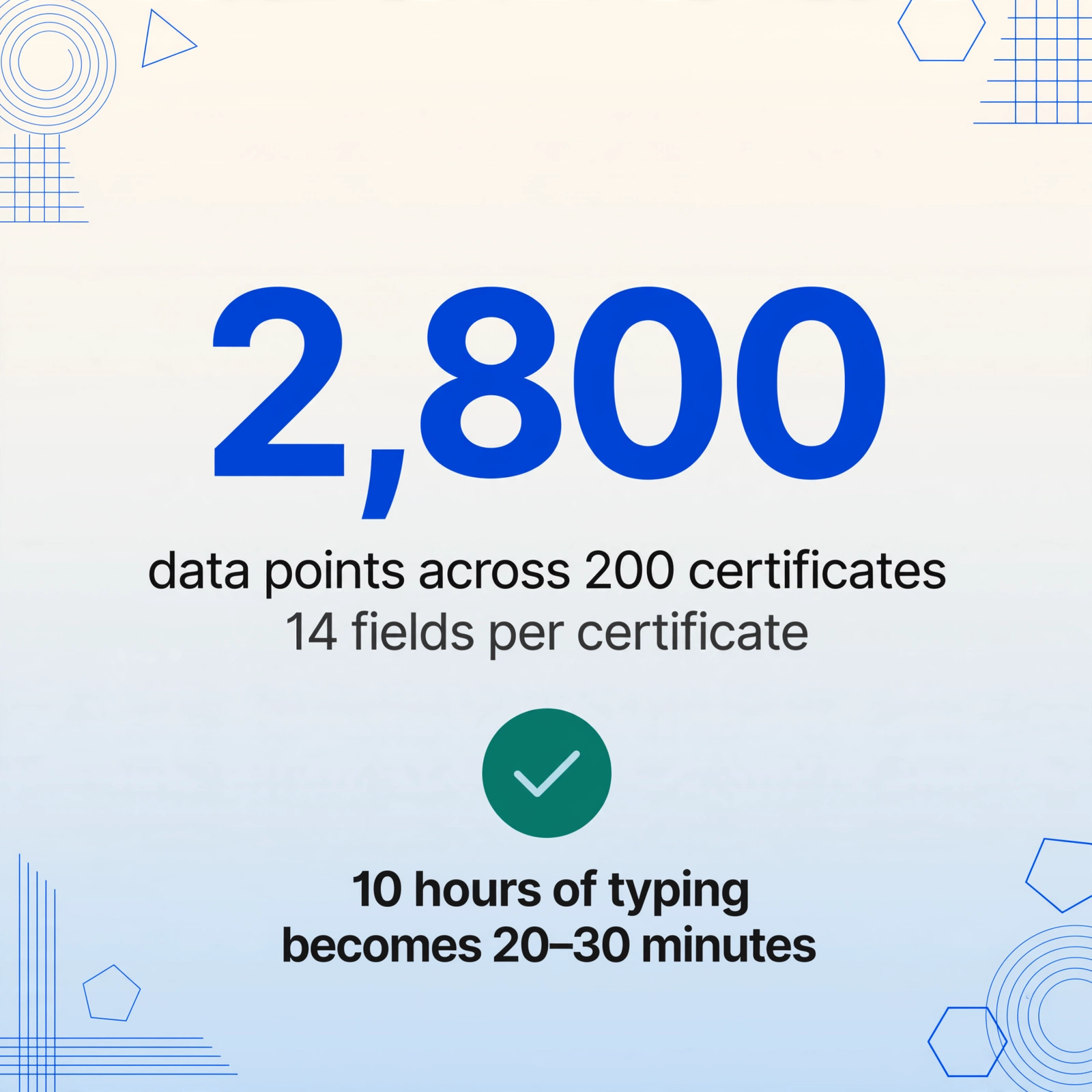
A 사업자등록증 carries roughly 14 extractable data points: business registration number, business name, representative name, opening date, address (multiple sub-fields), tax type, industry code, business type (개인/법인), issuing authority, issuance date, and issuance reason. For 200 certificates, that's 2,800 data points.
| Metric | Value |
|---|---|
| Suppliers to onboard | 200 |
| Fields per certificate | ~14 |
| Total data points | 2,800 |
| Manual extraction at 3 min / certificate | ~10 hours |
| Typo rate for manual entry | 1–3% (28–84 errors) |
| Batch AI extraction time | ~20–30 minutes |
The 10-hour estimate assumes uninterrupted typing from clean documents. In practice, poor scan quality, unfamiliar Korean characters, and the mental fatigue of copying the same three-digit business type codes 200 times push the actual duration higher — and the error rate with it.
A single wrong digit in a BRN (typing 81 as 18) invalidates the entire supplier record because the NTS verification check in HomeTax (홈택스) uses the exact 10-digit number. The 28–84 expected errors from manual data entry are not administrative annoyances — each one is a supplier that fails verification and has to be manually traced, corrected, and re-verified.
How Batch Extraction Works — One Column Design for All Suppliers
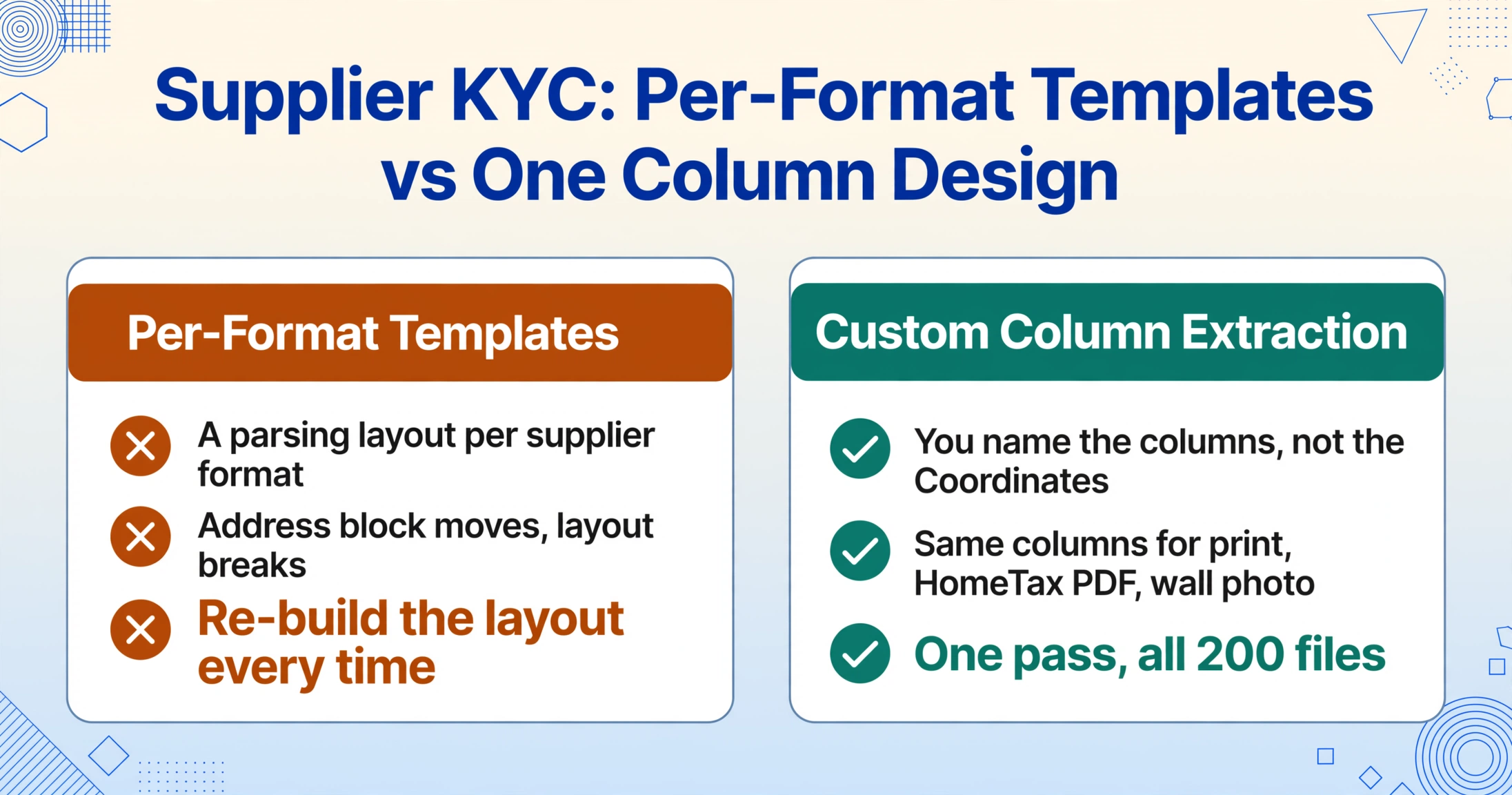
The reason traditional KYC workflows don't scale is that template-based extraction tools require you to define a parsing layout for each supplier's document format. Different certificates may have slightly different layouts — scanned at different resolutions, with the address block in a slightly different position, or with the tax type stamp placed in a margin instead of a dedicated field.
ImageToTable.ai's Custom Column Extraction inverts this logic. Instead of telling the system where each field sits on the page, you tell it what you want — by naming the columns you need — and the AI reads the document semantically to find those values, regardless of where they appear. A column called "사업자등록번호 (BRN)" works the same way across a certificate scanned from a printed copy, a PDF downloaded from HomeTax, or a photo taken of a framed certificate on an office wall.
The Batch-First Processing design takes this further: you define your column names once, upload all 200 certificates at once, and the system processes them all through the same semantic extraction pass. The output is a single spreadsheet with every supplier's data in the same row structure — BRN column, business name column, tax type column, industry code column — ready to be reviewed, sorted, and fed into your vendor database. The certificate is one member of the Korean tax document family — our Korean tax document extraction guide extends the same batch-first pattern to tax invoices, cash receipts, and delivery notes.
This is the fundamental shift from individual KYC verification to batch supplier onboarding. The work moves from "type 200 times" to "design the column layout once."
Building the Vendor Database — What Data Goes In
When you're designing the column layout for batch extraction, the question isn't "what fields are on the certificate?" — it's "what decisions do I need to make about each supplier, and what data enables those decisions?"
Here's a suggested column set optimized for batch KYC verification:
| Column name | Source on 사업자등록증 | KYC use in batch |
|---|---|---|
| BRN (사업자등록번호) | Top center | Primary key. Auto-validate format and middle-digit business type. |
| Business name (상호) | First row below BRN | Match against intake form. Flag Korean/English inconsistencies. |
| Representative (성명) | Next to business name | Cross-check against registered signatory on bank account. |
| Opening date (개업연월일) | Date field | Calculate supplier age. Flag suppliers less than 6 months old. |
| Tax type (과세유형) | Stamped or printed | Auto-set VAT handling rule in ERP. Flag 면세/간이 suppliers. |
| Industry code (업종코드) | Not printed on certificate — extract from HomeTax cross-ref or OCR | Segment suppliers by industry for risk-tiered review. |
| Address (사업장소재지) | Full address block | Geographic distribution analysis. City/province segmentation. |
| Issuance reason (교부사유) | Lower portion | Why was this copy issued? 재교부 (re-issue) may flag recent address changes. |
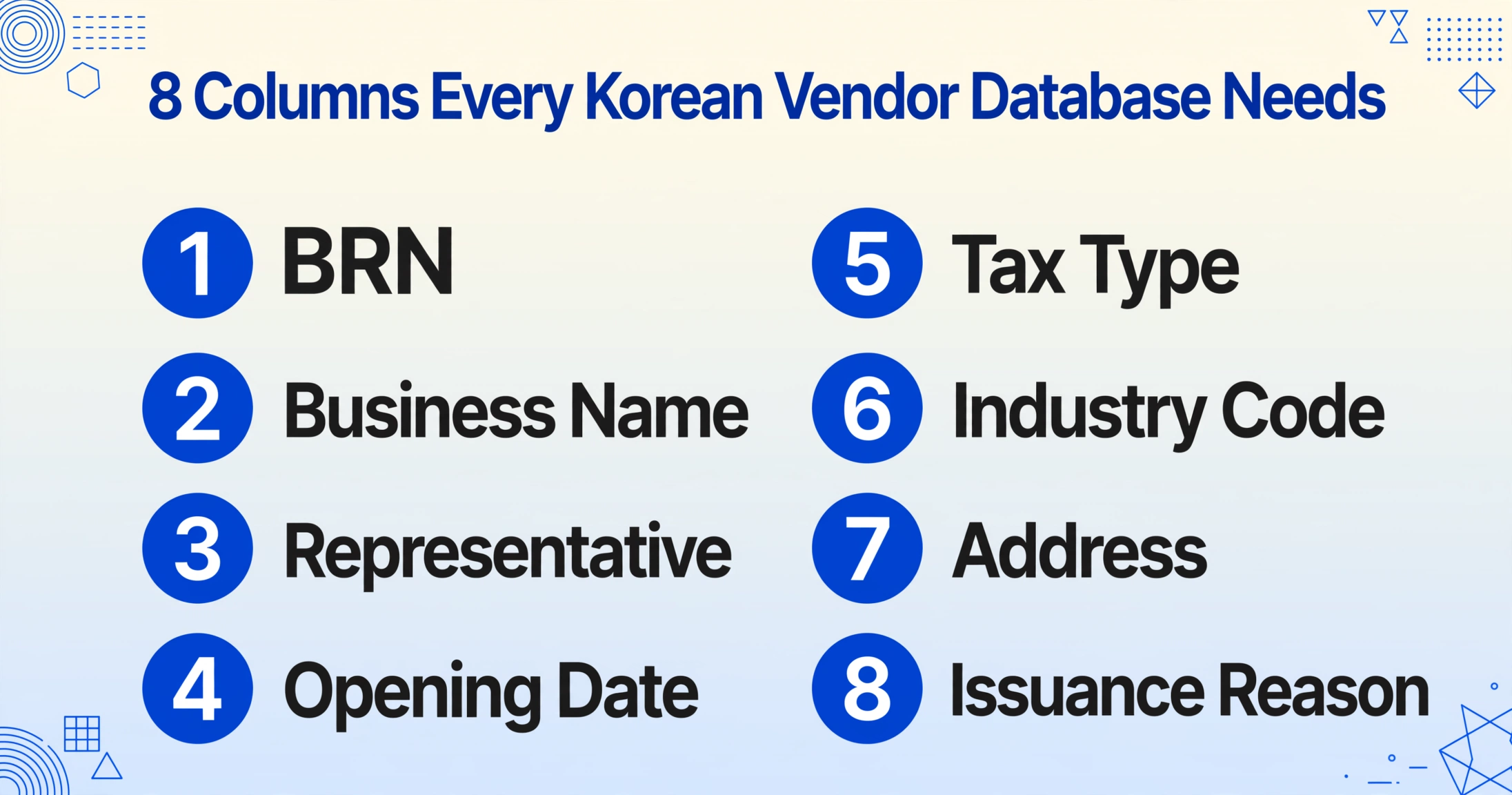
Once extracted, each supplier record carries enough information to run automated validation rules: does the BRN middle digit match the declared business type? Is the supplier active and verified on HomeTax? Is the tax type consistent with the industry they operate in? Suppliers that pass all checks can be fast-tracked into your system. Suppliers that trigger flags — a BRN format mismatch, a tax type that doesn't match their industry code — go into a separate queue for manual review.
Three Real-World Batch KYC Scenarios
1. E-Commerce Marketplace Seller Onboarding
Coupang (쿠팡) and Naver SmartStore (스마트스토어) require every seller to submit a valid 사업자등록증 as part of account registration. For a marketplace operator onboarding 150–300 new sellers per month, each certificate arrives as a separate upload. The data needs to be extracted into a seller management system: BRN for payment settlement, tax type for VAT treatment of seller commissions, business name and address for seller profile verification.
The challenge specific to this scenario is speed. New sellers are waiting to start listing products. Every day of manual KYC processing delays first sales. Processing the batch in minutes instead of days directly impacts marketplace revenue.
2. Corporate Supply Chain Annual Supplier Refresh
Large Korean enterprises — Samsung, Hyundai, LG, SK — operate supplier ecosystems of 1,000 to 5,000 vendors. Annual KYC re-verification requires every supplier to submit a current 사업자등록증 (issued within the last 3 months). For the procurement team processing 200–400 renewals per cycle, each certificate needs to be compared against the existing vendor master record to catch changes: new address, changed representative, updated business type.
Batch extraction here is about deltas, not initial data entry. The extracted columns from the new certificate are compared against the stored vendor record. Only suppliers with changes — a different address, a switched tax type, a new business name — require manual review. The other 80% are automatically confirmed.
3. Payment Platform / Fintech Account Opening
Cross-border payment platforms like Airwallex, global fintech services, and domestic Korean payment gateways — all require 사업자등록증 for business account KYC under the FRNA and AML/CFT Regulations (Art. 35–42). A platform onboarding Korean merchants in batch faces the additional requirement that the certificate must be bilingual (English and Korean) and issued within three months.
In this scenario, the extraction output feeds directly into a KYB (Know Your Business) workflow. The extracted BRN is used to run sanctions screening, PEP checks, and adverse media searches in parallel. The certified database of 200 verified suppliers becomes the compliance record for audit.
Beyond Extraction — Verifying What You've Extracted
Batch extraction gets the data out of the PDFs. Verification confirms that data is accurate against official sources. The two steps are separate, and both benefit from structured data.
Once your vendor spreadsheet is populated from batch extraction, you can run the BRNs through the NTS's public status check on HomeTax (홈택스) — which supports checking up to 100 records per call through its open API on the Korean Public Data Portal:
- Business status — 계속사업자 (active), 휴업 (paused), 폐업 (closed). Batch-verify all 200 suppliers at once. Flag any that show as 휴업 or 폐업.
- Tax type match — Confirm that the 과세유형 on the certificate matches the NTS record. A supplier claiming 일반과세자 status but recorded as 간이과세자 on HomeTax needs investigation.
- BRN validity — The NTS returns confirmation or mismatch indicators. Deleted or unregistered BRNs are flagged with specific error messages.
When you have the data in a spreadsheet, these checks become filter operations. Sort the "NTS status" column by 휴업 to get your problem list. Cross-reference the "tax type" column against the "NTS tax type" column for mismatches. Without batch extraction, each one of these checks requires opening a PDF, finding the BRN, typing it into HomeTax, and recording the result.
The difference — minutes versus days — is what batch workflow design is about.
The single most important realization for teams scaling up Korean supplier onboarding is this: the bottleneck is not verification technology — it's the gap between "I have 200 PDFs" and "I have 200 structured records." Close that gap, and the whole KYC process compresses from a multi-week project to a same-day operation. ImageToTable.ai was designed specifically to close that gap — not by adding another verification layer, but by making the extraction step batch-native from day one.
Frequently Asked Questions
Q: Can ImageToTable.ai extract Korean text from scanned 사업자등록증 PDFs?
Yes. The AI processes scanned PDFs, photos, and digital downloads equally — it reads the document visually rather than relying on text layer extraction. Korean Hangul characters, mixed with Chinese characters (한자) in the business name or address, are handled by the same vision model. The output field names and column headers remain in English, which is the language you defined them in.
Q: How do I design columns for Korean business registration certificates?
You type the fields you want in English — for example, "Business Registration Number (BRN)", "Business Name", "Tax Type (과세유형)", "Representative Name" — and the AI extracts the corresponding values from the Korean document. Use the column names listed in the vendor database section of this article as a starting template. The key is to be explicit about what you need: "BRN" is better than "ID Number" because it tells the model exactly which 10-digit number to find.
Q: How many certificates can I process in a single batch?
The system is designed for batch-first processing with no hard upload cap per session. Files are uploaded in parallel and queued sequentially for extraction. For 200 certificates averaging 2–3 pages each, the total extraction time is approximately 20–30 minutes, producing one unified spreadsheet with all supplier records. Processing speed depends on document complexity, but batch throughput is the architectural focus of the tool.
Q: Can I verify the extracted BRNs against the NTS database automatically?
The extraction tool outputs the BRNs into your spreadsheet. You can then export that BRN column and run it through the NTS batch API on the Korean Public Data Portal, which supports up to 100 records per call. The combination of AI extraction (getting the BRNs out of PDFs) + API verification (checking them against NTS) creates an end-to-end batch pipeline that eliminates manual entry entirely.
Q: What happens if a certificate is poorly scanned or partially illegible?
The AI will flag fields where confidence is low or extraction was uncertain. In batch processing, these low-confidence records are clearly marked so you know which supplier records need manual attention — without having to inspect all 200 documents. You can review only the flagged certificates, correct any misread fields, and re-export the final vendor database.
Q: Is this suitable for individual suppliers or only for large batches?
Both. The tool works the same way for a single certificate or 200. The workflow is identical — upload, define columns, extract. The difference is that batch processing makes the ROI obvious: if manual extraction takes 3 minutes per certificate and you have 200 of them, the time saving is roughly 10 hours of typing. For a single certificate, the saving is 3 minutes, which is still meaningful but not the headline story.
From 200 PDFs to One Vendor Table
Korean supplier KYC is not fundamentally a compliance problem — it's a data extraction problem. The compliance framework exists and works. The bottleneck is the step between "here's a scanned certificate" and "here's a structured vendor record that our ERP can process."
When you treat batch extraction as the starting point — asking "how do I get 200 certificates into a database in one pass" instead of "how do I verify this one supplier" — the entire onboarding workflow transforms. The data arrives structured. The NTS verification runs against a column, not against each individual PDF. The suppliers that need manual attention are identified by their data flags, not by someone reading 200 documents.
The compliance decision you make at the end of this flow is only as reliable as the data at the beginning. Automated batch extraction ensures that the beginning is not a person with a keyboard and a stack of scanned PDFs, but a structured dataset ready for validation.